Six questions on the safety features already on your phone, with real screens from our Galaxy A57.
Fun with friends? Share it:WhatsApp
All the questions
- How many presses of a Galaxy's Side button start Emergency SOS?
- 2
- 3
- 5
- 10
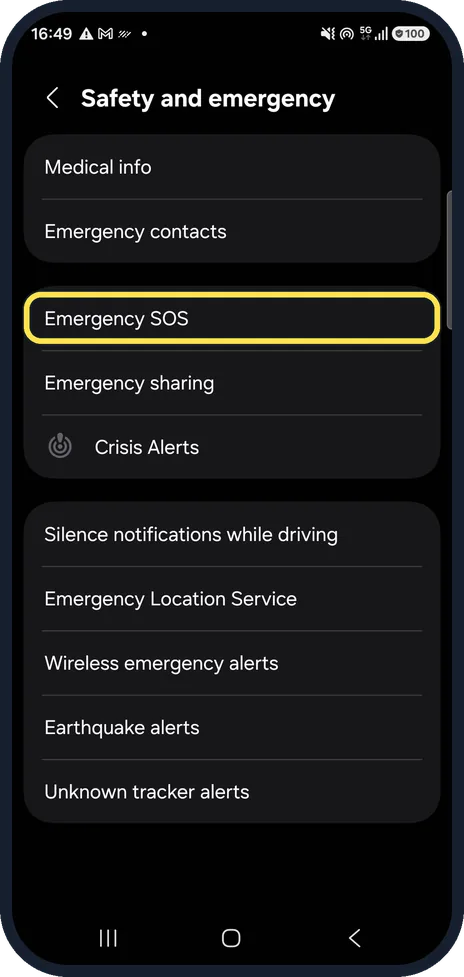
- Your Galaxy keeps calling SOS from your pocket. Which switch on this real screen stops a press dialling straight away?
- Require swipe to call
- Emergency number to call
- Send SOS to emergency contacts
- You called emergency services by accident. What should you do?
- Hang up quickly
- Stay on the line and tell the operator it was an accident
- Turn the phone off
- Call again
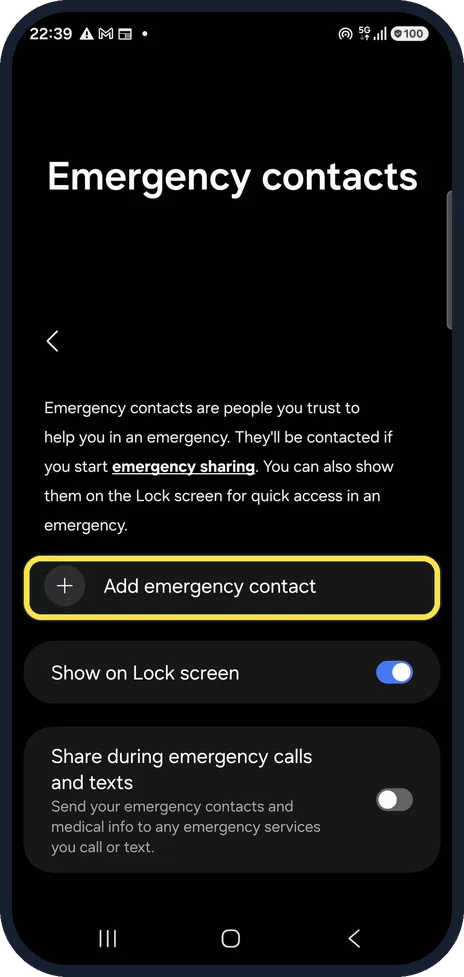
- A paramedic finds your locked Galaxy. How can they see your medical info?
- They can't
- Emergency call on the lock screen, then View medical info
- Only with your PIN
- Through Samsung Cloud
- Pixel Car Crash Detection thinks you crashed. What happens first?
- It calls the police straight away
- It vibrates, sounds an alarm and asks if you need help
- Nothing
- It texts your boss
- On an iPhone, what does Safety Check's Quick Exit button do?
- Deletes everything
- Closes Settings at once and returns to the Home Screen, keeping changes made so far
- Calls the police
- Locks the phone forever
More quizzes
 Computers
Mac tricks you will use every day
6 questions · about 3 min Computers
Windows 11 tricks you will use every day
6 questions · about 3 min Phones & tech habits
Private browsing: what does it really hide?
6 questions · about 3 min Just for fun
How winter-ready is your home?
6 questions · about 3 min Kitchen & cleaning
Kitchen and home myths: fact or fiction?
7 questions · about 4 min Home & safety
Burst pipe! Could you stop the water in time?
6 questions · about 3 minLearn more: 3 tips
- Galaxy: Send SOS to emergency contacts texts your location when SOS starts. It was off on ours, so check yours. Source: Samsung Latin: How to turn off Emergency SOS function?
- Google says some Pixel emergency features depend on your country and phone. Source: Google Android Help: Get help in an emergency using your Android phone
- iPhone Safety Check needs iOS 16 or later and an Apple Account with two-factor authentication (Apple). Source: Apple Support: Safety Check for an iPhone with iOS 16 or later (Personal Safety User Guide)
You might also like

Sources
Every answer comes from our own pages and the sources they cite:
- Samsung Latin: How to turn off Emergency SOS function?
- Samsung UK: How to turn off Emergency SOS on your Galaxy phone
- Samsung Latin: How to use Galaxy device in an emergency to contact emergency contacts and view important medical information
- Google Android Help: Get help in an emergency using your Android phone
- Apple Support: Safety Check for an iPhone with iOS 16 or later (Personal Safety User Guide)
Did you enjoy this quiz?