
Six questions with real screens from our MacBook Neo on macOS 27.
Fun with friends? Share it:WhatsApp
All the questions
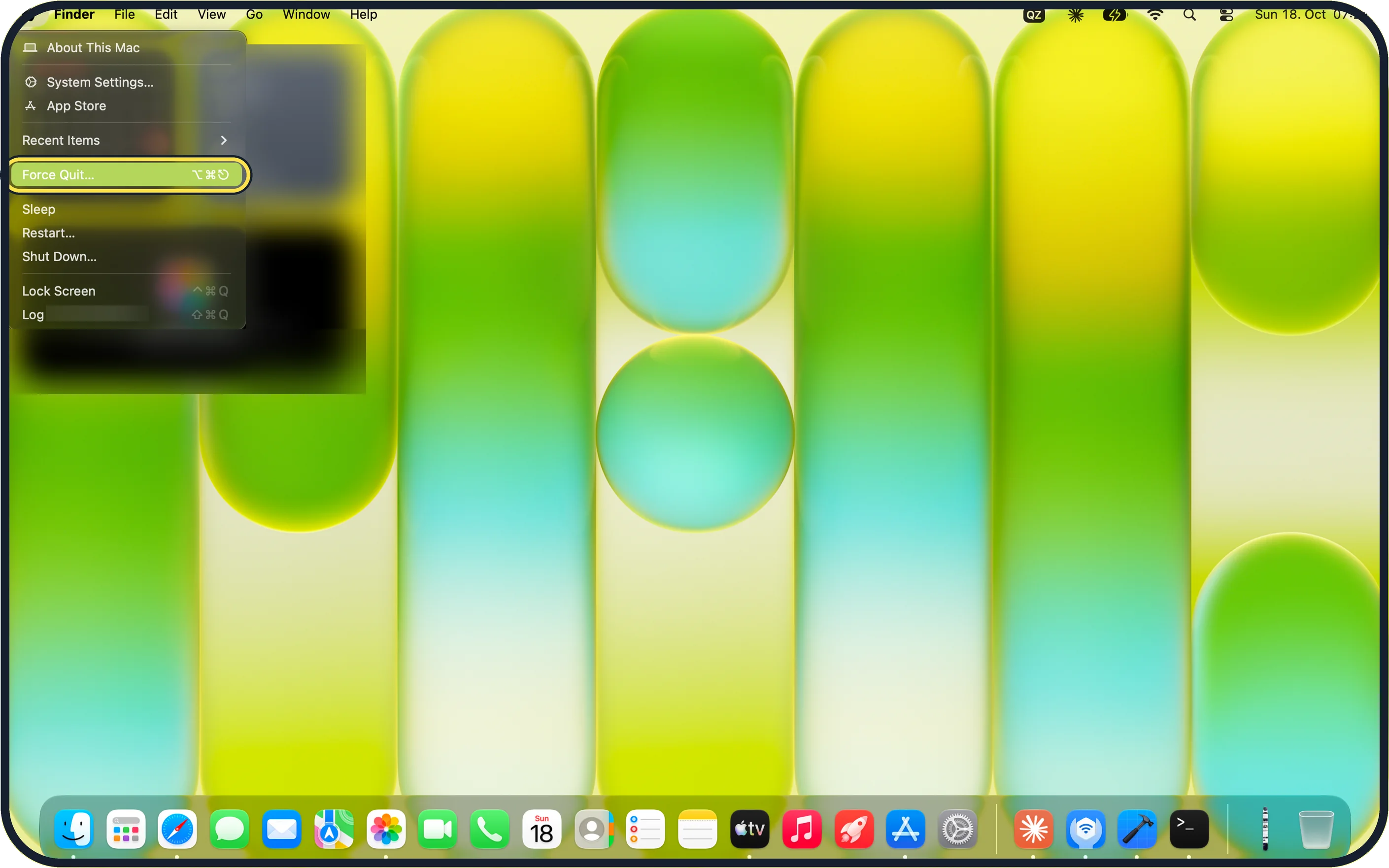
- An app is frozen. Which shortcut opens Force Quit?
- Command + Q
- Option + Command + Esc
- Control + Alt + Delete
- Shift + Esc
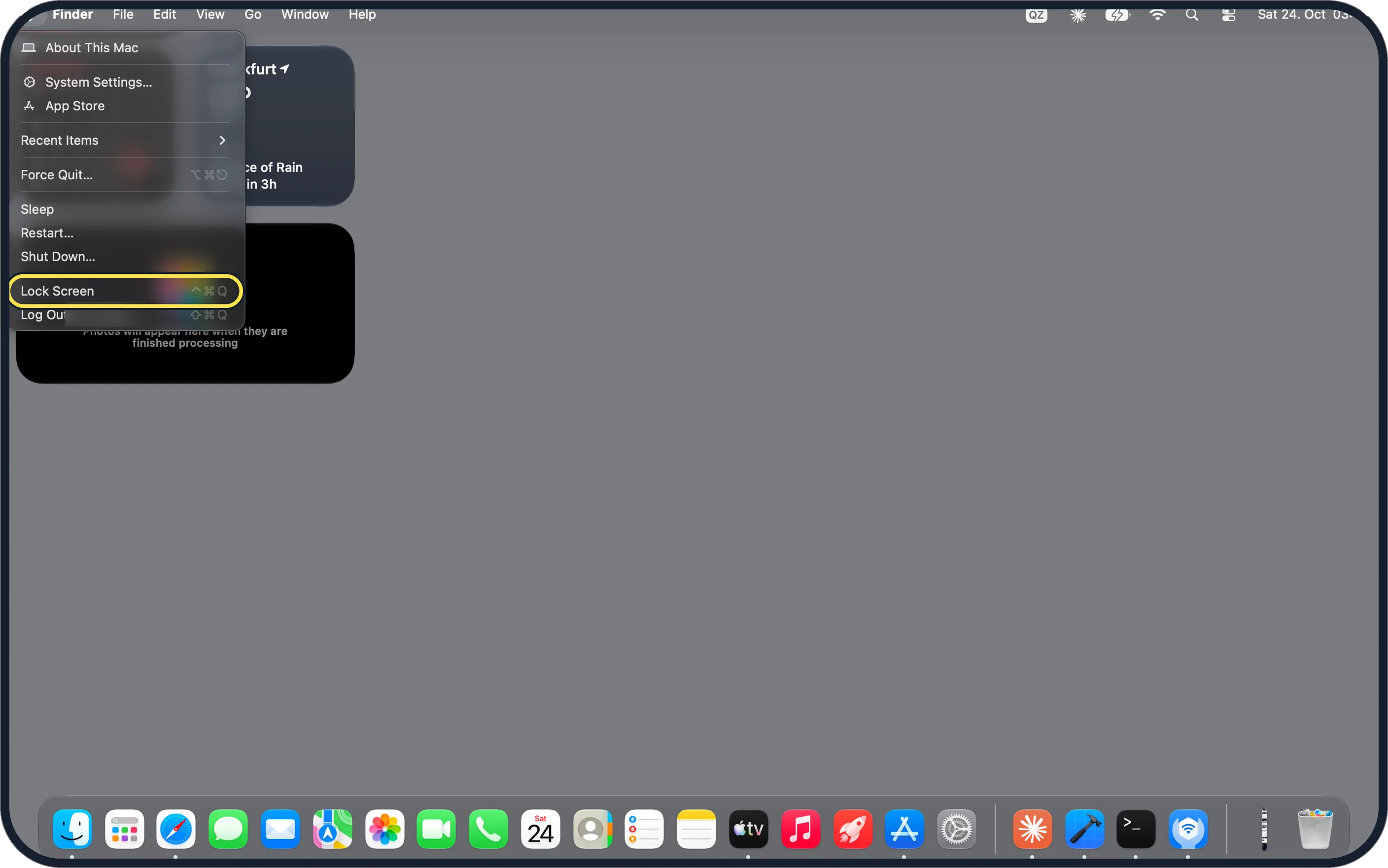
- Leaving your desk: which keys lock a Mac straight away?
- Control + Command + Q
- Shift + Command + Q
- Command + L
- Option + Q
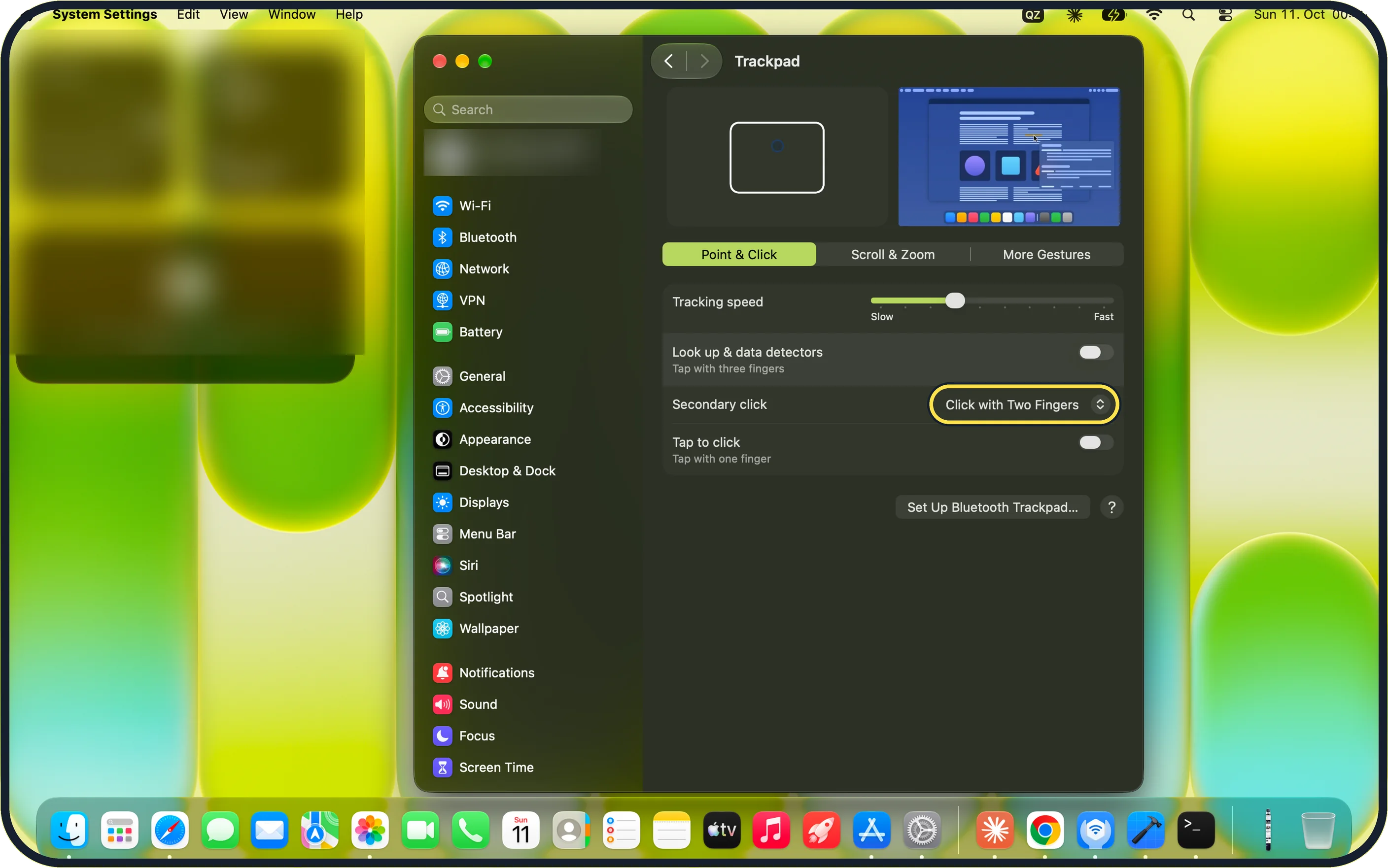
- How do you right-click on any Mac trackpad or mouse?
- Hold Shift and click
- Hold Control and click
- Double-click
- Hold Option and scroll
- Click a file once and press which key to preview it without opening an app?
- Return
- Space bar
- Tab
- F1
- A small note window pops up when the pointer hits the bottom right corner. Why?
- A virus
- That hot corner is set to Quick Note by default
- The trackpad is broken
- Notes is syncing
- You set "hts1" to expand into a full sentence, but it doesn't work in one app. Why?
- You need a new Mac
- Apple says text replacements don't work in every app
- It only works on Sundays
- The code is too short
More quizzes
 Computers
Windows 11 tricks you will use every day
6 questions · about 3 min Phones & tech habits
Private browsing: what does it really hide?
6 questions · about 3 min Just for fun
How winter-ready is your home?
6 questions · about 3 min Kitchen & cleaning
Kitchen and home myths: fact or fiction?
7 questions · about 4 min Home & safety
Burst pipe! Could you stop the water in time?
6 questions · about 3 min Home & safety
Lights out! The fuse box quiz
6 questions · about 3 minLearn more: 3 tips
- Whole Mac frozen? Apple says to hold the power or Touch ID button for about ten seconds until it turns off, then turn it on again. Source: Apple Support: How to force an app to quit on your Mac
- Hold Command while you pick a hot-corner action, and the corner only works with that key held (Apple). Source: Apple Support: Use hot corners on Mac
- System Settings, Lock Screen: a short delay for Require password after screen saver begins or display is turned off stops others waking your Mac. Source: Apple Support: Change Lock Screen settings on Mac
You might also like
Sources
Every answer comes from our own pages and the sources they cite:
- Apple Support: How to force an app to quit on your Mac
- Apple Support: Mac keyboard shortcuts
- Apple Support: Right-click on Mac
- Apple Support: View and edit files with Quick Look on Mac
- Apple Support: Use hot corners on Mac
- Apple Support: Replace text and punctuation in documents on Mac
- Apple Support: Change Lock Screen settings on Mac
Did you enjoy this quiz?