
What changed: new screenshots from our iPhone 17e on iOS 27.0.1, dark mode, and the wording checked against those screens.
howtosimply.com/guides/what-the-green-and-orange-dots-mean-on-an-iphone/ · Checked October 2026 · iPhone 17e · iOS 27.0.1
In this guide
A green dot at the top of the iPhone screen means an app is using the camera, or the camera and microphone. An orange dot means an app is using the microphone. Open Control Centre to see which app it is.
4 of 4 steps with real screenshots · 2 official sources below
- Device
- iPhone
- Shown on
- iOS 27.0.1 (iPhone 17e)
- App
- Camera
- Real screenshots
- 4 of 4 steps
- Checked
- October 2026
- Sources
- 2 official, linked below
Step by step
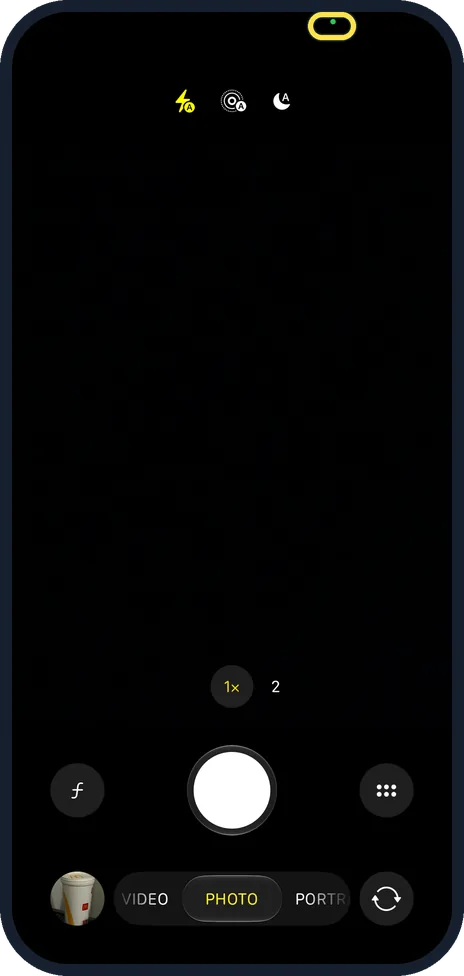
Green dot: the camera is on
With the camera in use, a green dot appears at the top of the screen. It stays as long as the app uses the camera. On our iPhone 17e it showed at the top of the Camera app, towards the right.
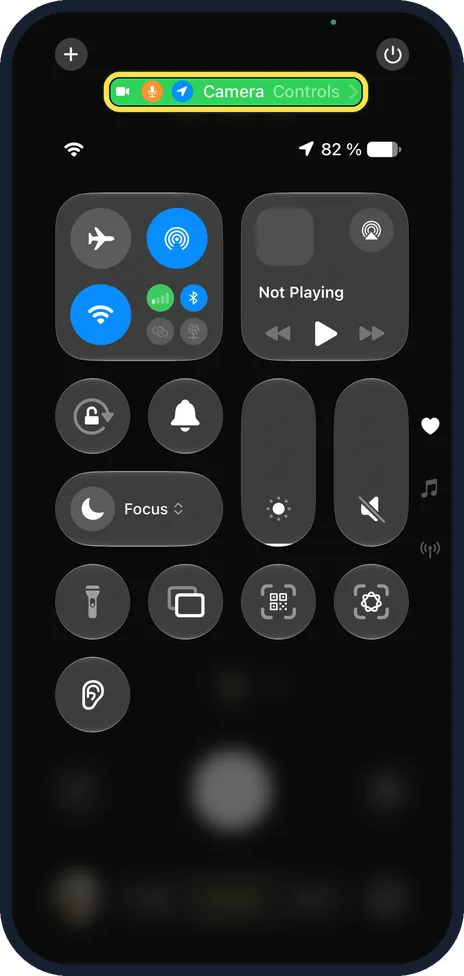
Open Control Centre to see which app
Swipe down from the top right corner. At the top, the app's name appears next to camera, microphone and location symbols: Camera on our phone.
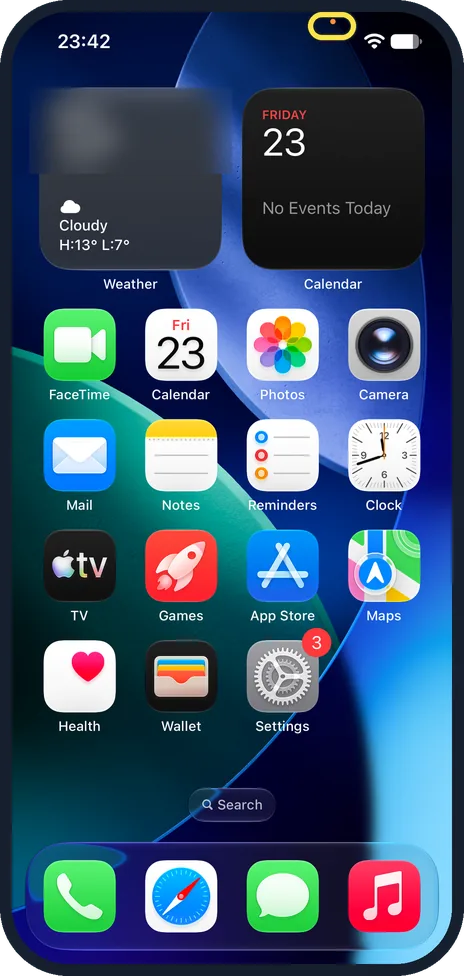
Orange dot: the microphone is on
An orange dot means an app is using the microphone, for example during a call or a voice memo. On ours it showed at the top of the Home Screen while a Voice Memos recording ran.
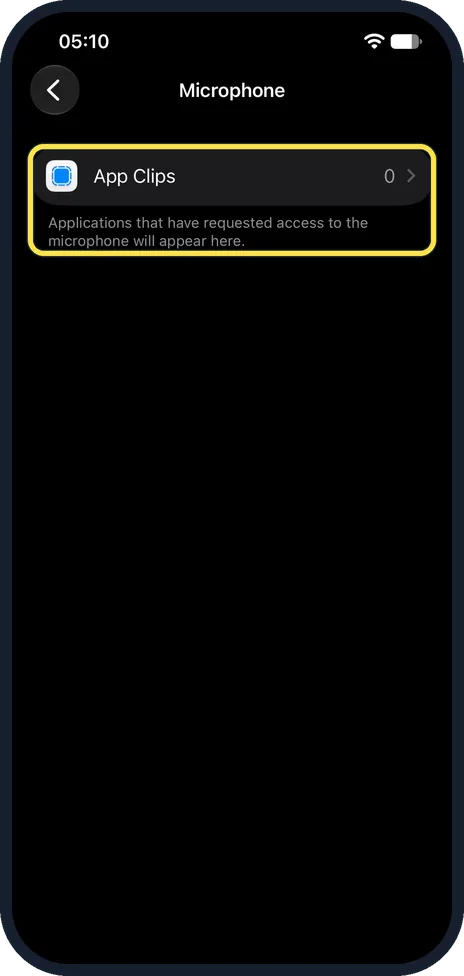
Do not recognise the app?
Close the app, then take away its access: Settings, Privacy & Security, Camera or Microphone, and switch the app off. On our iPhone 17e the Microphone page listed only App Clips, because no app had asked for the microphone yet.
What changed: new screenshots from our iPhone 17e on iOS 27.0.1, dark mode, and the wording checked against those screens.
If you do not see this option
- You see an orange square, not a dot. Apple says the orange indicator is a square when Differentiate Without Colour is on, under Settings, Accessibility, Display & Text Size. Source: About the orange and green indicators in your iPhone status bar
- The app is not in the Camera or Microphone list. Apple says the list shows the apps that have asked for access. An app that never asked is not listed. Source: Control access to hardware features on iPhone
- There are no dots at all. Apple says the indicators need iOS 14 or later. Source: About the orange and green indicators in your iPhone status bar
If this does not work
- Control Centre names an app you already closed. Apple says the message at the top of Control Centre shows an app that has recently used the camera or microphone, not only one using it now. Source: Control access to hardware features on iPhone
- The dot is green and you want to block the microphone too. Apple says green means the camera, or the camera and microphone together. Check the app in both the Camera and the Microphone lists. Sources: About the orange and green indicators in your iPhone status bar, Control access to hardware features on iPhone
About this guide
The dots are a privacy feature: the iPhone always shows them while the camera or microphone is in use, so an app cannot record you secretly.
The screenshots are our own, taken on an iPhone 17e running iOS 27.0.1, in dark mode. We opened the Camera app, then Control Centre, then made a test recording in Voice Memos, which we deleted.
Good to know
A dot during a phone or FaceTime call, or while you dictate, is normal.
Apple says a green dot means the camera, or the camera and the microphone together.
In short: Green dot: camera. Orange dot: microphone. Control Centre shows which app.
- Apple Support: About the orange and green indicators in your iPhone status bar
- Apple iPhone User Guide: Control access to hardware features on iPhone
Links checked in October 2026. Menus and features can change after software updates. These steps match the version named at the top.
📷 See real photos from the iPhone 17e in our Camera Lab, next to 10 other phones.
Did this guide work for you?
Sorry about that. What happened?