
howtosimply.com/guides/samsung-galaxy-touchscreen-not-responding-6-fixes/ · Checked October 2026 · Samsung Galaxy A57 5G (SM-A576B), One UI 8.5, Android 16
In this guide
Clean the screen and remove a thick or non-genuine screen protector or case. Turn on Settings, Display, Touch sensitivity if you use a protector. Then check Accessibility, Interaction and dexterity for Interaction control and Touch and hold delay, which change how touches register.
5 of 6 steps with real screenshots · 1 official source below
- Device
- Android
- Shown on
- Samsung Galaxy A57 5G (SM-A576B), One UI 8.5, Android 16
- Starts in
- The phone's buttons
- Real screenshots
- 5 of 6 steps
- What we did
- Observed: looked at each screen, changed nothing
- Our phone
- Shown on Galaxy A57, One UI 8.5
- Checked
- October 2026
- Sources
- 1 official, linked below
Step by step
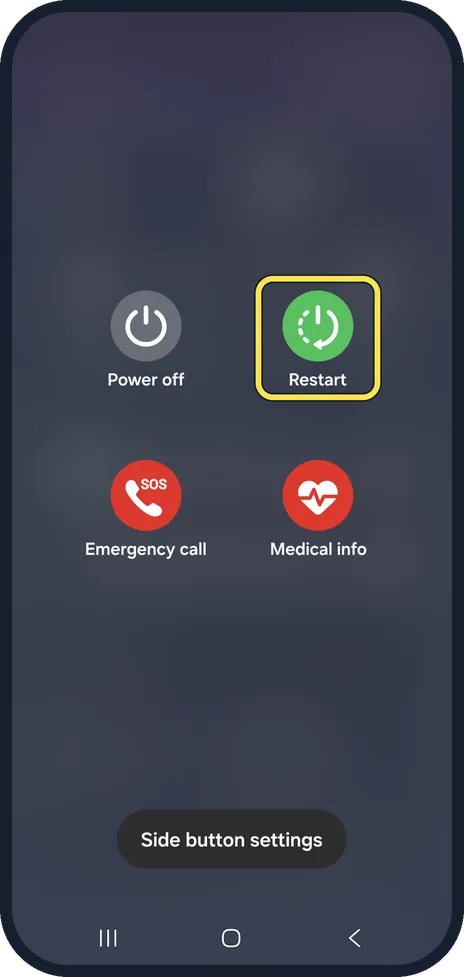
Restart the phone
Hold the side button and volume down, then tap Restart. A frozen app can make the whole screen seem dead.
Watch these stepsCheck the screen protector and case
Samsung warns that non-genuine protectors and cases can cause touch problems, especially at the edges. Take them off and test.
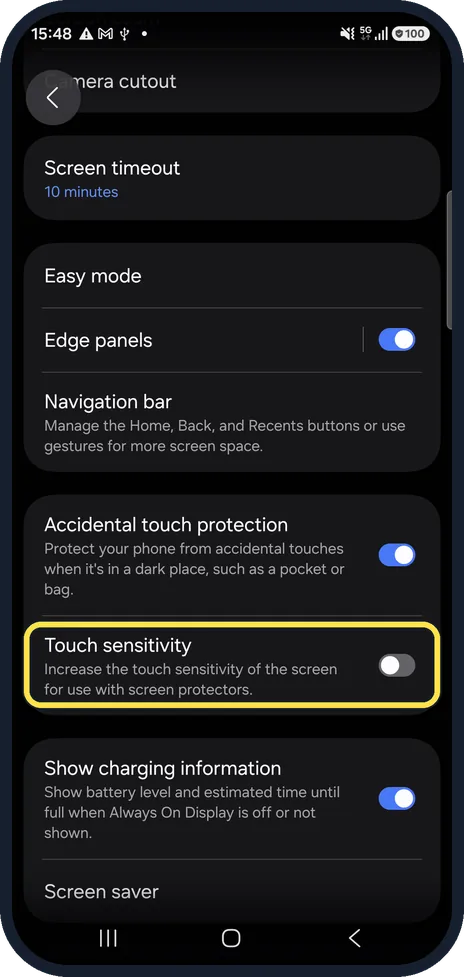
Turn on Touch sensitivity
Settings, Display. Touch sensitivity raises the sensitivity for use with screen protectors. It was off on our phone.
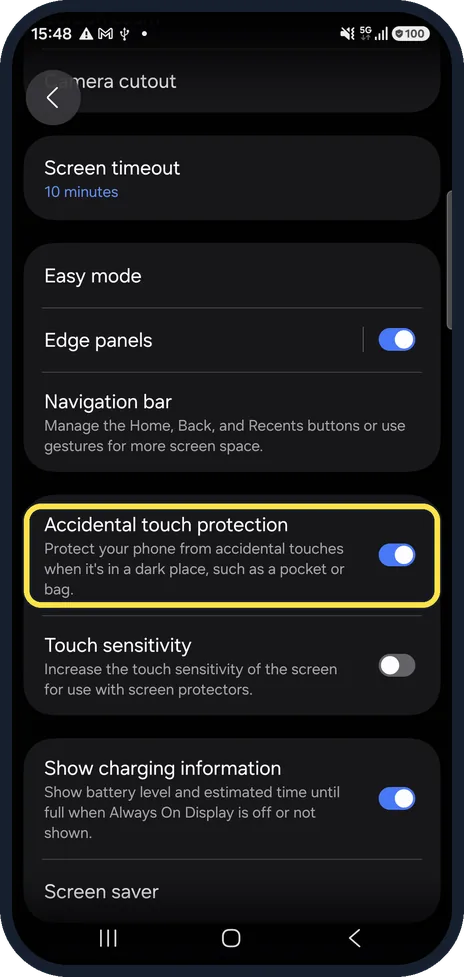
Check Accidental touch protection
On the same page. It blocks touches in a dark place such as a pocket; a dark case cover near the sensor can trigger it.
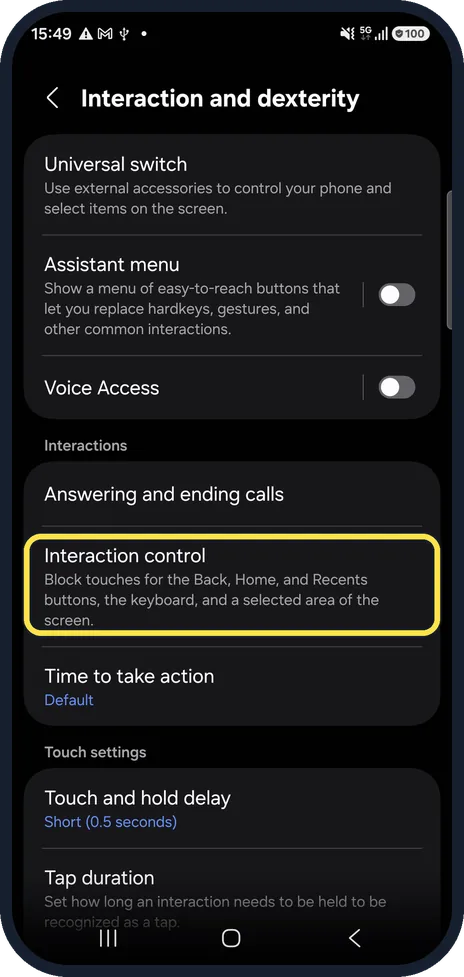
Check Interaction control
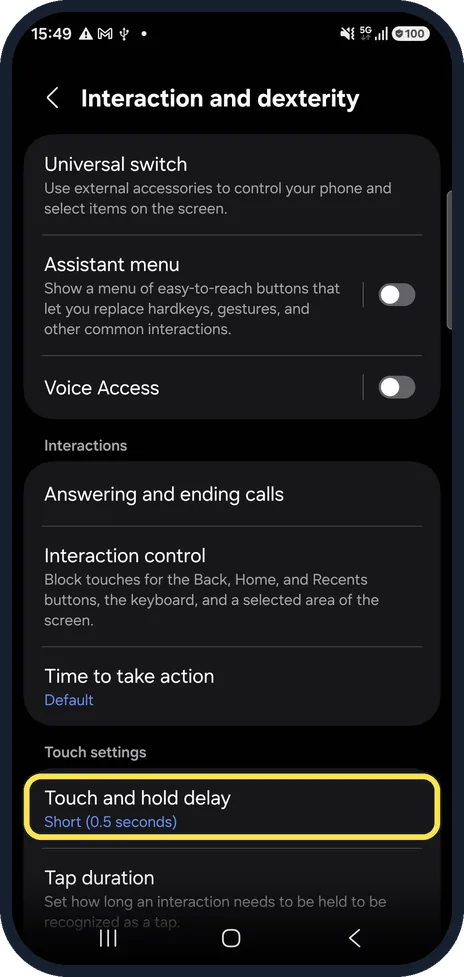
Settings, Accessibility, Interaction and dexterity. Interaction control blocks touches on parts of the screen; make sure it is not on.
Check Touch and hold delay
Further down. A long delay makes press-and-hold feel slow. Ours was Short (0.5 seconds).
Watch these steps
If you do not see this option
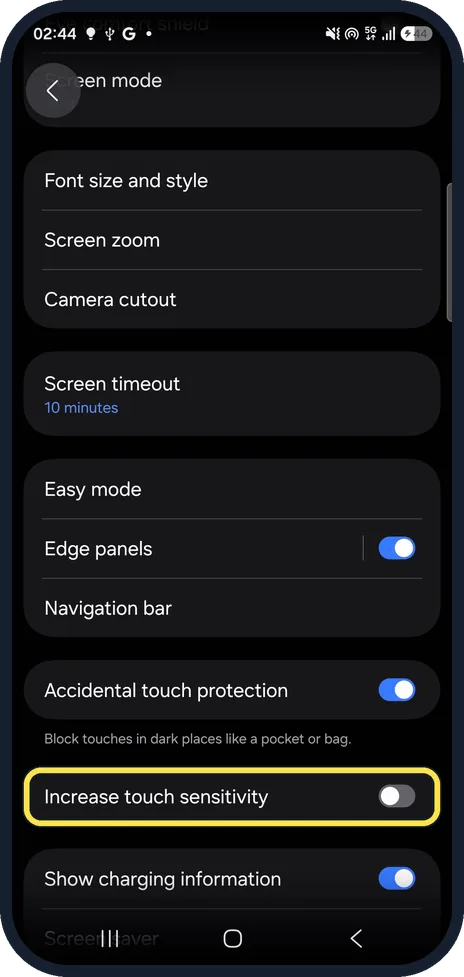
- Your Galaxy runs One UI 9. Touch sensitivity is now called Increase touch sensitivity. It is lower down on Settings, Display, just below Accidental touch protection. Seen on our Galaxy A57 after the One UI 9.0 update.
- The screen is frozen and you cannot tap Restart Samsung says to press and hold the Side key and Volume down together for more than 7 seconds, until the phone restarts by itself. Source: How to solve the touchscreen issue on your Samsung Galaxy device
- Touches work differently with voice guidance Samsung lists TalkBack among the settings that change how touch works. Turn it off in Settings, Accessibility. Source: How to solve the touchscreen issue on your Samsung Galaxy device
If this does not work
- Quick taps are missed Samsung says a Magnification shortcut set to triple tap can make quick touches get missed or feel slow. Turn it off in Settings, Accessibility, Vision enhancements, Magnification. Source: How to solve the touchscreen issue on your Samsung Galaxy device
- It still does not respond properly Samsung suggests wiping any moisture off the screen, then running Phone diagnostics in Samsung Members (Support, Get started) to test the touchscreen. Source: How to solve the touchscreen issue on your Samsung Galaxy device
About this guide
If the screen ignores some taps, especially near the edges, the cause is often a screen protector or case. A few accessibility settings can also make touches feel broken when they were switched on by accident.
Good to know
If one area never responds, even with no protector and after a restart, the screen may be damaged. Back up and have it checked.
In short: Restart, remove protector and case, Touch sensitivity on, check Accidental touch protection, Interaction control and Touch and hold delay.
Links checked in October 2026. Menus and features can change after software updates. These steps match the version named at the top.
📷 See real photos from the Galaxy A57 in our Camera Lab, next to 10 other phones.
Did this guide work for you?
Sorry about that. What happened?