
howtosimply.com/guides/how-to-check-for-and-schedule-software-updates-on-a-samsung-galaxy/ · Checked October 2026 · Samsung Galaxy A57 5G (SM-A576B), One UI 8.5, Android 16
In this guide
Open Settings, Software update and tap Check for updates. If an update is found, download it and install it now or schedule it for later, for example overnight. The phone restarts during the install.
2 of 4 steps with real screenshots · 4 official sources below
- Device
- Android
- Shown on
- Samsung Galaxy A57 5G (SM-A576B), One UI 8.5, Android 16
- App
- Settings
- Path
- Settings › Software update
- Real screenshots
- 2 of 4 steps
- What we did
- Observed: looked at each screen, changed nothing
- Our phone
- Shown on Galaxy A57, One UI 8.5
- Checked
- October 2026
- Sources
- 4 official, linked below
Step by step
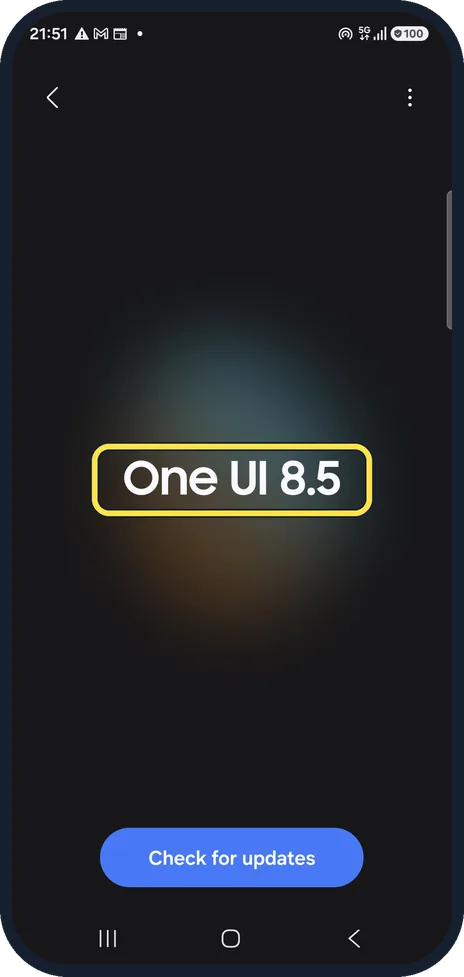
Open Software update
Open Settings and scroll down to Software update. The page shows your current version. Ours showed One UI 8.5 when we took these step pictures; on 16 Oct 2026 our Galaxy A57 updated to One UI 9.0, and the One UI 9 notes on this page show what moved.
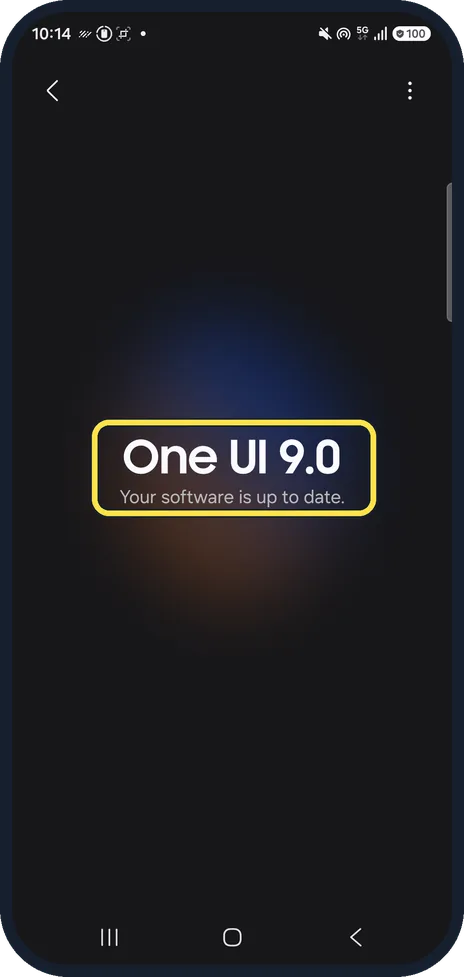
Check for updates
Tap Check for updates. If the phone is up to date, it says so. We did not download anything.
Install now or schedule it
When an update is found, the phone downloads it and offers to install it now or at a time you choose, such as overnight. Our phone had no update waiting, so we cannot show that screen yet.
If the update fails
Samsung suggests freeing space (uninstall unused apps, or Device care, Optimize now), backing up, and trying again. Clear an app's cache only, never its data.
If you do not see this option
- Your Galaxy runs One UI 9. Software update shows only a big One UI 9.0 and a Check for updates button. Auto download, Software information and Last update are now in the three-dot menu at the top right. On our Galaxy A57 the last update was One UI 9.0 (Android 17, version A576BXXU6BZIE, 2315.25 MB) on 16 Oct 2026, with the security patch still 5 Sep 2026.
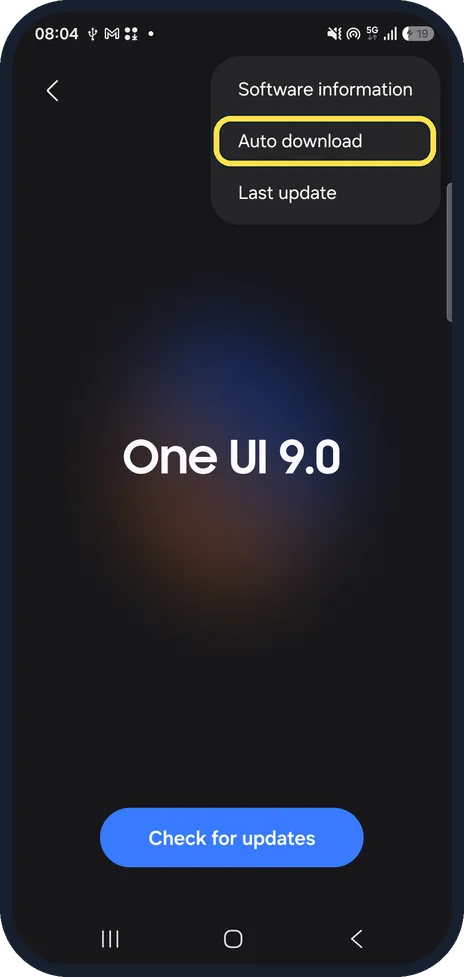
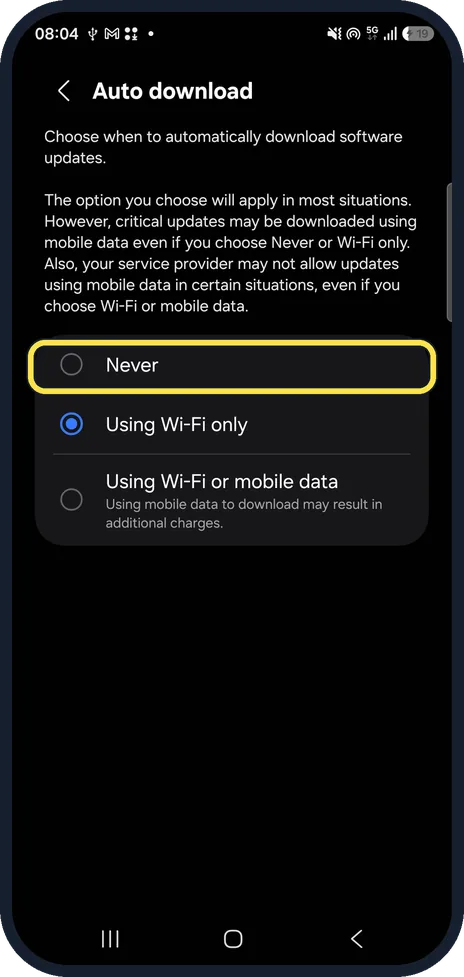
- Galaxy A57 not updated to One UI 9 yet? Since 12 Oct 2026, SamMobile and Sammyfans report that some Galaxy A57s get stuck on an error screen during setup after the One UI 9.0 update. Owners say restarting into Safe mode, then restarting normally, got them past it; Samsung has not published a fix. Our A57 is on that update. To wait, tap the three dots, Auto download and pick Never; ours was set to Using Wi-Fi only. Samsung says critical updates may still download over mobile data. Sources: Galaxy A57 One UI 9 update problems (12 Oct 2026), Galaxy A57 users face a problem after One UI 9.0 update (12 Oct 2026)
- An update you expected is not offered Samsung says updates are released in waves, and many carriers only allow them over Wi-Fi. Connect to Wi-Fi and check again every few hours. Source: Software update failed on Samsung device
- Your phone came from a carrier Carriers release updates for the phones they sell, so the timing follows your carrier. Samsung adds that a phone unlocked from its original carrier may need a SIM from that carrier to download updates. Source: Software update failed on Samsung device
If this does not work
- The update stops downloading Samsung says you can resume the download from its notification. If it keeps failing, you may be able to install the update from a computer with Smart Switch, which offers it when the phone is connected by USB. Source: Software update failed on Samsung device
- There is not enough storage The phone shows how much space the update needs. Free up that much, for example by deleting apps you do not use, then try again. Sources: Software update failed on Samsung device, How to troubleshoot software update issues
About this guide
Samsung sends One UI updates and security patches through Software update. Before a big update, back up the phone, charge it and connect to Wi-Fi.
Good to know
Updates arrive at different times by country, carrier and model, so a friend may get one before you.
To see exactly which version you have, see how to check the One UI and Android version.
In short: Settings, Software update, Check for updates; Download, then Install now or Schedule install.
- Samsung Latin: How to check for and schedule software updates on your Samsung Galaxy smartphone
- Samsung US: How to update your Galaxy phone or tablet
- Samsung Latin: How to troubleshoot software update issues
- Samsung US: Software update failed on Samsung device
Links checked in October 2026. Menus and features can change after software updates. These steps match the version named at the top.
📷 See real photos from the Galaxy A57 in our Camera Lab, next to 10 other phones.
Did this guide work for you?
Sorry about that. What happened?