Troubleshooting
Pixel mobile data not working? What to check (Android 17)
7 fixes, 7 with a real screenshot from our Pixel 10a on Android 17. Try them in order.
 Illustration
Quick answer
Open Settings, Network and Internet, SIMs, and check that Mobile data is on. Then open your SIM and check Use this SIM, Roaming (if you are abroad) and Access point names. The Mobile data tile is on the second page of Quick Settings.
Step-by-step guide
Follow these steps in order. After each step, check if it works.
- 1
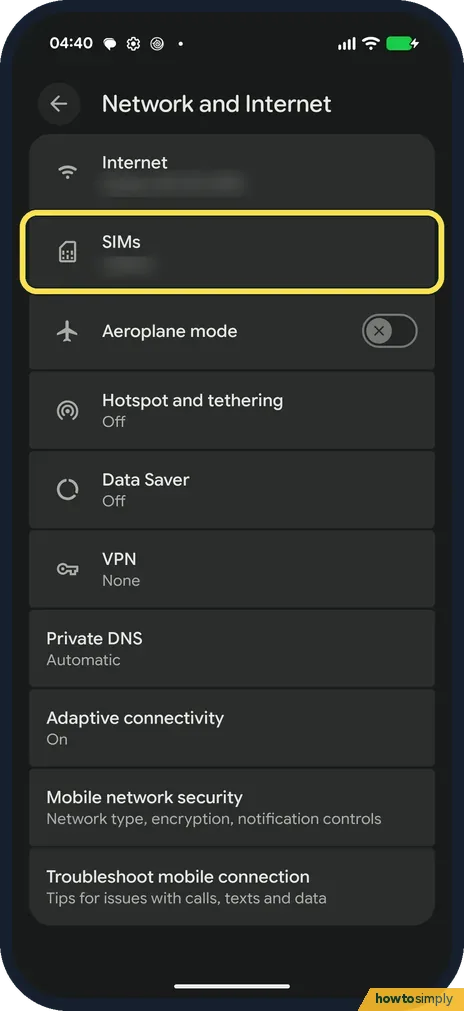
Open SIMs
Go to Settings, Network and Internet, and tap SIMs.
- 2
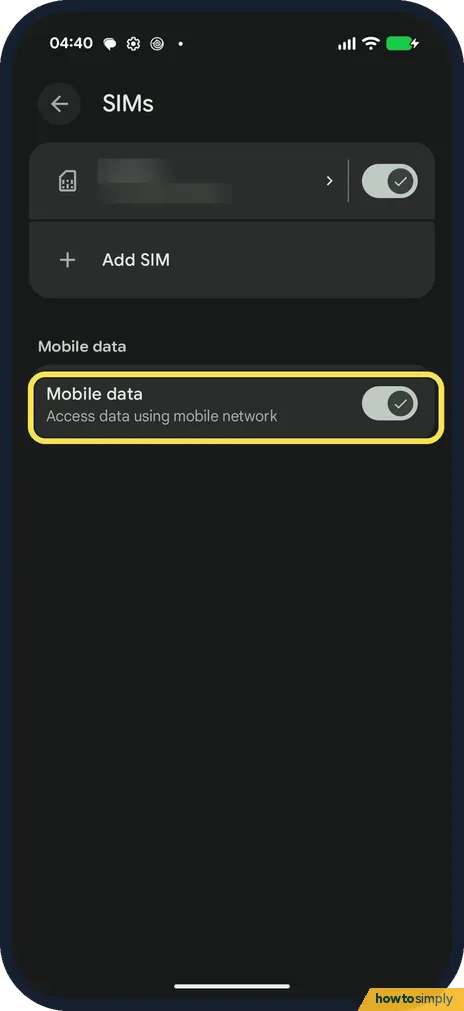
Check Mobile data
Mobile data should be on. Ours was on, with one physical SIM.
- 3
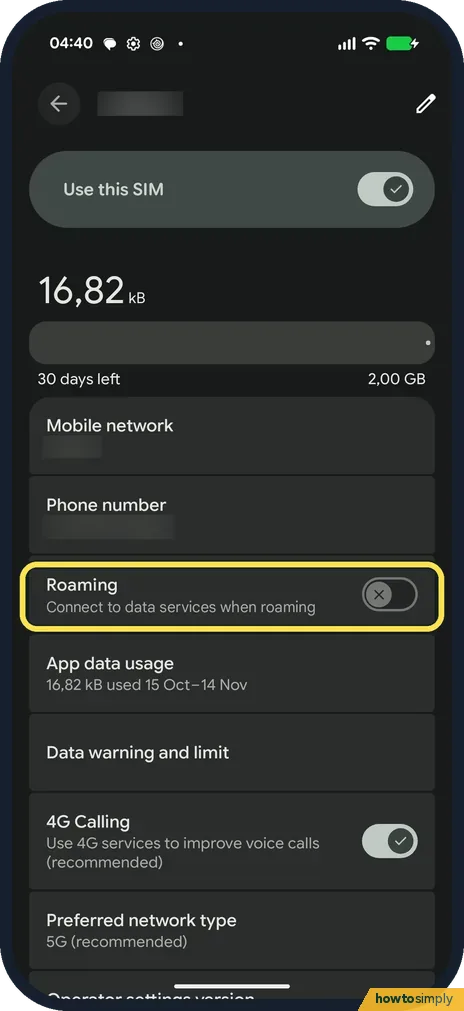
Open your SIM and check Roaming
Tap your SIM. Use this SIM must be on. Roaming, Connect to data services when roaming, was off on ours: turn it on only when you are abroad.
- 4
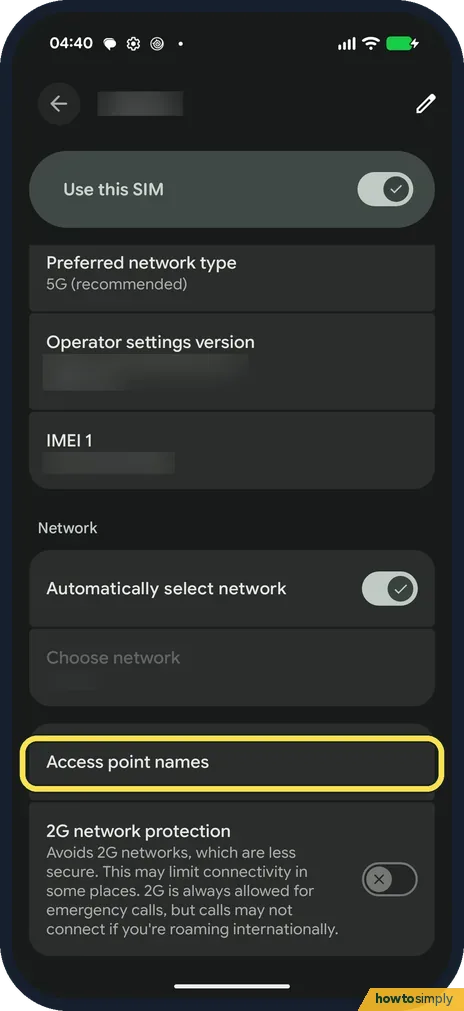
Check Access point names
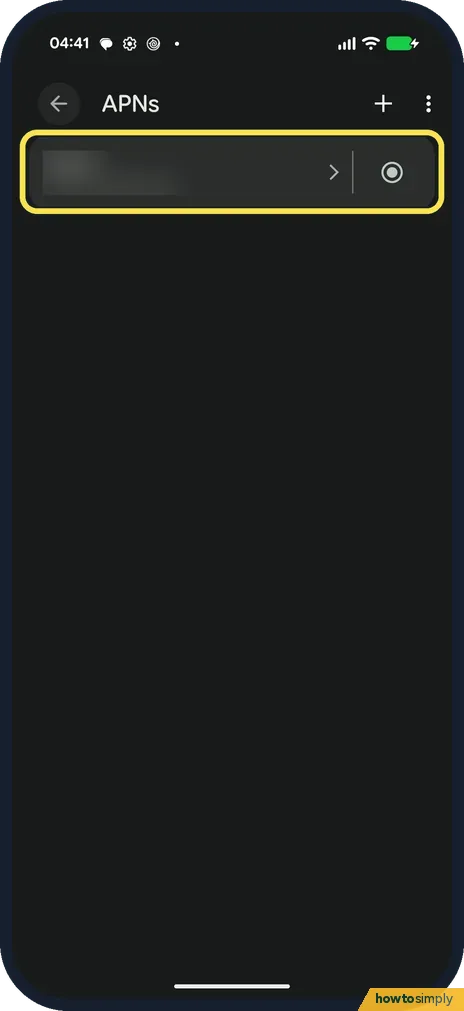
Scroll down the SIM page and tap Access point names.
- 5
Check the APN
Your carrier's APN should be listed and selected. Ours had one, selected. We did not change it.
- 6
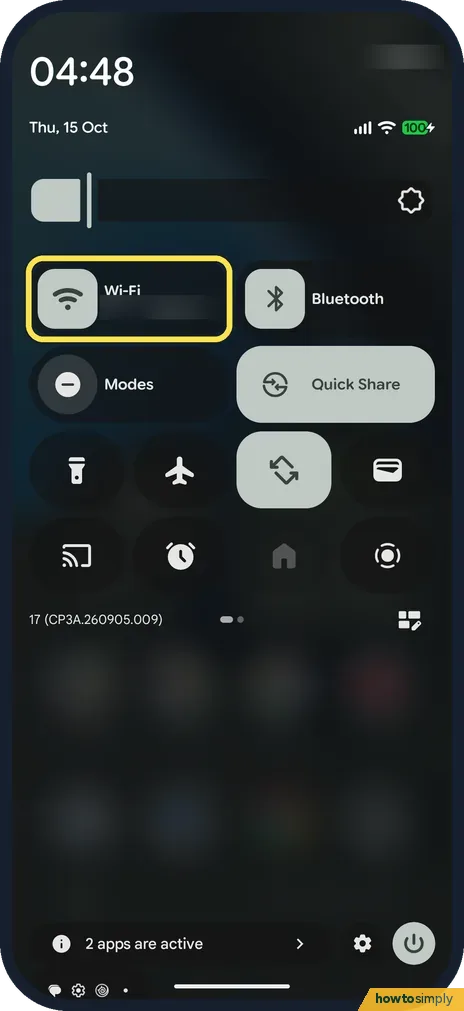
Open Quick Settings
Swipe down twice from the top. The first page on ours had a Wi-Fi tile, not a single Internet tile.
- 7
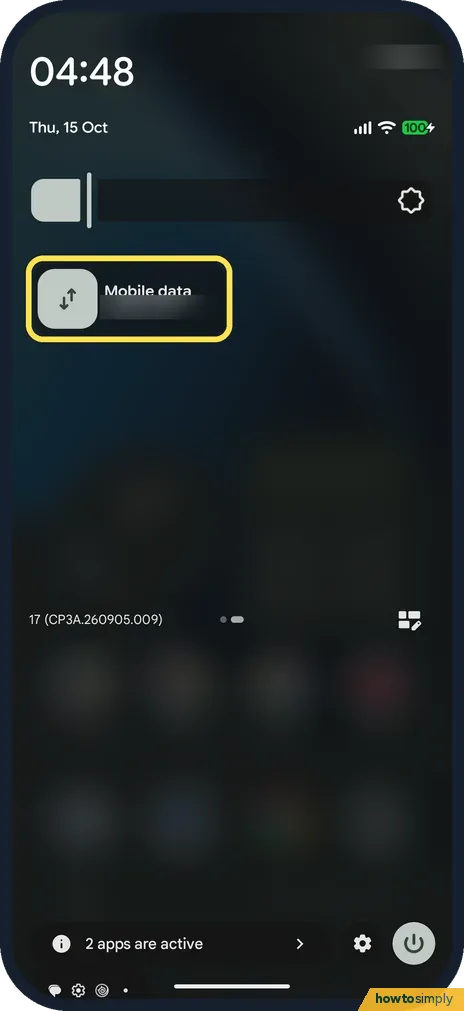
Use the Mobile data tile
Swipe left to the second page. The Mobile data tile is there.
If you do not see this option
- No Internet tile in Quick Settings? Our Pixel 10a had separate Wi-Fi and Mobile data tiles, on pages 1 and 2.
- Menus named differently? Google says some steps differ by Android version and phone maker. Source: Reduce and manage mobile data usage
If this does not work
- Still no data? Google suggests restarting the phone and turning Aeroplane mode on and off again.
- Data stops at a certain amount? Check Data warning and limit on the SIM page: how to set a data warning and limit.
- Need more help? Network and Internet has Troubleshoot mobile connection, with tips for issues with calls, texts and data. We did not run it.
- No 4G or 5G letters next to the signal bars? Google says a data indicator, such as 4G, should appear by the signal bars when mobile data works. If you see none while Wi-Fi is on, Google says to turn Wi-Fi off and check again.
- Two SIMs and data on the wrong one? Google says only one SIM can be the default for data. Open SIMs and make sure Mobile data is on for the SIM that has a data plan.
- Only some apps have no data? Data Saver lets most apps use background data only over Wi-Fi. If one app fails on mobile data, check Data Saver and that app's mobile data settings: how to use Data Saver.
- Nothing else worked? Google lists Reset mobile network settings under Settings, System, Reset options. It resets the mobile network settings only, so try everything else first: how to reset network settings.
Good to know
5G and 4G calling settings are on the same SIM page: how to turn on 4G calling and 5G on a Pixel.
When you toggle Aeroplane mode, Google suggests waiting about 10 seconds before turning it off again, which gives the phone time to drop and rejoin the network. If data comes back, nothing else has changed: your SIM, APN and data limit stay as they were. Your carrier can check for outages or problems with your account.
About this guide
- Device
- Android
- Shown on
- Google Pixel 10a, Android 17 (build CP3A.260905.009)
- App
- Settings
- Path
- Settings › Network and Internet › SIMs
- Real screenshots
- 7 of 7 steps
- What we did
- Observed: looked at each screen, changed nothing
- Checked
- October 2026
- Sources
- 4 official, linked below
Sources
Links checked October 2026. Menus and features can change with updates.Related guides
How to stop a Google Pixel switching to mobile data on weak Wi-Fi (Android 17)How to reset network settings on a Google Pixel (Android 17)Xiaomi mobile data not working? What to check (HyperOS 3)Samsung Galaxy mobile data not working? 7 fixesHow to stop an app using mobile data or Wi-Fi on a Xiaomi phone (HyperOS 3)How to add an eSIM on a Samsung GalaxySpotted a mistake? Menus change with updates, and we want every step to match your screen. Email us about this page or use the contact form. We read every report, and fixes are listed on What changed.
Liked this guide?
Follow us for new guides and short how-to videos.
Did this guide work for you?
Sorry about that. What happened?