GOOGLE PIXEL
Pixel battery draining fast? What to check (Android 17)
Go to Settings, Battery, Battery usage to see screen time and which apps used the battery. Keep Adaptive Battery on. Settings, About phone, Battery information shows the battery's manufacture date and cycle count.

4 of 4 steps show a real screenshot from our Pixel 10a. Each step was checked against the maker's own instructions, linked at the end.
Steps
- 1
Check Battery usage
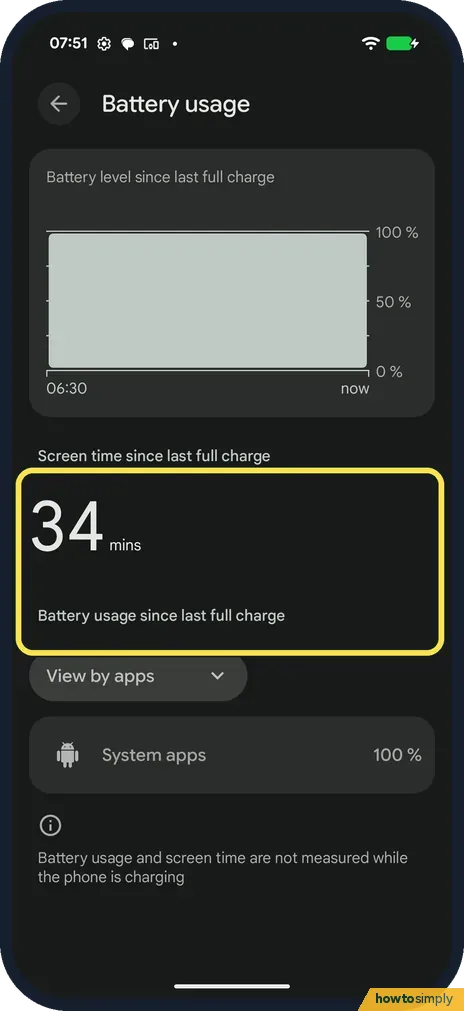
Go to Settings, Battery, Battery usage. Ours showed 34 mins of screen time since the last full charge. View by apps lists what used the battery.
- 2
Keep Adaptive Battery on
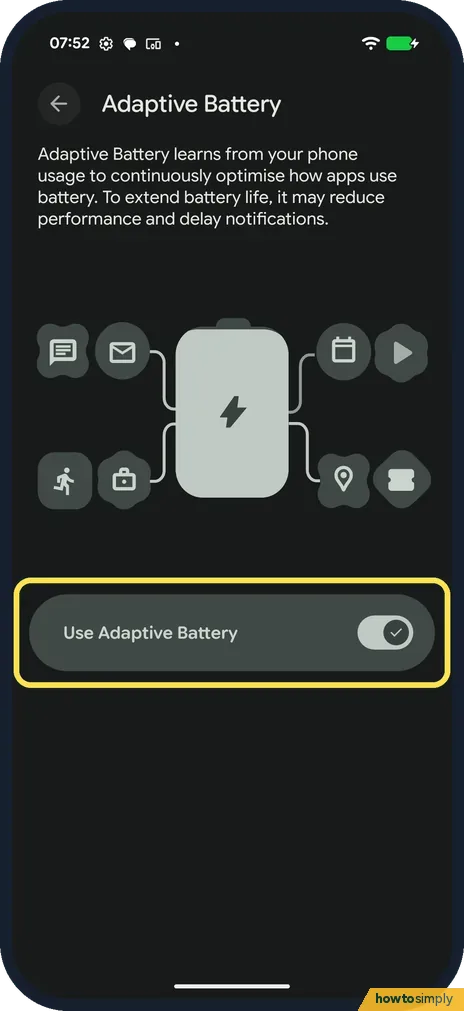
Search Settings for Adaptive Battery. It learns how you use apps and was on on ours. It may delay notifications to save battery.
- 3
Open Battery information
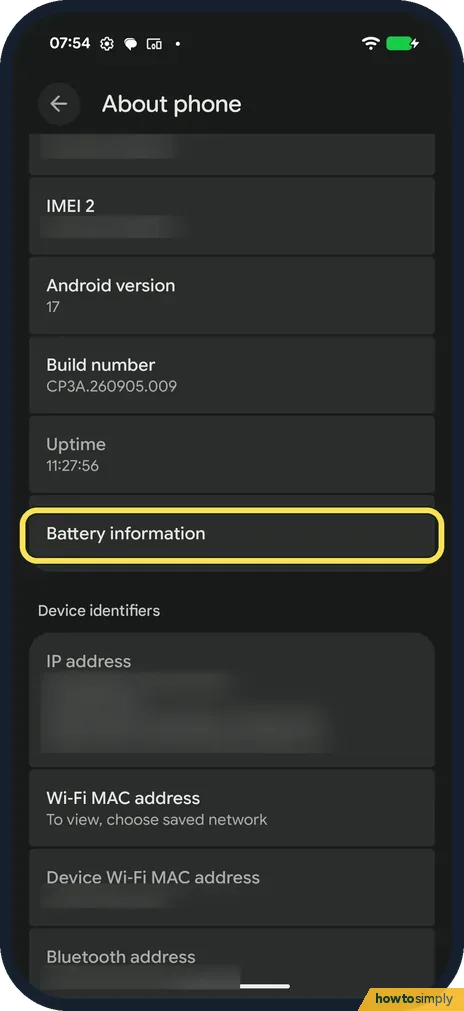
Go to Settings, About phone and tap Battery information.
- 4
Check the dates and cycle count
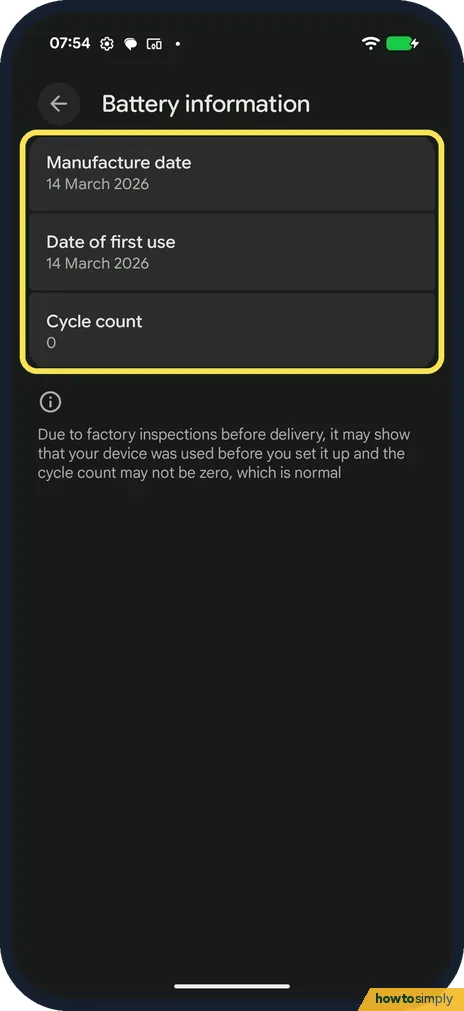
Ours: Manufacture date 14 March 2026, Date of first use 14 March 2026, Cycle count 0. The page says factory checks may mean the count isn't zero on a new phone.
If you do not see this option
- No usage figures? The page says battery usage and screen time are not measured while the phone is charging.
- No Adaptive Battery in Battery? On ours we found it with Settings search.
If this does not work
- One app uses a lot? Tap it in Battery usage to limit it, or close it.
- Battery ages fast? Limit charging to 80%: how to limit charging to 80% on a Pixel.
- Drains even when idle? Google suggests checking for updates and turning on Battery Saver.
- Drain started right after an update? Google says battery drain may rise for a short time after a software update while the phone optimises. Give it a few days before changing other settings.
- Not sure if the drain is normal? Google suggests an overnight test: charge to 100%, close open apps, unplug and leave the phone idle overnight. Losing under 10% is normal; more than that is worth looking into.
- Screen or Mobile network near the top of the list? Google says that if a system part such as Screen, CPU, Wi-Fi or Mobile network uses over 10% after repeated tests, contact Pixel Support.
- Phone hot while it drains? Google says high temperatures drain the battery faster, even when idle, and can damage it. Keep the phone out of direct sun and avoid charging longer than needed.
Good to know
Free up space as well: how to clear an app's cache on a Pixel.
Google lists a few settings that use less battery: lower screen brightness or Adaptive brightness, Dark theme, a short screen timeout such as 30 seconds, turning off live wallpapers and the Always-on display, and switching off the hotspot when you aren't using it. Each one can be turned back on later with no lasting effect.
Google also says a Pixel may automatically limit charging to about 70 to 80% during long, hot or multi-day charging, and shows a Protecting your battery notification. That is not a fault. Restarting the phone, or tapping Charge to full under Battery, charges it fully.
On Pixel 6 and later there is also a built-in check: see how to use battery diagnostics on a Google Pixel.
About this guide
- Device
- Android
- Shown on
- Google Pixel 10a, Android 17 (build CP3A.260905.009), Google Pixel 10a, Android 17 (build CP3A.261005.005)
- App
- Settings
- Path
- Settings › Battery › Battery usage
- Real screenshots
- 4 of 4 steps
- What we did
- Observed: looked at each screen, changed nothing
- Checked
- October 2026
- Sources
- 3 official, linked below
Sources
Links checked October 2026. Menus and features can change with updates.Spotted a mistake? Menus change with updates, and we want every step to match your screen. Email us about this page or use the contact form. We read every report, and fixes are listed on What changed.
Liked this guide?
Follow us for new guides and short how-to videos.
Did this guide work for you?
Sorry about that. What happened?