
macOS 27 compared with macOS 26: We rewrote this guide on macOS 27.0.1 (MacBook Neo): it now has 4 steps instead of 8. The macOS 26 page keeps the steps and screenshots as they were.
howtosimply.com/guides/messages-not-working-on-a-mac-8-things-to-check/ · Checked October 2026 · MacBook Neo · macOS 27.0.1
In this guide
Check that the Mac is online and signed in under Messages, Settings, iMessage, restart it and install the latest macOS update. Make sure the date and time are set automatically. For green text messages, turn on Text Message Forwarding for this Mac on your iPhone and keep the iPhone on.
4 of 4 steps with real screenshots · 1 official source below
- Device
- Mac
- Shown on
- macOS 27.0.1 (MacBook Neo)
- App
- Messages
- Real screenshots
- 4 of 4 steps
- Checked
- October 2026
- Sources
- 1 official, linked below
Step by step
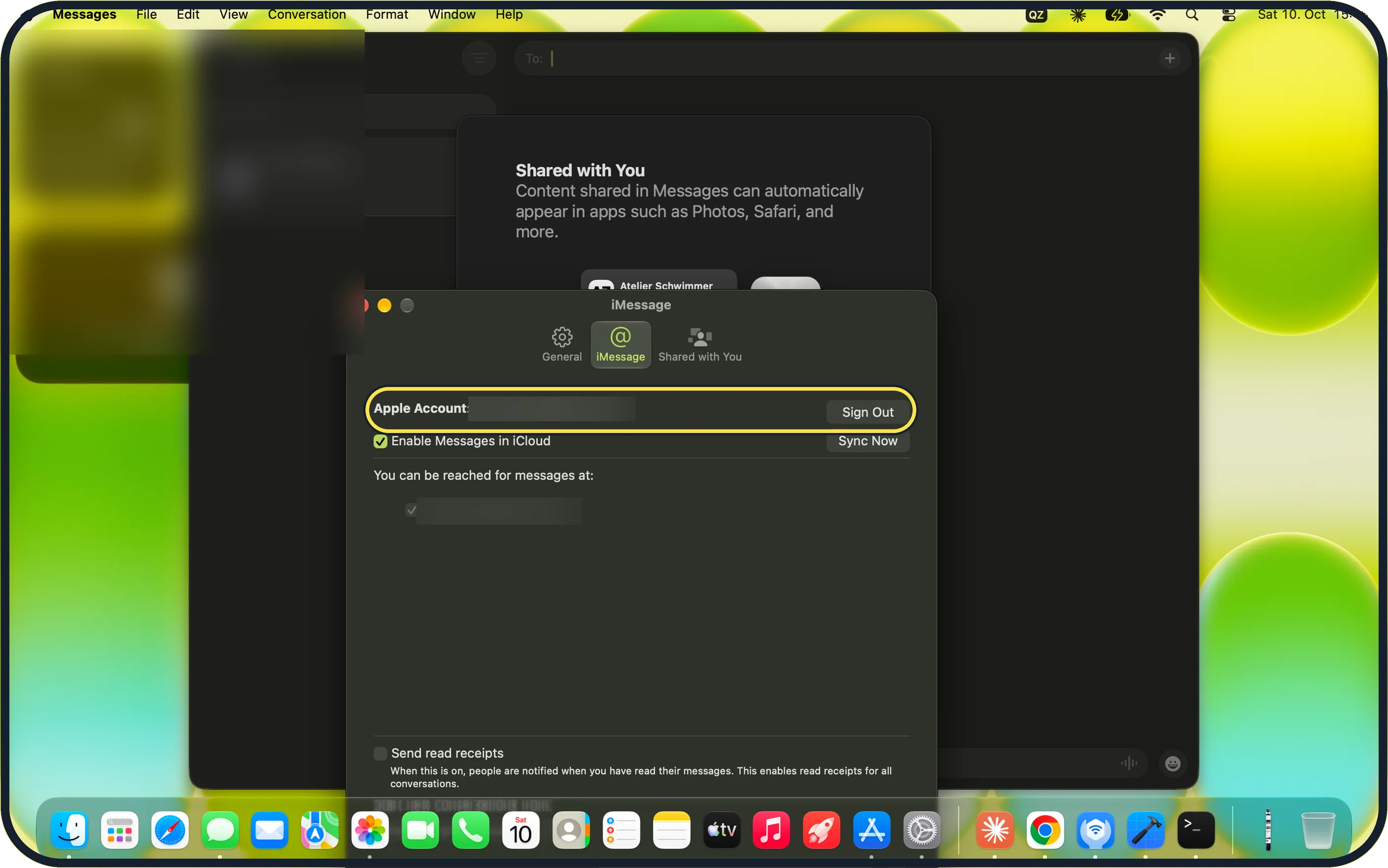
Zoomed in on the setting. Tap to see the whole screenTap the picture to see it full size Check that you are signed in to iMessage
In Messages, choose Messages, Settings and click iMessage. Check that it shows the same Apple Account as your iPhone. If sign-in fails, click Sign Out and sign in again. On our MacBook Neo the iMessage tab shows an Apple Account with Sign Out and Sync Now buttons, and Enable Messages in iCloud is ticked.
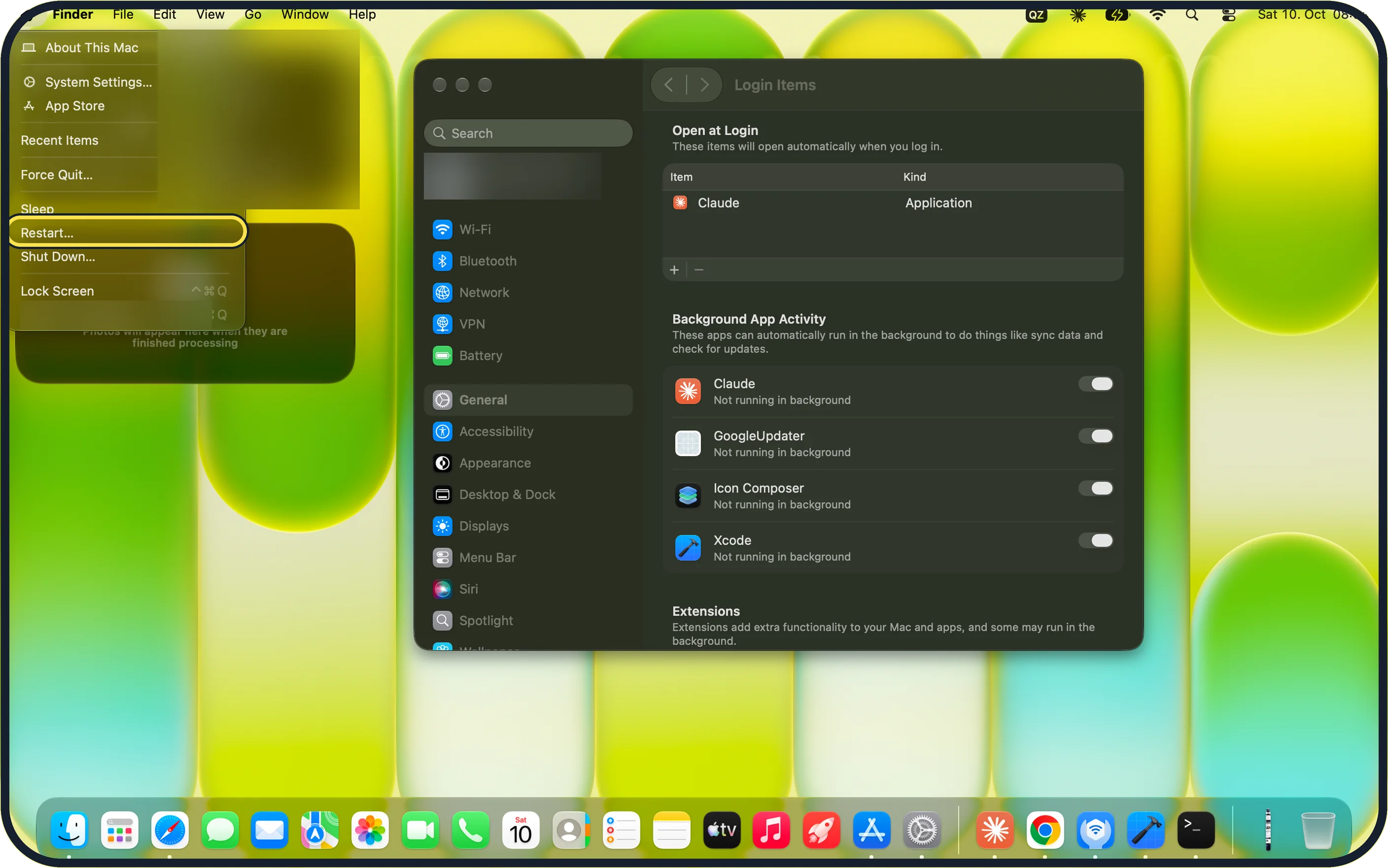
Zoomed in on the setting. Tap to see the whole screenTap the picture to see it full size Restart the Mac
Choose Apple menu, Restart…. On our MacBook Neo, Restart… sits between Sleep and Shut Down….
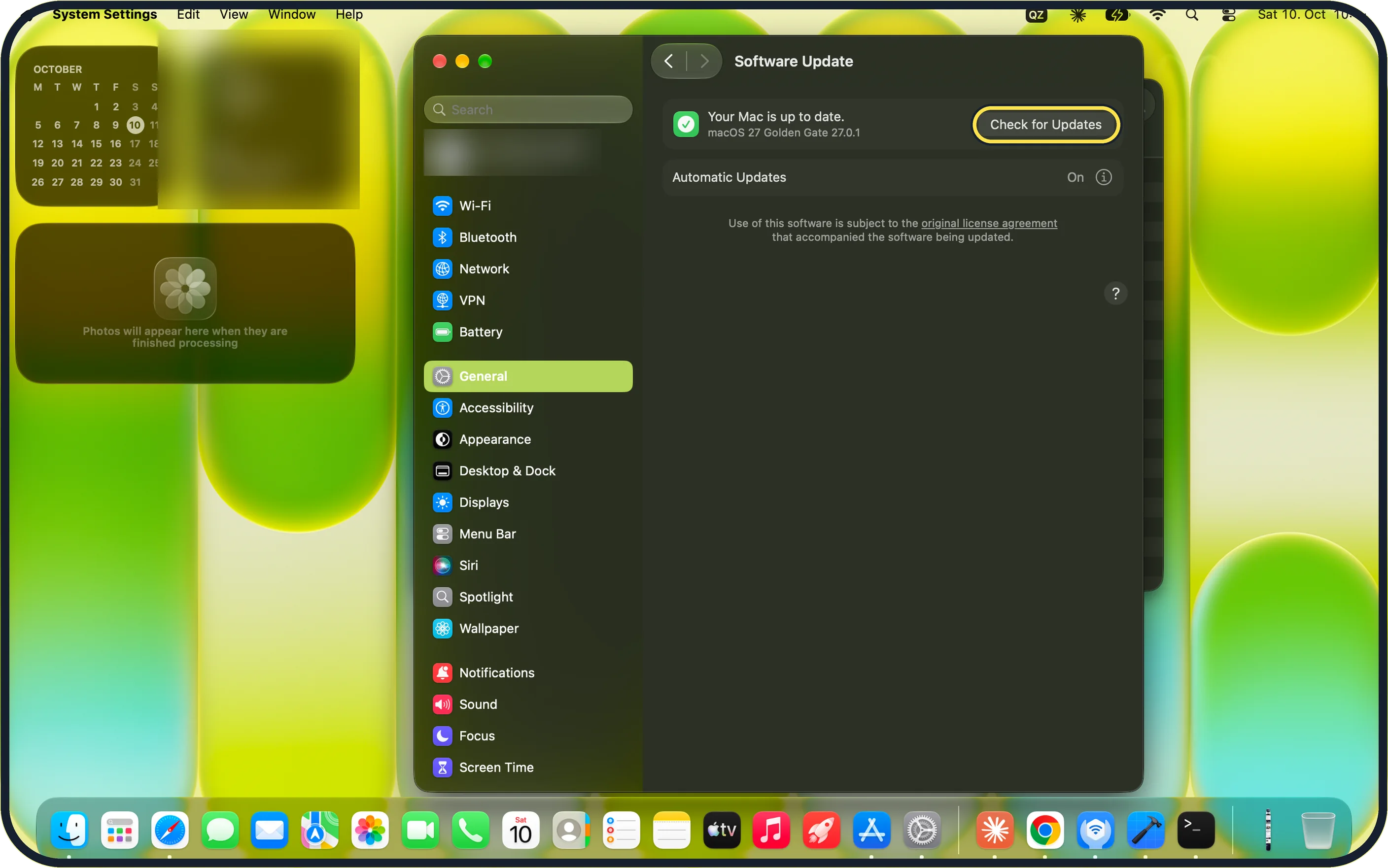
Zoomed in on the setting. Tap to see the whole screenTap the picture to see it full size Install macOS updates
Open System Settings, General, Software Update and click Check for Updates. The steps are in how to update macOS on your Mac. Our MacBook Neo reports Your Mac is up to date: macOS 27 Golden Gate 27.0.1.
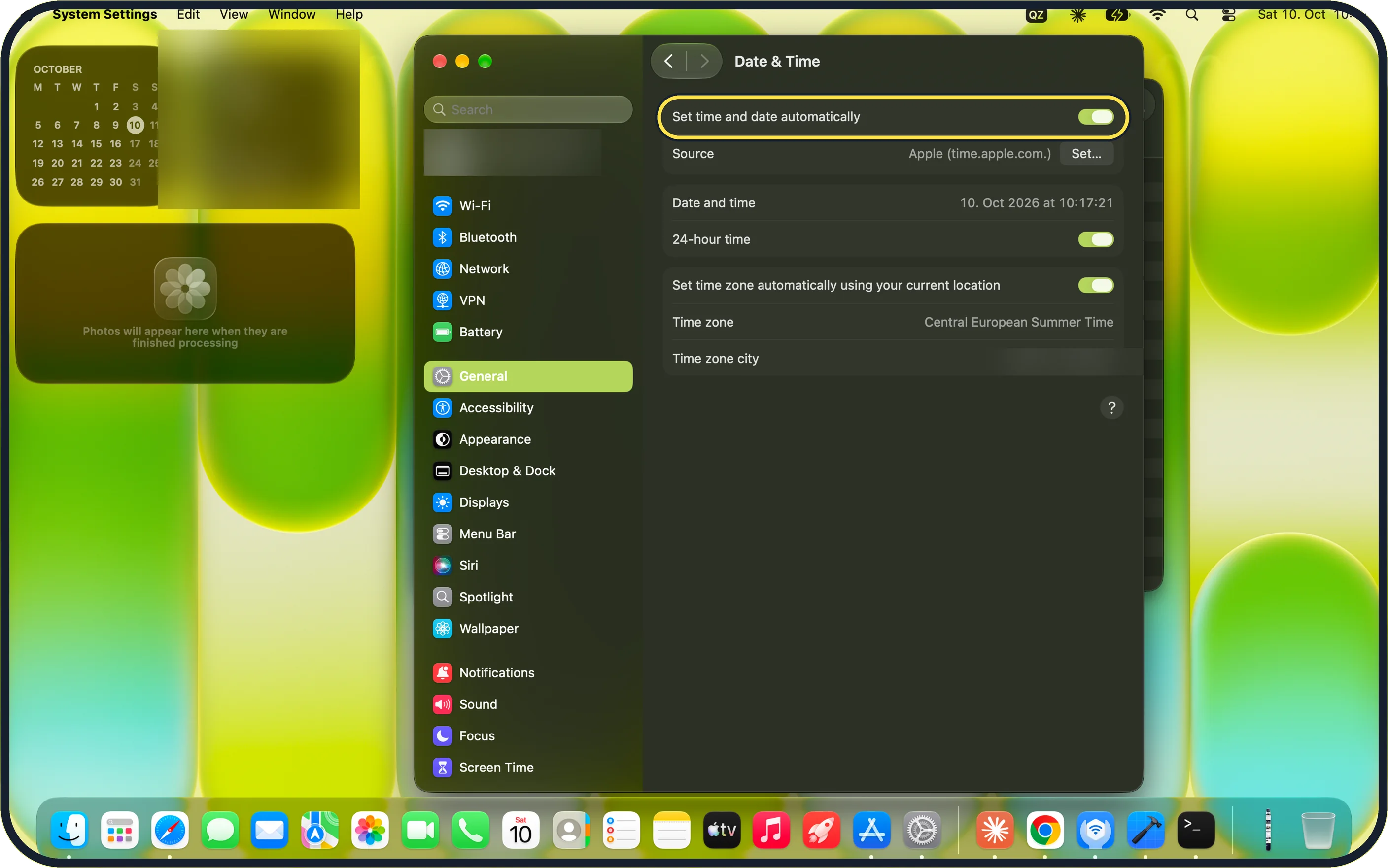
Zoomed in on the setting. Tap to see the whole screenTap the picture to see it full size Check the date and time
Open System Settings, General, Date & Time and switch on Set time and date automatically. Our MacBook Neo shows it on, with Source: Apple (time.apple.com.).
If you do not see this option
- No Text Message Forwarding switch on the Mac The switch is on the iPhone: Settings, Apps, Messages, Text Message Forwarding. On our MacBook Neo the iMessage tab in Messages, Settings (step 1) shows Sign Out, Sync Now and You can be reached for messages at, but no forwarding switch.
- Messages shows not registered with iMessage Apple's Messages article: make sure that your iPhone is turned on and that Text Message Forwarding is set up correctly on it. Source: If you can't send or receive messages on your Mac
If this does not work
- Messages go to the wrong person Apple's Messages article: make sure that you are addressing the message to the correct phone number or email address. Use the same Apple Account on the Mac as on the iPhone. Source: If you can't send or receive messages on your Mac
- iMessage still fails Check the iMessage tab (step 1): on our MacBook Neo it lists the Apple Account and one ticked address under You can be reached for messages at. Use the same Apple Account on the iPhone, and restart the iPhone too.
- iMessage may be down Open a website in Safari to check that the Mac is online: Mac won't connect to Wi-Fi: 8 fixes that work. Then look at the entry for iMessage on Apple's System Status page. If there is an outage, waiting is the only fix. Source: If you can't send or receive messages on your Mac
About this guide
The Messages app on a Mac sends iMessages over the internet. SMS and RCS text messages are relayed through your iPhone.
Screenshots: MacBook Neo, macOS 27.0.1, dark mode.
Good to know
If the iPhone itself cannot activate iMessage: iPhone iMessage waiting for activation: 8 fixes to try.
A wrong clock on the phone: iPhone showing the wrong time: how to fix the date and time.
In short: System Status, internet, restart, update, date and time, right address, Text Message Forwarding, sign out and in.
Links checked in October 2026. Menus and features can change after software updates. These steps match the version named at the top.
Did this guide work for you?
Sorry about that. What happened?