
macOS 27 compared with macOS 26: We rewrote this guide on macOS 27.0.1 (MacBook Neo): it now has 4 steps instead of 7. The macOS 26 page keeps the steps and screenshots as they were.
howtosimply.com/guides/macbook-getting-hot-7-things-to-check/ · Checked October 2026 · MacBook Neo · macOS 27.0.1
In this guide
Put the MacBook on a hard, flat surface, not on a bed or cushion, and keep it out of direct sun. Then open Activity Monitor, click CPU and look for an app that uses a lot of processor time. Quit it, or restart the Mac and install updates.
4 of 4 steps with real screenshots · 2 official sources below
- Device
- Mac
- Shown on
- macOS 27.0.1 (MacBook Neo)
- App
- System Settings
- Real screenshots
- 4 of 4 steps
- Checked
- October 2026
- Sources
- 2 official, linked below
Step by step
Zoomed in on the setting. Tap to see the whole screenTap the picture to see it full size Find the busy app
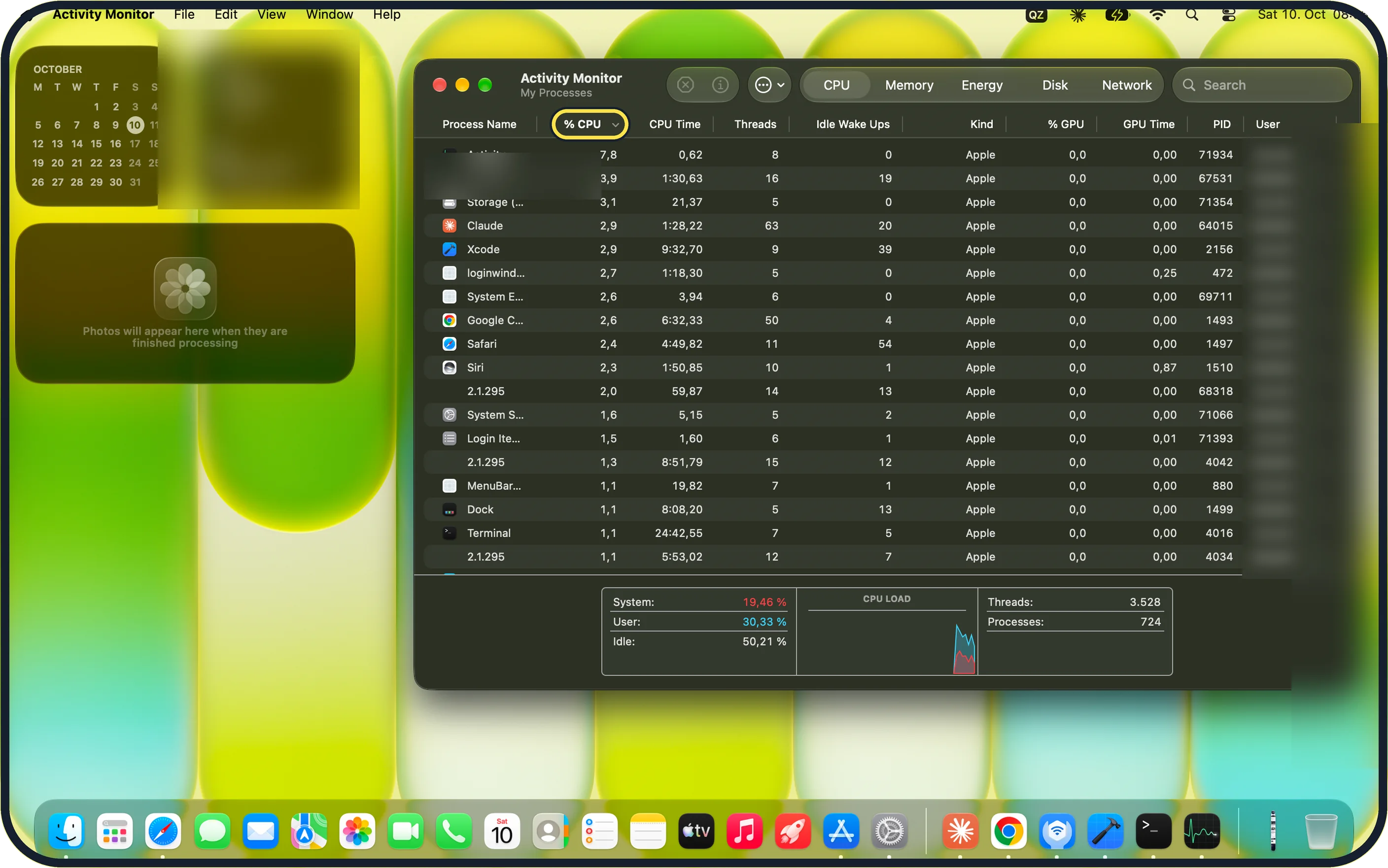
Open Activity Monitor from Applications, Utilities and click the CPU tab. Sort by % CPU. An app that stays near the top while you are not using it may be stuck: select it and click the stop button to quit it. On our MacBook Neo the tab shows System, User and Idle percentages and a CPU Load graph below the list.
Zoomed in on the setting. Tap to see the whole screenTap the picture to see it full size Quit what you do not need
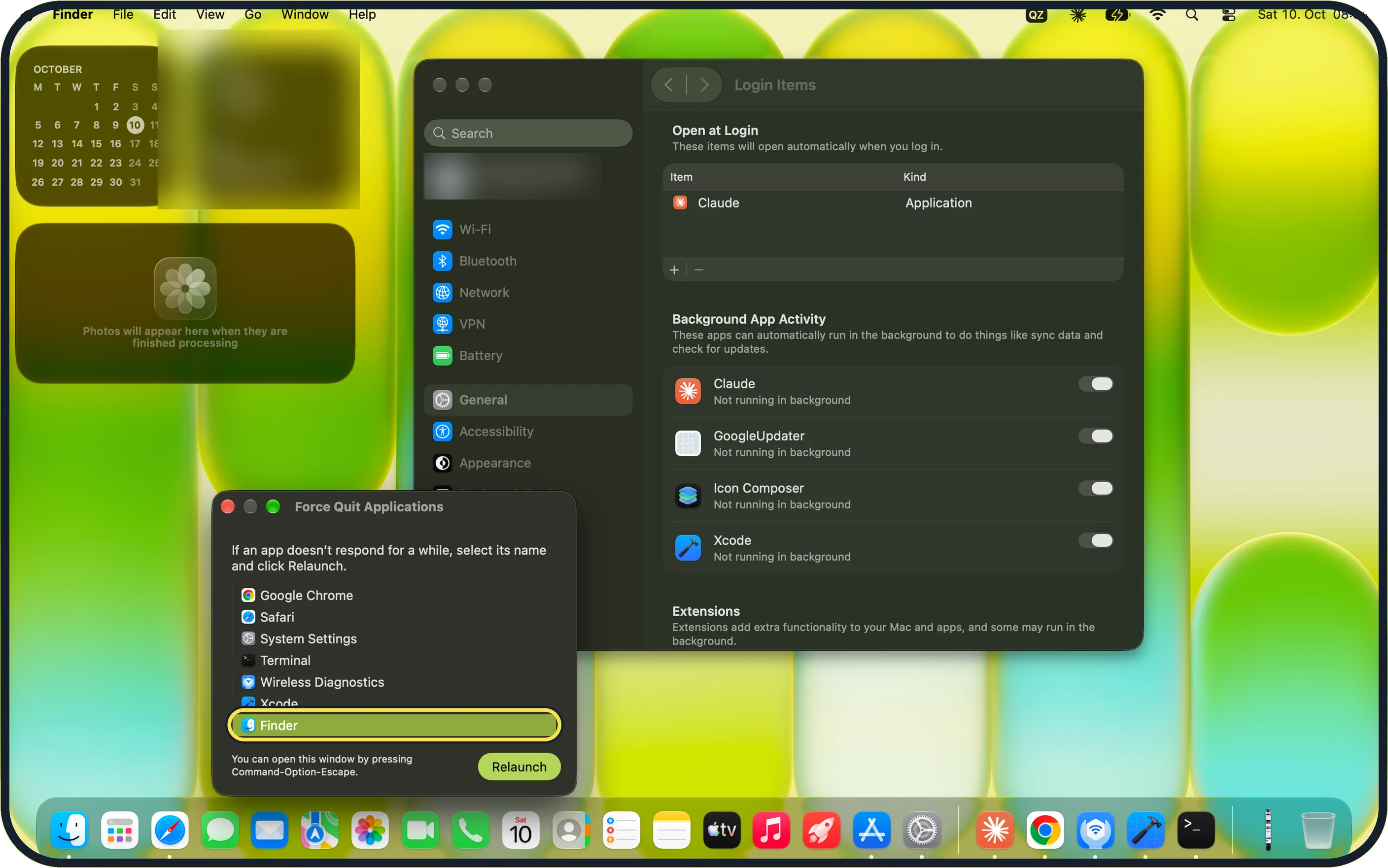
Apple's temperature article says to look for processes that put a significant load on the CPU. Quit apps you do not need, or press Option-Command-Esc, select it and click Force Quit. On our MacBook Neo the Force Quit Applications window lists every open app. In our picture Finder is selected, so the button reads Relaunch instead of Force Quit.
Zoomed in on the setting. Tap to see the whole screenTap the picture to see it full size Restart
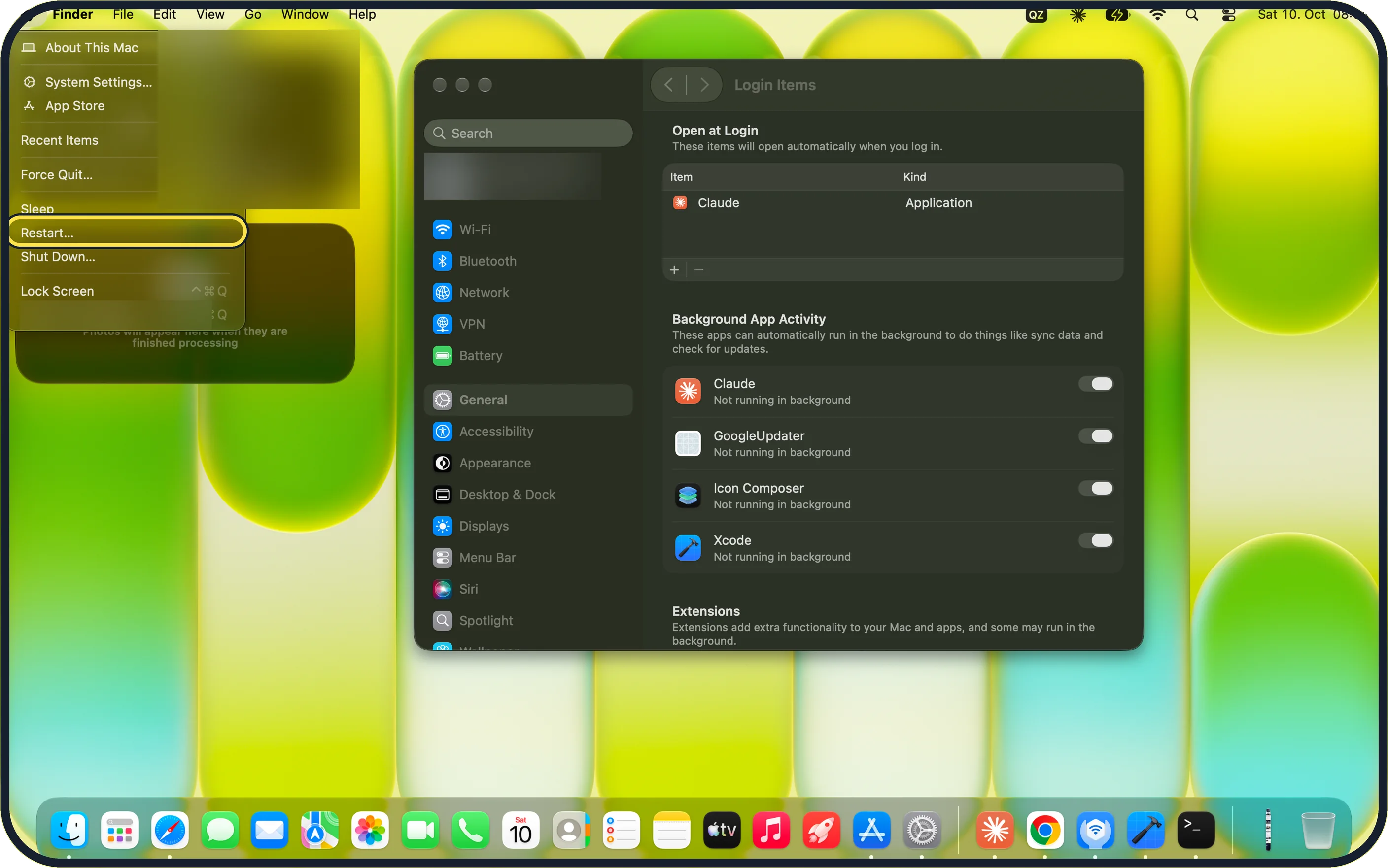
Choose Apple menu, Restart…. A restart ends background processes that have run wild. On our MacBook Neo, Restart… sits between Sleep and Shut Down….
Zoomed in on the setting. Tap to see the whole screenTap the picture to see it full size Install updates
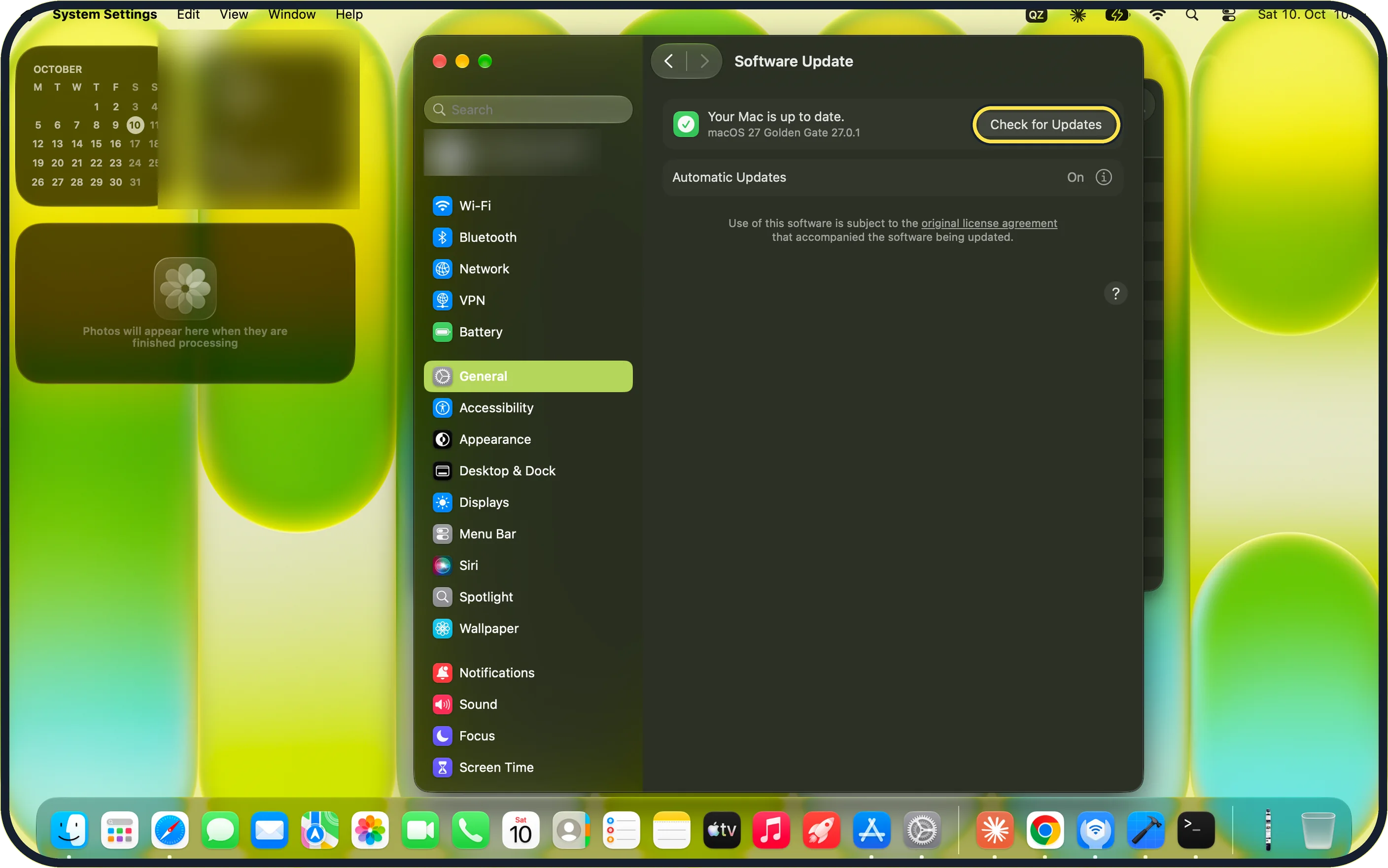
Open System Settings, General, Software Update and click Check for Updates: how to update macOS on your Mac. Our MacBook Neo shows Your Mac is up to date: macOS 27 Golden Gate 27.0.1.
If you do not see this option
- No fan to listen for Our MacBook Neo is fanless, so there is no fan noise to judge the load by. Use Activity Monitor's CPU tab instead.
- No temperature shown Activity Monitor on our MacBook Neo shows % CPU, CPU Time, Threads, Idle Wake Ups and % GPU, and a CPU Load graph, but no temperature.
If this does not work
- Still hot with nothing running Start the Mac in safe mode: Apple says it shows whether software that loads at startup is involved. On a Mac with Apple silicon, Apple's safe mode page says: shut down, hold the power button until Loading startup options appears, select a volume, then hold Shift and click Continue in Safe Mode. Source: Start up your Mac in safe mode
- Warm for a long time after heavy work Apple's temperature article: if issues persist, close and open the lid on your laptop, or restart your computer. Source: Keep your Mac laptop within acceptable operating temperatures
- Still hot after a restart Open Activity Monitor's CPU tab again and sort by % CPU. If no app stays near the top and the case stays hot when idle, Apple's temperature article says to contact Apple, or visit an Apple Store or Apple Authorised Service Provider. Source: Keep your Mac laptop within acceptable operating temperatures
About this guide
A MacBook gets warm when it works hard: video calls, games, exporting video, lots of browser tabs. Heat without a reason points to blocked airflow or a runaway process.
Screenshots: MacBook Neo, macOS 27.0.1, dark mode.
Good to know
Our MacBook Neo has no fan. On a Mac with a fan, see Mac fan loud all the time: 6 things to check.
Related: MacBook battery draining fast.
In short: Hard surface, room between 10 and 35 degrees, Activity Monitor CPU tab, close heavy tabs and apps, restart, update, original charger.
- Apple Support: Keep your Mac laptop within acceptable operating temperatures
- Apple Support: Start up your Mac in safe mode
Links checked in October 2026. Menus and features can change after software updates. These steps match the version named at the top.
Did this guide work for you?
Sorry about that. What happened?