
howtosimply.com/guides/spotlight-search-not-working-on-a-mac-how-to-rebuild-the-index/ · Checked October 2026 · MacBook Pro · macOS Tahoe 26
In this guide
Open System Settings, click Spotlight and click Search Privacy at the bottom. Add your disk, usually Macintosh HD, to the list with the plus button, wait a few seconds and remove it again with the minus button. Spotlight then builds its index from scratch.
5 of 6 steps with real screenshots · 1 official source below
- Device
- Mac
- Shown on
- macOS Tahoe 26 (MacBook Pro)
- App
- System Settings
- Path
- System Settings › Spotlight › Search Privacy
- Real screenshots
- 5 of 6 steps
- Checked
- October 2026
- Sources
- 1 official, linked below
Step by step
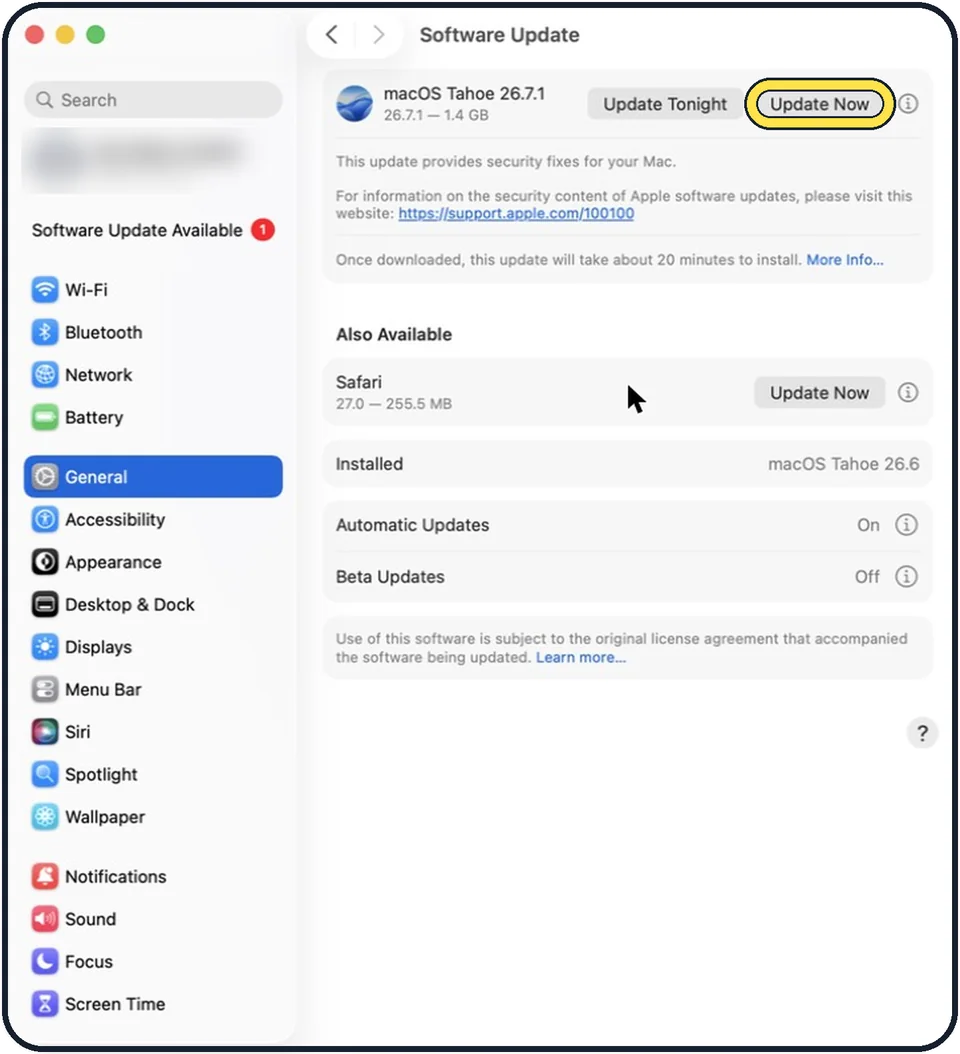
Zoomed in on the setting. Tap to see the whole screenTap the picture to see it full size Install updates first
Open System Settings, General, Software Update and install what is offered. Search problems are sometimes fixed by an update alone.
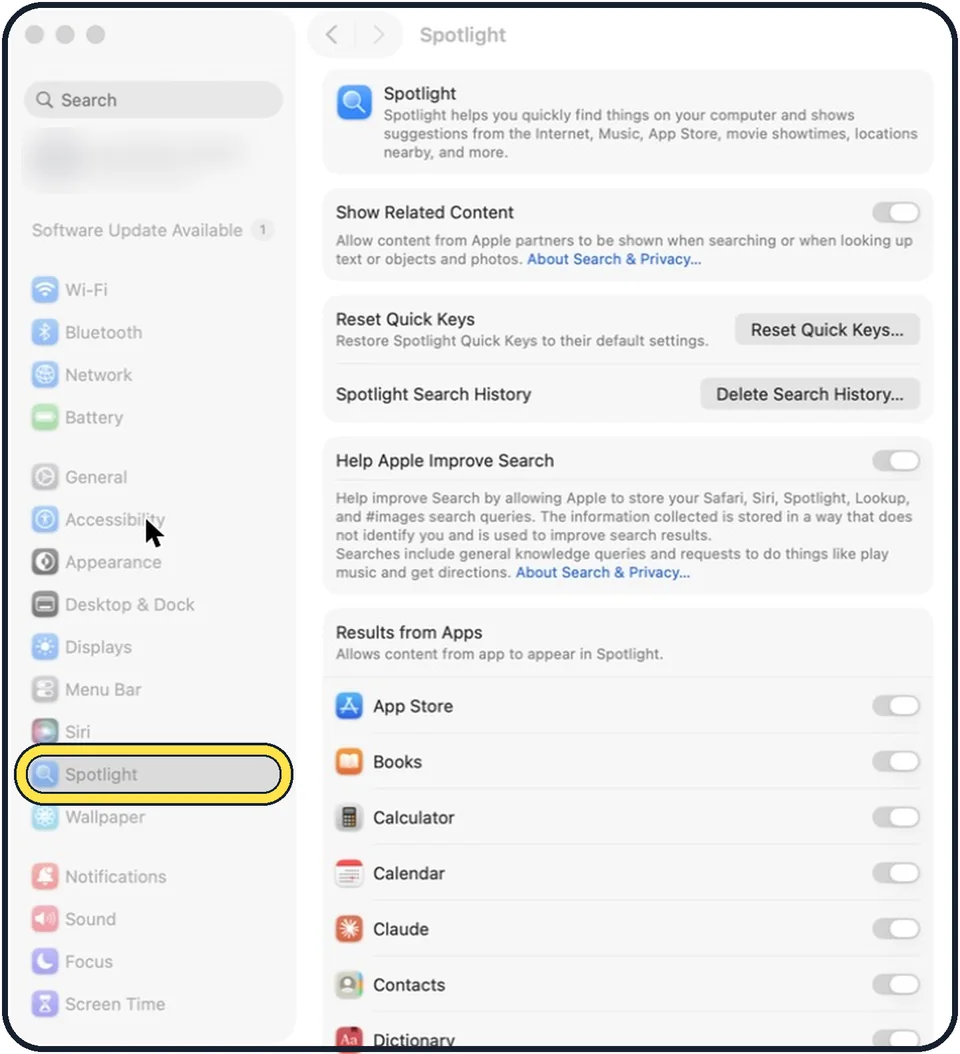
Zoomed in on the setting. Tap to see the whole screenTap the picture to see it full size Open System Settings and click Spotlight
On older versions the entry is called Siri & Spotlight.
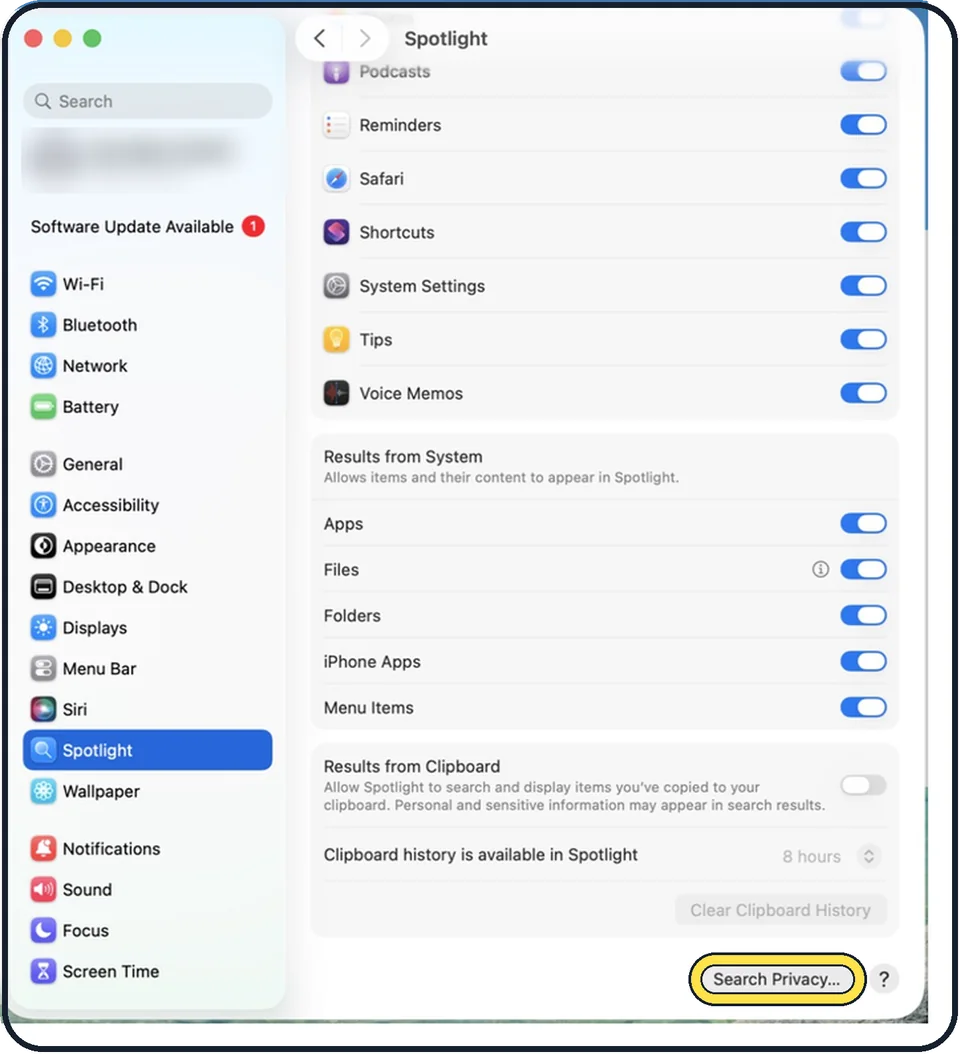
Zoomed in on the setting. Tap to see the whole screenTap the picture to see it full size Click Search Privacy
The button is at the bottom of the page. On older versions it is called Spotlight Privacy.
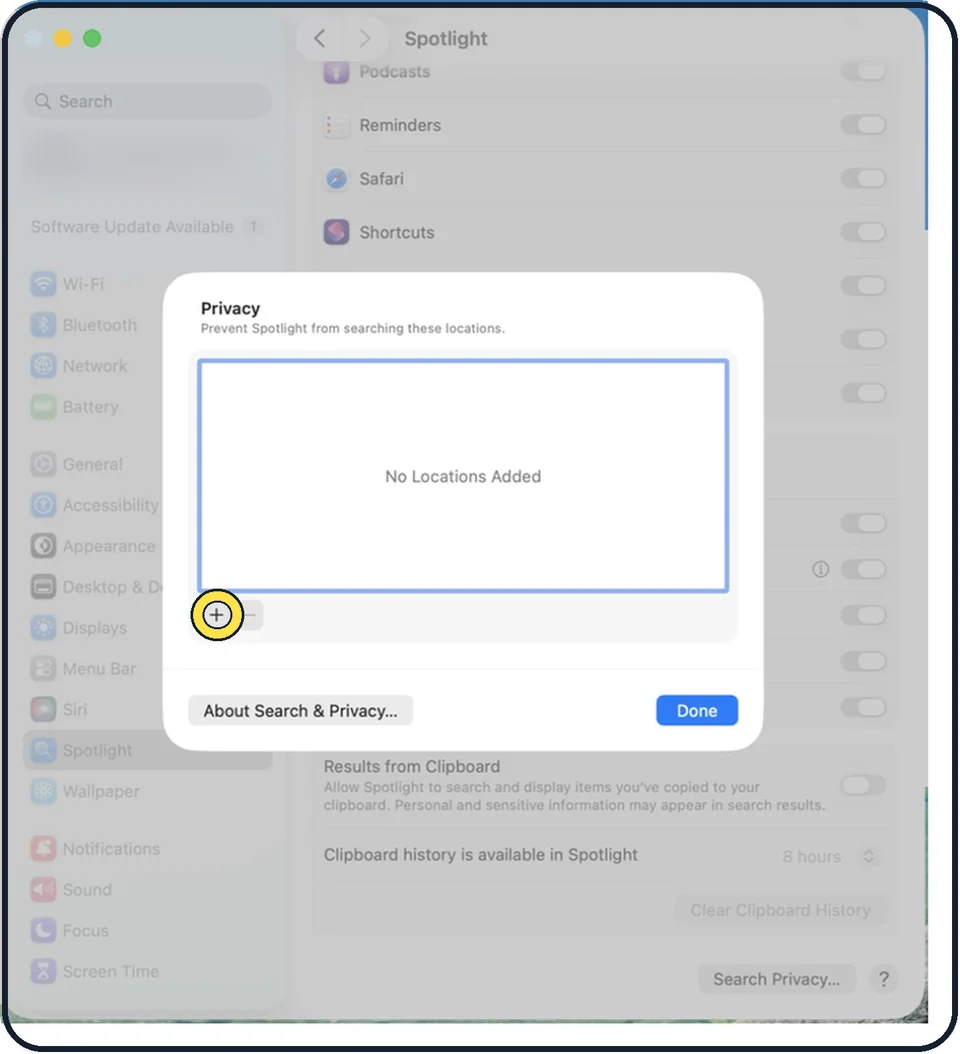
Zoomed in on the setting. Tap to see the whole screenTap the picture to see it full size Add your disk to the list
Click the plus button and choose the disk, usually Macintosh HD, or drag the disk into the list. To rebuild the index for one folder only, add that folder instead.
Wait, then remove it again
Wait a few seconds. Select the disk in the list and click the minus button.
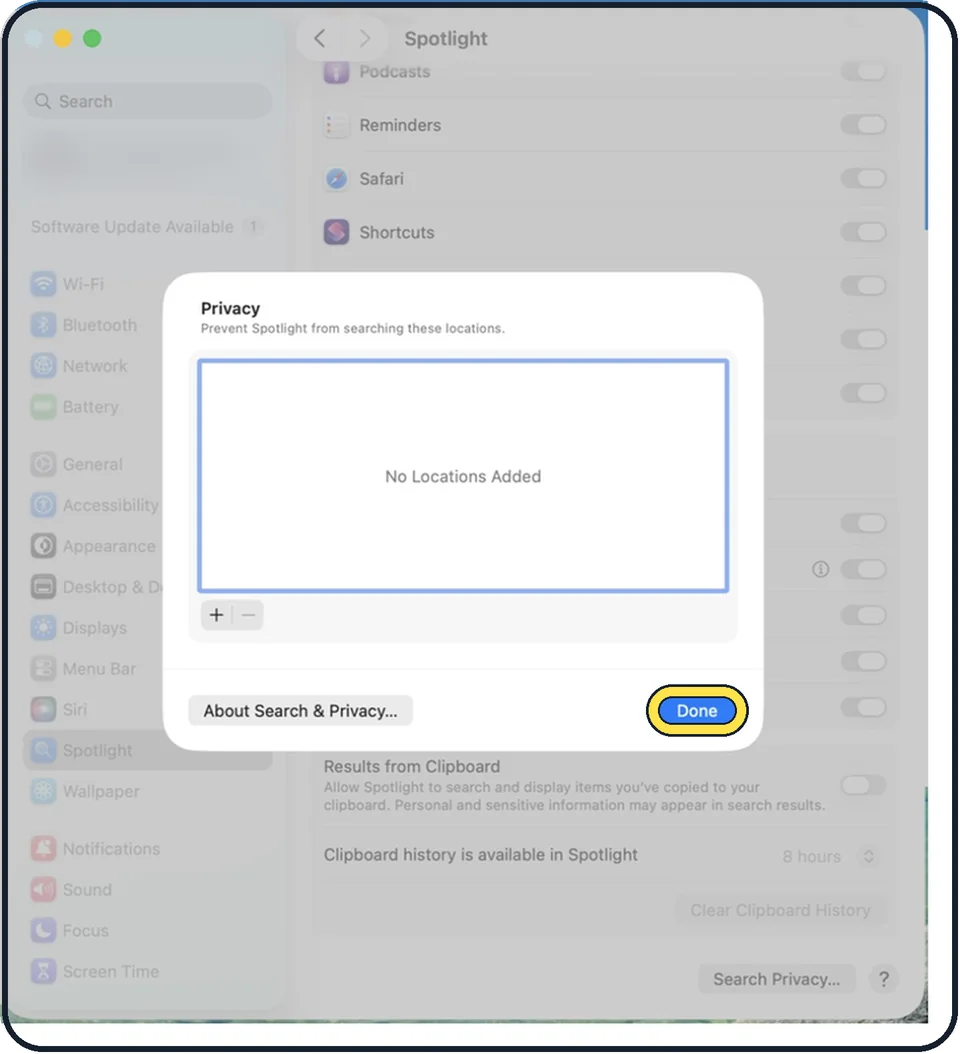
Zoomed in on the setting. Tap to see the whole screenTap the picture to see it full size Click Done and close System Settings
Spotlight now indexes the disk again.
About this guide
Spotlight finds files through an index, a kind of catalogue of everything on the disk. When search results are missing or wrong, the index is usually damaged. Apple's fix is to make the Mac throw the index away and build a new one.
Menu names are from recent versions of macOS, where the settings app is called System Settings.
Good to know
Reindexing a whole disk takes time. Apple says the first indexing can take hours or even days. It is fastest when the Mac is not in use, plugged in and on Wi-Fi.
Apple says a permissions or unknown error means your account might not have ownership permissions for some of the items; change their permissions first.
The Search Privacy list is meant for places Spotlight should never search. Check that the folder you are missing is not on that list for good.
How to use the search well: how to use Spotlight search on a Mac.
In short: System Settings, Spotlight, Search Privacy, add the disk with plus, wait, remove it with minus, Done.
Links checked in October 2026. Menus and features can change after software updates. These steps match the version named at the top.
Did this guide work for you?
Sorry about that. What happened?