
macOS 27 compared with macOS 26: We rewrote steps 1, 2, 3, 4, 5 and 6 to match the macOS 27 screens. The macOS 26 page keeps the steps and screenshots as they were.
howtosimply.com/guides/apple-watch-won-t-unlock-your-mac-6-fixes-to-try/ · Checked October 2026 · MacBook Neo · macOS 27.0.1
In this guide
Wear the unlocked watch close to the Mac, with Wi-Fi and Bluetooth on and the same Apple Account on both. In System Settings > Touch ID & Password, switch the Apple Watch setting off, restart the Mac and switch it on again.
3 of 6 steps with real screenshots · 1 official source below
- Device
- Mac
- Shown on
- macOS 27.0.1 (MacBook Neo)
- App
- System Settings
- Real screenshots
- 3 of 6 steps
- Checked
- October 2026
- Sources
- 1 official, linked below
Step by step
Check the conditions
Apple says the Mac and the watch must both have Wi-Fi and Bluetooth switched on and use the same Apple Account with two-factor authentication.
Apple also says the watch needs a passcode and must be on your wrist and unlocked.
Move closer
Apple says the watch has to be close to the Mac. Wake the Mac with your watch arm near the keyboard.
Zoomed in on the setting. Tap to see the whole screenTap the picture to see it full size Switch the setting off and on
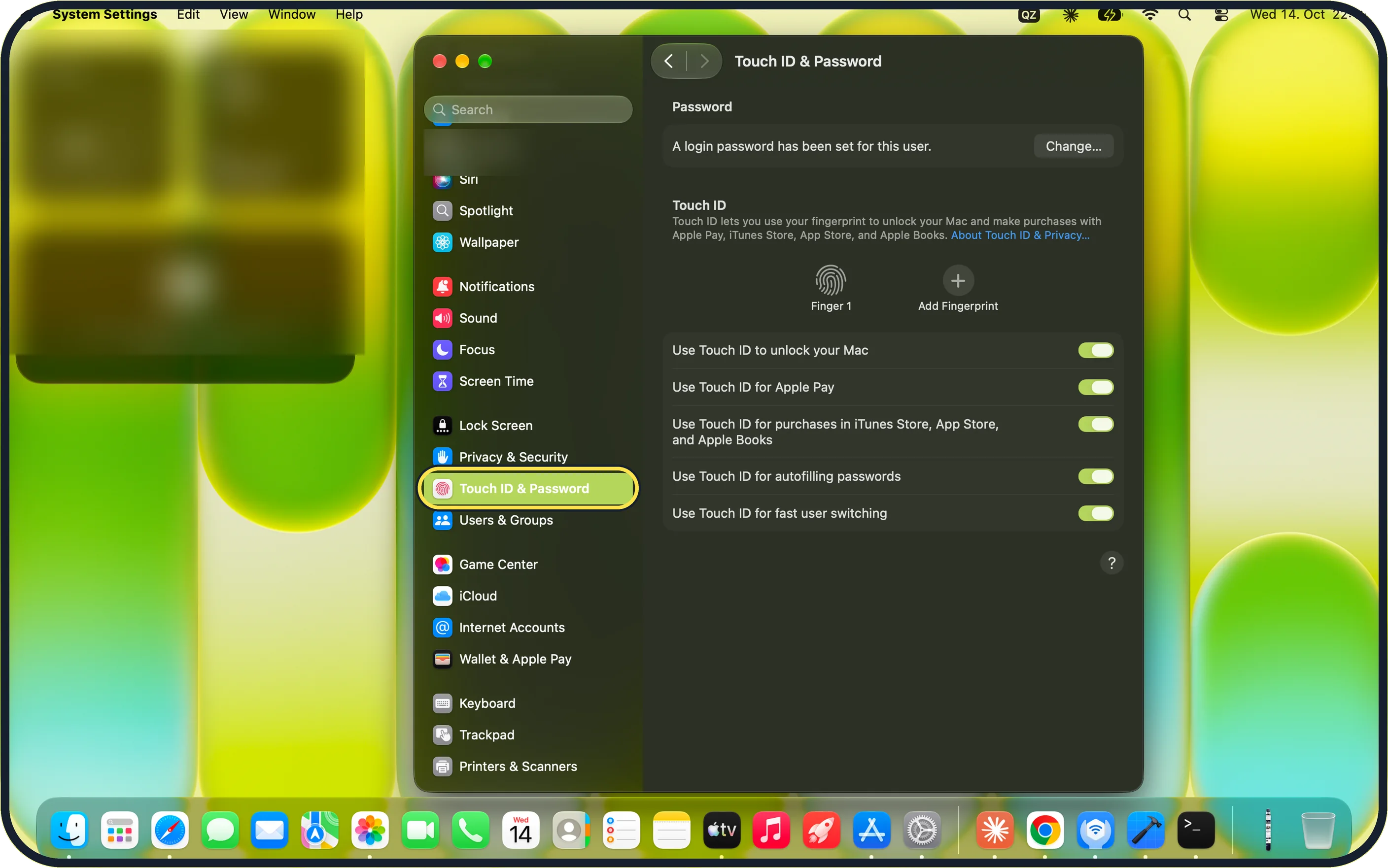
Open System Settings and click Touch ID & Password in the sidebar. Apple says to switch off the setting for your watch in the Apple Watch section, restart the Mac and switch it on again.
On our MacBook Neo, which has no watch paired, the page showed only the Password and Touch ID sections.
Zoomed in on the setting. Tap to see the whole screenTap the picture to see it full size Install updates on both
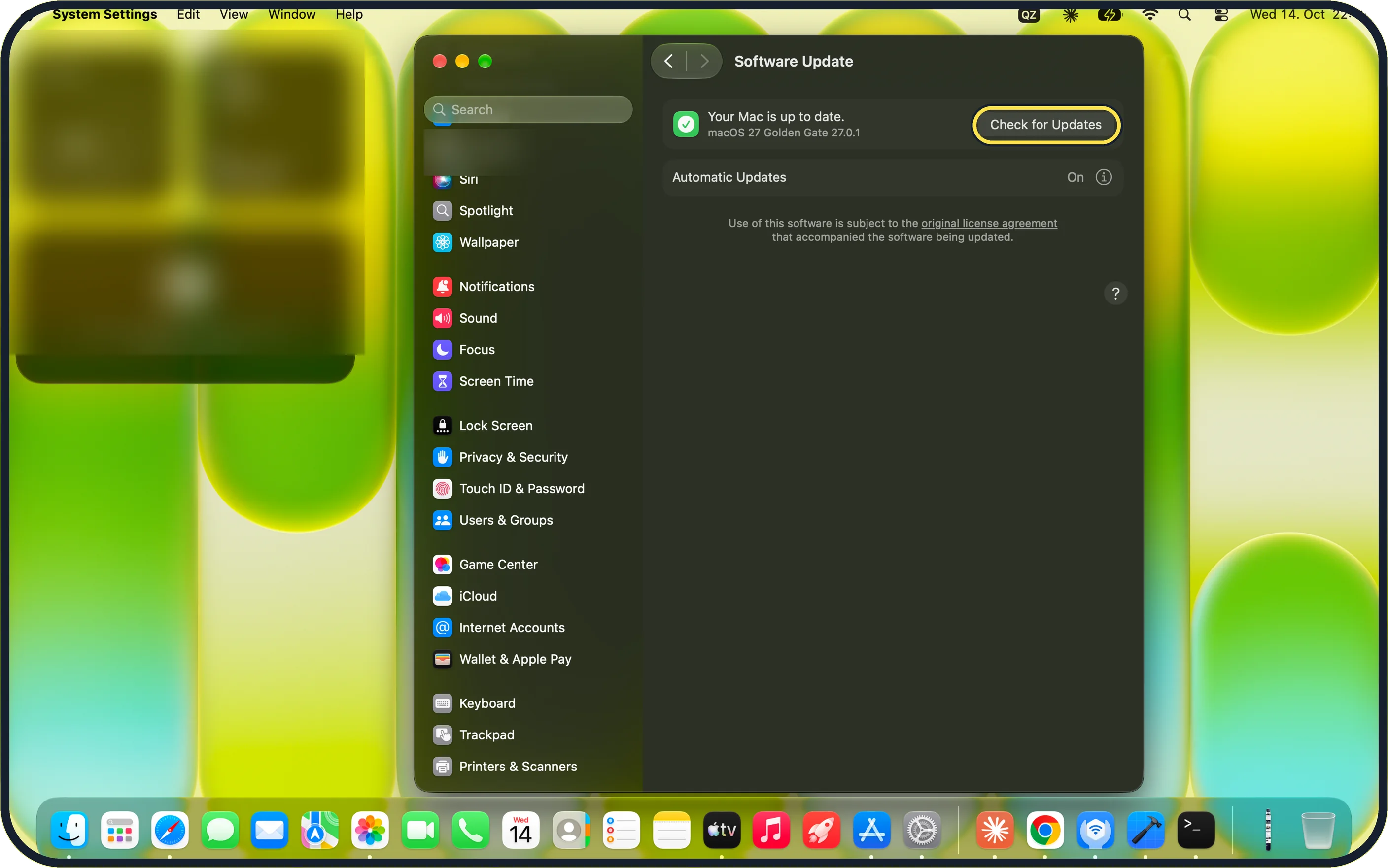
In System Settings, click General in the sidebar (scroll up to find it), then Software Update, and click Check for Updates. Update the watch too: how to update your Apple Watch.
On our MacBook Neo it said "Your Mac is up to date." with macOS 27 Golden Gate 27.0.1 and Automatic Updates On.
Zoomed in on the setting. Tap to see the whole screenTap the picture to see it full size Switch off Screen Sharing and Internet Sharing
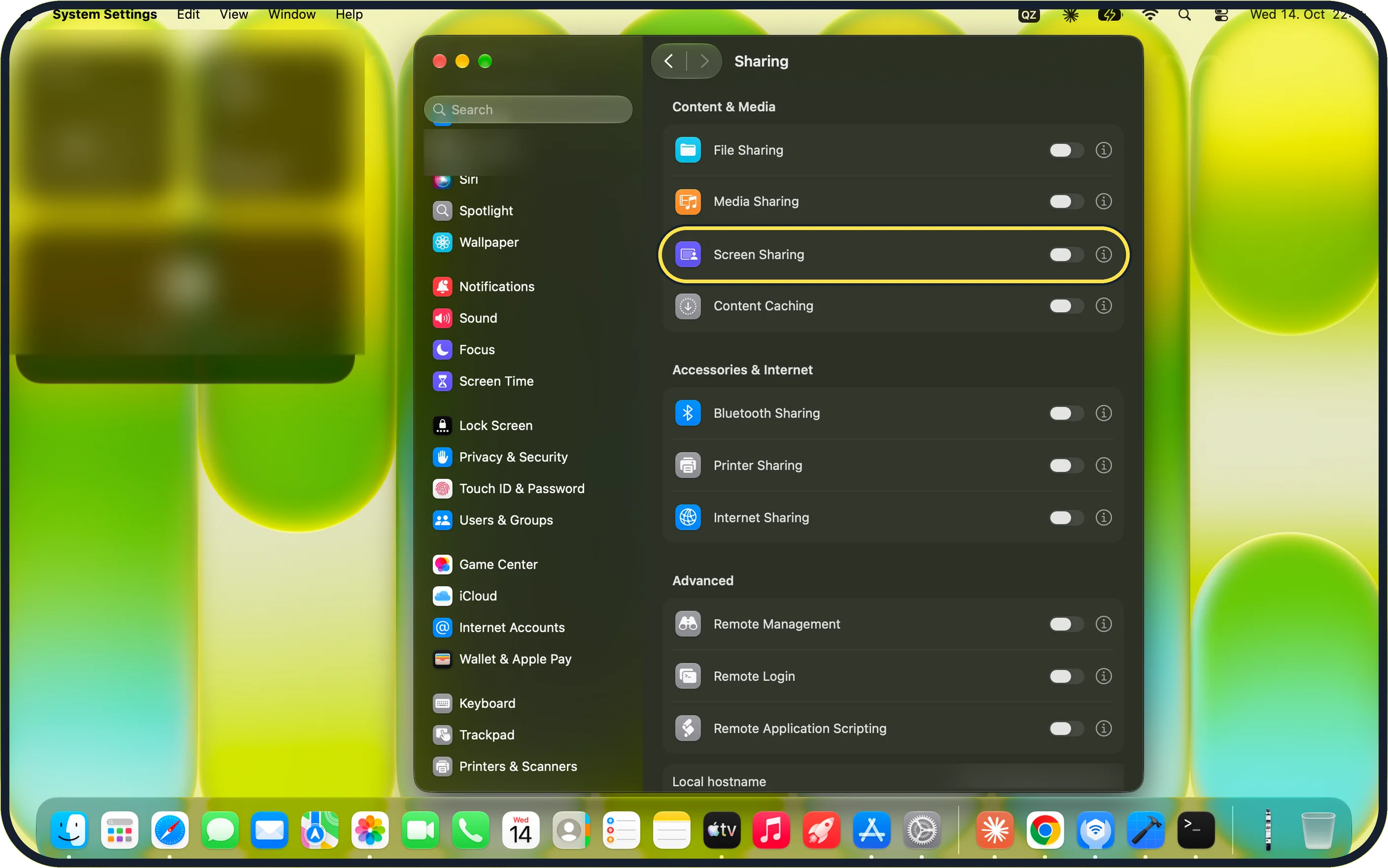
Apple says Auto Unlock does not work while the Mac shares its screen or its internet connection. In System Settings, click General in the sidebar (scroll up to find it), then Sharing.
On our MacBook Neo, Screen Sharing (under Content & Media) and Internet Sharing (under Accessories & Internet) were both switched off.
Enter the password once
Apple says the first login after you turn on, restart or log out of the Mac needs your password. After that, the watch logs you in.
If you do not see this option
- No Apple Watch section On our MacBook Neo without a paired watch, Touch ID & Password showed only the Password and Touch ID sections. Check the watch meets Apple's Auto Unlock requirements and uses the same Apple Account. Source: Unlock your Mac with Apple Watch
- No Touch ID & Password in the sidebar Apple says some Mac models show Login Password instead. Source: Unlock your Mac with Apple Watch
- Cannot find the sharing switches On our MacBook Neo, Screen Sharing is under Content & Media and Internet Sharing is under Accessories & Internet on the Sharing page.
If this does not work
- The Mac still asks for the password Apple says the first login after you turn on, restart or log out always needs your password. Enter it once, then try the watch again. Source: Unlock your Mac with Apple Watch
- Unlocking stopped after it worked before Apple suggests switching the Apple Watch setting off in Touch ID & Password, restarting the Mac and switching it on again. Source: Unlock your Mac with Apple Watch
- Sharing is switched on Apple says Auto Unlock does not work while Screen Sharing or Internet Sharing is on. Switch both off under General > Sharing. Source: Unlock your Mac with Apple Watch
About this guide
Unlocking a Mac with the watch only works when several conditions are met at once. If one is missing, the Mac asks for the password instead.
Screenshots: MacBook Neo, macOS 27.0.1, dark mode.
Good to know
How to set it up from the start: how to unlock a Mac or iPhone with an Apple Watch.
If the watch has lost its connection to the iPhone as well, fix that first: Apple Watch not pairing or connecting to iPhone: 7 fixes.
The fingerprint sensor is the other quick way in: Touch ID not working on a Mac: 7 fixes to try.
In short: System Settings > Touch ID & Password > Apple Watch setting off, restart, on > General > Software Update > General > Sharing (Screen Sharing and Internet Sharing off).
Links checked in October 2026. Menus and features can change after software updates. These steps match the version named at the top.
Did this guide work for you?
Sorry about that. What happened?