
macOS 27 compared with macOS 26: We rewrote steps 1, 2, 3, 4, 5, 6 and 7 to match the macOS 27 screens. The macOS 26 page keeps the steps and screenshots as they were.
howtosimply.com/guides/external-monitor-not-detected-on-a-mac-7-fixes-to-try/ · Checked October 2026 · MacBook Neo · macOS 27.0.1
In this guide
Check the cables and the display's input. Then open System Settings, Displays, hold Option so Night Shift… becomes Detect Displays, and click it. If the screen stays dark, restart the Mac and try another cable or adapter.
4 of 7 steps with real screenshots · 1 official source below
- Device
- Mac
- Shown on
- macOS 27.0.1 (MacBook Neo)
- App
- System Settings
- Real screenshots
- 4 of 7 steps
- Checked
- October 2026
- Sources
- 1 official, linked below
Step by step
Check the cables at both ends
Make sure the display's power cable and video cable are connected securely at both ends.
Check that the display is switched on and set to the right input, such as HDMI 1 or USB-C.
Zoomed in on the setting. Tap to see the whole screenTap the picture to see it full size Hold Option and click Detect Displays
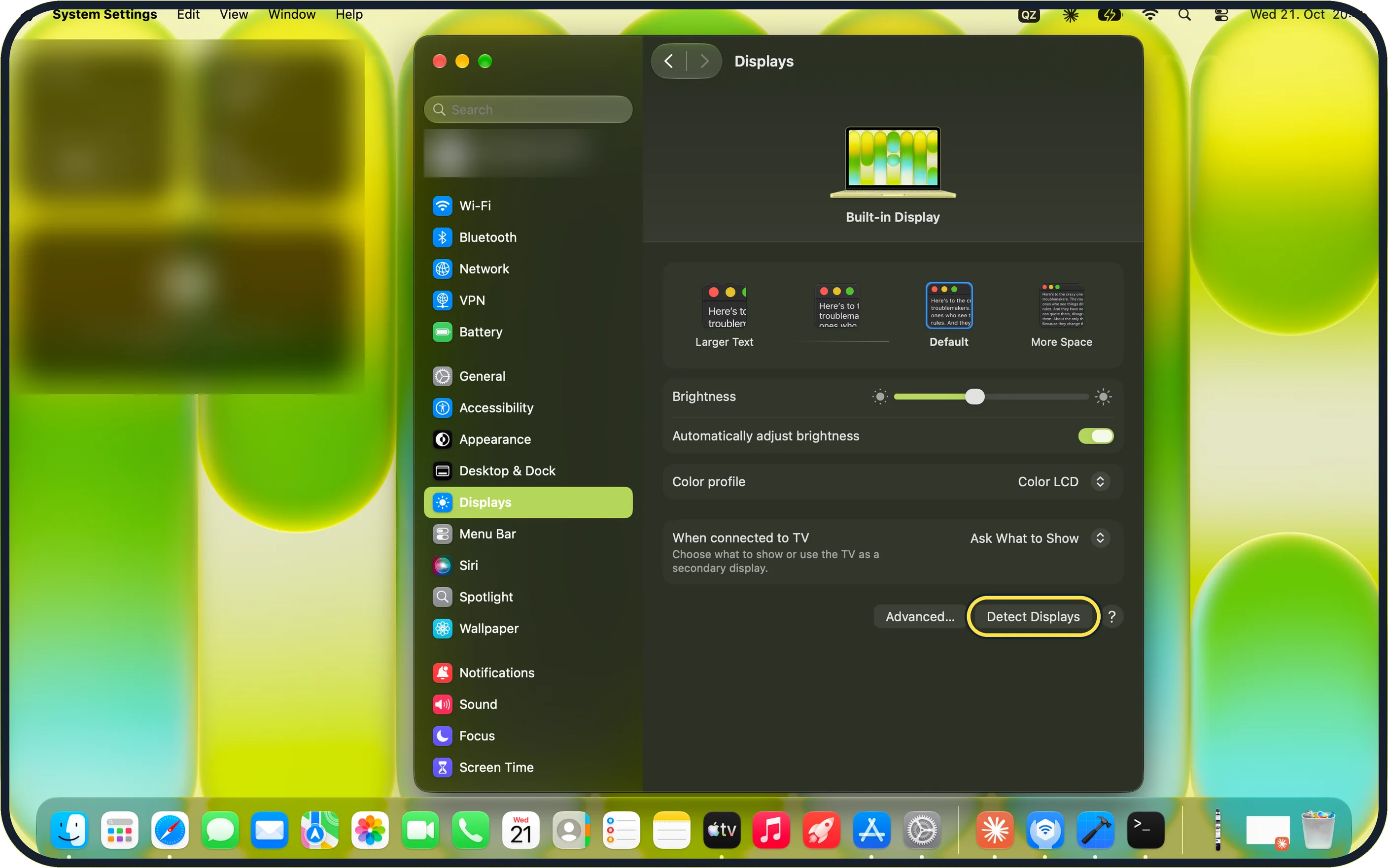
Open System Settings, click Displays in the sidebar, then press and hold the Option key.
On our MacBook Neo, the Night Shift… button at the bottom of the page changes to Detect Displays while Option is held. Click it.
Restart the Mac
Restart with the display connected.
Apple says that if the Mac does not react, you can hold the power button for about 10 seconds to switch it off, then start it again.
Try another cable or adapter
Apple says a Thunderbolt or USB-C cable or adapter must support the display's resolution and refresh rate.
Try another cable and plug the display straight into the Mac without a dock.
Zoomed in on the setting. Tap to see the whole screenTap the picture to see it full size Turn up the brightness
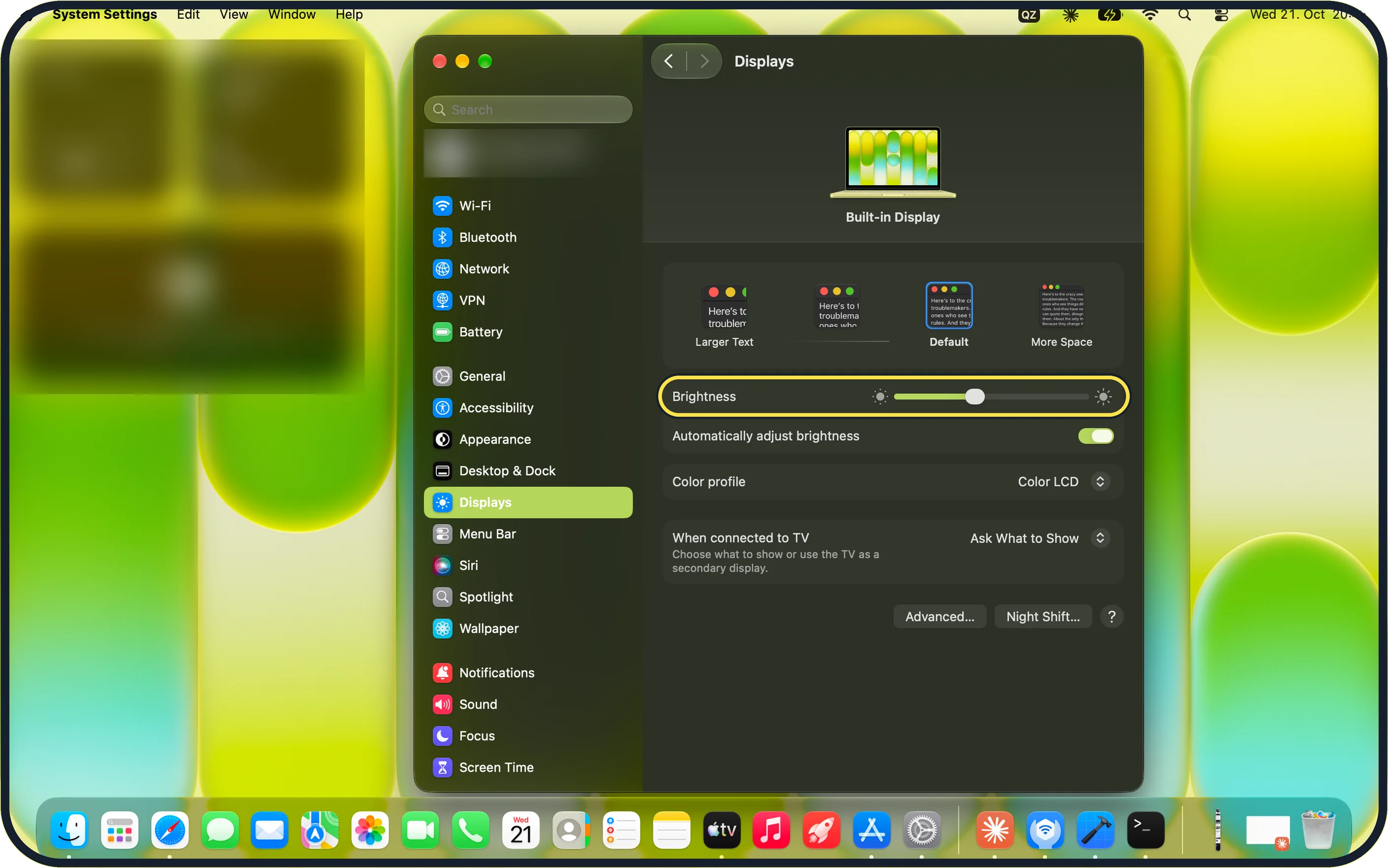
If the display is detected but dark, turn up its brightness with its own buttons or the Brightness slider in Displays. On our MacBook Neo, with no external display connected, the page shows only the Built-in Display and its Brightness slider.
Zoomed in on the setting. Tap to see the whole screenTap the picture to see it full size Change the resolution
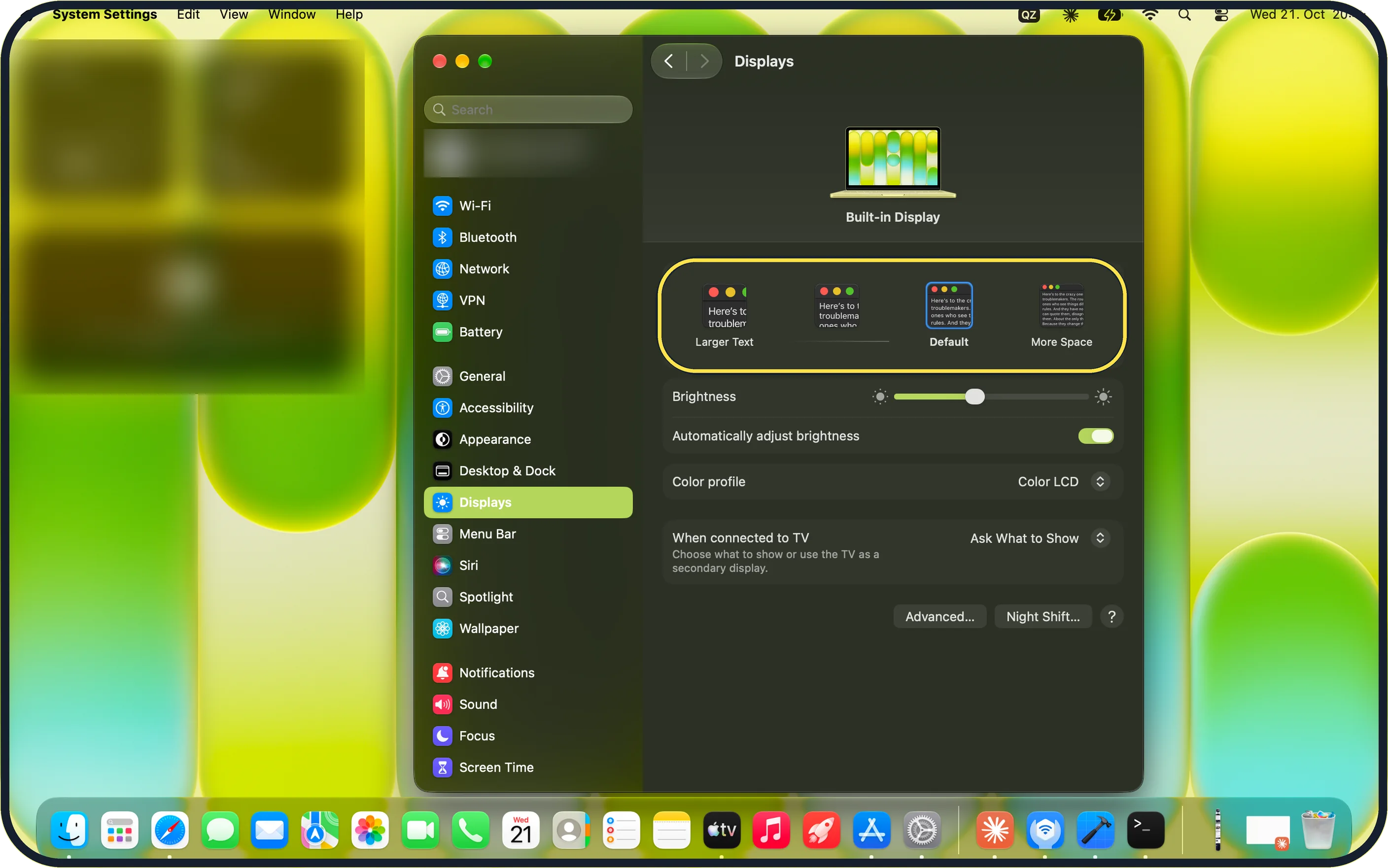
A display that is detected but shows a wrong or blurry picture may need another resolution. Click a picture between Larger Text and More Space. On our MacBook Neo, pointing at More Space shows 1637 × 1024.
Zoomed in on the setting. Tap to see the whole screenTap the picture to see it full size Update macOS
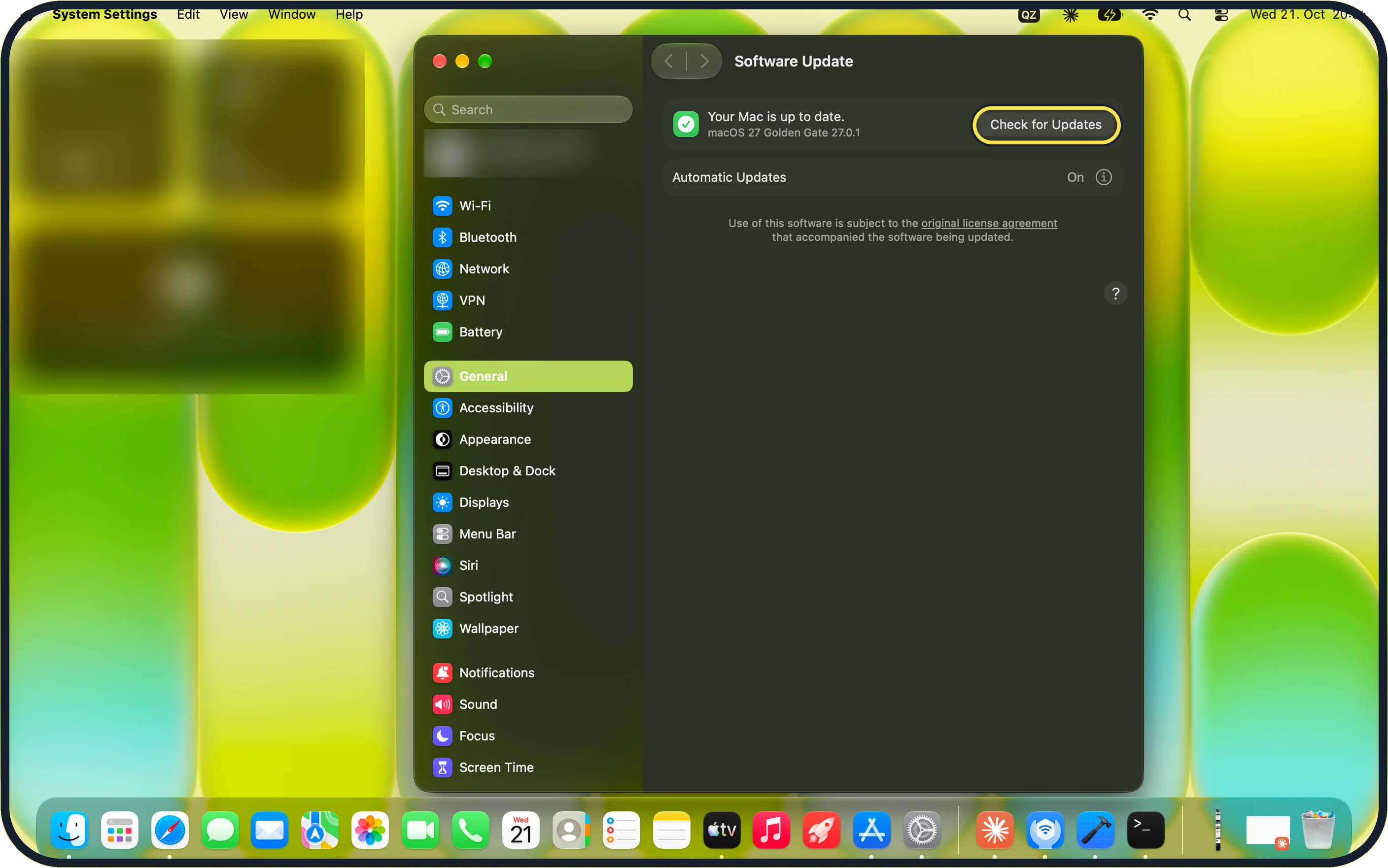
Open System Settings, General, Software Update and click Check for Updates.
On our MacBook Neo, the page reads "Your Mac is up to date." with macOS 27 Golden Gate 27.0.1, and Automatic Updates is On. Apple says macOS updates also contain firmware updates for Apple displays.
If you do not see this option
- Detect Displays is not shown Keep the Option key held while the Displays page is open. Without Option, the bottom of the page shows Advanced…, Night Shift… and a ? button.
- Only Built-in Display is listed The Mac has not found the external display. Check the cables and input, then use Detect Displays.
- There is no Update Now button When macOS is current, Software Update shows "Your Mac is up to date." and a Check for Updates button instead.
- macOS asks whether to allow the accessory to connect Apple says that on a Mac laptop with Apple silicon you may need to allow the display to connect before it works. Click Allow when macOS asks. Source: If your external display is dark or low resolution
If this does not work
- The screen stays dark after Detect Displays Apple says to restart the Mac with the display connected and to try another cable or adapter, plugged straight into the Mac. Source: If your external display is dark or low resolution
- The display shows No Signal Check that the display is set to the input the Mac is plugged into, such as HDMI 1 or USB-C, and test the display on another computer.
- A second or third display stays dark Apple says each Mac model supports a limited number of external displays; check your model's technical specifications. Source: If your external display is dark or low resolution
- The display stays dark with the lid closed Apple says a Mac laptop with its lid closed needs power and an external keyboard and mouse or trackpad to use the display. Source: If your external display is dark or low resolution
About this guide
A second screen that stays black or shows No Signal is usually a cable, adapter or input problem, and macOS has a hidden Detect Displays button that looks for displays again.
Screenshots: MacBook Neo, macOS 27.0.1, dark mode.
Good to know
Each Mac model supports a limited number of external displays. If a second or third display stays dark, check the technical specifications of your model on Apple's website.
To test the display itself, connect it to another computer.
Setting the resolution: how to change the screen resolution on a Mac.
Sending the picture to a television without a cable: how to mirror a Mac screen to a TV with AirPlay.
In short: Cables and input > System Settings > Displays > hold Option > Detect Displays > restart > other cable > Brightness > General > Software Update.
Links checked in October 2026. Menus and features can change after software updates. These steps match the version named at the top.
Did this guide work for you?
Sorry about that. What happened?