MAC
Mac typing the wrong characters? Check the keyboard layout

 Real screenshot · MacBook Neo, macOS 27.0.1
In short
Open System Settings, Keyboard and click Edit next to Input Sources. If Y and Z or symbols are swapped, the active layout does not match the keys, for example German (QWERTZ) on a US keyboard. Pick the right one, or switch with the input menu in the menu bar.
4 of 4 steps show a real screenshot from our MacBook Neo. Each step was checked against the maker's own instructions, linked at the end.
Steps
- 1
Open Keyboard settings
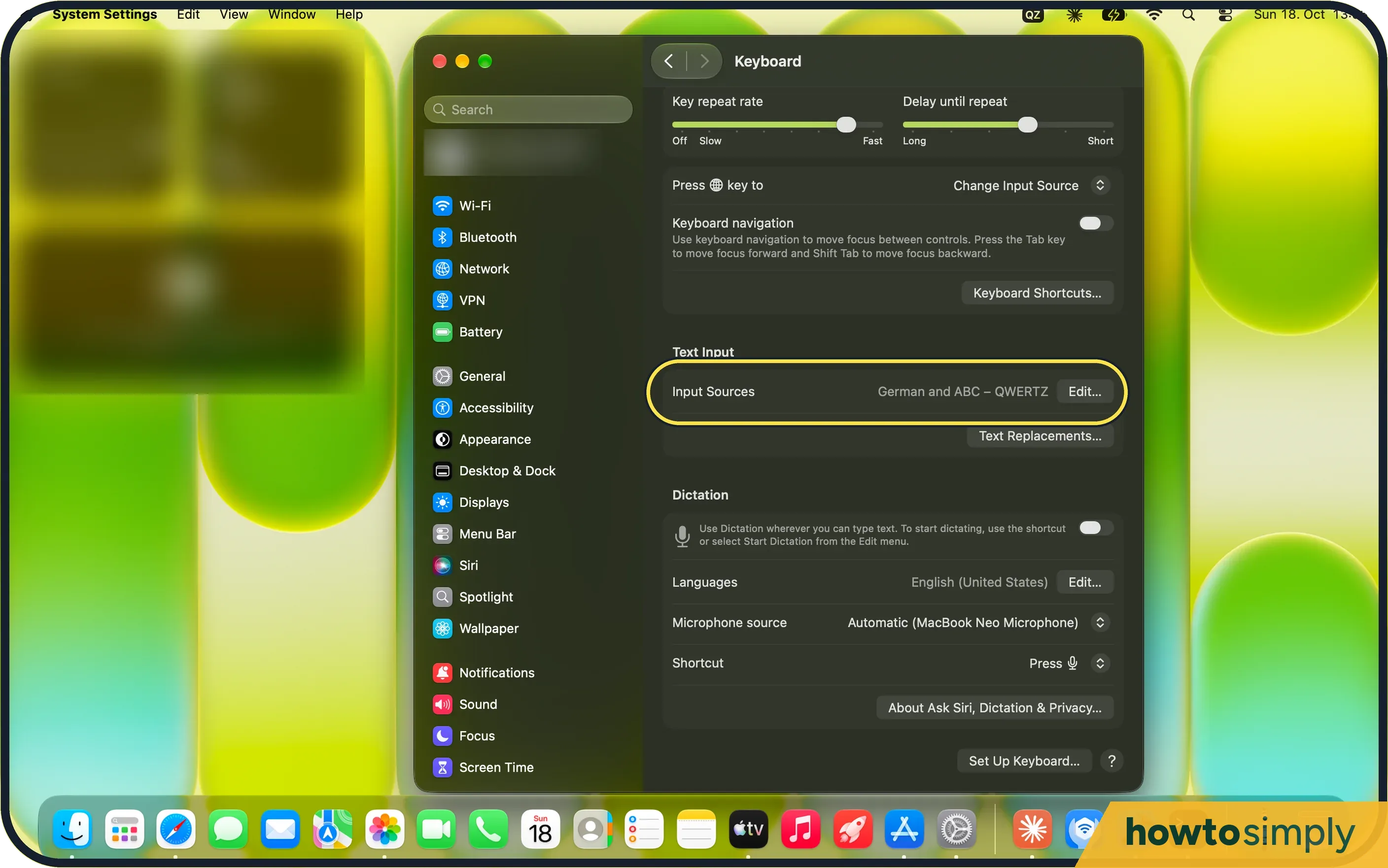
Choose Apple menu, System Settings, Keyboard. Under Text Input, Input Sources shows the layouts you have. Click Edit.
- 2
Check the list
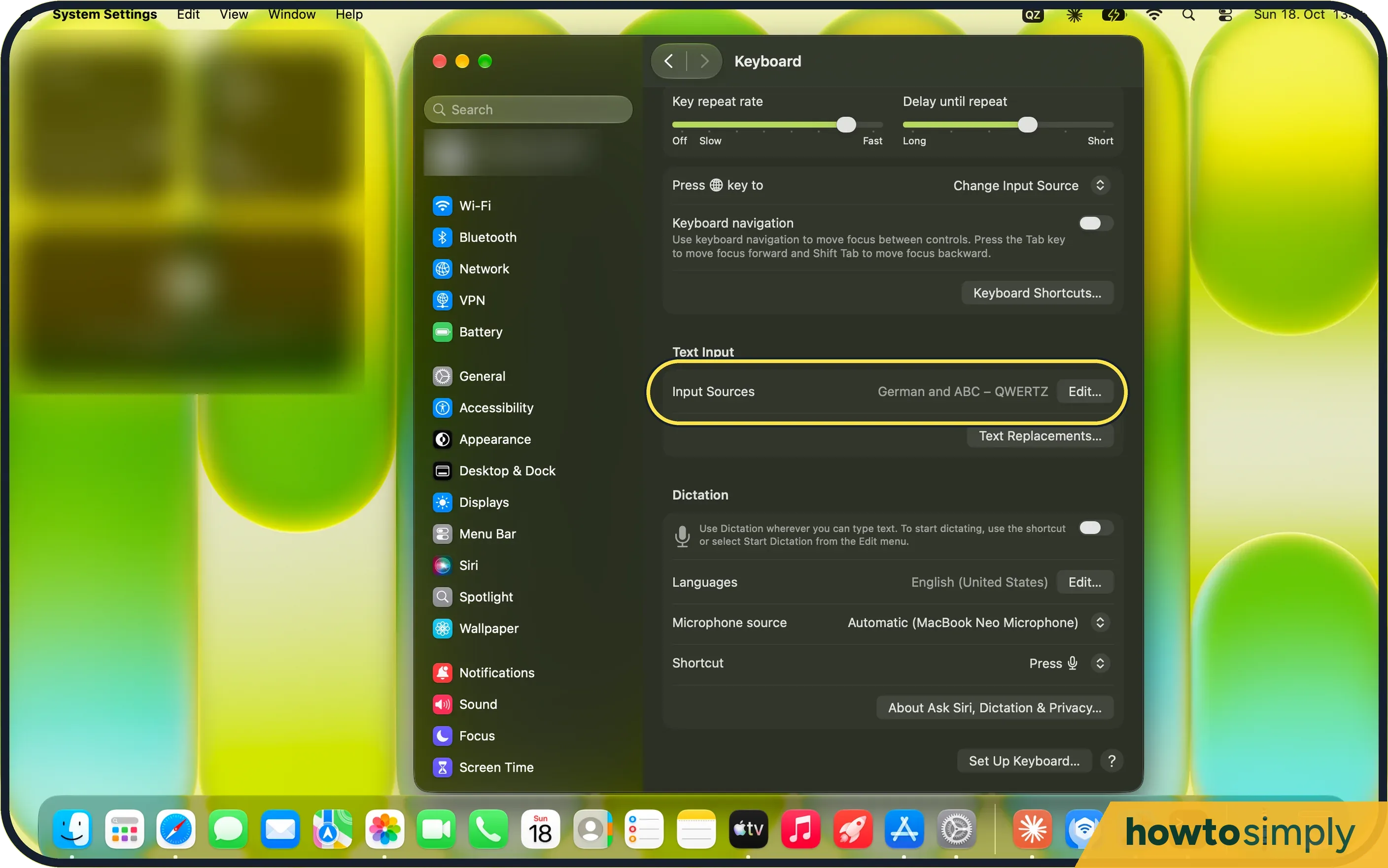
The layouts are on the left: ours were German and ABC – QWERTZ. Turn on Show Input menu in menu bar so you can see which one is active.
- 3
Add the right layout
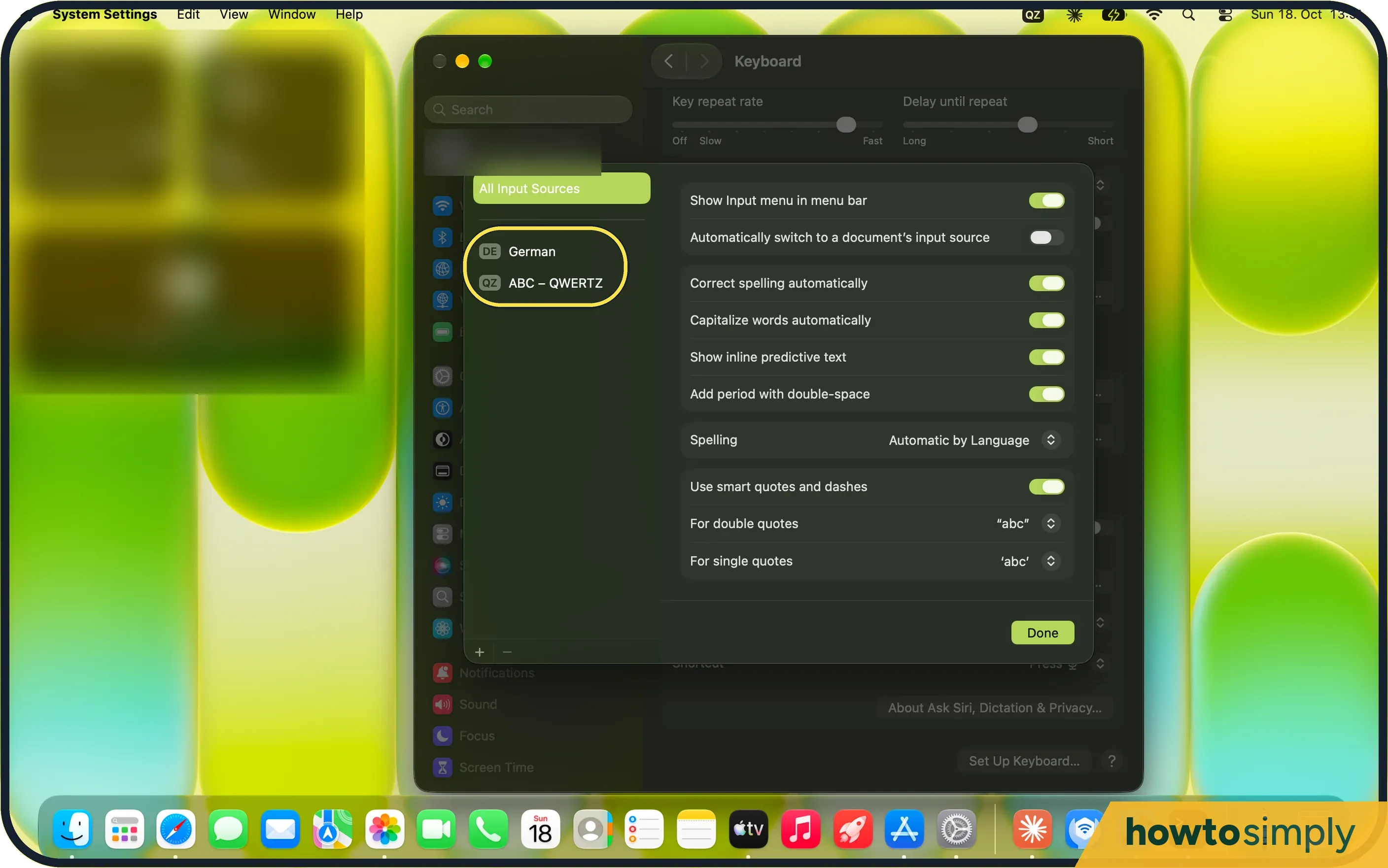
Click + under the list. Pick the language on the left, then the layout on the right; the keyboard below shows its keys. Click Add. With English selected, ours offered ABC, ABC – Extended, ABC – India, Australian, British and more.
- 4
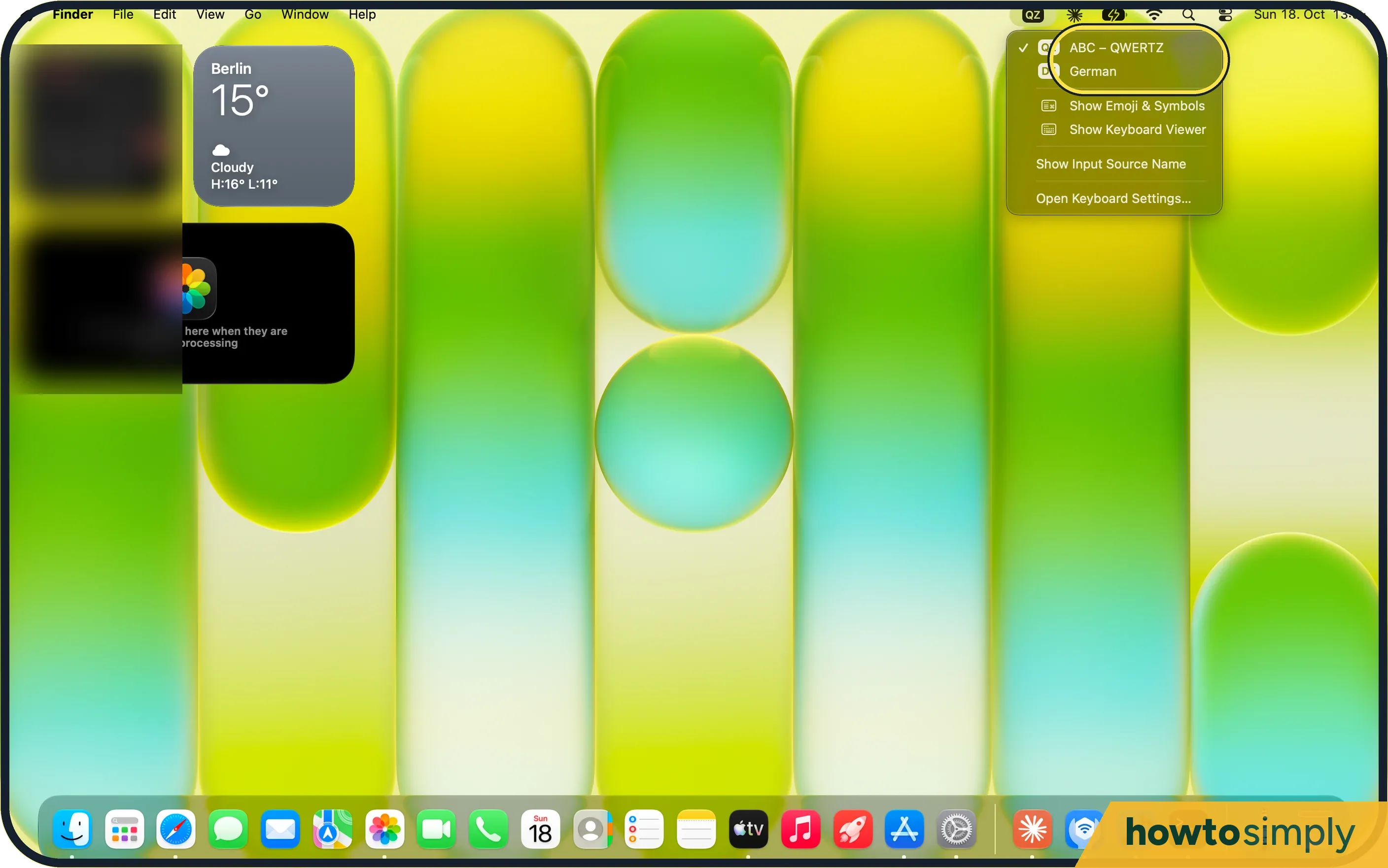
Switch from the menu bar
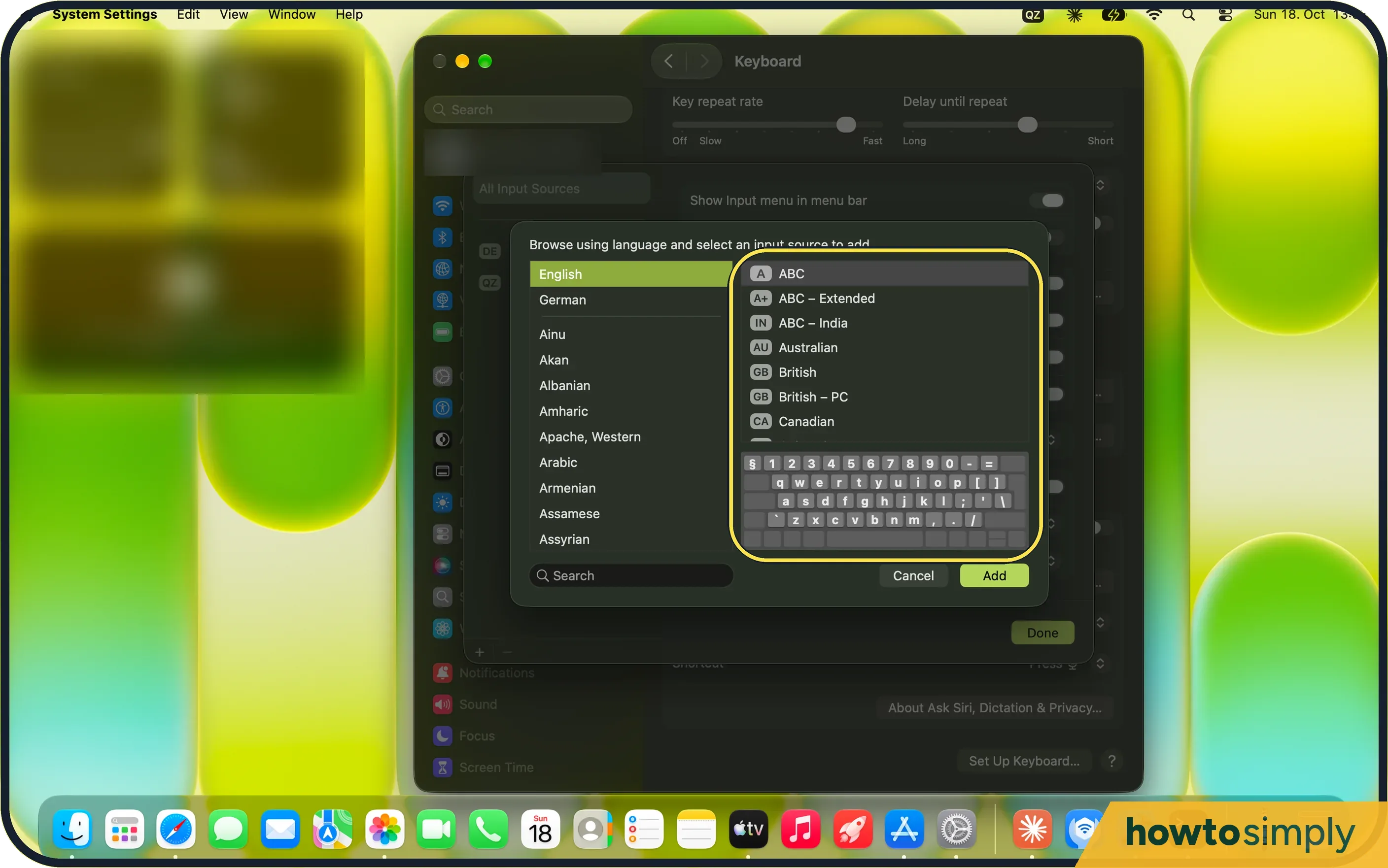
Click the input menu and choose the layout. Ours offered ABC – QWERTZ and German.
If you do not see this option
- No input menu in the menu bar? Turn on Show Input menu in menu bar in step 2.
- Cannot find the layout? Type its name in the Search field at the bottom of the add dialog.
If this does not work
- It changes when you press Control-Space? Apple lists Control-Space as a shortcut to switch input sources, so pressing it by accident changes the layout. Switch back from the input menu.
- It switches back by itself? Turn off Automatically switch to a document's input source in step 2, or remove the layout you do not use.
- Only some keys are wrong? Check Key repeat and other keyboard faults: Mac keyboard not working.
- Not sure which key types what? Apple says to open the input menu and choose Show Keyboard Viewer. It shows the layout of the current source, and pressing Option or Shift shows how the keys change.
- Caps Lock changes the layout? Apple describes a Text Input setting that uses the Caps Lock key to switch between a non-Latin source, such as Chinese, and the last Latin source you used. If you have a non-Latin source and this is on, Caps Lock changes layouts, so turn it off if you do not want that.
- The fn or Globe key changes it? Apple says that if Press fn key to is set to Change Input Source, each press moves to the next source. See change what the fn or Globe key does.
- A layout is greyed out in the menu? Apple says dimmed input sources are not supported by the app you are using. Switch to another app, or choose a layout that is not dimmed.
Good to know
Create your own keyboard shortcuts on a Mac.
The layout you choose applies to typing in all apps. It does not change the language of menus and apps, which is a separate setting. To undo a change, pick the old layout from the input menu again; nothing you have already typed is altered.
Text replacements can save you hunting for special characters: how to set up text replacements on a Mac.
About this guide
- Device
- Mac
- Shown on
- macOS 27.0.1 (MacBook Neo)
- App
- System Settings
- Path
- System Settings › Keyboard › Text Input
- Real screenshots
- 4 of 4 steps
- Checked
- October 2026
- Sources
- 1 official, linked below
Sources
Links checked October 2026. Menus and features can change with updates.Spotted a mistake? Menus change with updates, and we want every step to match your screen. Email us about this page or use the contact form. We read every report, and fixes are listed on What changed.
Liked this guide?
Follow us for new guides and short how-to videos.
Did this guide work for you?
Sorry about that. What happened?