
howtosimply.com/guides/how-to-use-magic-capsule-on-an-honor-phone/ · Checked October 2026 · BRP-NX1M, EEA), MagicOS 10.0, Android 16 (build 10.0.0.169(C430E7R2P1) · HONOR Magic7 Lite
In this guide
Magic Capsule is the pill at the top of the screen that shows a running timer, call or recording. Tap it to expand it, or use its buttons. Its settings are under Settings, Notifications & status bar, Magic Capsule.
3 of 3 steps with real screenshots · 2 official sources below
- Device
- Android
- Shown on
- HONOR Magic7 Lite (BRP-NX1M, EEA), MagicOS 10.0, Android 16 (build 10.0.0.169(C430E7R2P1))
- App
- Maps
- Real screenshots
- 3 of 3 steps
- Checked
- October 2026
- Sources
- 2 official, linked below
Step by step
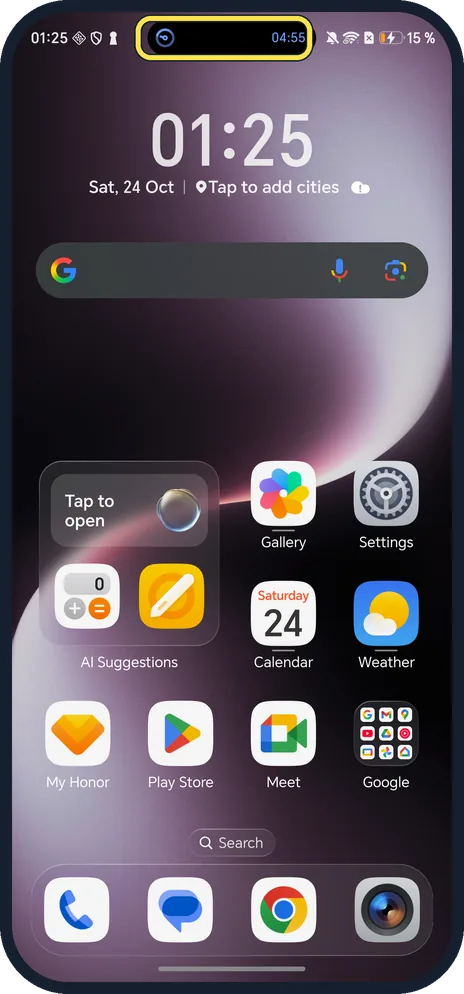
Start a timer, recording or call
The capsule appears at the top centre of the screen, around the front camera. Ours showed the timer counting down.
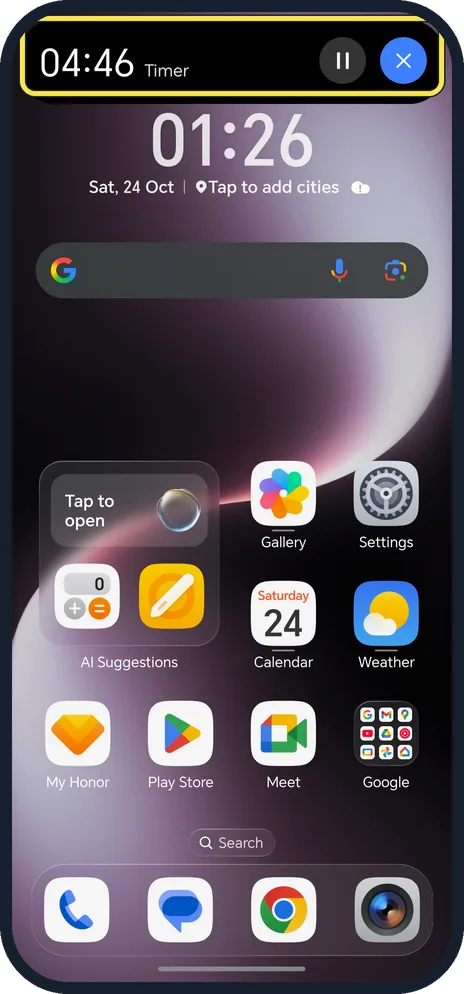
Tap the capsule
It expands: ours showed 04:46 Timer with pause and stop buttons.
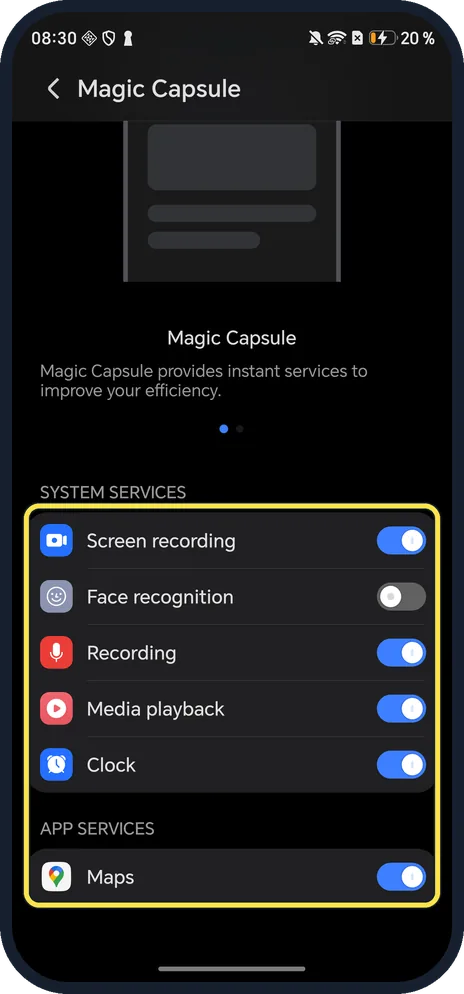
Choose which services use it
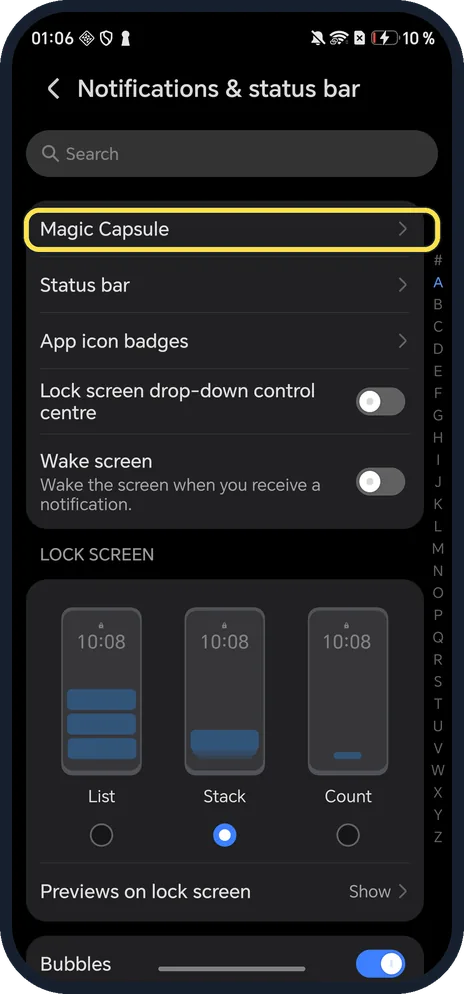
Settings, Notifications & status bar, Magic Capsule. Ours: Screen recording, Recording, Media playback and Clock on, Face recognition off, and Maps on under App services.
If you do not see this option
- Searched Settings and found nothing? Go to Settings, Notifications & status bar. Magic Capsule is the first row. Search said No matches on ours.
- Status icons missing while it shows? HONOR says Magic Capsule hides some status icons, and with the larger capsule the battery percentage moves inside the battery icon. Source: Magic Capsule hides status icons or shows them inside the battery icon
- App does not show a capsule? HONOR says only some preset functions support Magic Capsule, and quick access does not work for apps where it does not run in the background. Source: Magic Capsule
If this does not work
- No capsule? HONOR says only some preset functions use it, for example a Clock timer or a Recorder recording; start one and go back to the Home screen. Source: Magic Capsule
- Want it gone? HONOR says to tap it to switch to Card mode, then tap the X. Swipe down to see status icons instead. Source: Magic Capsule hides status icons or shows them inside the battery icon
- Shrank to a dot? HONOR says it shrinks into a little ball after a while; tap it to expand it again. Source: Magic Capsule
About this guide
Searching Settings for Magic Capsule found nothing on our phone, but the setting is there.
The screenshots are from our HONOR Magic7 Lite, the European model BRP-NX1M, with MagicOS 10.0 and Android 16 (build 10.0.0.169(C430E7R2P1)), in Dark mode. We started a 5-minute Clock timer to show the capsule and stopped it, and changed no capsule settings.
Good to know
To record the screen, screen record.
To control which apps can notify you, turn off notifications for one app.
In short: Start a timer; tap the capsule at the top to expand it.
- HONOR Support: Magic Capsule
- HONOR Support (UK): Magic Capsule hides status icons or shows them inside the battery icon
Links checked in October 2026. Menus and features can change after software updates. These steps match the version named at the top.
Did this guide work for you?
Sorry about that. What happened?