GOOGLE PIXEL
How to update a Google Pixel and its apps (Android 17)

In short
For the system, go to Settings, System, Software updates: it shows whether the phone is up to date and the dates of the last System update and Google Play system update. For apps, open the Play Store, tap your profile picture, Manage apps and device, Update all.
4 of 4 steps show a real screenshot from our Pixel 10a. Each step was checked against the maker's own instructions, linked at the end.
Steps
- 1
Find Software updates
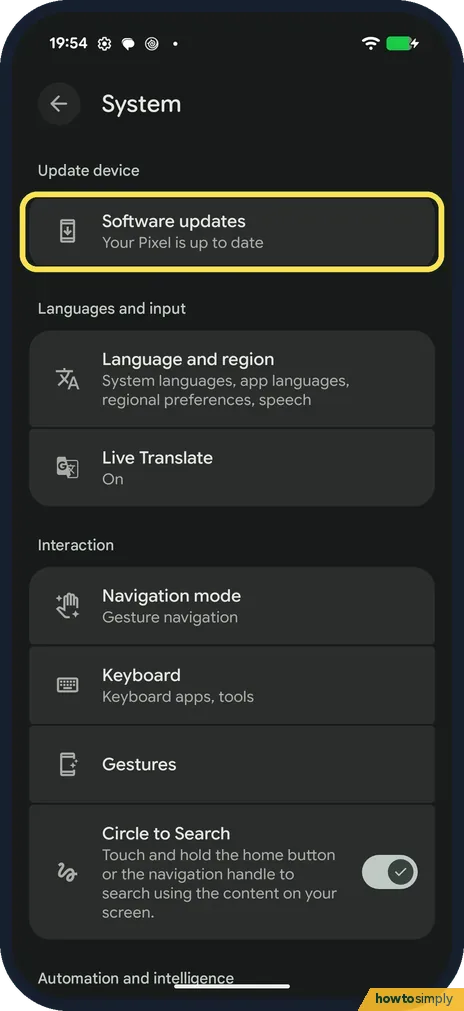
Go to Settings, System. Software updates is the first row, under Update device. Ours said Your Pixel is up to date. Tap it.
- 2
Check the system
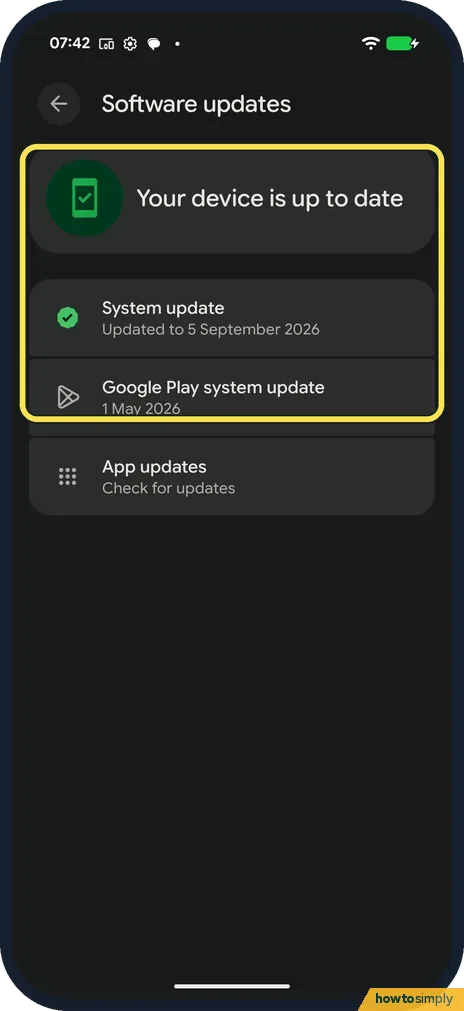
Software updates said Your device is up to date. System update: Updated to 5 September 2026. Google Play system update: 1 May 2026.
- 3
Open the Play Store menu
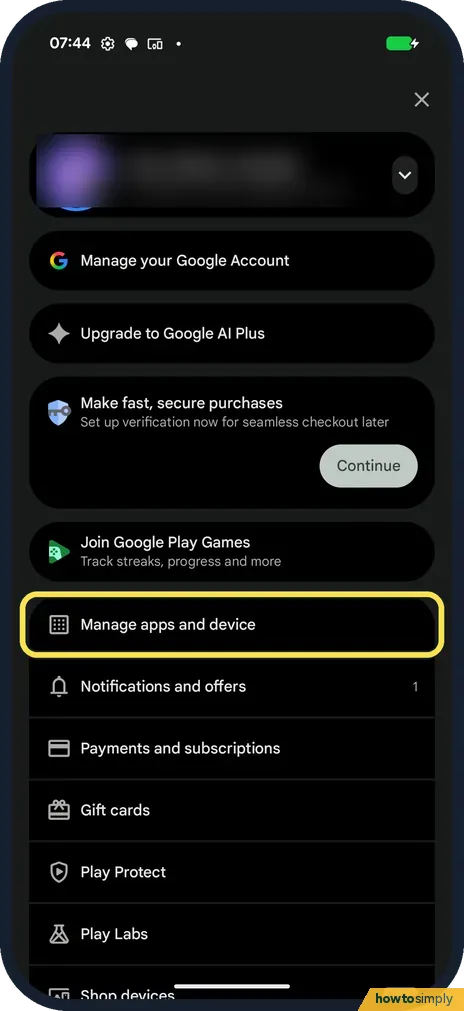
For apps, open the Play Store and tap your profile picture at the top right. Tap Manage apps and device.
- 4
Tap Update all
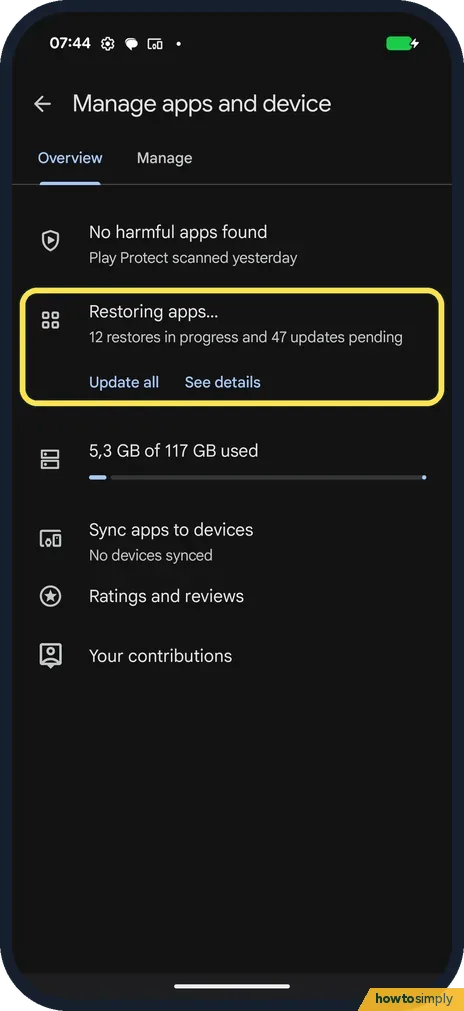
The Overview tab lists pending updates. Ours read Restoring apps..., 12 restores in progress and 47 updates pending, with Update all and See details. Tap Update all.
If you do not see this option
- App updates row in Settings? Software updates also has App updates, Check for updates. It leads to the same Play Store updates.
- Play Store restoring apps by itself? Ours was restoring 12 apps on its own after setup. Those finish before or with the pending updates.
If this does not work
- No system update offered? Google says updates come in stages and may take some time to reach your phone.
- Apps won't update? Google says to check your connection and free storage, then try again.
- Restart after the update? See how to turn off or restart a Google Pixel.
- Update downloaded but nothing changed? Google says Pixel phones install updates in the background, and they take effect the next time you restart. Restart when it suits you to finish.
- Download stopped partway? Google says the phone retries on its own over the next few days and sends a notification. Open it and tap the update action.
- Not enough space for the update? Google says updates can be large. Free up storage first, then check for updates again.
- Apps stopped updating on their own? Google Play says that if an account on the phone has a sign-in error, apps may not update automatically. Check your accounts in Settings.
Good to know
Check the phone for harmful apps: how to scan with Play Protect.
Google says most system updates and security patches install automatically, and you get a notification when an update is available. Updates don't remove your apps or data, but back up first before any big Android version change, just in case.
In the Play Store, Settings, Network preferences, Auto-update apps lets you choose Update over Wi-Fi only, Update all apps over Wi-Fi or mobile data, Update with limited amount of mobile data, or Don't auto-update apps. Google also says it may apply updates that fix critical security problems whatever you choose there.
To see which security patch you are on, see how to check the security patch level on a Google Pixel.
About this guide
- Device
- Android
- Shown on
- Google Pixel 10a, Android 17 (build CP3A.260905.009)
- App
- Settings
- Path
- Settings › System › Software updates
- Real screenshots
- 4 of 4 steps
- Checked
- October 2026
- Sources
- 2 official, linked below
Sources
Links checked October 2026. Menus and features can change with updates.Spotted a mistake? Menus change with updates, and we want every step to match your screen. Email us about this page or use the contact form. We read every report, and fixes are listed on What changed.
Liked this guide?
Follow us for new guides and short how-to videos.
Did this guide work for you?
Sorry about that. What happened?