
howtosimply.com/guides/how-to-turn-on-eye-comfort-on-an-oppo-phone/ · Checked October 2026 · CPH2689, EEA), ColorOS 16.0.5, Android 16 (build CPH2689_16.0.5.1001(EX01) · OPPO Reno13 5G
In this guide
Open Settings, Display & brightness, Eye Care and turn on Eye Comfort. Choose Smart for a warm yellow tint that adapts to the light, or Custom to set the colour temperature and a schedule. Bedtime mode on the same page warms the screen after sunset.
5 of 5 steps with real screenshots · 1 official source below
- Device
- Android
- Shown on
- OPPO Reno13 5G (CPH2689, EEA), ColorOS 16.0.5, Android 16 (build CPH2689_16.0.5.1001(EX01))
- App
- Settings
- Path
- Settings › Display & brightness › Eye Care
- Real screenshots
- 5 of 5 steps
- Checked
- October 2026
- Sources
- 1 official, linked below
Step by step
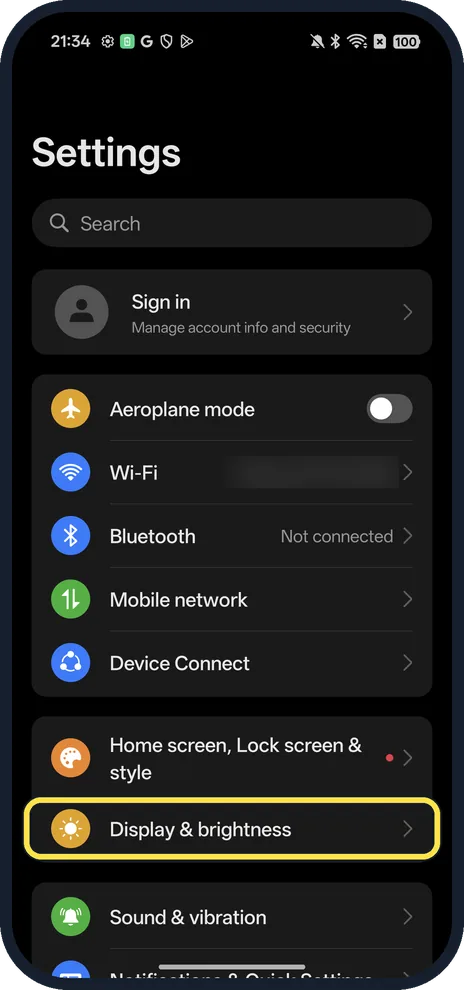
Open Display & brightness
Open Settings. It is below Home screen, Lock screen & style.
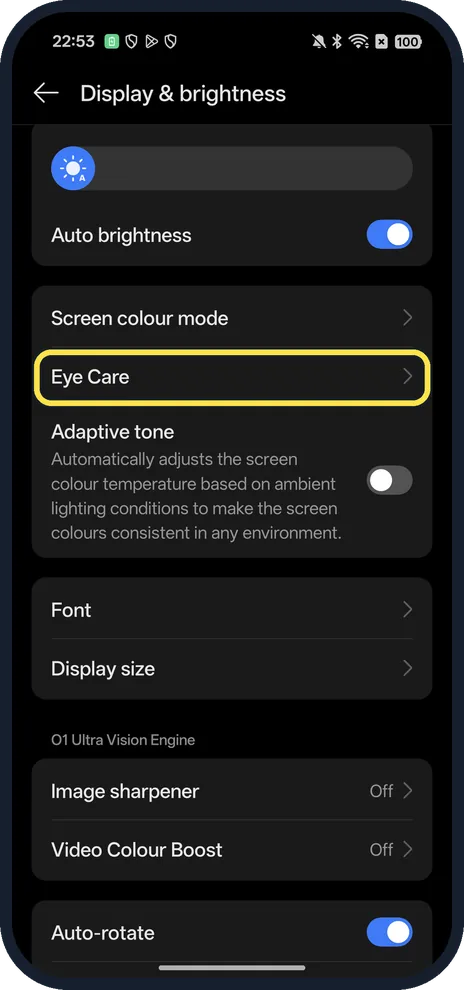
Tap Eye Care
Below Screen colour mode.
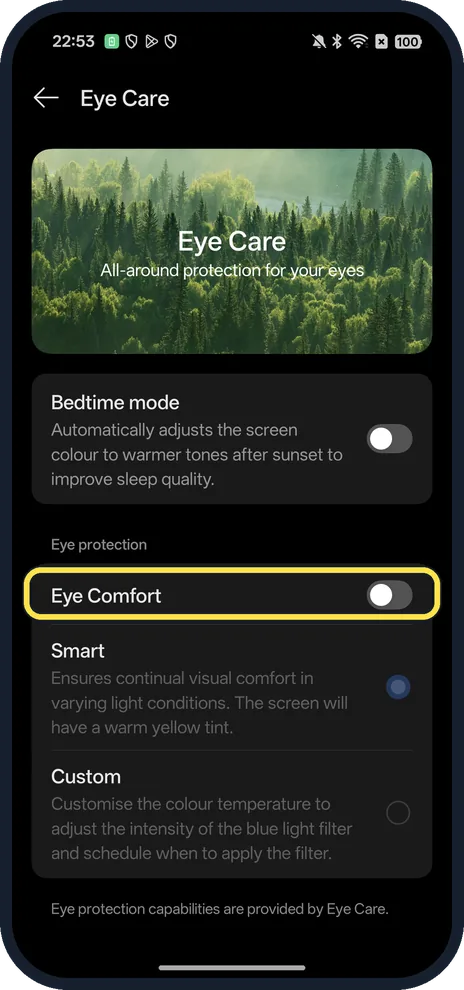
Turn on Eye Comfort
Tap the switch next to Eye Comfort under Eye protection.
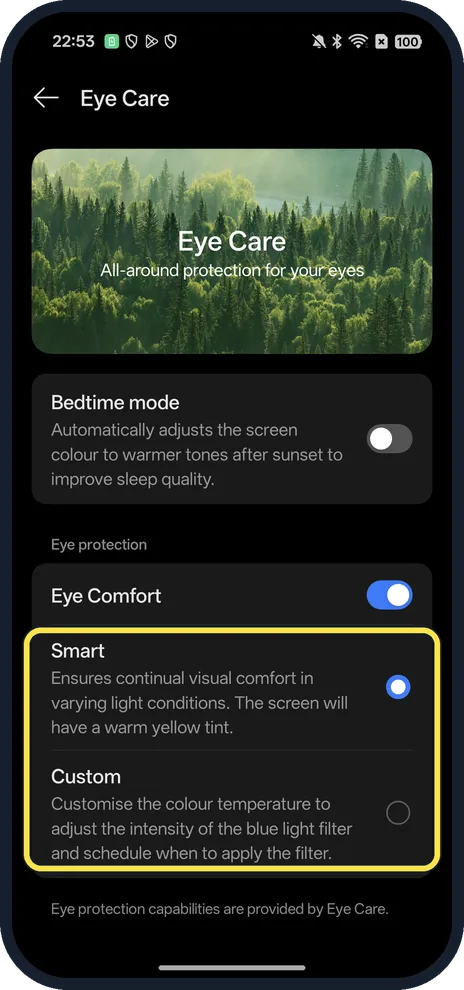
Pick Smart or Custom
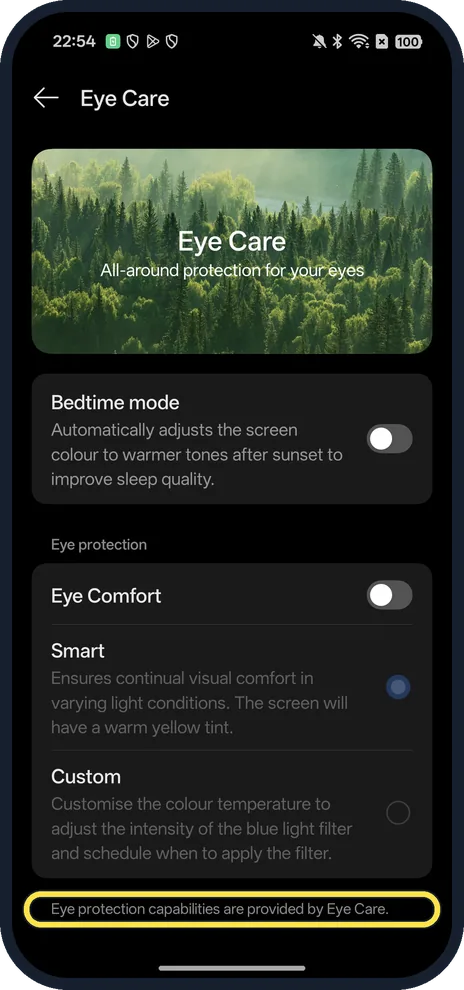
Smart keeps the screen comfortable in changing light with a warm yellow tint. Custom lets you set the colour temperature and a schedule.
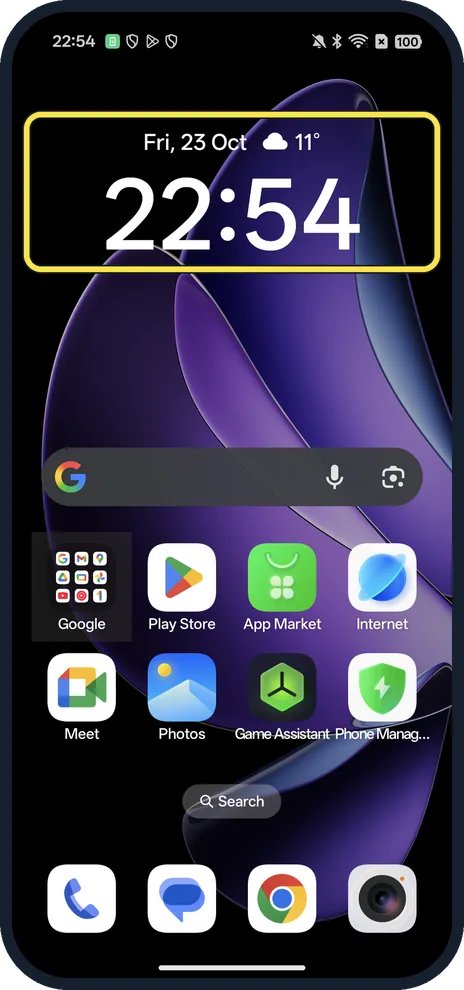
Check the screen
The whole screen takes on a warm tint, here on our Home screen.
If you do not see this option
- Can't find Eye Comfort under Display & brightness? OPPO gives the path as Settings, Display & Brightness, Eye Comfort, and says to check for the latest software update if you cannot find it. On our Reno13 it is inside Eye Care, not a row of its own. Source: How to Protect Your Eyes Using Eye Comfort Mode on OPPO
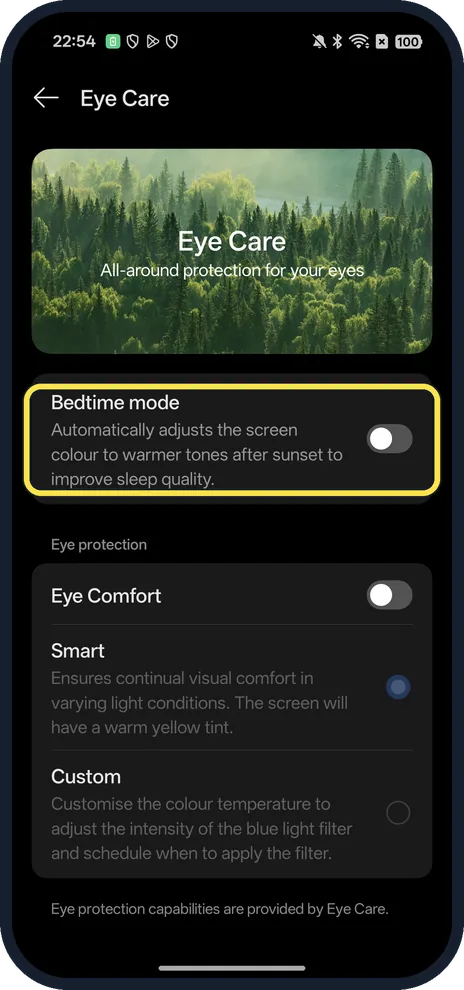
- Only want it at night? OPPO says that, depending on the model and ColorOS version, you can schedule Eye Comfort with start and end times. Ours also had Bedtime mode, which warms the screen colour after sunset. Source: How to Protect Your Eyes Using Eye Comfort Mode on OPPO
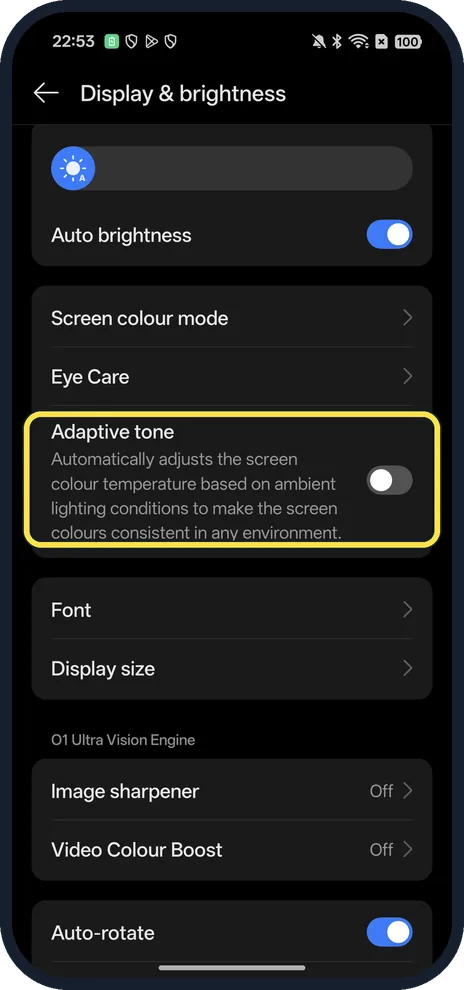
- Want colours to follow the room light? Adaptive tone on Display & brightness adjusts the colour temperature to the ambient light.
If this does not work
- Screen looks yellow? OPPO says a slightly warmer or yellowish screen is normal while Eye Comfort is on. Turn the Eye Comfort switch off on the Eye Care page if you don't want it. Source: How to Protect Your Eyes Using Eye Comfort Mode on OPPO
- Tint comes back in the evening? Check Bedtime mode on the Eye Care page: it warms the screen after sunset on its own.
- Eyes still tired? OPPO says Eye Comfort does not replace healthy habits: avoid very high brightness in the dark, keep a comfortable distance, take breaks and use Auto Brightness. Source: How to Protect Your Eyes Using Eye Comfort Mode on OPPO
About this guide
The screenshots are from our OPPO Reno13 5G, the European model CPH2689, with ColorOS 16.0.5 and Android 16 (build CPH2689_16.0.5.1001(EX01)), in Dark mode. We turned Eye Comfort on for the screenshots and off again afterwards.
Good to know
To darken the whole interface, turn on dark mode on an OPPO phone.
On a OnePlus, see turn on Eye Comfort on a OnePlus.
In short: Settings, Display & brightness, Eye Care, Eye Comfort on; Smart or Custom.
Links checked in October 2026. Menus and features can change after software updates. These steps match the version named at the top.
Did this guide work for you?
Sorry about that. What happened?