GOOGLE PIXEL
How to turn on 4G calling and 5G on a Google Pixel (Android 17)
Open Settings, Network and Internet, SIMs, and tap your SIM. Turn on 4G Calling if your SIM page has it, then tap Preferred network type and choose 5G (recommended). Wi-Fi Calling, when your carrier offers it, is under Calling on the same page.

8 of 8 steps show a real screenshot from our Pixel 10a. Each step was checked against the maker's own instructions, linked at the end.
Steps
- 1
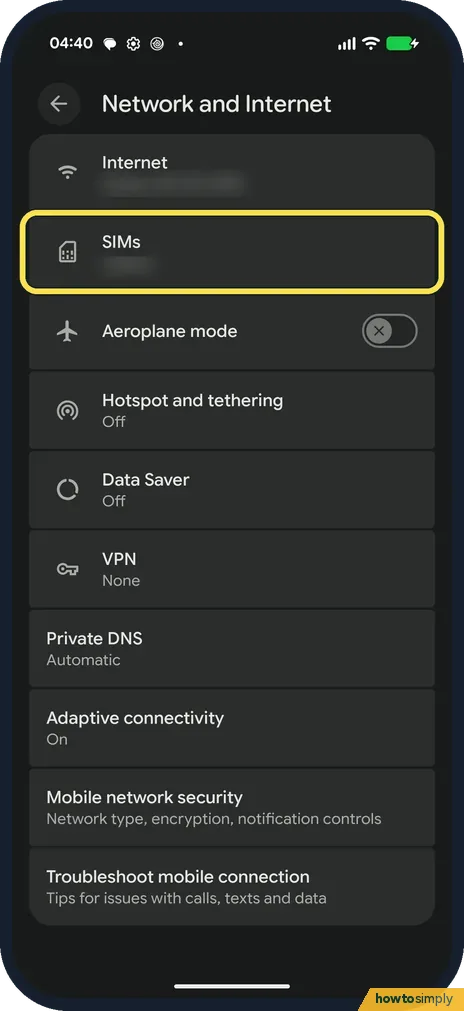
Open SIMs
Go to Settings, Network and Internet, and tap SIMs.
- 2
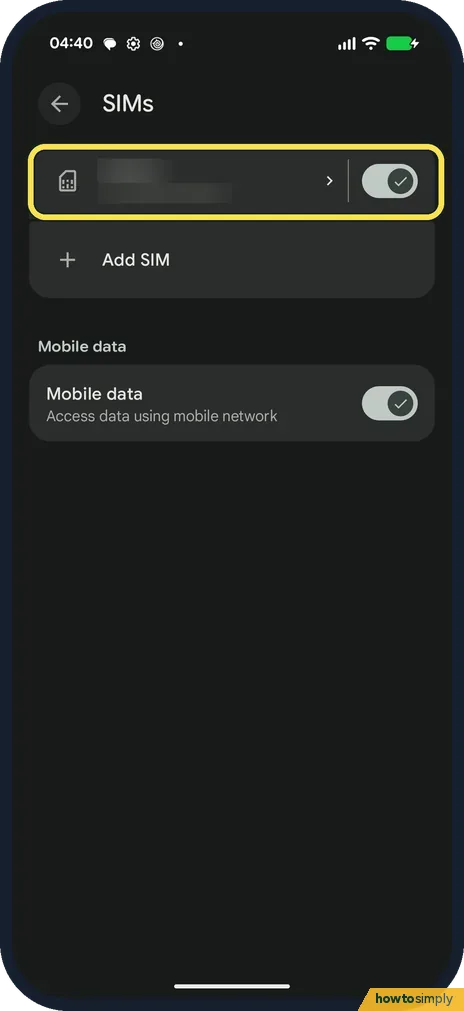
Tap your SIM
Tap your SIM at the top of the list.
- 3
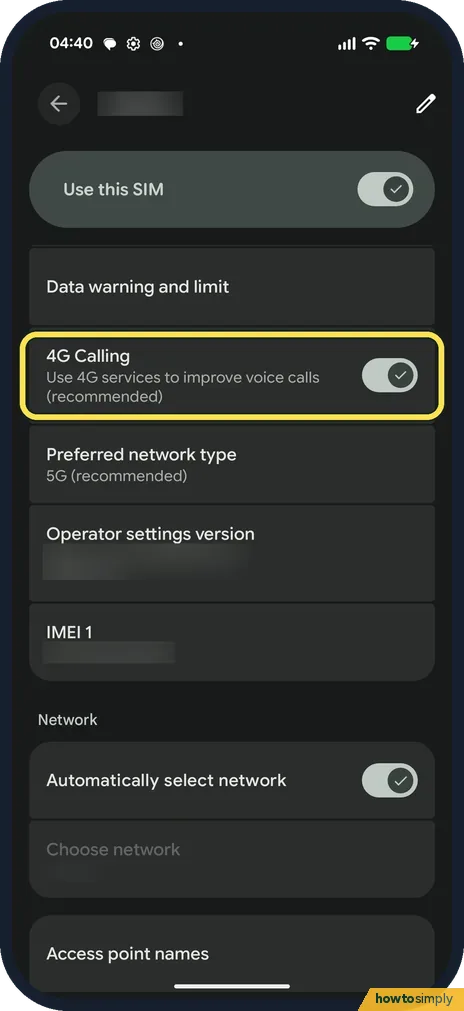
Turn on 4G Calling
4G Calling says Use 4G services to improve voice calls (recommended). It was on on ours on 15 October, just above Preferred network type.
- 4
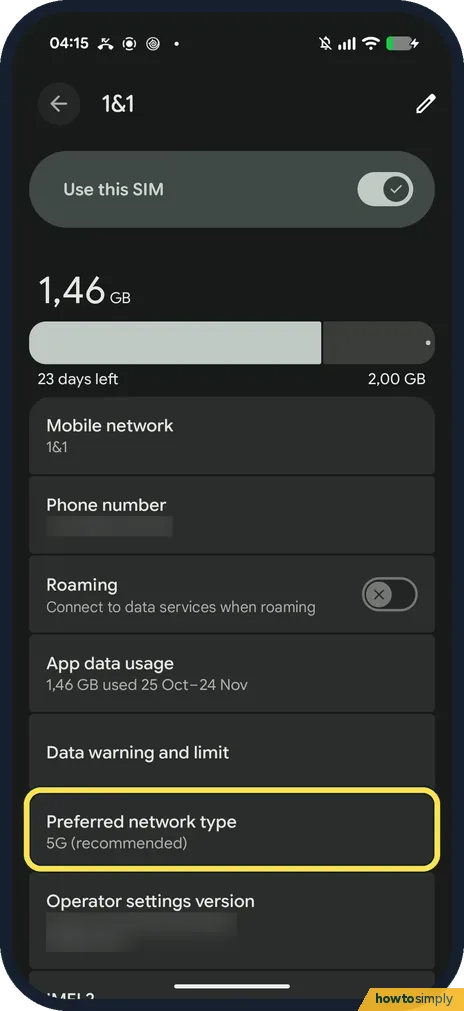
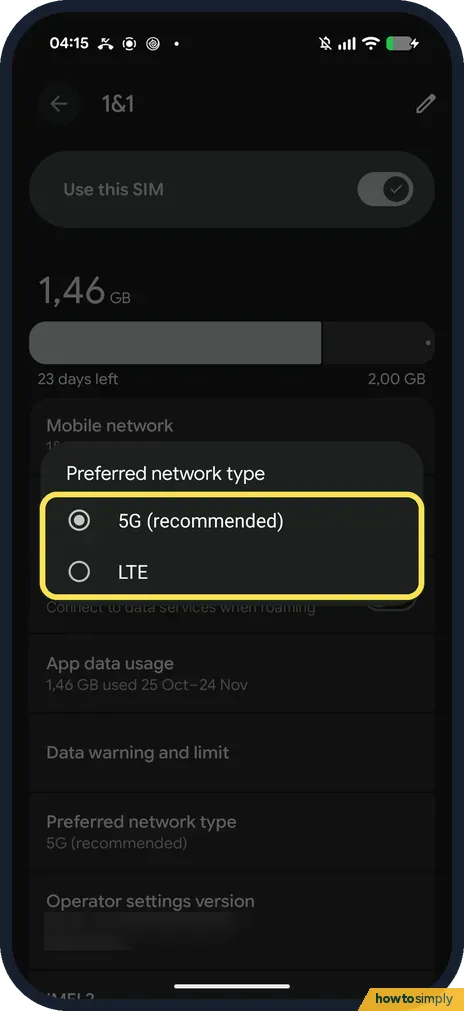
Tap Preferred network type
Tap Preferred network type. On 1 November ours showed 5G (recommended), straight below Data warning and limit: with that eSIM there was no 4G Calling row.
- 5
Choose 5G
Choose 5G (recommended). On 1 November the only other choice was LTE. With the SIM we used on 15 October the list also had 4G, 3G and 2G. We left it on 5G.
- 6
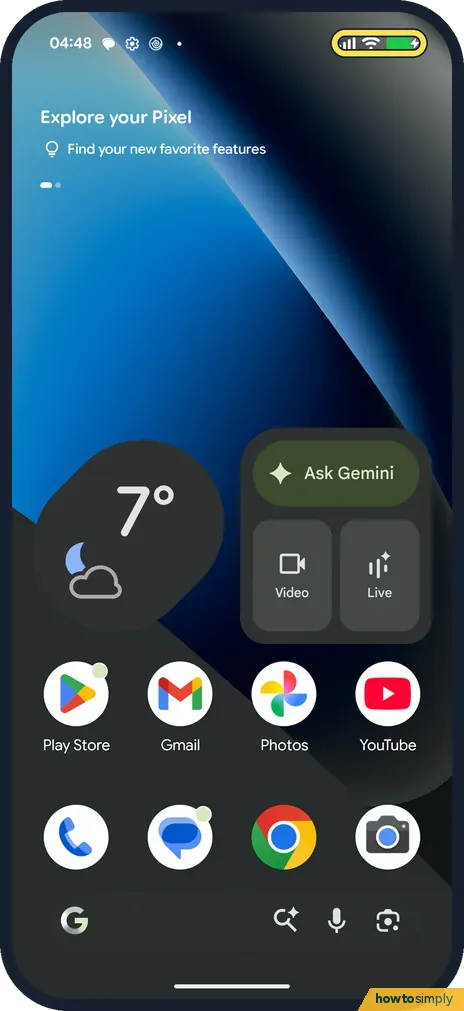
Don't expect a 5G icon on Wi-Fi
On Wi-Fi our status bar showed Wi-Fi and the signal bars, but no 5G or LTE badge.
- 7
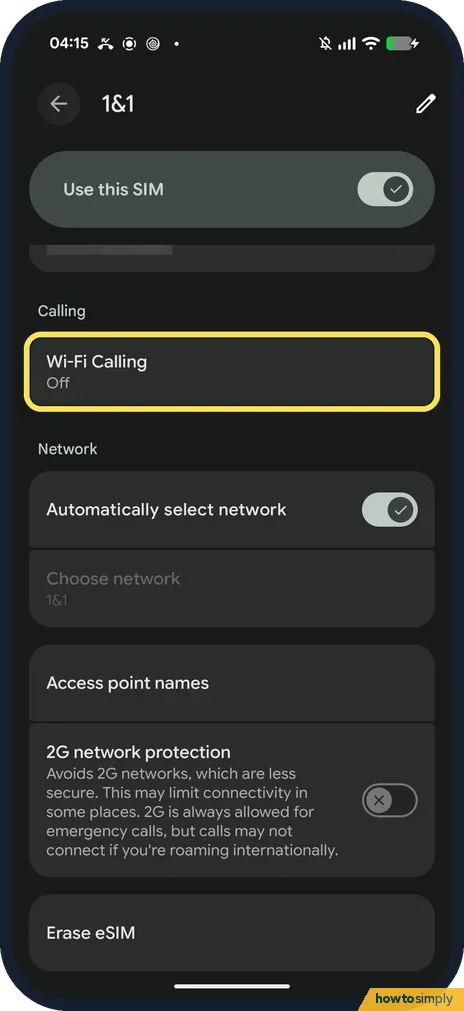
Find Wi-Fi Calling under Calling
Scroll down the SIM page. On 1 November ours had a Calling heading with Wi-Fi Calling, which said Off. Tap it.
- 8
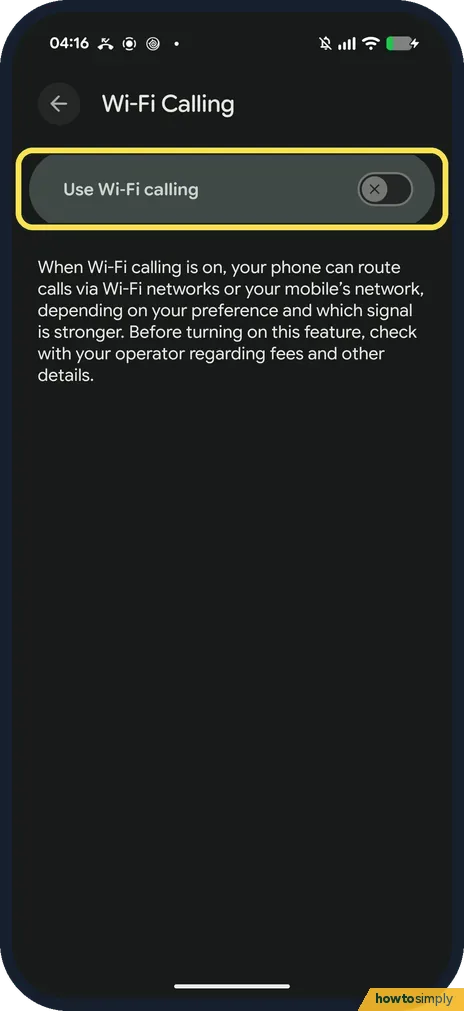
Use Wi-Fi calling
The page has one switch, Use Wi-Fi calling. Its note says the phone can then route calls via Wi-Fi networks or your mobile network, depending on your preference and which signal is stronger, and to check with your operator about fees first. We left it off.
If you do not see this option
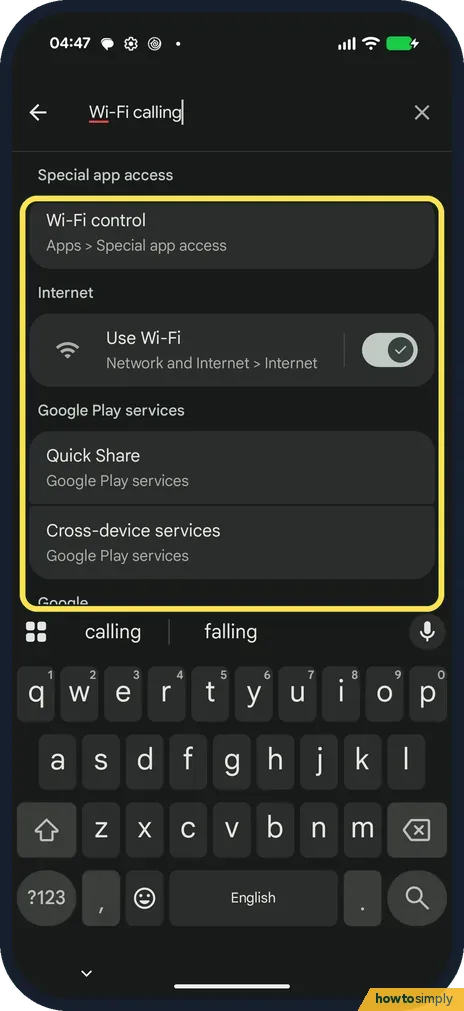
- No Wi-Fi Calling row? With the SIM we used on 15 October there was none at the bottom of the SIM page, and searching Settings for Wi-Fi calling showed Wi-Fi control, Use Wi-Fi, Quick Share and Cross-device services, and no Wi-Fi calling setting. Google says Wi-Fi calling depends on your carrier. Source: Make calls over Wi-Fi
- No 4G Calling row? With the eSIM on 1 November ours had none (step 4). Google says the network options vary by phone, Android version and carrier. Source: Connect to mobile networks on a Pixel phone
- No Preferred network type? Google says the options vary by phone and Android version. Source: Connect to mobile networks on a Pixel phone
If this does not work
- 5G not showing? Google says Battery Saver turns off 5G.
- 5G still missing on mobile data? Google says the options vary by phone, Android version and carrier; 5G also needs coverage where you are.
- 5G on the menu but phone shows 4G? Google says your carrier and plan decide whether the phone connects to the fastest available network. If your plan does not include 5G, the phone stays on 4G even with 5G (recommended) chosen. Ask your carrier.
- Calls dropping on 4G Calling? Restart the phone first. If calls keep failing, Google lists Reset mobile network settings under Settings, System, Reset options. Google notes it resets your network settings, so note your SIM settings before you use it.
- Wi-Fi calling appeared and then vanished? Google says that if the phone detects a Wi-Fi calling problem, it turns the feature off until the problem is fixed. You may need to restart the phone or contact your carrier to get it back.
Good to know
Mobile data problems: Pixel mobile data not working.
With 5G chosen, the phone uses 5G where your carrier offers it and falls back to 4G elsewhere on its own. Google's Battery Saver page notes that on 5G Pixel phones the device may switch to 4G while Battery Saver is on, so a missing 5G icon on a low battery is expected. Google lists 5G support from the Pixel 4a (5G) onwards. To undo a change, go back to Preferred network type and pick the option you had before.
If you have two SIMs, each one has its own SIM page with its own 4G Calling and network settings: how to add an eSIM or second SIM.
About this guide
- Device
- Android
- Shown on
- Google Pixel 10a, Android 17 (build CP3A.260905.009), Google Pixel 10a, Android 17 (build CP3A.261005.005)
- App
- Settings
- Path
- Settings › Network and Internet › SIMs
- Real screenshots
- 8 of 8 steps
- What we did
- Observed: looked at each screen, changed nothing
- Checked
- October 2026
- Sources
- 3 official, linked below
Sources
Links checked October 2026. Menus and features can change with updates.Spotted a mistake? Menus change with updates, and we want every step to match your screen. Email us about this page or use the contact form. We read every report, and fixes are listed on What changed.
Liked this guide?
Follow us for new guides and short how-to videos.
Did this guide work for you?
Sorry about that. What happened?