
howtosimply.com/guides/how-to-take-a-screenshot-on-windows-11/ · Checked October 2026 · Windows 11 Enterprise 25H2 (build 26200.9457), Microsoft Cloud PC
In this guide
Press Windows + Shift + S, drag over the area you want, and the picture is copied and saved. Press the PrtSc key for the same tool, or Windows + PrtSc to save the whole screen straight to your Pictures folder.
4 of 5 steps with real screenshots · 1 official source below
- Device
- Windows
- Shown on
- Windows 11 Enterprise 25H2 (build 26200.9457), Microsoft Cloud PC
- Real screenshots
- 4 of 5 steps
- Checked
- October 2026
- Sources
- 1 official, linked below
Step by step
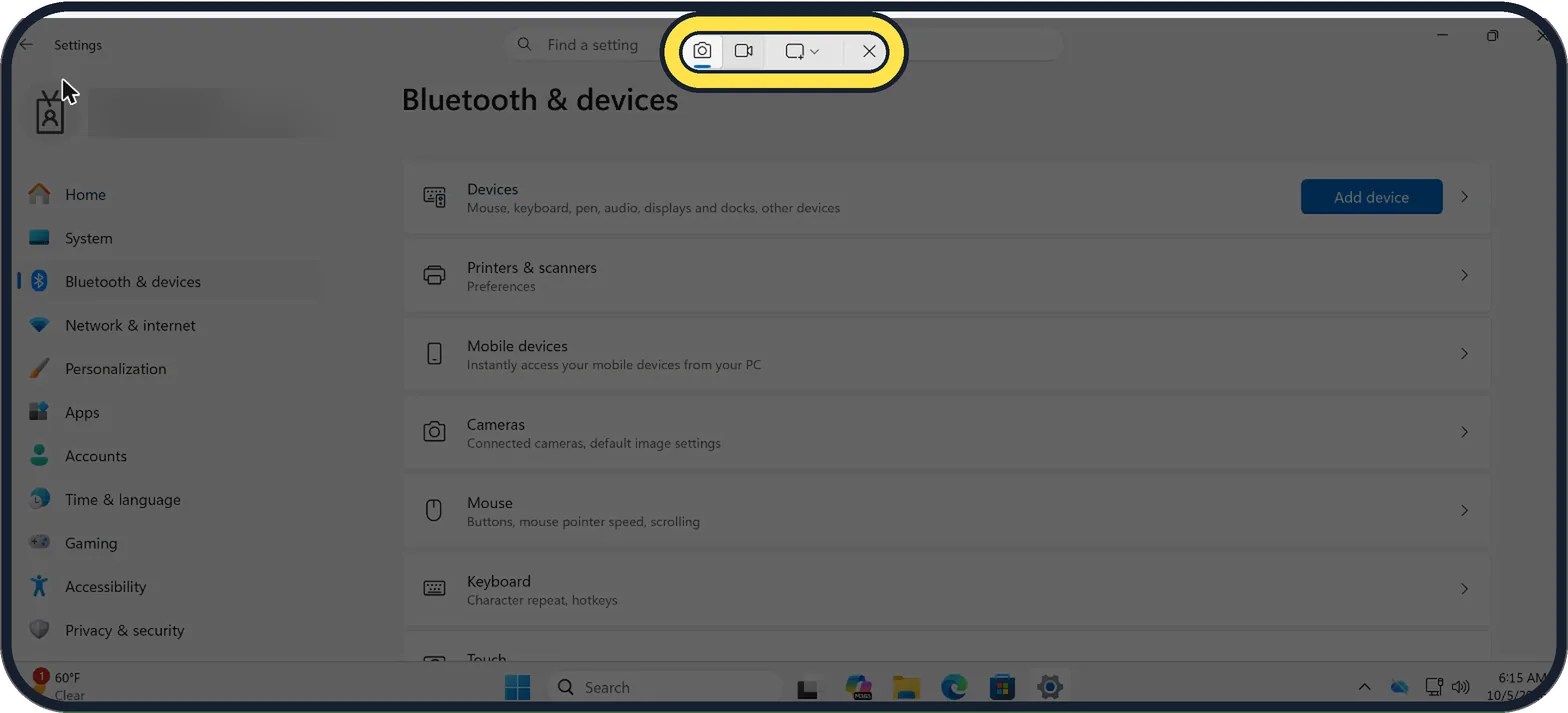
Zoomed in on the setting. Tap to see the whole screenTap the picture to see it full size Press Windows + Shift + S
The screen dims and a small bar appears at the top. This works in any app.
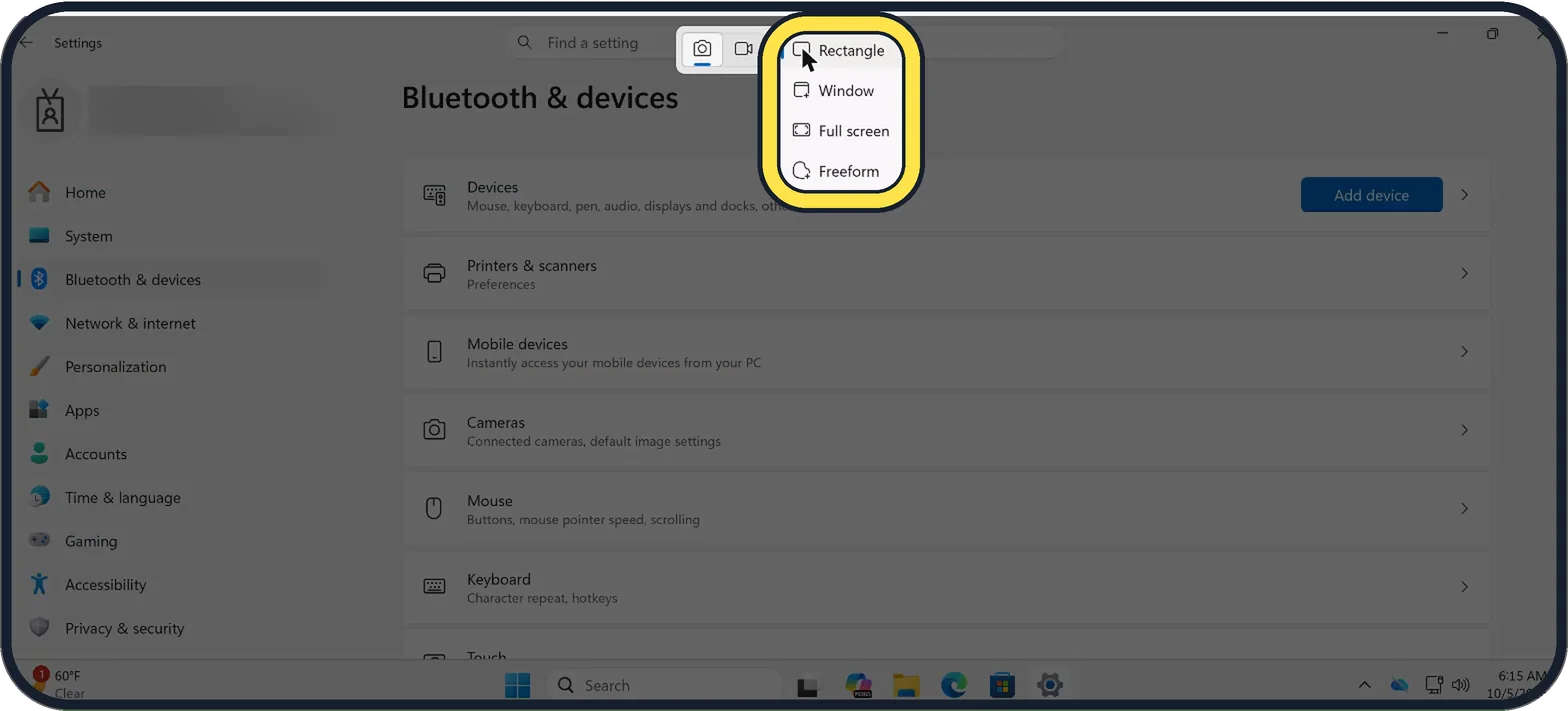
Zoomed in on the setting. Tap to see the whole screenTap the picture to see it full size Choose a shape and drag
Open the shape menu on the bar: it offers Rectangle, Window, Full screen and Freeform. Rectangle is the usual choice: hold the mouse button, drag across the area and let go.
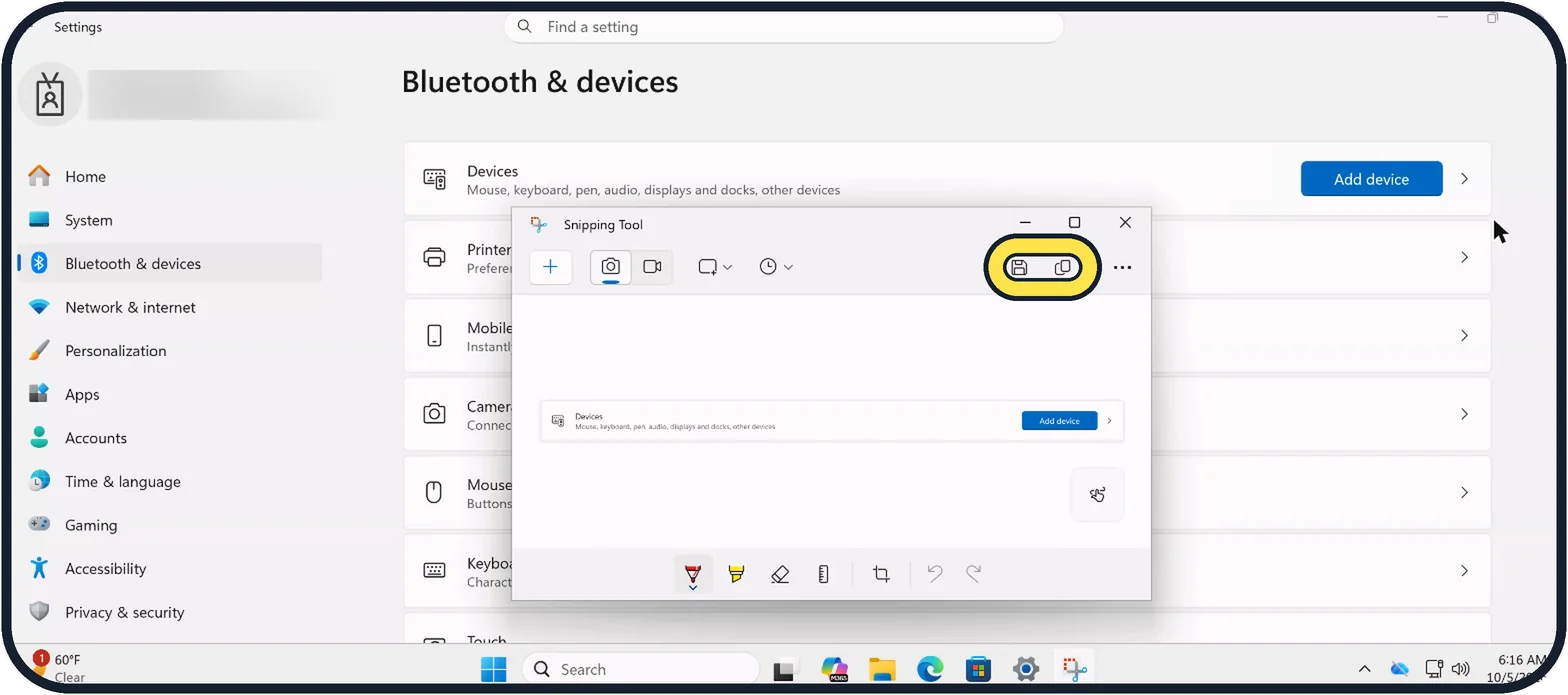
Zoomed in on the setting. Tap to see the whole screenTap the picture to see it full size Find your screenshot
The picture is copied, so you can paste it into a chat, email or document with Ctrl + V. To crop it or draw on it, open it in Snipping Tool: the pens are along the bottom, and Save and Copy are at the top right.
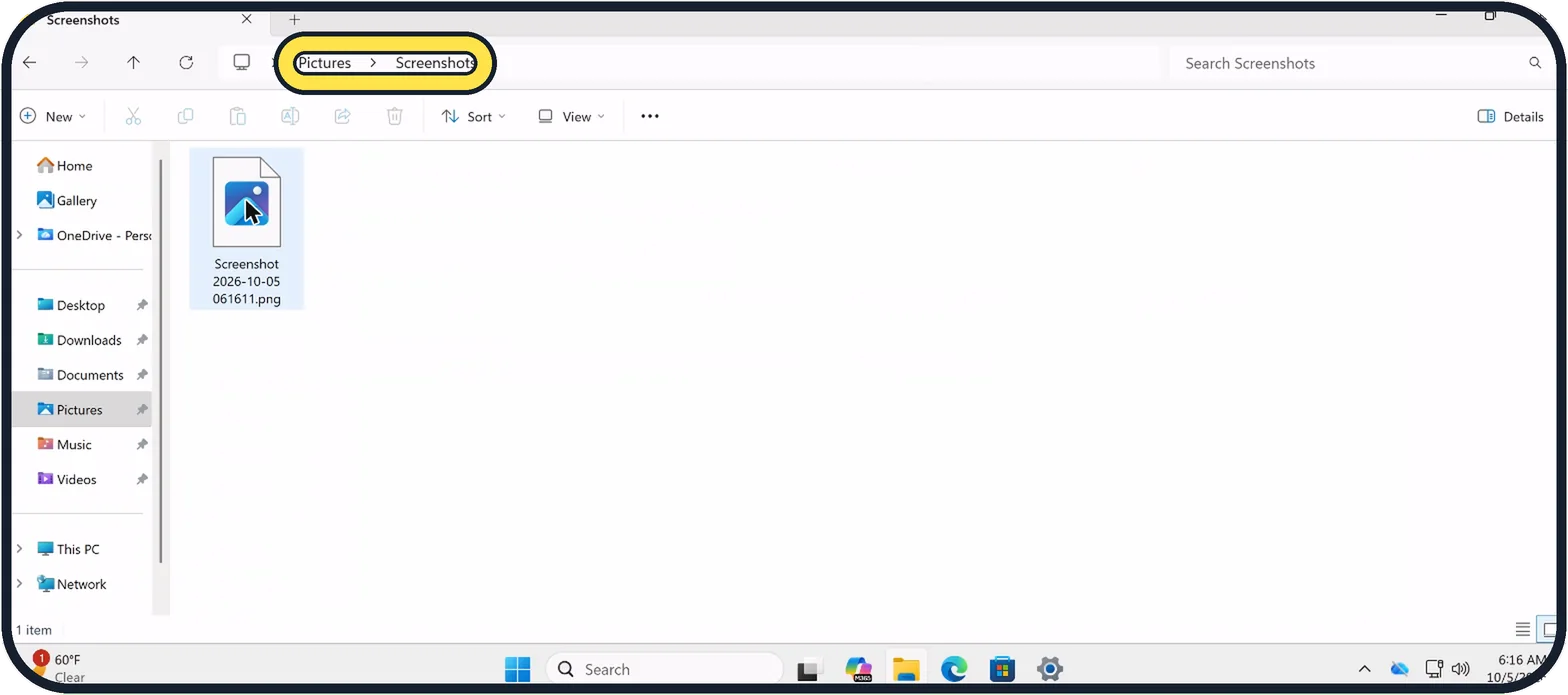
Zoomed in on the setting. Tap to see the whole screenTap the picture to see it full size Save the whole screen in one step
Press Windows + PrtSc. The screen flashes dark for a moment and the picture is saved as a file in Pictures, Screenshots, the folder in the screenshot. On many laptops the key is labelled PrtSc or PrtScn, and you may need to hold Fn as well.
Capture only the active window
Press Alt + PrtSc to copy just the window you are working in. Then paste it where you need it.
About this guide
Windows 11 has a built-in screenshot tool called Snipping Tool. You do not need to install anything. There are three shortcuts worth knowing, and they cover almost every situation.
The keyboard shortcut steps show a diagram of the keys to press.
Good to know
To record a video of the screen, open Snipping Tool from the Start menu and switch from the camera icon to the video icon.
If the PrtSc key does not open the snipping bar, go to Settings, Bluetooth & devices, Keyboard and switch on "Use the Print screen key to open screen capture" (on older Windows 11 builds it is under Settings, Accessibility, Keyboard). See how to change what the Print Screen key does.
In short: Windows + Shift + S for part of the screen, Windows + PrtSc for all of it, Alt + PrtSc for one window.
Links checked in October 2026. Menus and features can change after software updates. These steps match the version named at the top.
Did this guide work for you?
Sorry about that. What happened?