
howtosimply.com/guides/how-to-switch-to-3-button-navigation-on-android/ · Checked October 2026 · Google Pixel 10a (Android 17 (build CP3A.260905.009)) and Samsung Galaxy A57 5G (One UI 8.5, Android 16)
In this guide
- Open Settings and tap System
- Tap Navigation mode
- Choose 3-button navigation
- Check that it is selected
- Learn the three buttons
- Samsung Galaxy: open Display, then Navigation bar
- Samsung Galaxy: choose Buttons
- Samsung Galaxy: check the button order
- Samsung Galaxy: check the buttons
- If you do not see this option
- If this does not work
- Good to know
- Sources
Open Settings, tap System, then Navigation mode, and choose 3-button navigation. On a Samsung Galaxy it is Settings, Display, Navigation bar, Buttons. The Back, Home and Recents buttons then appear at the bottom of the screen.
If you do not see this option
- Navigation mode is not under System On our Pixel 10a it sits under Settings, System. On our Samsung Galaxy A57 it is under Settings, Display, Navigation bar (steps 6 to 9).
- You cannot see Navigation mode on the System page On our Pixel 10a it is under the Interaction heading, below Language and region and Live Translate, so scroll down a little.
- The options have different names On our Pixel 10a they are called Gesture navigation and 3-button navigation. On our Samsung Galaxy A57 the choice is Buttons or Swipe gestures.
9 of 9 steps with real screenshots · 1 official source below
- Device
- Android
- Shown on
- Google Pixel 10a, Android 17 (build CP3A.260905.009), Samsung Galaxy A57 5G (SM-A576B), One UI 8.5, Android 16
- App
- Settings
- Path
- Settings › System › Navigation mode
- Real screenshots
- 9 of 9 steps
- Checked
- October 2026
- Sources
- 1 official, linked below
Step by step
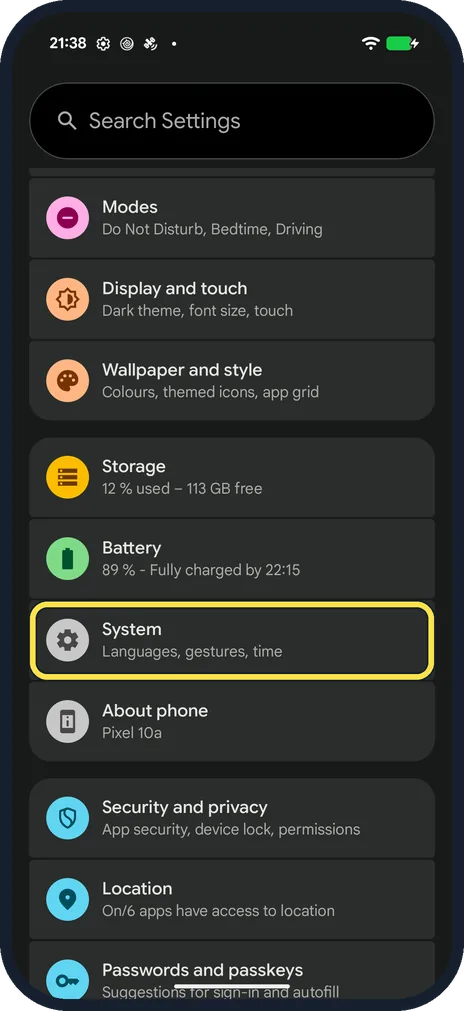
Open Settings and tap System
Scroll down and tap System.
On our Pixel 10a, System sits between Battery and About phone, with the line Languages, gestures, time underneath.
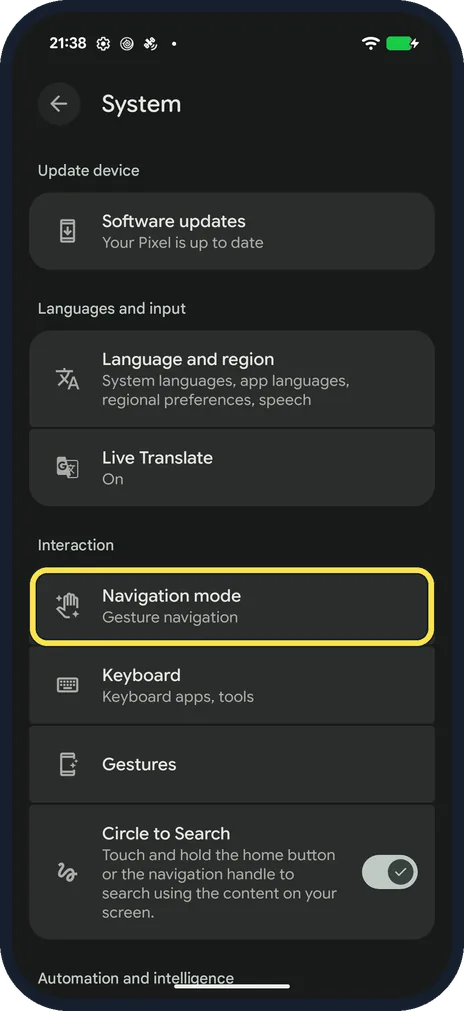
Tap Navigation mode
On our Pixel 10a, Navigation mode is under the Interaction heading on the System page, below Software updates and Language and region.
Underneath it shows the current choice, Gesture navigation.
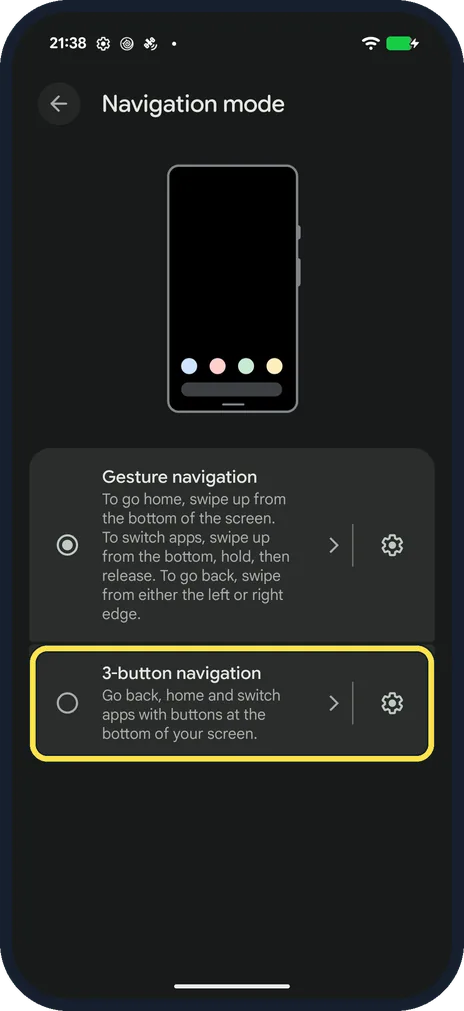
Choose 3-button navigation
On our Pixel 10a the page offers two options, Gesture navigation and 3-button navigation, and Gesture navigation was selected at first.
Tap 3-button navigation.
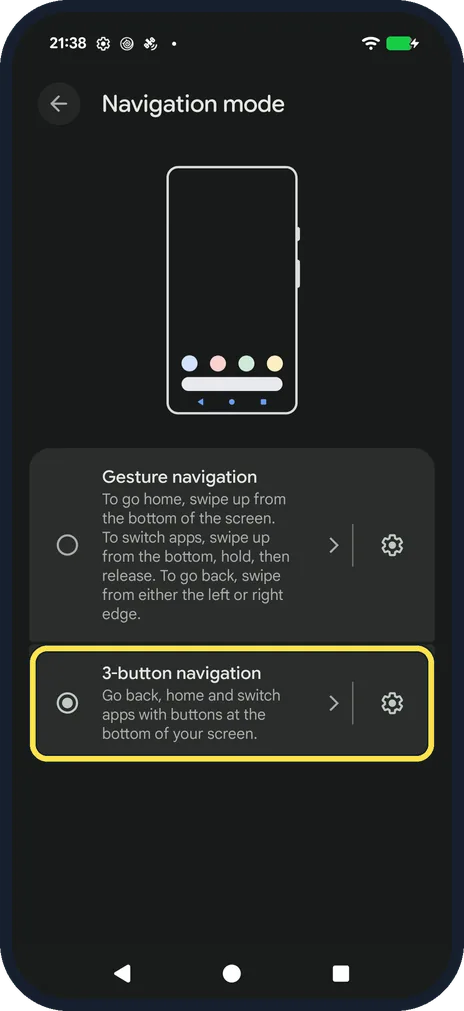
Check that it is selected
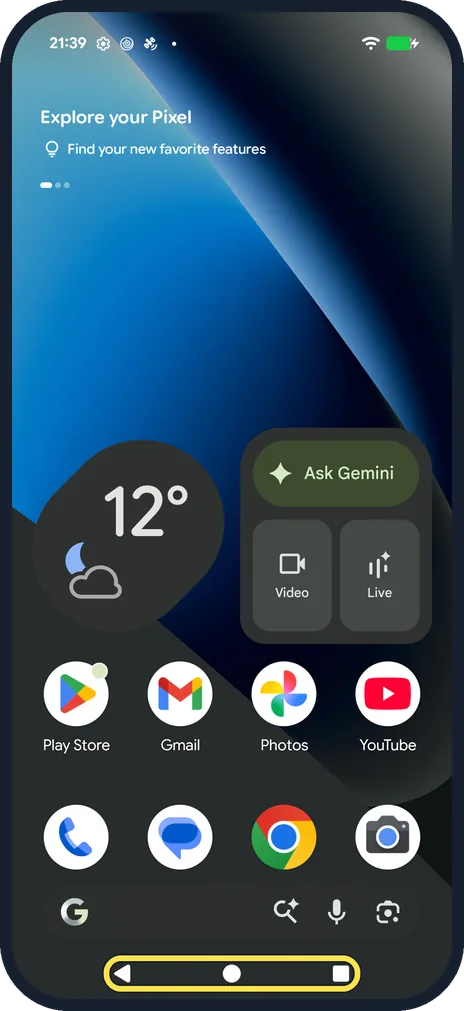
The circle next to 3-button navigation fills in, and the bar with three buttons appears at the bottom of the screen straight away.
Learn the three buttons
On our Pixel 10a the order is Back, Home, Recents, with Back on the left.
Back returns to the previous screen, Home opens the Home screen and Recents shows your open apps.
Samsung Galaxy: open Display, then Navigation bar
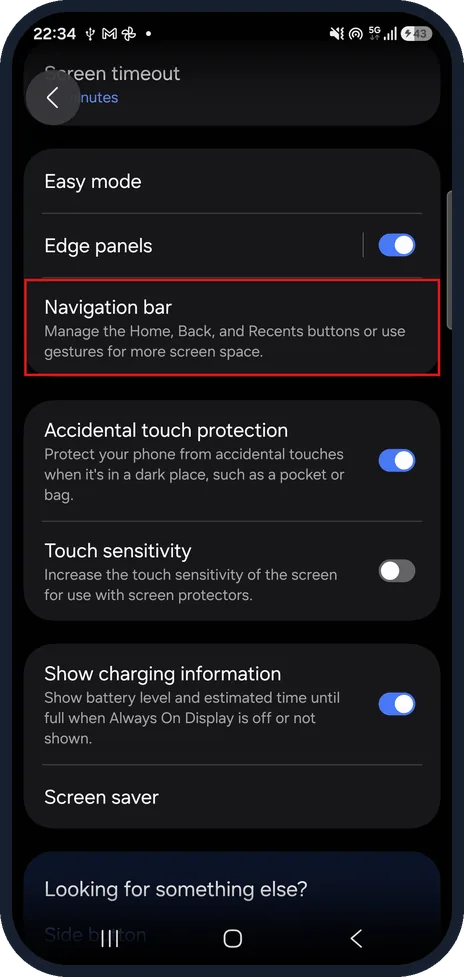
Samsung puts the setting under Display. Open Settings, tap Display and scroll down to Navigation bar.
Samsung Galaxy: choose Buttons
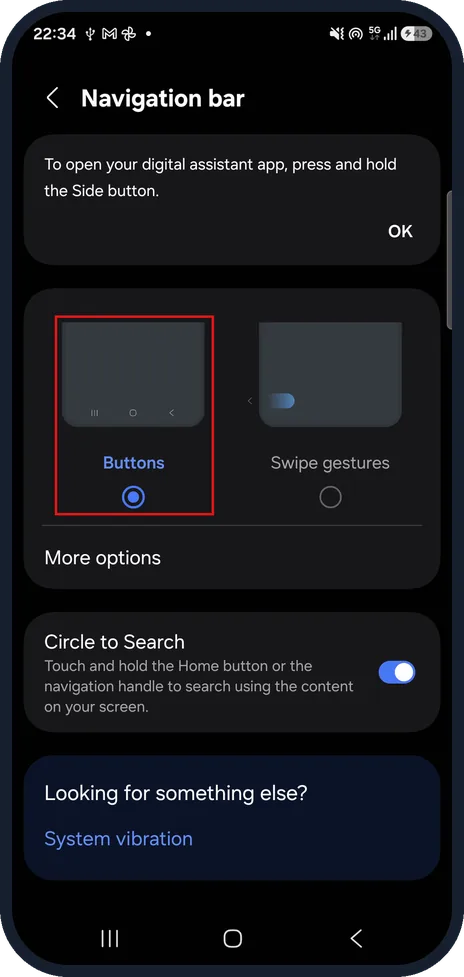
The page offers Buttons and Swipe gestures. Our Galaxy A57 was already on Buttons.
Samsung Galaxy: check the button order
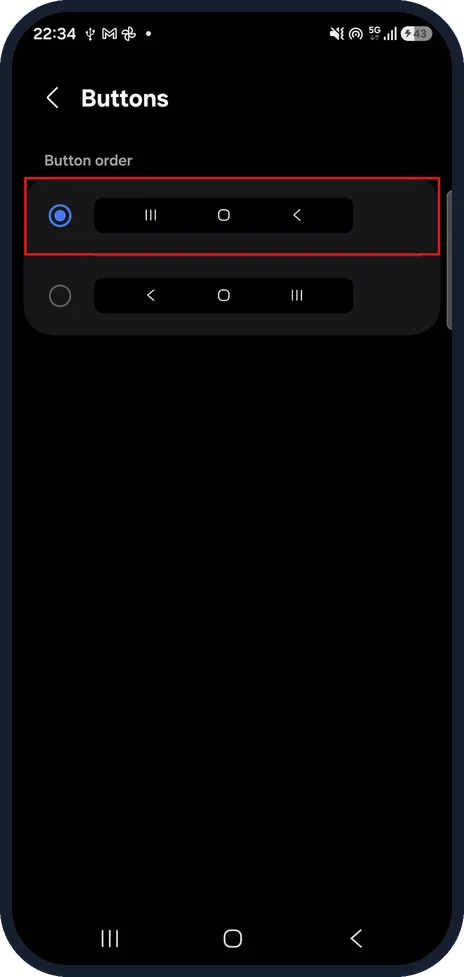
Tap More options. On the Buttons page, Button order offers two layouts. Ours was Recents, Home, Back, so Back is on the right: the opposite of the Pixel. Pick Back, Home, Recents if you want Back on the left.
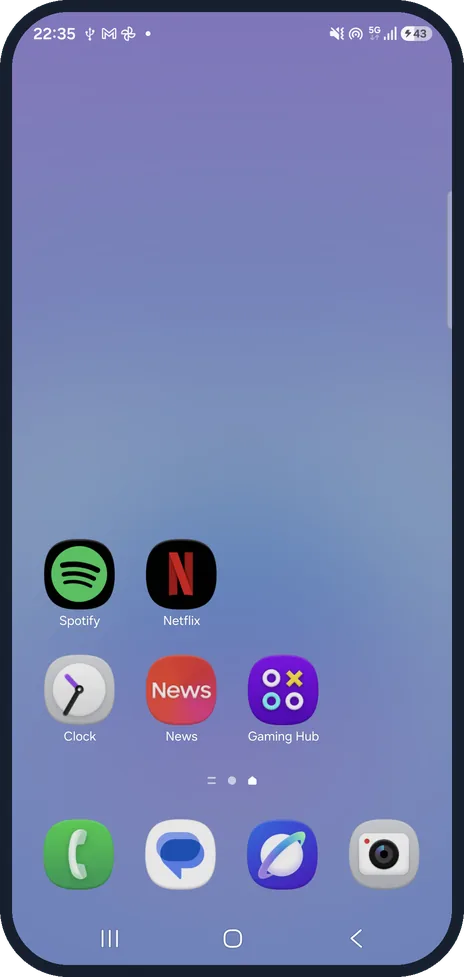
Samsung Galaxy: check the buttons
The three buttons sit at the bottom of the Home screen, here in the order Recents, Home, Back.
If this does not work
- The buttons do not appear Go back to Settings, System, Navigation mode and check that the circle next to 3-button navigation is filled in. On our Pixel 10a the buttons appeared at once.
- You want gestures back Open Navigation mode again and choose Gesture navigation. The three buttons disappear and swiping takes over.
- Back is on the wrong side on a Samsung Galaxy On our Galaxy A57 the order was Recents, Home, Back. Change it under Navigation bar, More options, Button order (step 8).
About this guide
New Android phones are set to gesture navigation, where you swipe from the edges instead of pressing buttons. If you prefer the three classic buttons, they are one setting away, and you can switch back at any time.
Steps 1 to 5 are on our Pixel 10a. Steps 6 to 9 are on our Samsung Galaxy A57, where the setting has another name and the buttons sit the other way round.
Good to know
To go back to gestures, choose Gesture navigation in the same place. Then you swipe up from the bottom for Home, swipe in from the left or right edge for Back, and swipe up from the bottom, hold, then release to switch apps.
In short: Settings, System, Navigation mode, 3-button navigation.
Links checked in October 2026. Menus and features can change after software updates. These steps match the version named at the top.
Did this guide work for you?
Sorry about that. What happened?