
howtosimply.com/guides/how-to-share-a-whatsapp-voice-message-as-an-audio-file-on-android/ · Checked October 2026 · Google Pixel 10a, Android 17 (build CP3A.261005.005), WhatsApp 2.26.41.77
In this guide
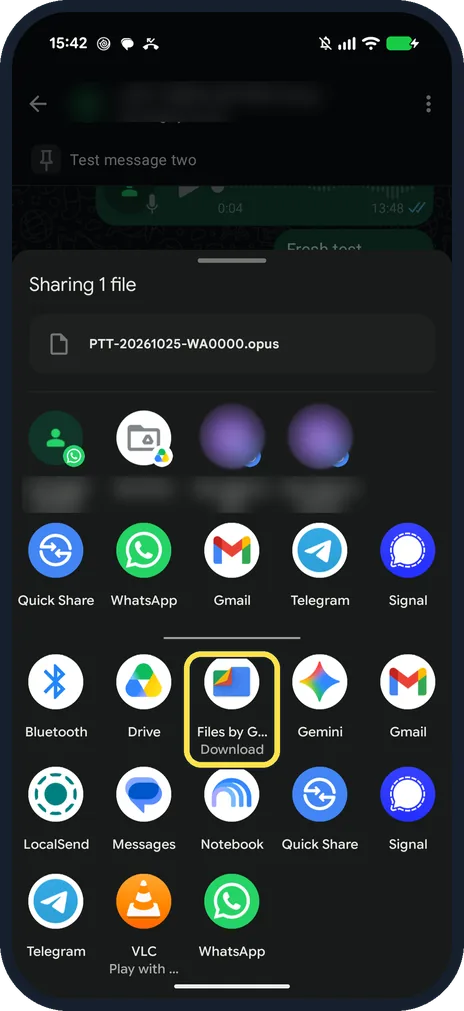
Touch and hold the voice message, tap More, then Share. Android's share sheet opens with the file, a .opus audio file. On our Pixel the first row offered Quick Share, WhatsApp, Gmail, Drive and Messages.
4 of 4 steps with real screenshots · 1 official source below
- Device
- Android
- Shown on
- Google Pixel 10a, Android 17 (build CP3A.261005.005), WhatsApp 2.26.41.77
- App
- Real screenshots
- 4 of 4 steps
- Checked
- October 2026
- Sources
- 1 official, linked below
Step by step
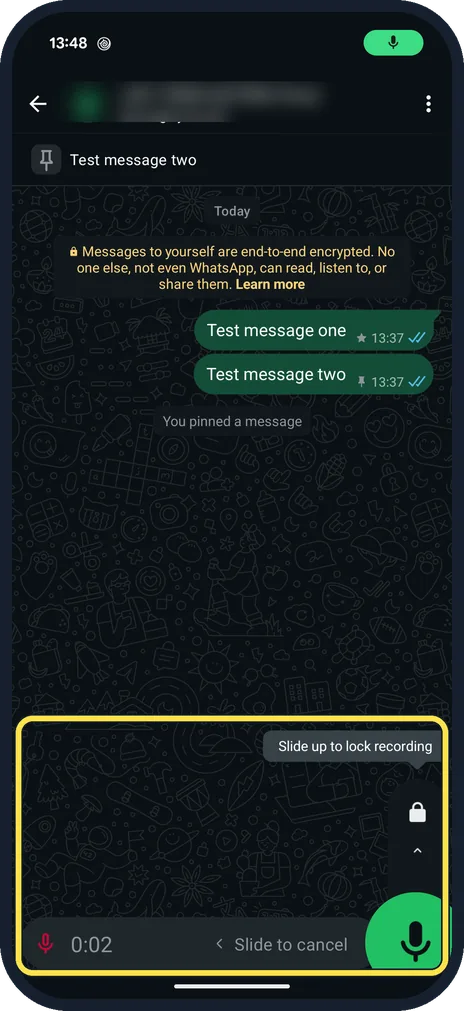
Record a voice message
Hold the microphone and speak; slide up to lock, or left to cancel. Ours showed Slide up to lock recording.
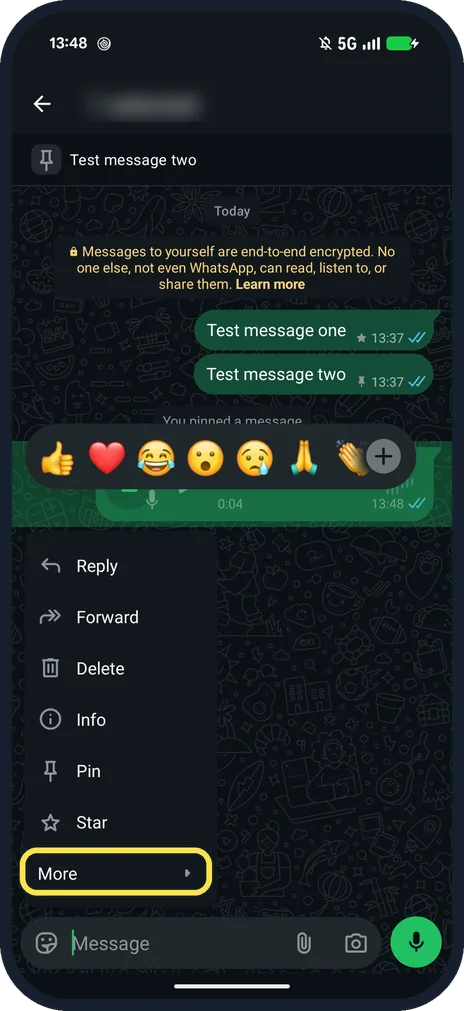
Touch and hold it and tap More
The menu: Reply, Forward, Delete, Info, Pin, Star and More.
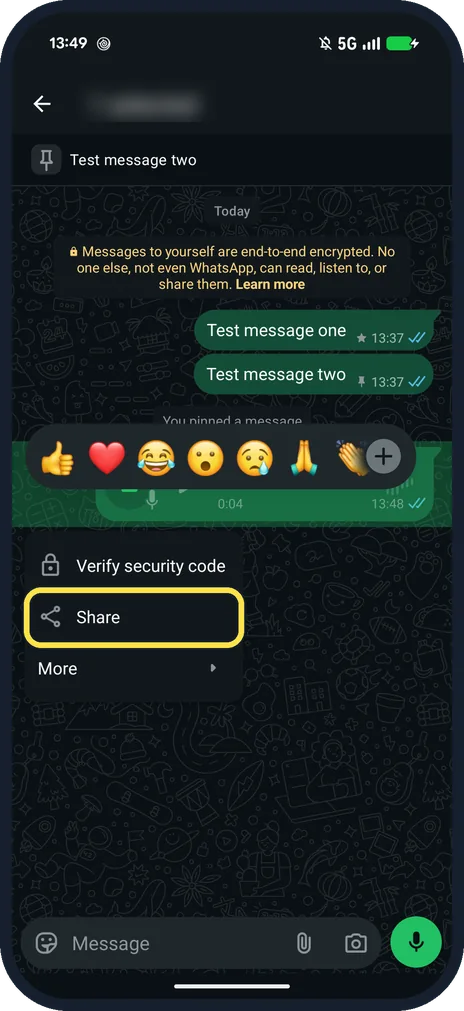
Tap Share
More shows Verify security code, Share and More.
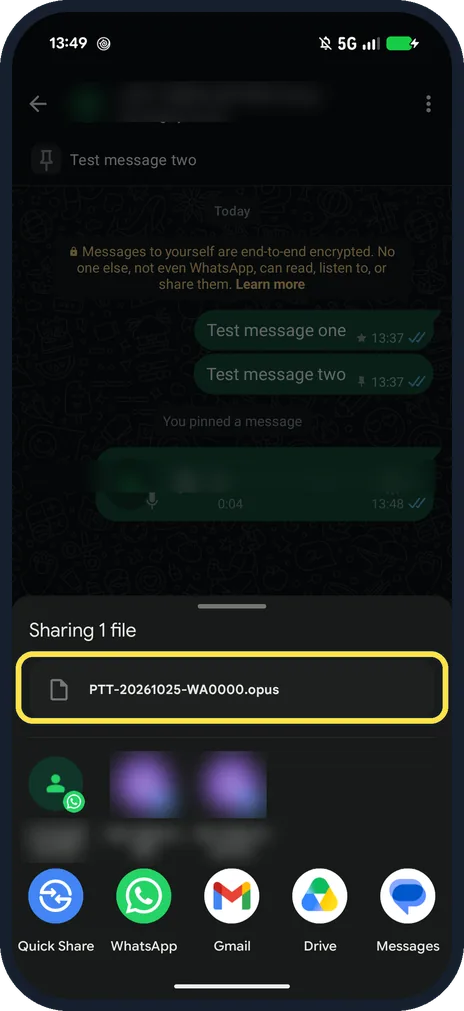
Pick an app for the file
Ours: Sharing 1 file, PTT-20261025-WA0000.opus.
If you do not see this option
- Want to keep it on the phone? Scroll the share sheet. Ours listed Files by Google with Download under it (shown as Files by G...), next to Drive and Gemini.
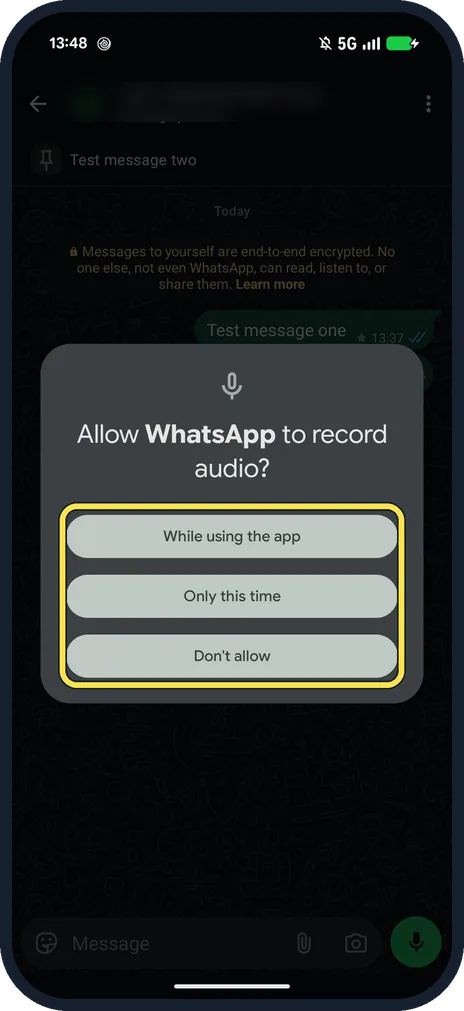
- Asked to allow audio? The first time you record, Android asks: Allow WhatsApp to record audio? While using the app, Only this time or Don't allow. Source: How to send voice messages
- Only want to send it to someone? Use Forward in the same menu; WhatsApp says voice messages download automatically for the other person. Source: How to send voice messages
If this does not work
- Start of the recording missing? WhatsApp says you might need to wait a second before speaking. Source: How to send voice messages
- Recording disappears before you can send it? WhatsApp suggests restarting your phone. Source: How to send voice messages
About this guide
WhatsApp voice messages are .opus files. Share hands one to another app; there is no Save option in WhatsApp itself.
The screenshots are from our Google Pixel 10a with Android 17 and WhatsApp 2.26.41.77, in Dark mode, taken on 25 October 2026. We recorded a 4-second silent test note in the Message yourself chat and did not send the file anywhere.
Good to know
To keep voice notes in one place, see message yourself on WhatsApp.
In short: Hold the voice message, More, Share, pick an app.
Links checked in October 2026. Menus and features can change after software updates. These steps match the version named at the top.
📷 See real photos from the Pixel 10a in our Camera Lab, next to 10 other phones.
Did this guide work for you?
Sorry about that. What happened?