
howtosimply.com/guides/how-to-message-yourself-on-whatsapp-on-android/ · Checked October 2026 · Google Pixel 10a, Android 17 (build CP3A.261005.005), WhatsApp 2.26.41.77
In this guide
On the Chats tab, tap the new chat button and pick your own number at the top of Contacts on WhatsApp. A chat with yourself opens; type a note and tap the green send arrow. WhatsApp 2.26.41.77 on our Pixel 10a with Android 17 listed it with Message yourself under it.
5 of 5 steps with real screenshots · 1 official source below
- Device
- Android
- Shown on
- Google Pixel 10a, Android 17 (build CP3A.261005.005), WhatsApp 2.26.41.77
- App
- Real screenshots
- 5 of 5 steps
- Checked
- October 2026
- Sources
- 1 official, linked below
Step by step
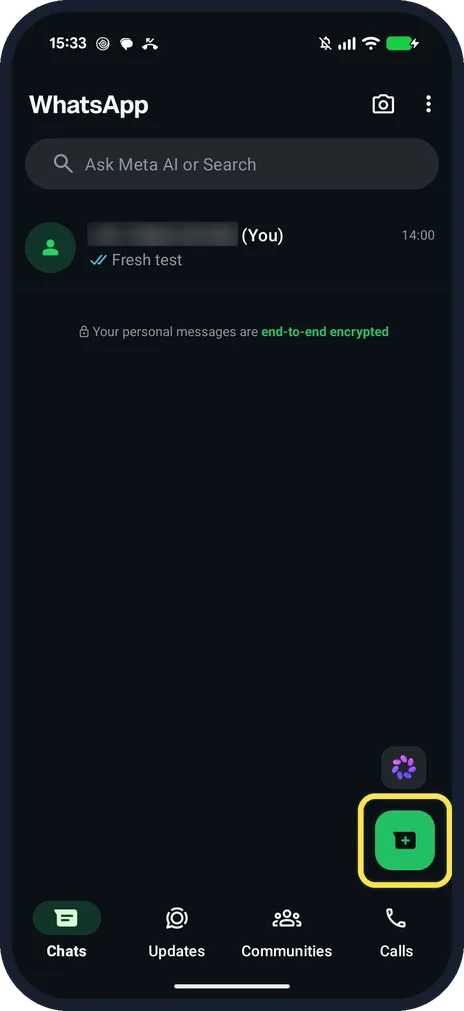
Tap the new chat button
On the Chats tab it is the green button at the bottom right.
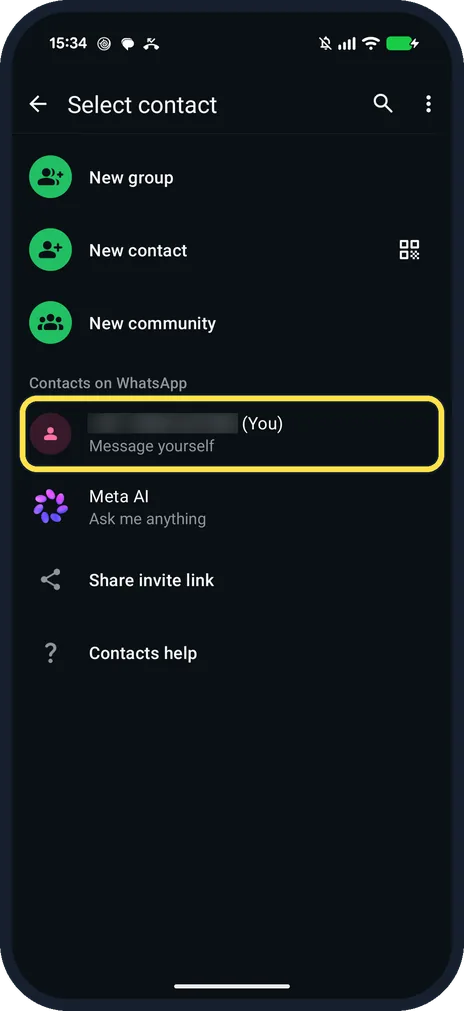
Tap your own number
Select contact lists New group, New contact and New community, then Contacts on WhatsApp. Ours had our own number first, marked (You), with Message yourself under it.
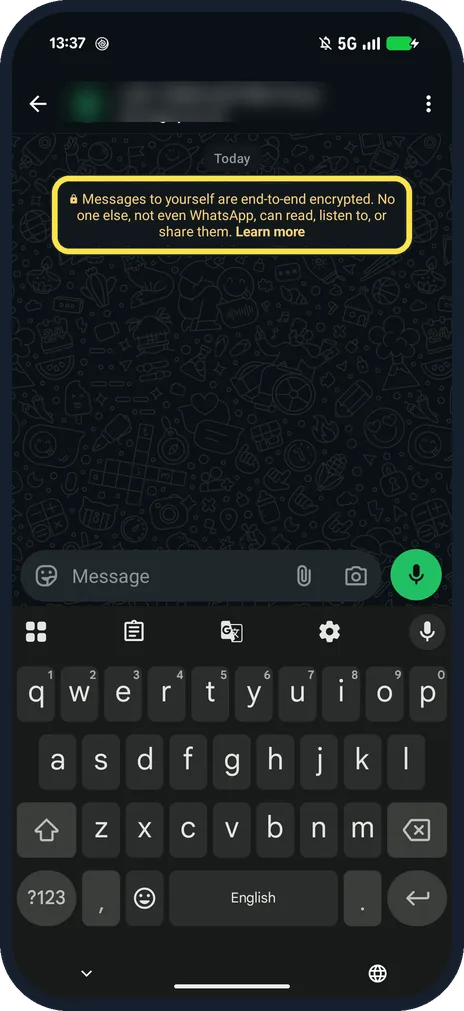
Check that the self chat opened
It says: Messages to yourself are end-to-end encrypted. No one else, not even WhatsApp, can read, listen to, or share them.
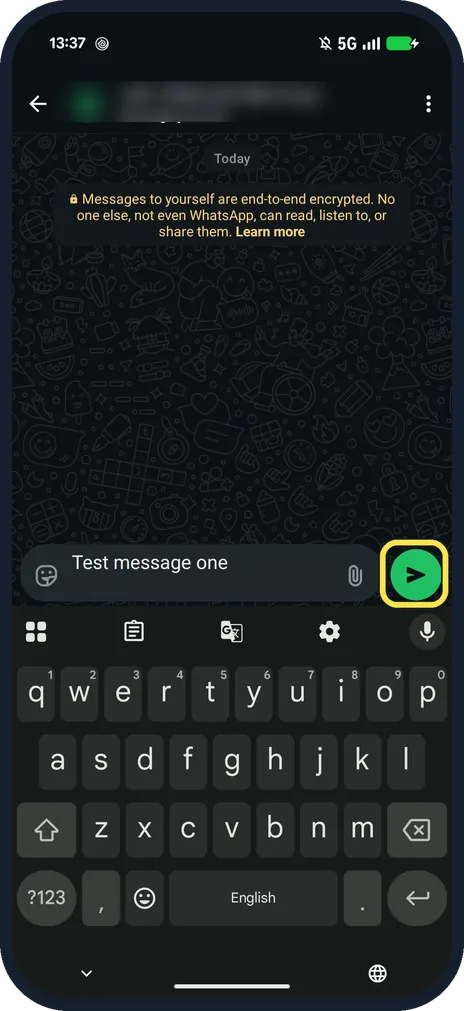
Type a note and tap send
Tap the green arrow. The Enter key on the keyboard adds a new line instead of sending, because Enter is send was off on ours.
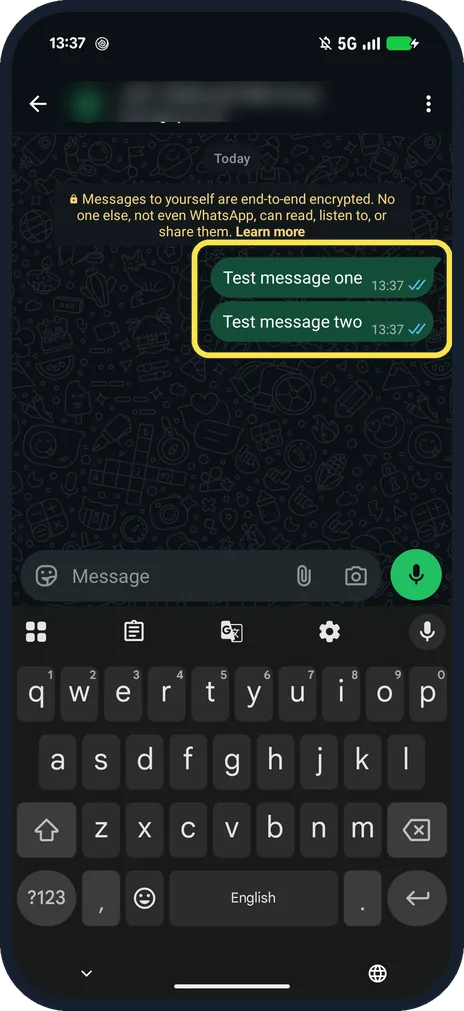
Find your notes in the chat
Our two test notes showed with blue ticks. Pin the chat in the Chats list to keep it at the top.
If you do not see this option
- Not in your contacts list? Search for your name or number on Select contact. WhatsApp says to search for or select your name or phone number. Source: How to message yourself
- Pressing Enter does not send? On ours Enter is send was off in Settings, Chats, so Enter adds a line. Tap the green arrow, or turn Enter is send on.
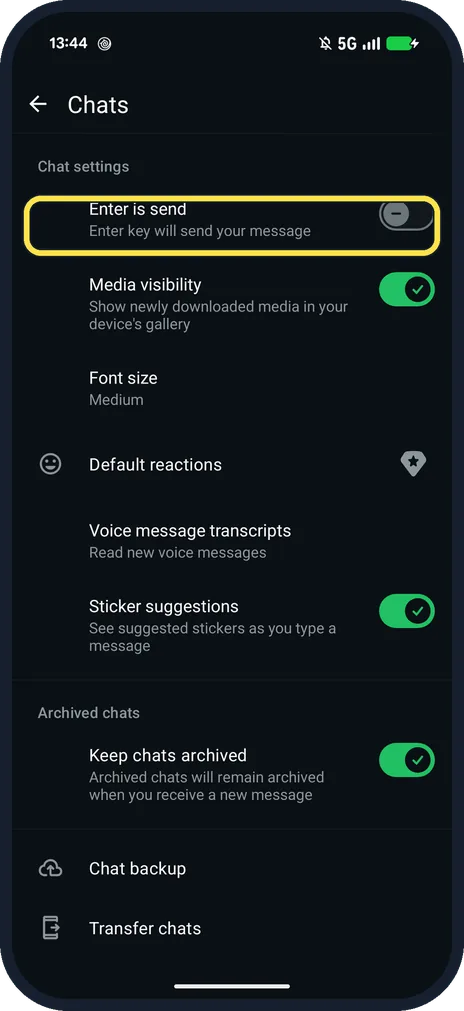
If this does not work
- No call or mute buttons? WhatsApp says a chat with yourself has no audio or video calls, no mute, no block or report, and no last seen. Source: How to message yourself
- Can't find the chat again later? WhatsApp suggests pinning it to the top of your chats list. Source: How to message yourself
- Want to keep a message from another chat? WhatsApp says to tap and hold it, tap forward, then pick your own name or number. Source: How to message yourself
About this guide
A chat with yourself works like a notepad that syncs with WhatsApp: links, photos and reminders you send yourself stay in one place.
The screenshots are from our Google Pixel 10a with Android 17 and WhatsApp 2.26.41.77, in Dark mode, taken on 25 October 2026. Our number and name are blurred.
Good to know
To keep a note at the top of this chat, see pin and star messages on WhatsApp.
In short: Chats tab, new chat button, your own number, type, send.
Links checked in October 2026. Menus and features can change after software updates. These steps match the version named at the top.
📷 See real photos from the Pixel 10a in our Camera Lab, next to 10 other phones.
Did this guide work for you?
Sorry about that. What happened?