
howtosimply.com/guides/how-to-pair-a-bluetooth-device-with-an-honor-phone/ · Checked October 2026 · BRP-NX1M, EEA), MagicOS 10.0, Android 16 (build 10.0.0.169(C430E7R2P1) · HONOR Magic7 Lite
In this guide
Put the headphones or speaker in pairing mode, open Settings, Bluetooth, turn Bluetooth on and tap the device under Available devices.
5 of 5 steps with real screenshots · 3 official sources below
- Device
- Android
- Shown on
- HONOR Magic7 Lite (BRP-NX1M, EEA), MagicOS 10.0, Android 16 (build 10.0.0.169(C430E7R2P1))
- App
- Settings
- Real screenshots
- 5 of 5 steps
- Checked
- October 2026
- Sources
- 3 official, linked below
Step by step
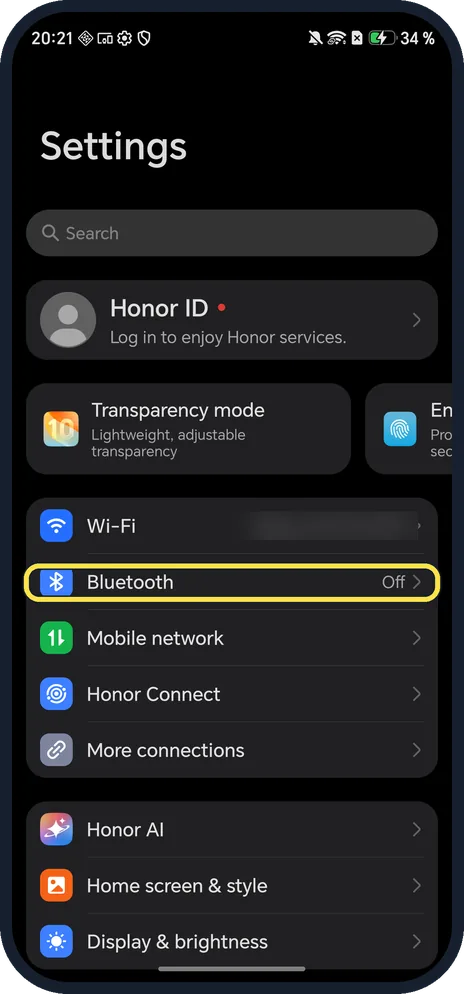
Open Bluetooth
Open Settings and tap Bluetooth; it is below Wi-Fi. Ours said Off.
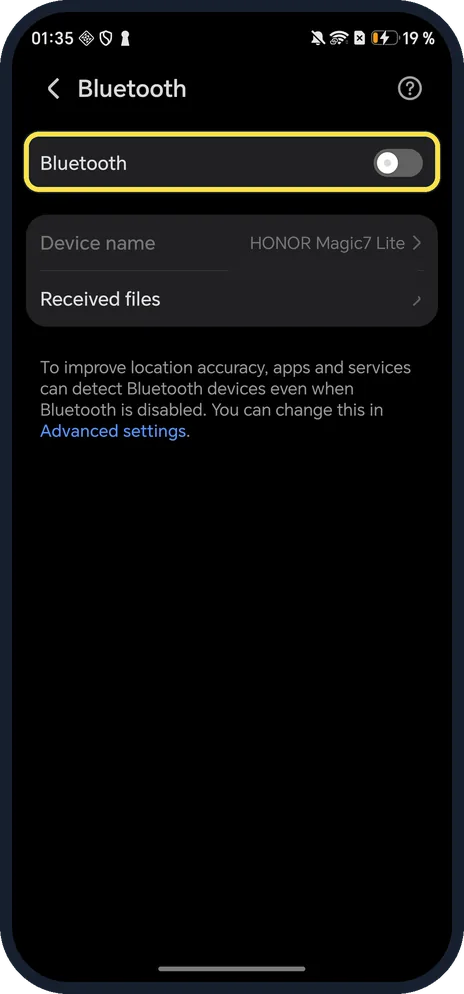
Turn on Bluetooth
The switch at the top.
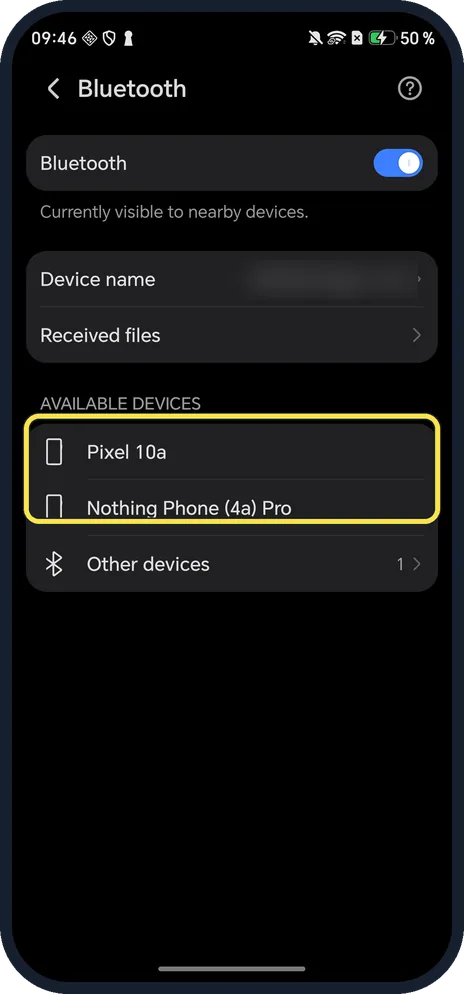
Tap your device under Available devices
Ours said Currently visible to nearby devices while the page was open, and listed two of our own phones.
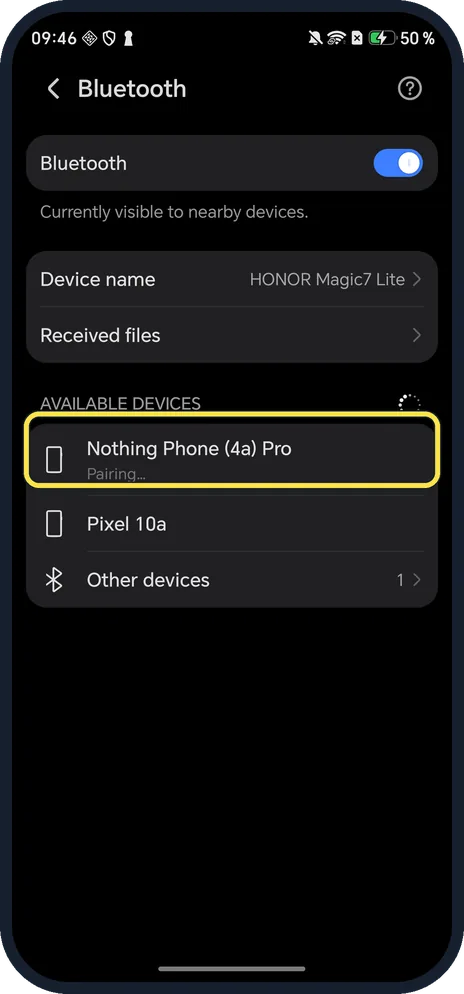
Wait for it to pair
The row says Pairing. If a pairing code appears, check it matches on the other device and tap Pair. We left contacts access off.
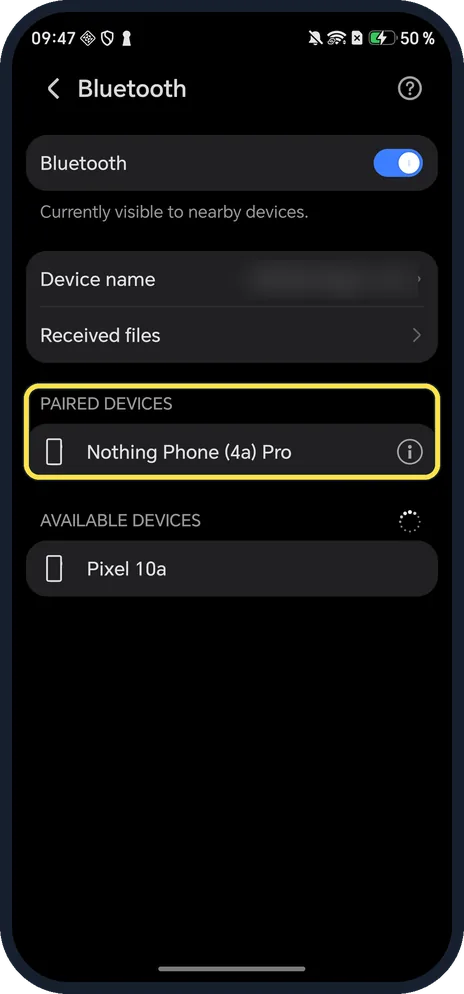
Check Paired devices
The device moves up under Paired devices. Ours listed Nothing Phone (4a) Pro.
If you do not see this option
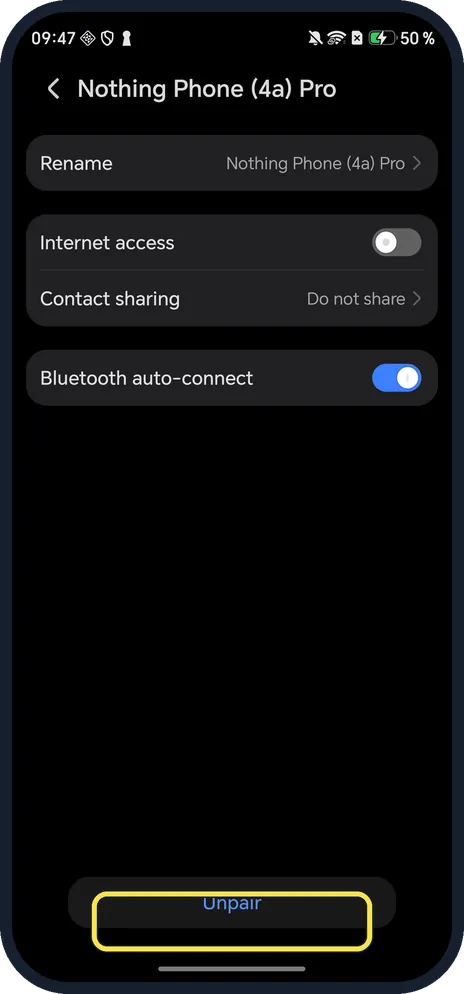
- Remove it later? Tap the i next to it, then Unpair at the bottom of the page.
- Bluetooth device not in the list? HONOR says the device must be powered on, discoverable, charged and within 10 m, and not connected to another phone. Source: How to search for a Bluetooth selfie stick, mouse, or keyboard
- Watch or band? HONOR says to pair those from their own app (such as HONOR Health) with Location on and the Location permission allowed. Source: How to search for a Bluetooth selfie stick, mouse, or keyboard
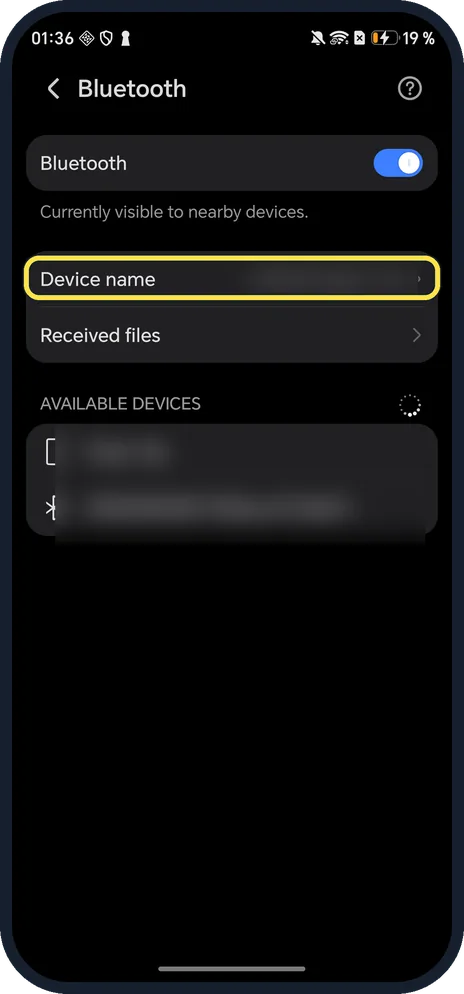
- Want to change the name others see? Tap Device name; ours was HONOR Magic7 Lite.
If this does not work
- Still not found? HONOR says to turn Bluetooth off and on again, and unpair the device from any other phone it is connected to. Source: How to search for a Bluetooth selfie stick, mouse, or keyboard
- Found but will not connect? HONOR says to ask the accessory's maker whether it works with your phone. Source: How to search for a Bluetooth selfie stick, mouse, or keyboard
- Not listed after restarting? Google suggests restarting both devices and keeping the phone close to the device. Source: Fix Bluetooth problems on Android
About this guide
The screenshots are from our HONOR Magic7 Lite, the European model BRP-NX1M, with MagicOS 10.0 and Android 16 (build 10.0.0.169(C430E7R2P1)), in Dark mode. Nearby device names are blurred. To show pairing we paired our Nothing Phone (4a) Pro, then unpaired it and turned Bluetooth off.
Good to know
If Wi-Fi is the problem, share a Wi-Fi network.
To stop sounds for a while, turn on Do Not Disturb.
In short: Settings, Bluetooth on, tap the device.
- HONOR Support (UK): How to search for a Bluetooth selfie stick, mouse, or keyboard
- Google Android Help: Connect through Bluetooth on your Android device
- Android Help: Fix Bluetooth problems on Android
Links checked in October 2026. Menus and features can change after software updates. These steps match the version named at the top.
Did this guide work for you?
Sorry about that. What happened?