
howtosimply.com/guides/how-to-keep-vlc-playing-in-the-background-on-android/ · Checked October 2026 · build CP3A.261005.005 · Google Pixel 10a, Android 17
In this guide
In VLC, tap More, then Settings, and under Video tap Background/PiP mode. Choose Play videos in background for sound only, or Play videos in Picture-in-picture mode for a small window. It starts on Stop.
3 of 3 steps with real screenshots · 2 official sources below
- Device
- Android
- Shown on
- Google Pixel 10a, Android 17 (build CP3A.261005.005)
- App
- VLC
- Real screenshots
- 3 of 3 steps
- Checked
- October 2026
- Sources
- 2 official, linked below
Step by step
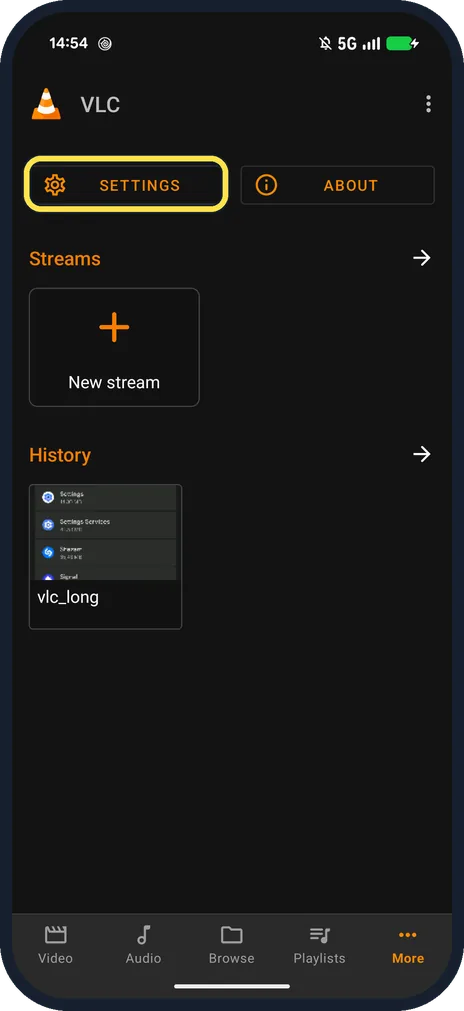
Tap More, then Settings
More is the last tab at the bottom; Settings is at the top next to About.
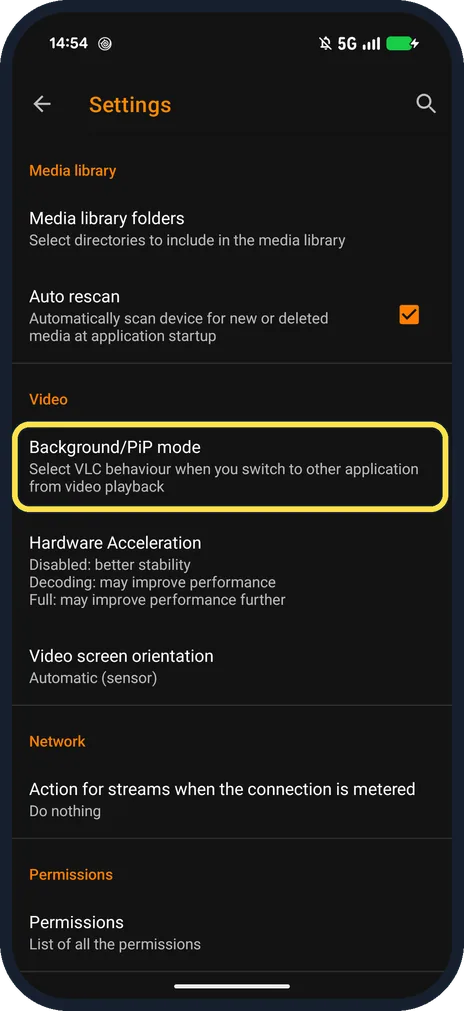
Tap Background/PiP mode
Under Video: Select VLC behaviour when you switch to other application from video playback.
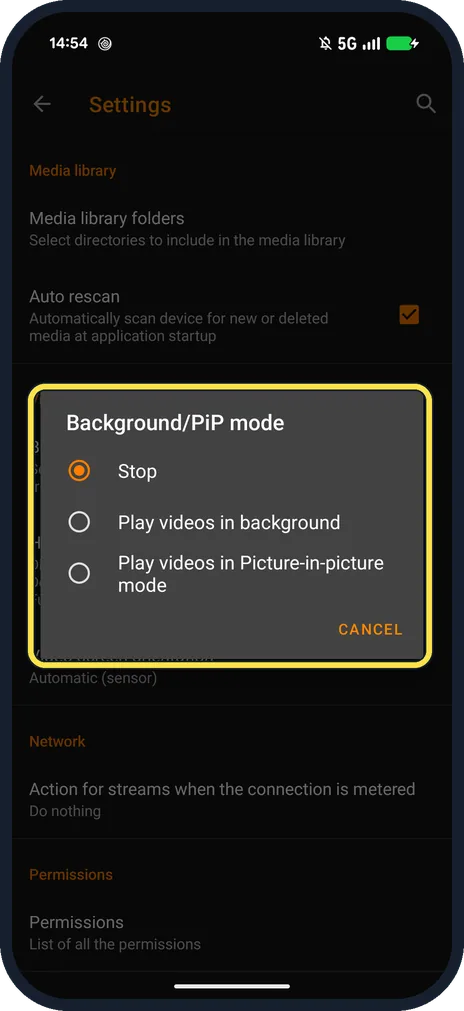
Choose what happens
Stop, Play videos in background, or Play videos in Picture-in-picture mode. Ours was on Stop.
If you do not see this option
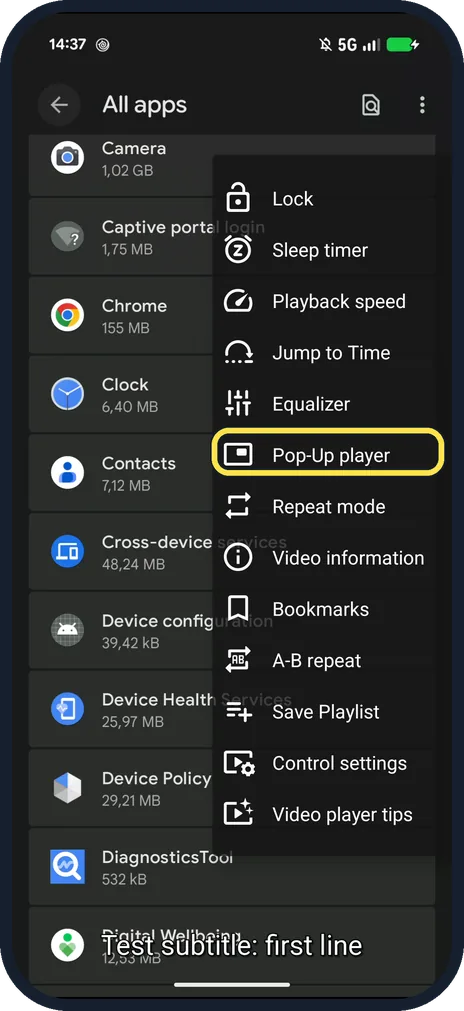
- Want a small window for one video only? In the player, the three dots menu has Pop-Up player. VideoLAN says it launches the video in Picture-in-Picture mode. Source: Video Player
- Using an older phone? VideoLAN says phones before Android 8.0 also need Use custom Picture-in-Picture popup in Video settings. Source: Video settings
If this does not work
- Picture-in-picture does not open? VideoLAN says the phone's PiP permission for VLC must be on as well as Background/PiP mode. Source: Video settings
- Video stops when you leave VLC? Background/PiP mode is still on Stop. Change it in step 3. Source: Video settings
About this guide
This setting decides what VLC does when you switch to another app during a video.
The screenshots are from our Google Pixel 10a with Android 17 and VLC 3.7.1 from the Play Store, taken on 25 October 2026. Our test video is a screen recording, so it shows a phone screen. We opened the choices and tapped Cancel.
Good to know
To change the speed, see change playback speed in VLC on Android.
In short: More, Settings, Background/PiP mode, choose.
Links checked in October 2026. Menus and features can change after software updates. These steps match the version named at the top.
📷 See real photos from the Pixel 10a in our Camera Lab, next to 10 other phones.
Did this guide work for you?
Sorry about that. What happened?