
howtosimply.com/guides/how-to-force-stop-an-app-on-an-oppo-phone/ · Checked October 2026 · CPH2689, EEA), ColorOS 16.0.5, Android 16 (build CPH2689_16.0.5.1001(EX01) · OPPO Reno13 5G
In this guide
Open Settings, Apps, App management, tap the app, tap Force stop and confirm with Force stop. The button greys out while the app is stopped; it opens normally next time.
5 of 5 steps with real screenshots · 1 official source below
- Device
- Android
- Shown on
- OPPO Reno13 5G (CPH2689, EEA), ColorOS 16.0.5, Android 16 (build CPH2689_16.0.5.1001(EX01))
- App
- Settings
- Path
- Settings › Apps › App management
- Real screenshots
- 5 of 5 steps
- Checked
- October 2026
- Sources
- 1 official, linked below
Step by step
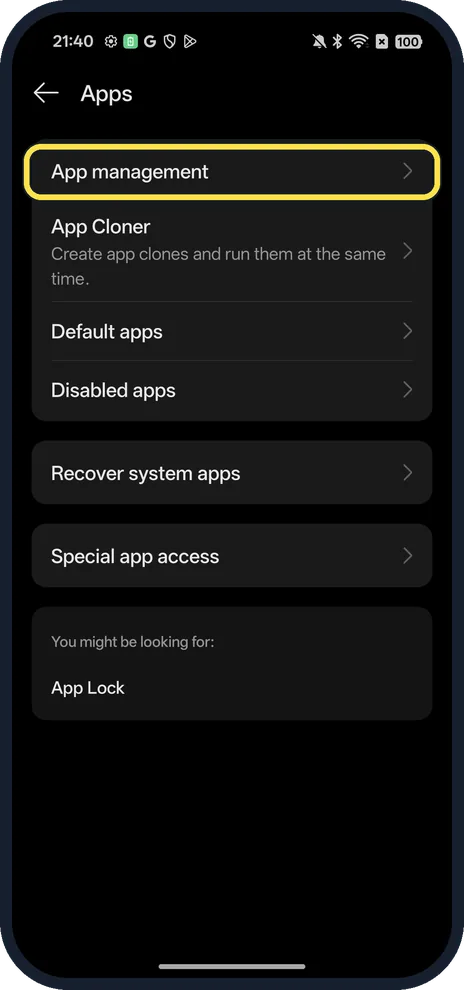
Open App management
Open Settings, Apps, App management.
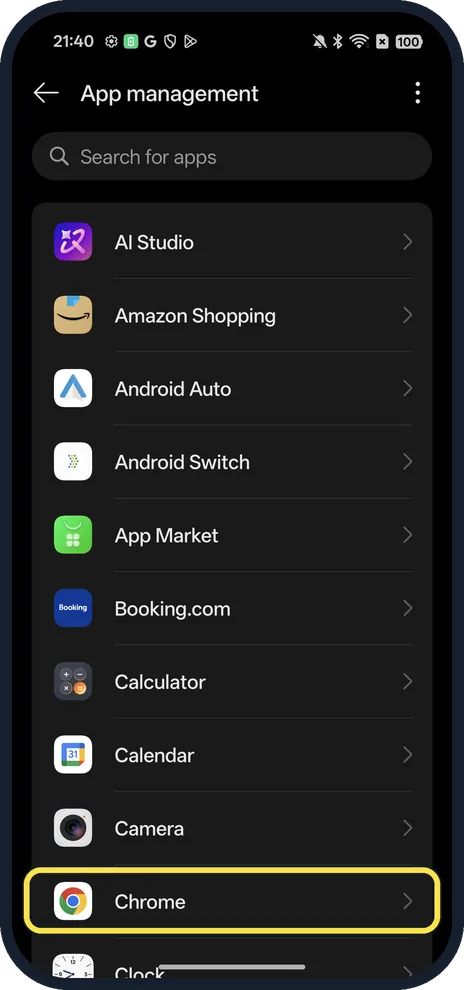
Tap the app
We tapped Chrome.
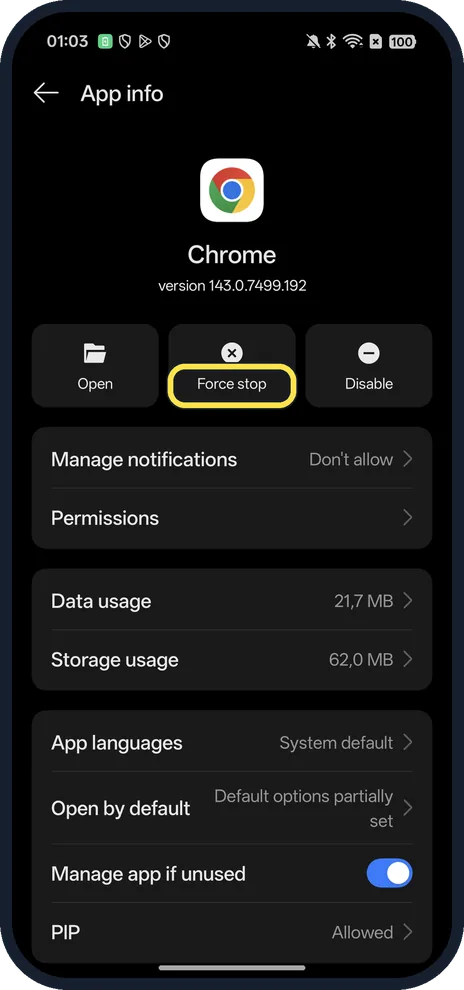
Tap Force stop
The middle button under the app name.
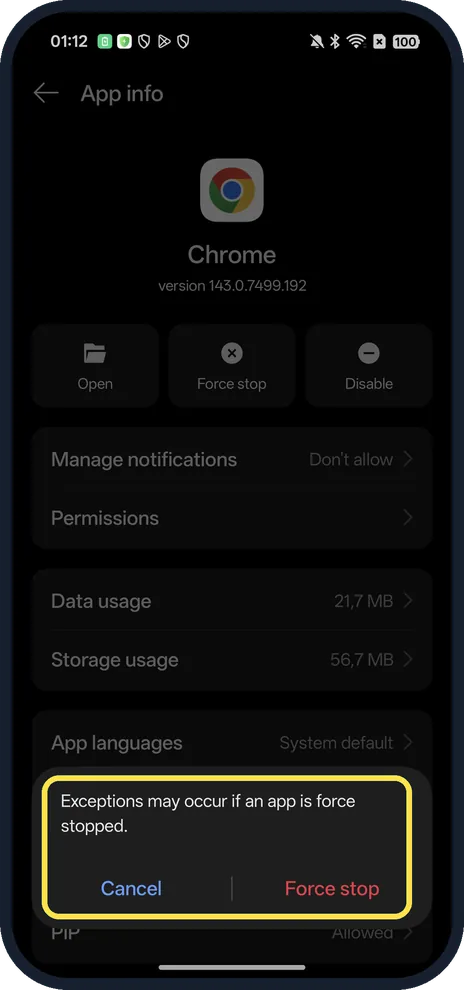
Confirm with Force stop
The dialog says exceptions may occur if an app is force stopped.
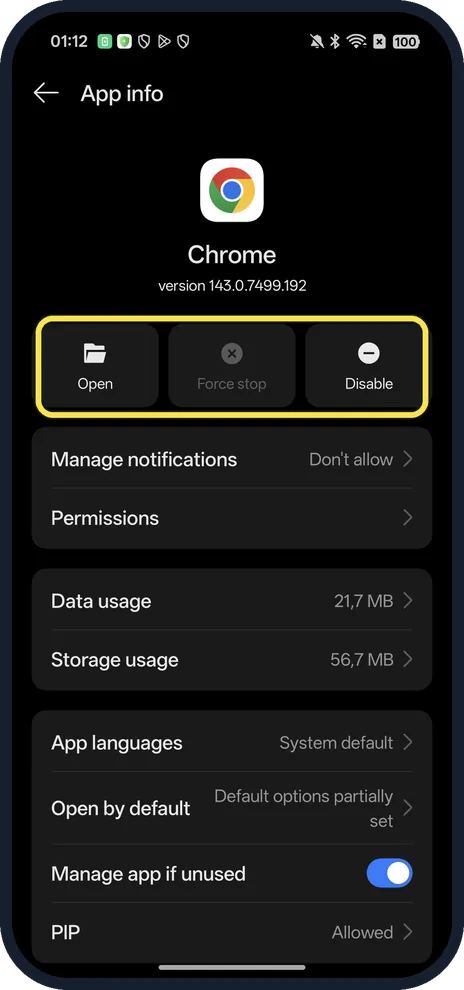
Check it stopped
Force stop is now grey; only Open and Disable remain active.
If you do not see this option
- App not in the list? System apps are hidden. OPPO says to tap the three dots at the top right and choose Show system. Source: How to Force Close Apps on OPPO Phones
- Faster way? Search for the app at the top of App management.
If this does not work
- App still crashes? OPPO suggests clearing its cache and data, reinstalling it, restarting and updating the software. Clearing data deletes your app data and sign-in. Source: How to Force Close Apps on OPPO Phones
- Disable is grey? Some built-in apps cannot be disabled.
About this guide
The screenshots are from our OPPO Reno13 5G, the European model CPH2689, with ColorOS 16.0.5 and Android 16 (build CPH2689_16.0.5.1001(EX01)), in Dark mode. We force stopped Chrome.
Good to know
To free space from one app, clear app cache.
To stop it from sending alerts, turn off its notifications.
In short: Settings, Apps, App management, the app, Force stop.
Links checked in October 2026. Menus and features can change after software updates. These steps match the version named at the top.
Did this guide work for you?
Sorry about that. What happened?