
howtosimply.com/guides/how-to-turn-on-live-caption-on-a-samsung-galaxy/ · Checked October 2026 · Samsung Galaxy A57 5G (SM-A576B), One UI 8.5, Android 16
In this guide
Open Settings, Accessibility, Hearing enhancements, Live Caption and switch on Use Live Caption. Your Galaxy then writes captions for speech in videos, podcasts and other media. Live Caption in calls can caption phone calls too.
8 of 8 steps with real screenshots · 1 official source below
- Device
- Android
- Shown on
- Samsung Galaxy A57 5G (SM-A576B), One UI 8.5, Android 16
- App
- Settings
- Path
- Settings › Accessibility › Hearing enhancements › Live Caption
- Real screenshots
- 8 of 8 steps
- What we did
- Observed: looked at each screen, changed nothing
- Our phone
- Shown on Galaxy A57, One UI 8.5
- Checked
- October 2026
- Sources
- 1 official, linked below
Step by step
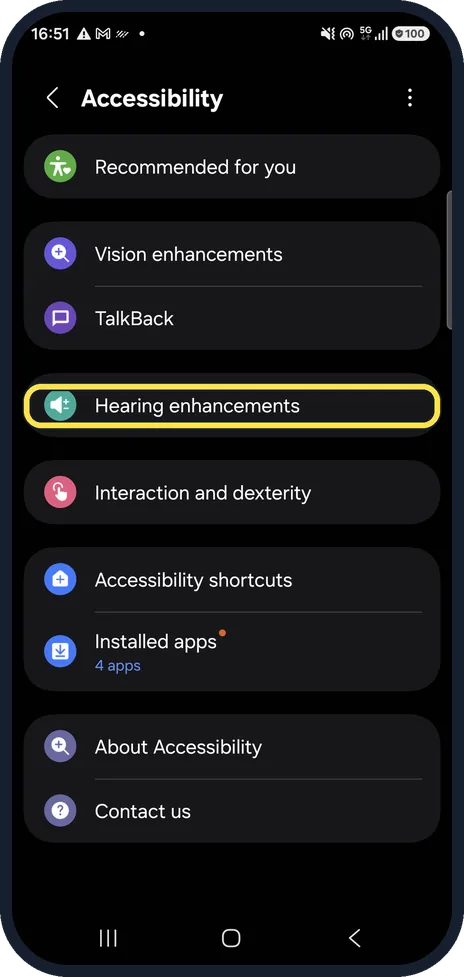
Open Hearing enhancements
Open Settings, Accessibility and tap Hearing enhancements.
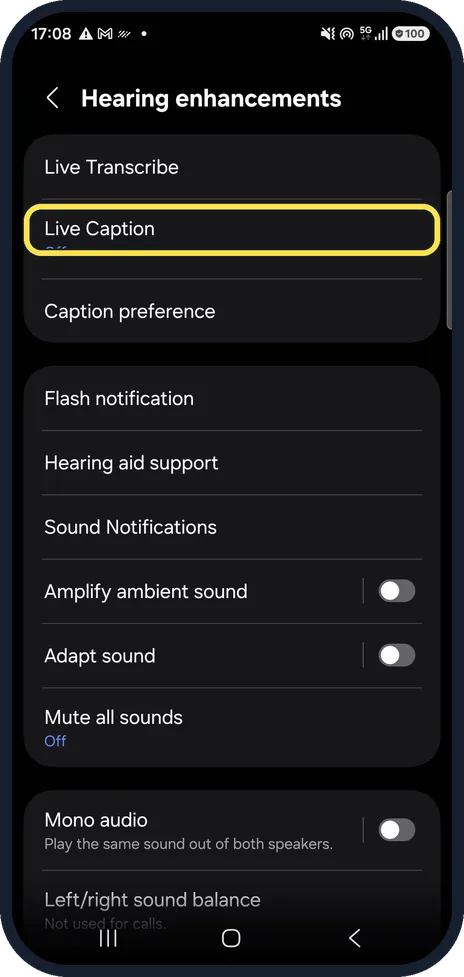
Tap Live Caption
Live Caption is near the top. Ours says Off underneath.
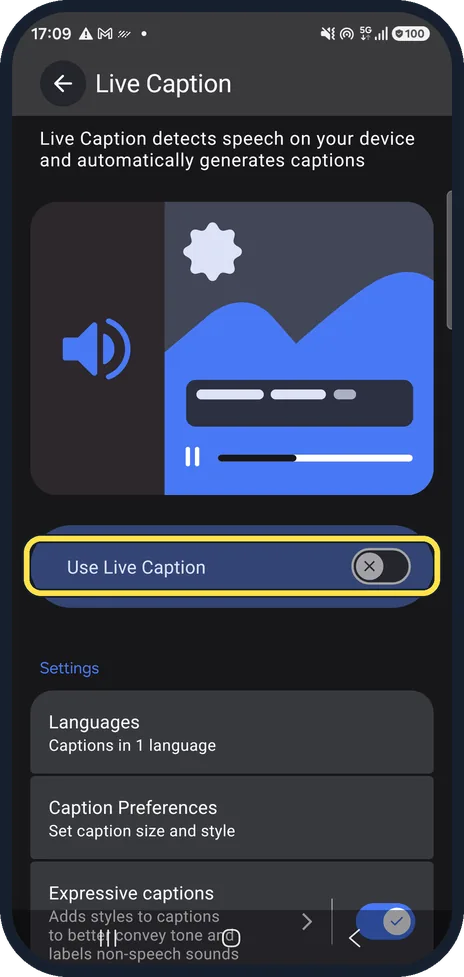
Switch on Use Live Caption
Tap the Use Live Caption switch under the picture. Captions now appear in a box whenever media with speech plays.
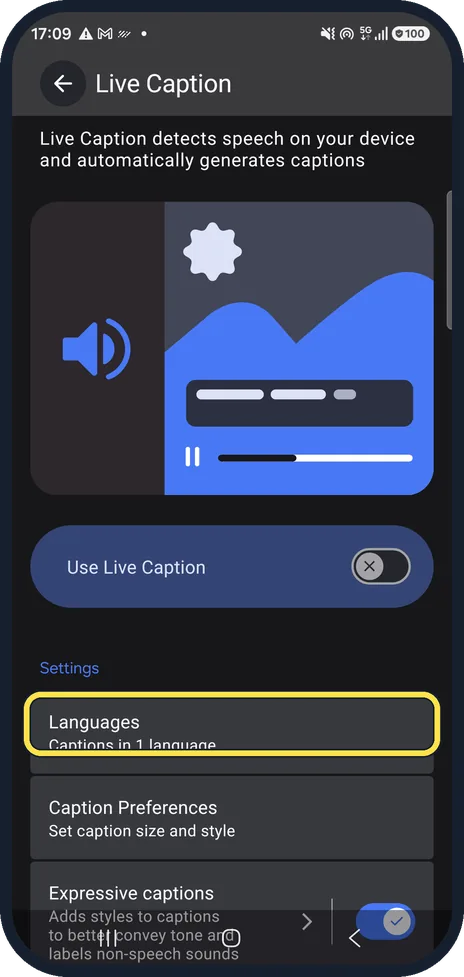
Check the language
Languages shows which languages it can caption. Ours says Captions in 1 language; tap it to add another.
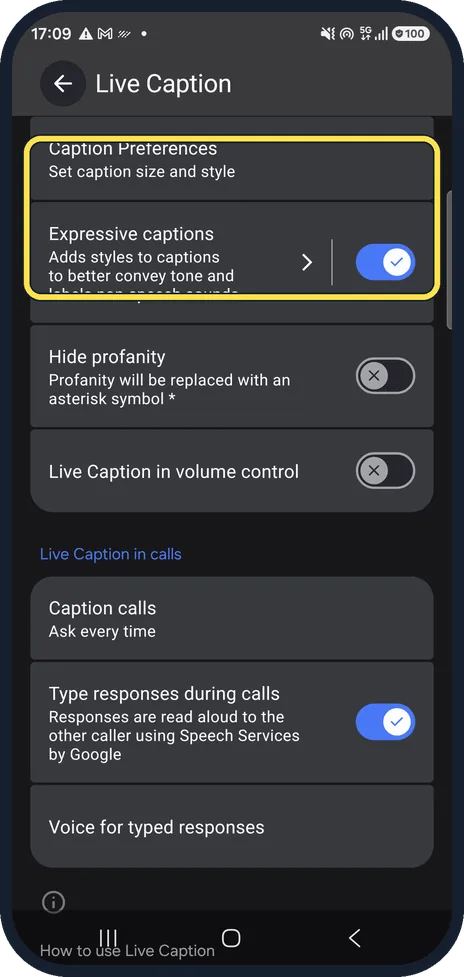
Change the caption look
Caption Preferences sets the size and style of the text. Expressive captions, on by default on ours, adds styles to show tone and labels sounds that are not speech.
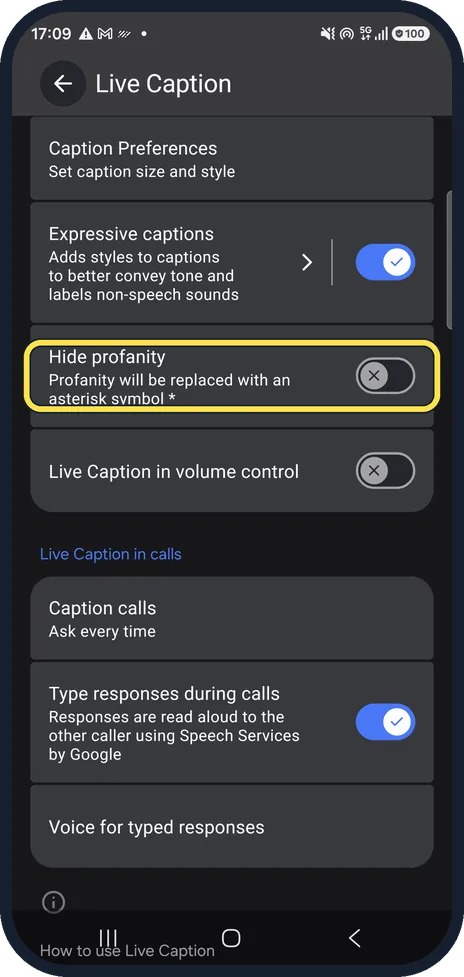
Hide swear words
Hide profanity replaces swear words with an asterisk.
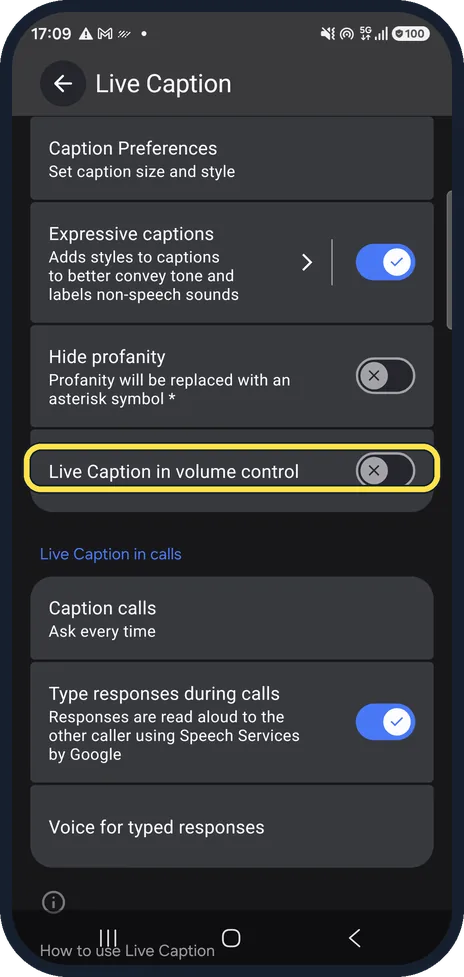
Quick switch in the volume panel
Live Caption in volume control adds a Live Caption button under the volume slider, so you can switch it on and off with the volume keys.
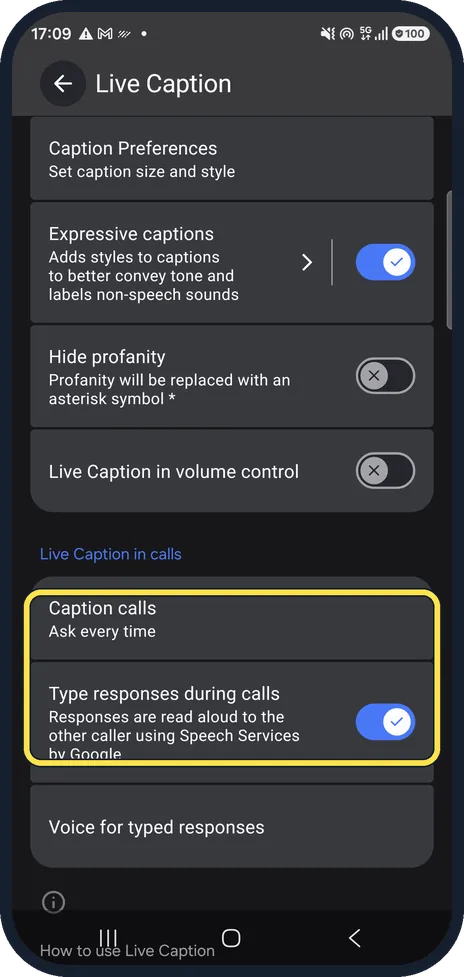
Caption phone calls
Under Live Caption in calls, Caption calls is set to Ask every time on ours. Type responses during calls lets you type a reply that is read aloud to the caller.
If you do not see this option
- There is no Live Caption on your phone Google says Live Caption works only on selected phones, and that if it is missing you should check with the phone maker. Source: Live Caption: Caption media & calls on your device
- Your language is not offered Google lists the caption languages by phone: on Pixel 4 and 5 and selected Android phones they are English, French, German, Italian, Japanese, Hindi and Spanish; newer phones add more. The first time, the phone needs Wi-Fi to download the language pack. Source: Live Caption: Caption media & calls on your device
If this does not work
- Captions stopped by themselves Google says Live Caption turns off automatically in battery saver mode, which is Power saving on a Galaxy. Source: Live Caption: Caption media & calls on your device
- One app or a song shows no captions Google says captions might be unavailable for some media and calling apps, and Live Caption does not work on music. Source: Live Caption: Caption media & calls on your device
About this guide
Live Caption turns speech playing on your phone into on-screen text, without an internet connection. It helps in a noisy train, in a quiet room, or if you are hard of hearing.
Good to know
Google explains which apps and languages Live Caption supports on its accessibility help page.
Live Caption works with sound from the phone itself. For captions of the people around you, Hearing enhancements also has Live Transcribe, a separate app.
In short: Settings, Accessibility, Hearing enhancements, Live Caption, Use Live Caption on. Live Caption in volume control adds a quick button.
Links checked in October 2026. Menus and features can change after software updates. These steps match the version named at the top.
📷 See real photos from the Galaxy A57 in our Camera Lab, next to 10 other phones.
Did this guide work for you?
Sorry about that. What happened?