
howtosimply.com/guides/how-to-create-a-facetime-link-on-an-iphone/ · Checked October 2026 · iPhone 17e · iOS 27.0.1
In this guide
Open FaceTime, tap New Call, then the green link button at the left above the keyboard. Choose how to send it, such as Messages, Mail or Copy. Anyone with the link can join, even from a browser on Android or Windows. When you delete it, read the first question: on ours it offered to delete all call history.
7 of 7 steps with real screenshots · 1 official source below
- Device
- iPhone
- Shown on
- iOS 27.0.1 (iPhone 17e)
- App
- FaceTime
- Path
- FaceTime › New Call › Link button
- Real screenshots
- 7 of 7 steps
- Checked
- October 2026
- Sources
- 1 official, linked below
Step by step

Tap New Call
New Call is the green button at the bottom of FaceTime.
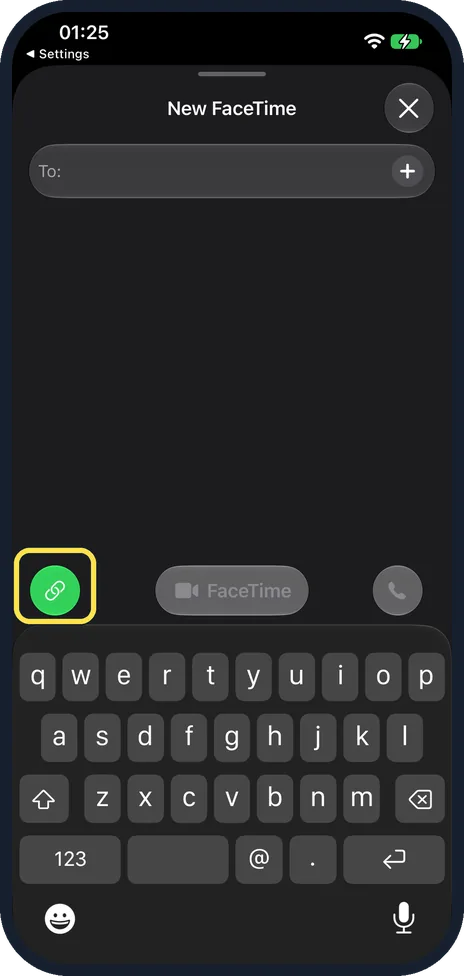
Tap the link button
The link button is the green round button at the left, above the keyboard.
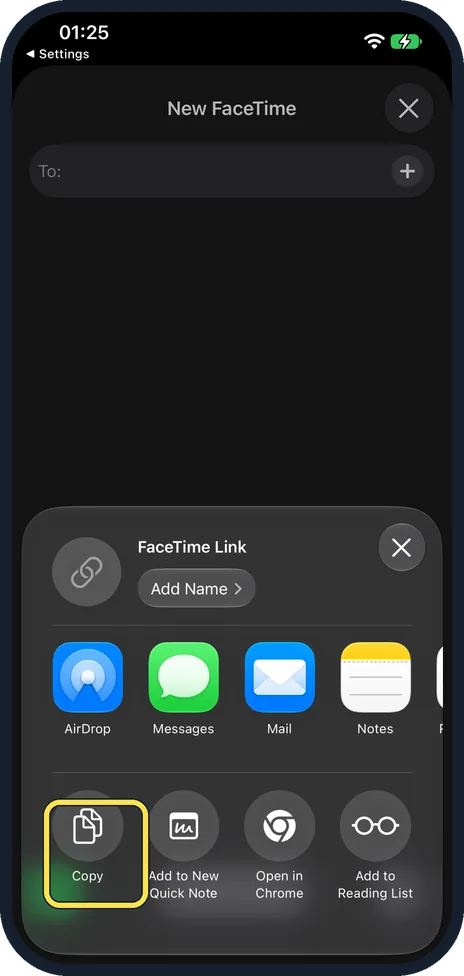
Send the link
The sheet is titled FaceTime Link. Tap Add Name to name the call, then pick Messages, Mail, AirDrop or Notes, or tap Copy to paste it anywhere. Ours also offered Add to New Quick Note and Add to Reading List.
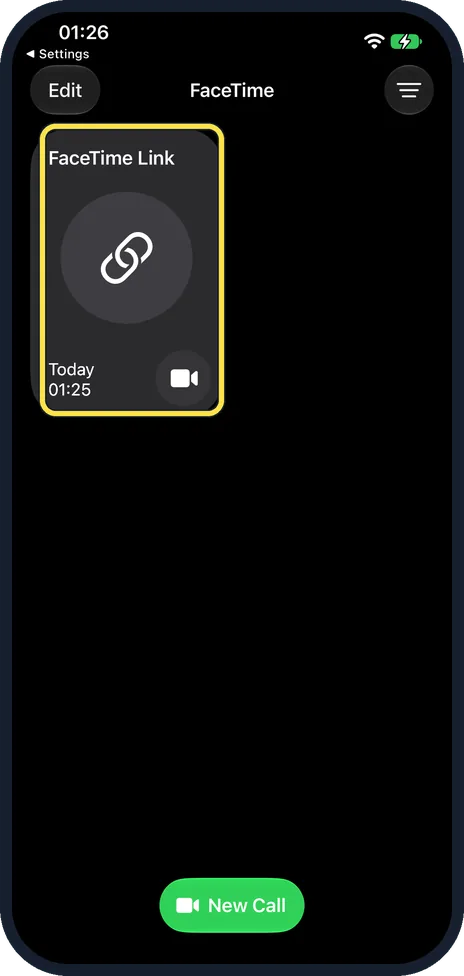
Find it in FaceTime
The link shows as a tile, FaceTime Link, with the day and time you made it. Tap it to start the call.
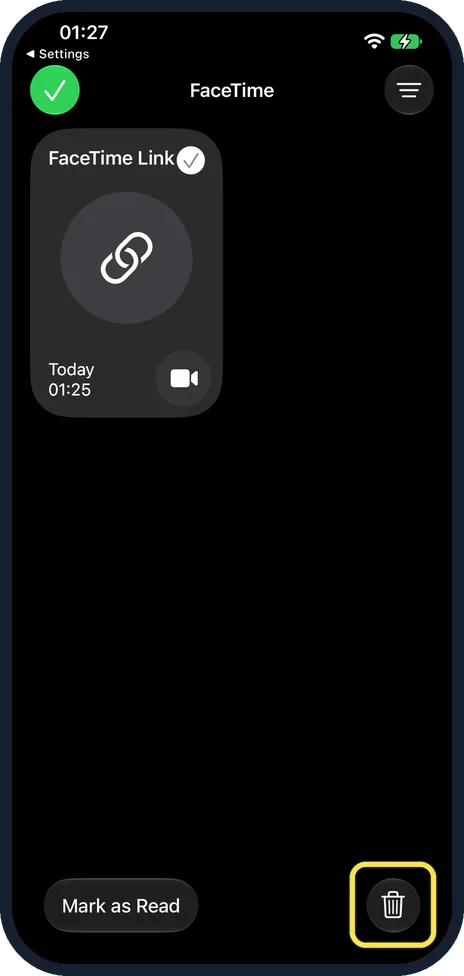
To delete it, select it and tap the bin
Tap Edit, select the tile, then tap the bin at the bottom right.
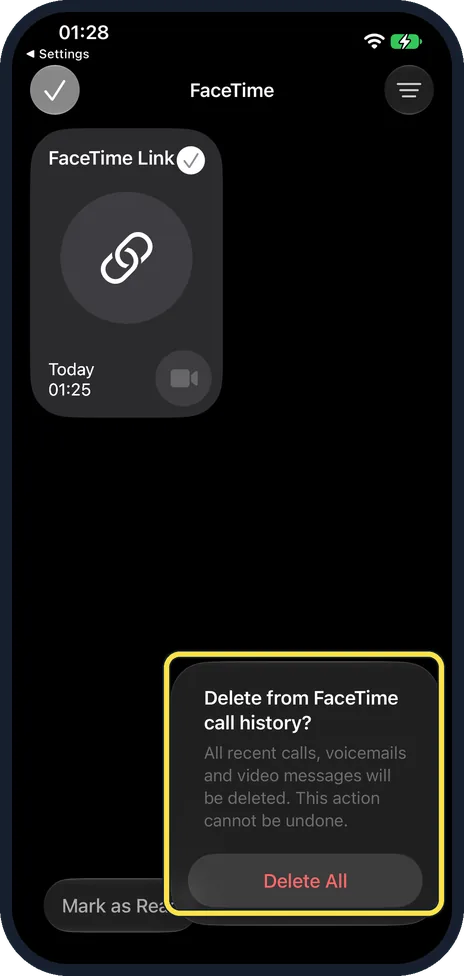
Read the first question carefully
Ours first asked: Delete from FaceTime call history? It warned that all recent calls, voicemails and video messages will be deleted and that this cannot be undone, with a Delete All button. Our list held only the test link, so we tapped Delete All. If yours holds calls you want to keep, remember that Delete All removes those too.
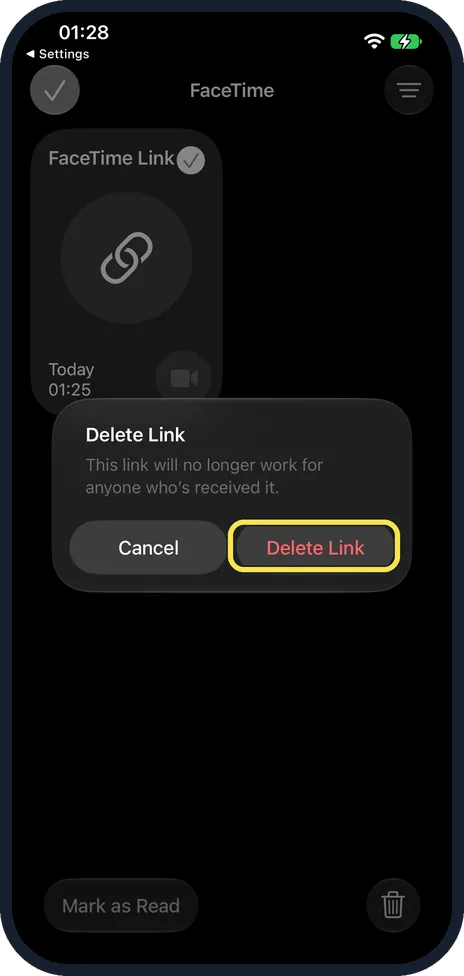
Tap Delete Link
The second question said the link will no longer work for anyone who received it.
If you do not see this option
- No link button on the New FaceTime screen? On ours it was the green round button at the left above the keyboard, with the To field still empty. Apple's steps tap it straight after New Call, before anything else. Source: Create a link to a FaceTime call on iPhone
- No FaceTime app or New Call button? FaceTime has to be turned on and signed in to your Apple Account. If it is, see FaceTime not working on an iPhone: 8 fixes to try.
If this does not work
- Someone on Android or Windows cannot join? Apple says they need a browser that supports WebRTC, such as the latest Google Chrome or Microsoft Edge, and no login is needed. Source: Create a link to a FaceTime call on iPhone
- They join but cannot send video? Apple says sending video from a browser needs H.264 video encoding support. They can still join the call. Source: Create a link to a FaceTime call on iPhone
About this guide
A FaceTime link lets you invite people without calling them, for example in a group chat or a calendar invite.
The screenshots are from our iPhone 17e with iOS 27.0.1, in Dark mode. We made a link and deleted it again.
Good to know
Apple says you can also put a FaceTime link in a Calendar event as the meeting location.
See FaceTime not working on an iPhone? 8 fixes to try.
In short: FaceTime, New Call, link button, Copy or Messages.
Links checked in October 2026. Menus and features can change after software updates. These steps match the version named at the top.
Did this guide work for you?
Sorry about that. What happened?