
howtosimply.com/guides/how-to-create-a-contact-group-on-a-samsung-galaxy/ · Checked October 2026 · SM-A576B), One UI 9, Android 17 (build A576BXXU6BZIE · Samsung Galaxy A57
In this guide
Open Contacts, tap the menu, then Groups and the plus. Name the group, tap Add member, tick the contacts and tap Done, then Save. The group's three dots menu has Send message and Send email to everyone in it.
5 of 5 steps with real screenshots · 1 official source below
- Device
- Android
- Shown on
- Samsung Galaxy A57 (SM-A576B), One UI 9, Android 17 (build A576BXXU6BZIE)
- Real screenshots
- 5 of 5 steps
- Checked
- October 2026
- Sources
- 1 official, linked below
Step by step
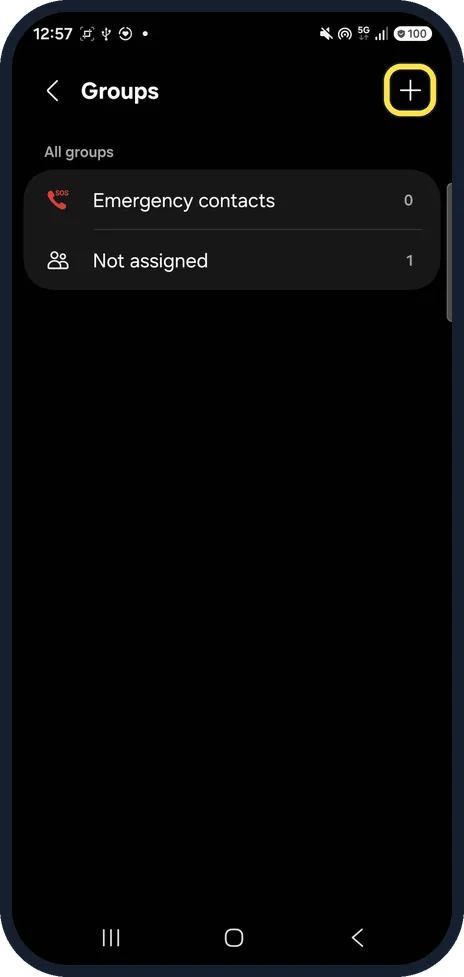
Open Groups and tap the plus
In Contacts, tap the menu, then Groups. Ours listed Emergency contacts and Not assigned.
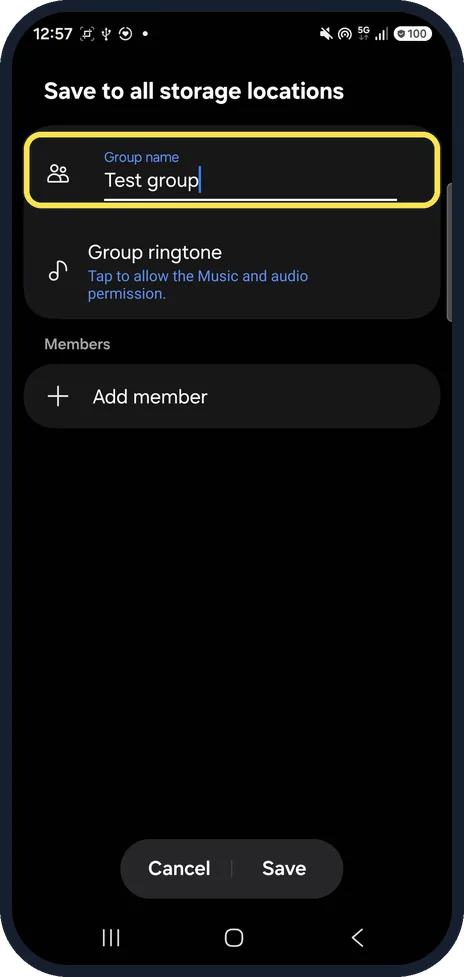
Name the group and tap Add member
Type a name under Group name; Group ringtone is below it.
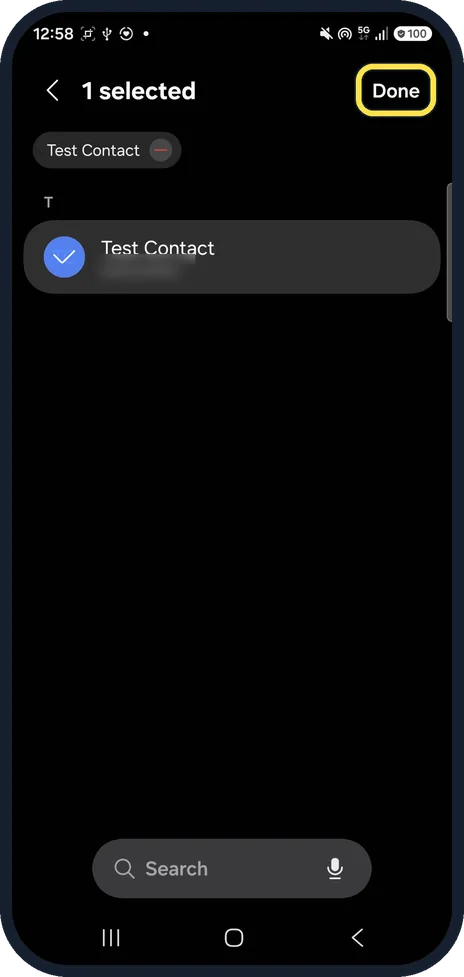
Tick the contacts and tap Done
Search at the bottom finds a name fast.
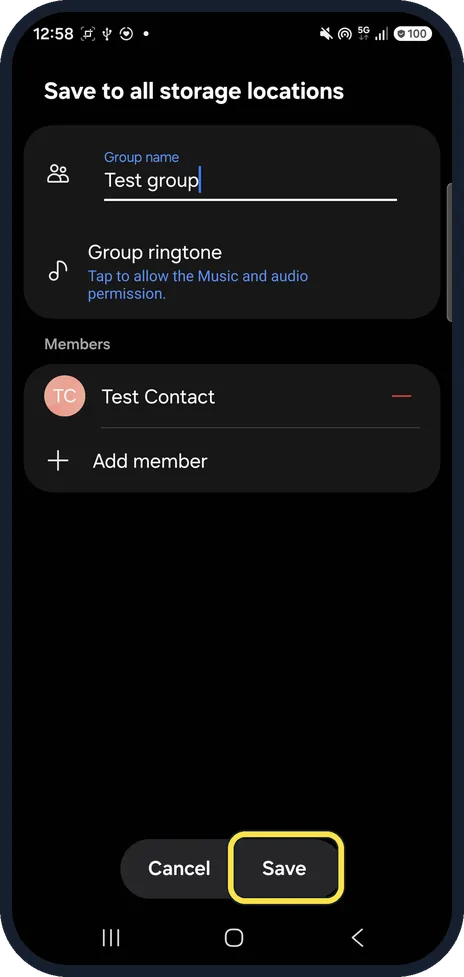
Tap Save
The member is listed under Members.
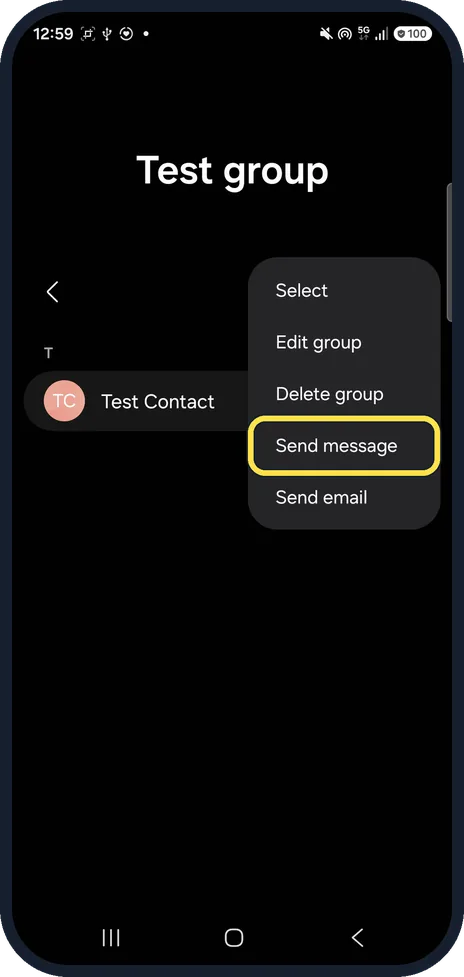
Message the whole group
Open the group and tap the three dots. Ours listed Select, Edit group, Delete group, Send message and Send email.
If you do not see this option
- Want a group ringtone? Tap Group ringtone when you create or edit the group; on ours it first asked to allow the Music and audio permission. Source: Manage your contacts with ease on your Galaxy phone and tablet
- Add people later? Samsung says you can assign new or existing contacts to the group anytime: Edit group, Add member. Source: Manage your contacts with ease on your Galaxy phone and tablet
- No Create group button? Samsung's steps say Create group. On ours, with One UI 9, it was the plus at the top right of Groups. Source: Manage your contacts with ease on your Galaxy phone and tablet
If this does not work
- Group ringtone asks for permission? On ours it said: Tap to allow the Music and audio permission. Allow it to pick a tone.
- Want to remove the group? Open it and tap the three dots: Delete group is below Edit group.
About this guide
Groups let you text or email several people at once, and give them their own ringtone.
The screenshots are from our Samsung Galaxy A57 (SM-A576B) with One UI 9 and Android 17, in Dark mode, taken on 25 October 2026. We made a test group with a test contact and deleted both afterwards.
Good to know
To text one person with their own tone, see set a text tone for one contact.
In short: Contacts, menu, Groups, plus, name, Add member, Done, Save.
Links checked in October 2026. Menus and features can change after software updates. These steps match the version named at the top.
📷 See real photos from the Galaxy A57 in our Camera Lab, next to 10 other phones.
Did this guide work for you?
Sorry about that. What happened?