
howtosimply.com/guides/how-to-change-the-date-time-and-time-zone-on-windows-11/ · Checked October 2026 · Windows 11 Enterprise 25H2 (build 26200.9457), Microsoft Cloud PC
In this guide
Open Settings, click Time & language and then Date & time. Switch on Set time automatically and Set time zone automatically. To set them by hand, switch both off, pick your time zone from the list and click Change next to Set the date and time manually.
5 of 6 steps with real screenshots · 1 official source below
- Device
- Windows
- Shown on
- Windows 11 Enterprise 25H2 (build 26200.9457), Microsoft Cloud PC
- App
- Settings
- Path
- Settings › Time & language › Date & time › Set time automatically › Set time zone automatically
- Real screenshots
- 5 of 6 steps
- Checked
- October 2026
- Sources
- 1 official, linked below
Step by step
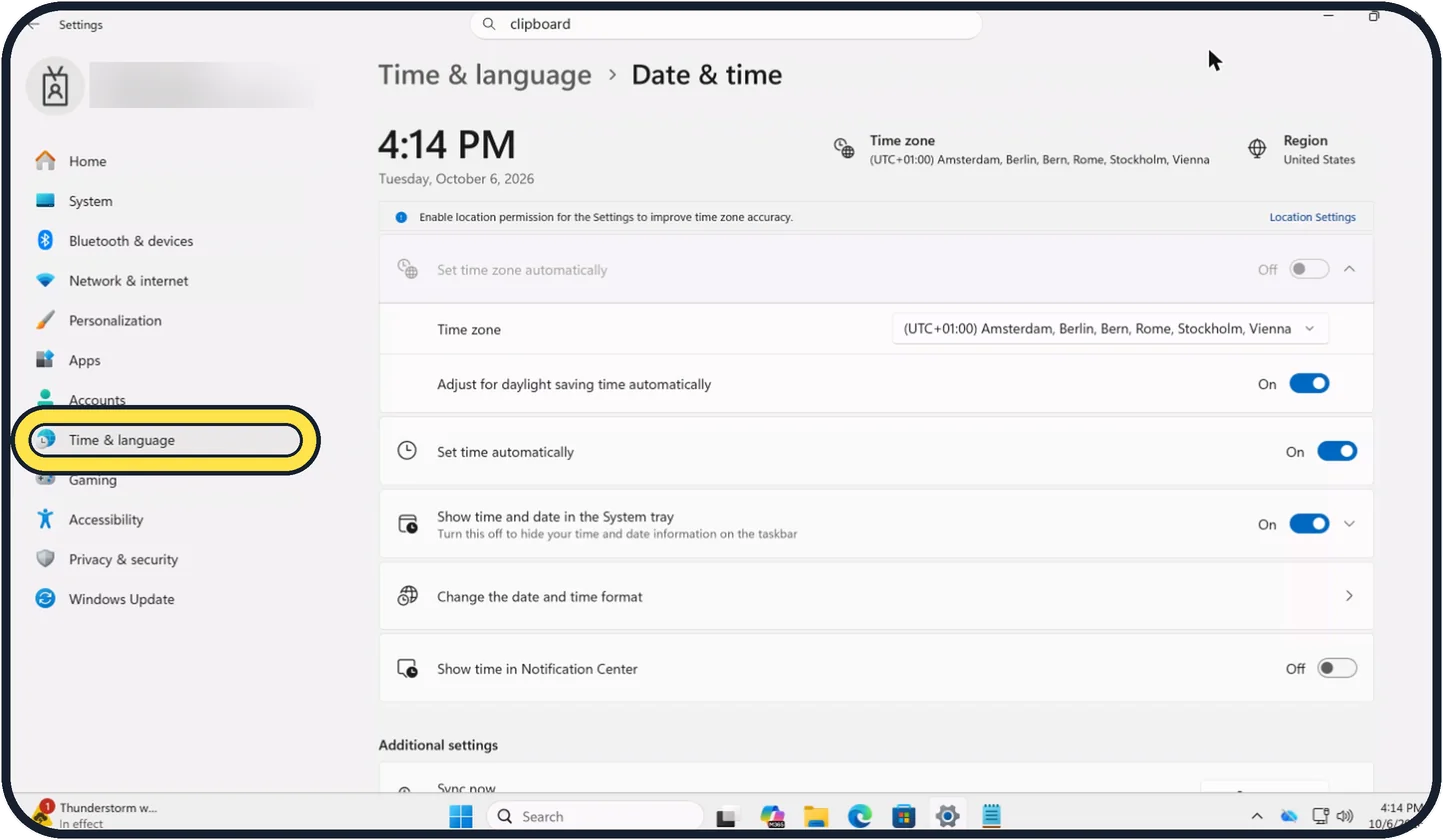
Zoomed in on the setting. Tap to see the whole screenTap the picture to see it full size Open Settings, Time & language, Date & time
Open Start, Settings and click Time & language, then Date & time. You can also right-click the clock on the taskbar and choose Adjust date and time.
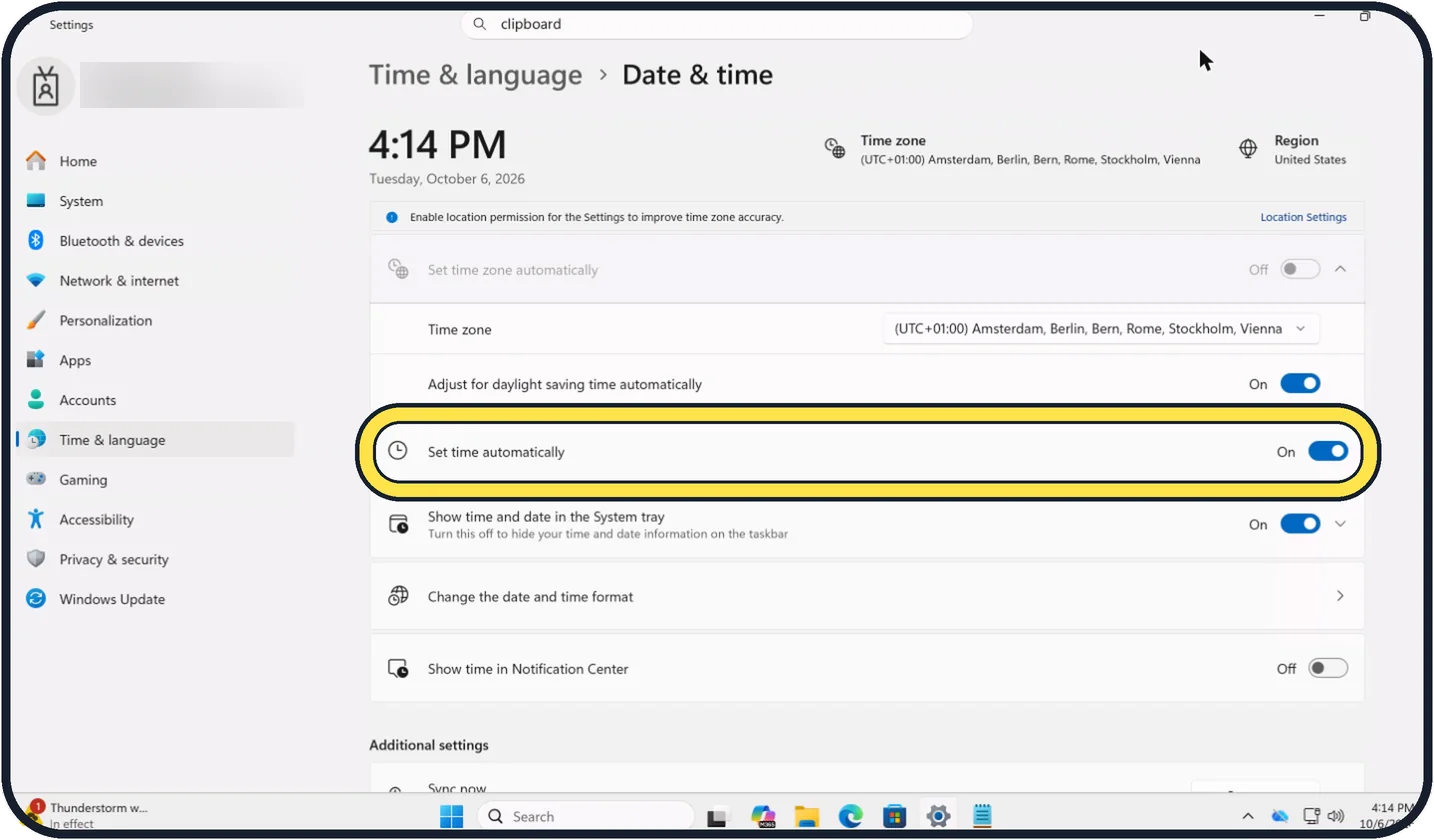
Tap the picture to see it full size Switch on Set time automatically
Windows then takes the time from a time server on the internet. Sync now under Additional settings, further down, corrects the clock straight away.
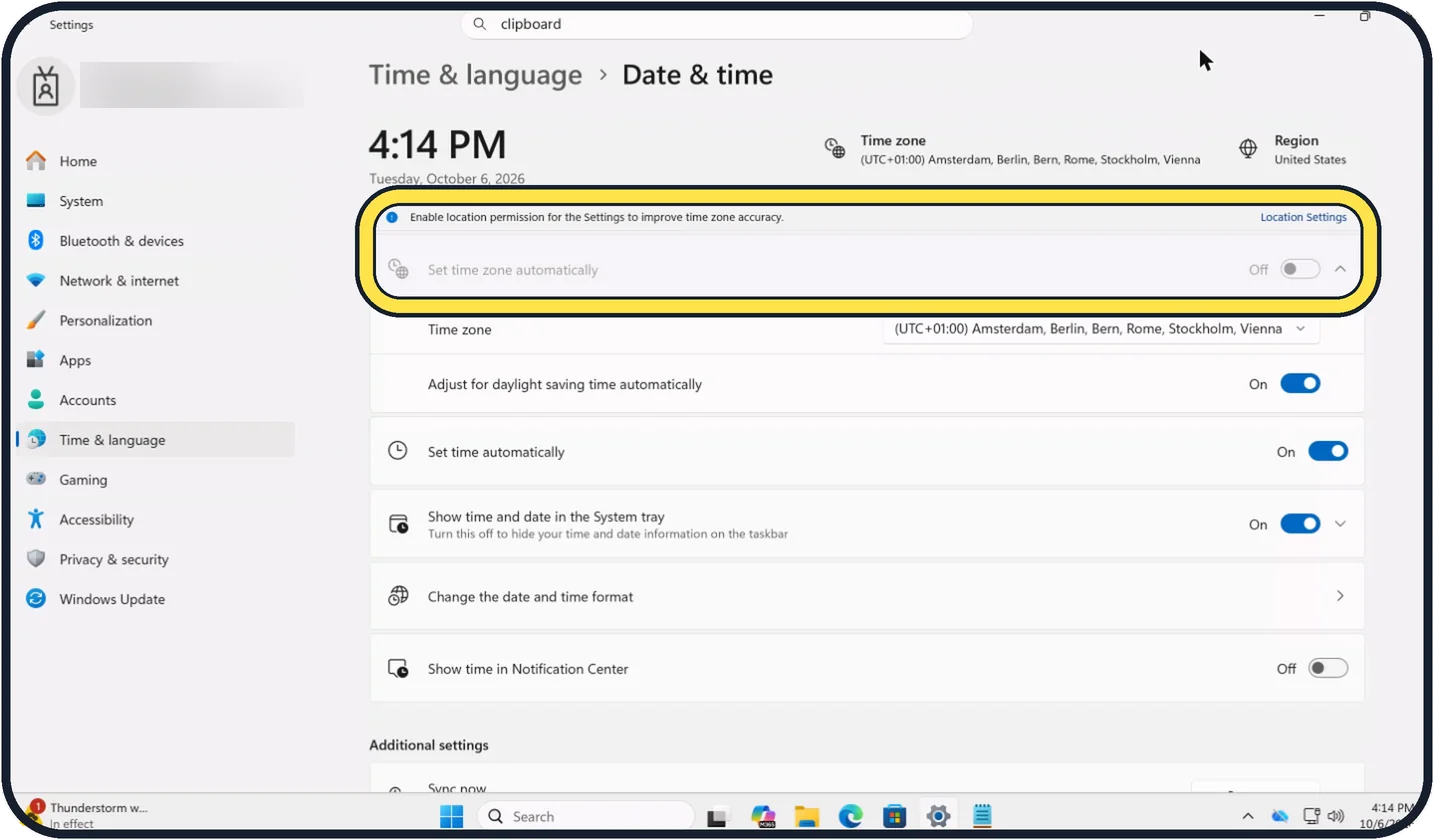
Tap the picture to see it full size Switch on Set time zone automatically
This uses the location of the PC. If the switch is greyed out, as on our Cloud PC, Windows shows a note to enable location permission: click Location Settings next to it and switch on Location services.
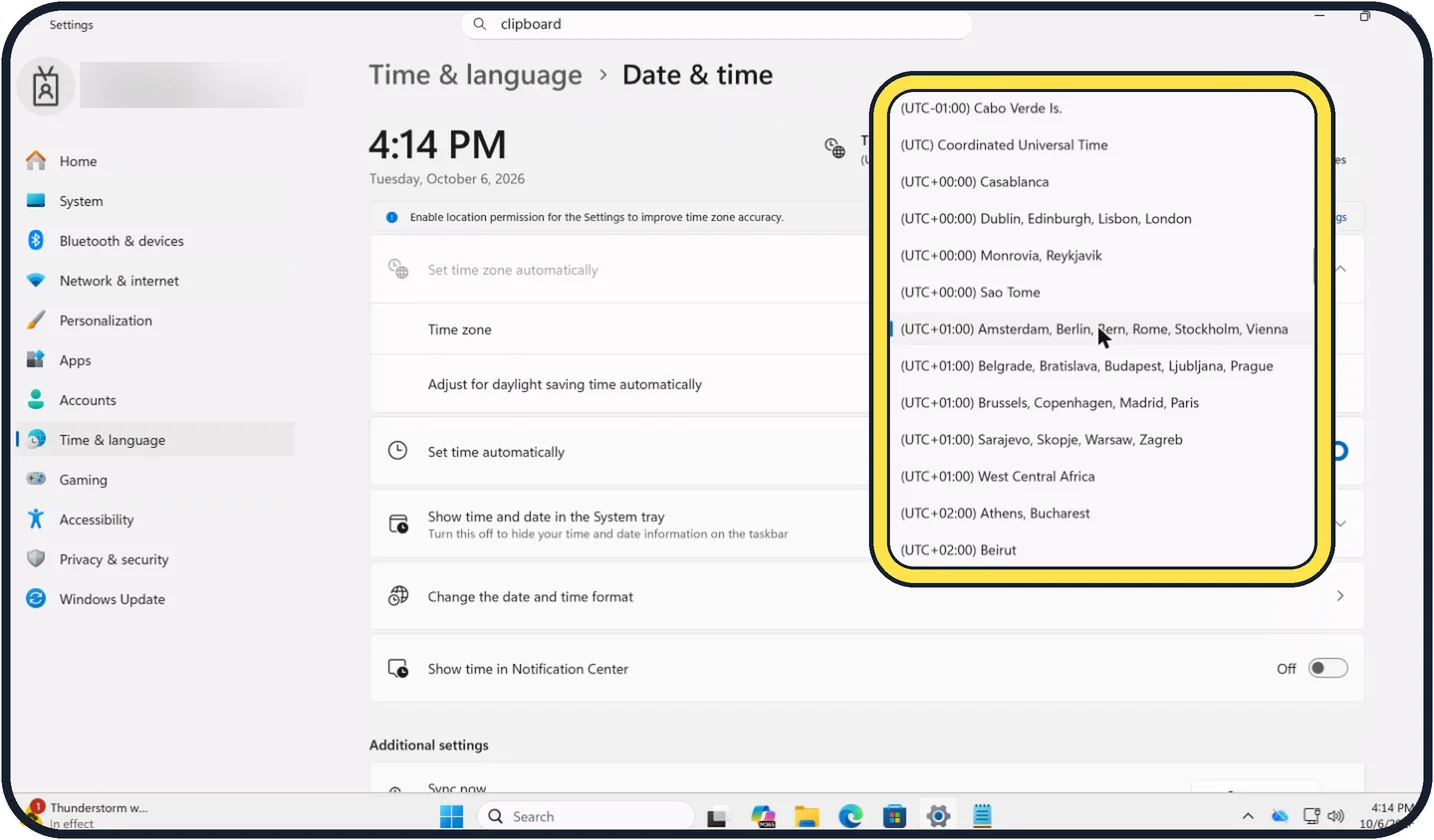
Zoomed in on the setting. Tap to see the whole screenTap the picture to see it full size Or choose the time zone yourself
With Set time zone automatically off, open the Time zone list and pick your zone. Leave Adjust for daylight saving time automatically on.
Or set the clock by hand
Switch Set time automatically off, click Change next to Set the date and time manually, enter the values and click Change.
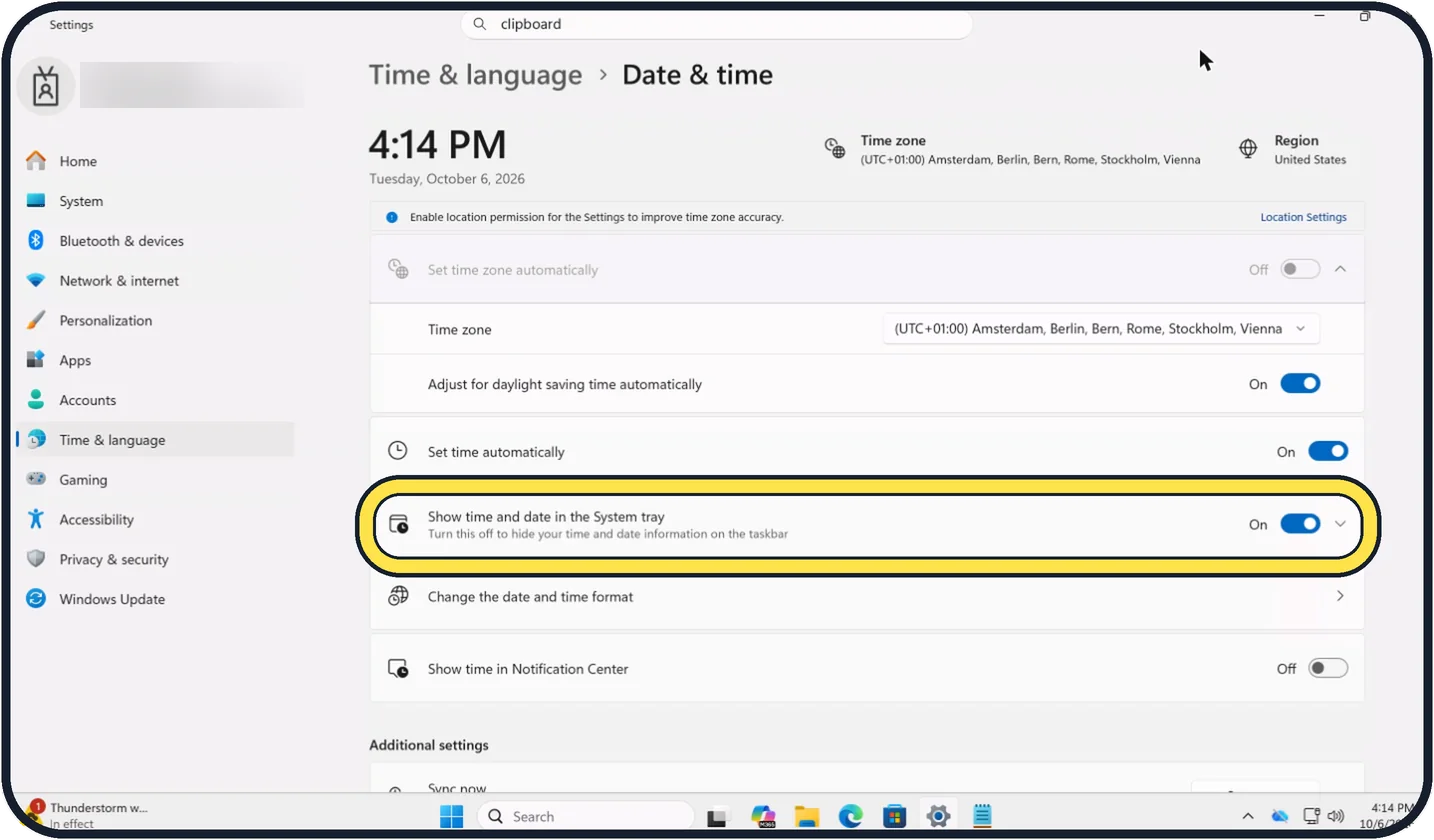
Tap the picture to see it full size Show or hide the clock
On the same page, Show time and date in the System tray decides whether the clock appears on the taskbar. Expand it for more choices, such as showing seconds.
About this guide
A PC with the wrong time shows certificate warnings on websites, cannot sign in to some services and gives files wrong dates. Windows normally keeps the clock right by itself, as long as the two automatic switches are on.
Good to know
If the time is wrong by exactly one or more hours, the time zone is wrong and the clock itself is fine.
A PC that is hours or years off after every start has an empty battery on the mainboard. A repair shop replaces it in a few minutes on a desktop PC.
If the clock is only a little off, click Sync now under Additional settings on the same page.
The same on other devices: Mac showing the wrong time or date: how to fix it and iPhone showing the wrong time: how to fix the date and time.
In short: Settings, Time & language, Date & time, Set time automatically, Set time zone automatically, or choose the zone and click Change to set it by hand.
Links checked in October 2026. Menus and features can change after software updates. These steps match the version named at the top.
Did this guide work for you?
Sorry about that. What happened?