
howtosimply.com/guides/how-to-add-another-user-account-on-windows-11/ · Checked October 2026 · Windows 11 Enterprise 25H2 (build 26200.9457), Microsoft Cloud PC
In this guide
Open Settings, click Accounts, then Other Users, and click Add account next to Add other user. Enter the person's Microsoft account email or phone number. For an account without a Microsoft account, click I don't have this person's sign-in information, then Add a user without a Microsoft account.
6 of 6 steps with real screenshots · 1 official source below
- Device
- Windows
- Shown on
- Windows 11 Enterprise 25H2 (build 26200.9457), Microsoft Cloud PC
- App
- Settings
- Path
- Settings › Accounts › Other Users › Add account
- Real screenshots
- 6 of 6 steps
- Checked
- October 2026
- Sources
- 1 official, linked below
Step by step
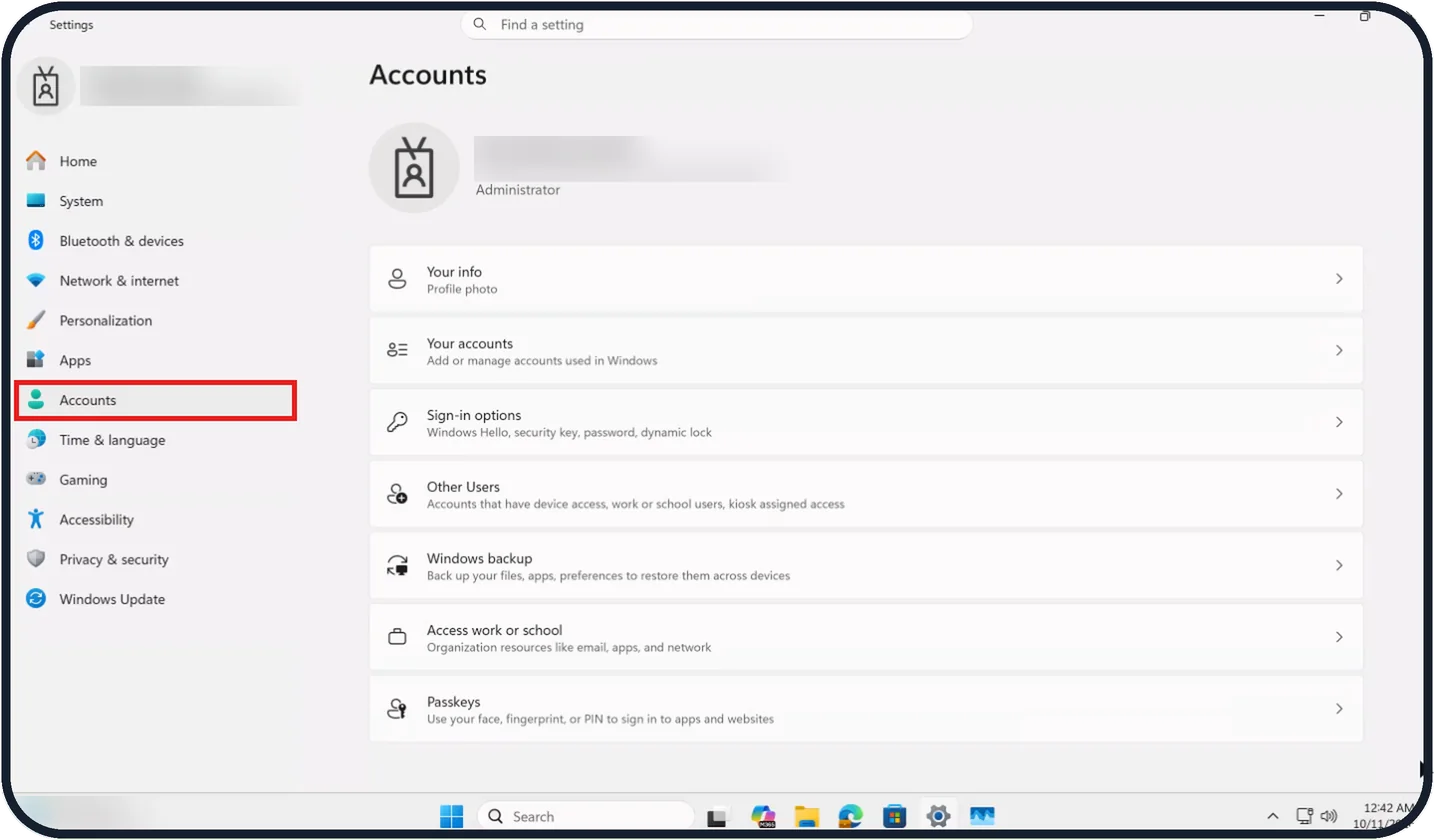
Tap the picture to see it full size Open Settings and click Accounts
Open Start, then Settings, and click Accounts in the sidebar.
On our Cloud PC the Accounts page shows Administrator under the account name and lists seven entries, from Your info to Passkeys.
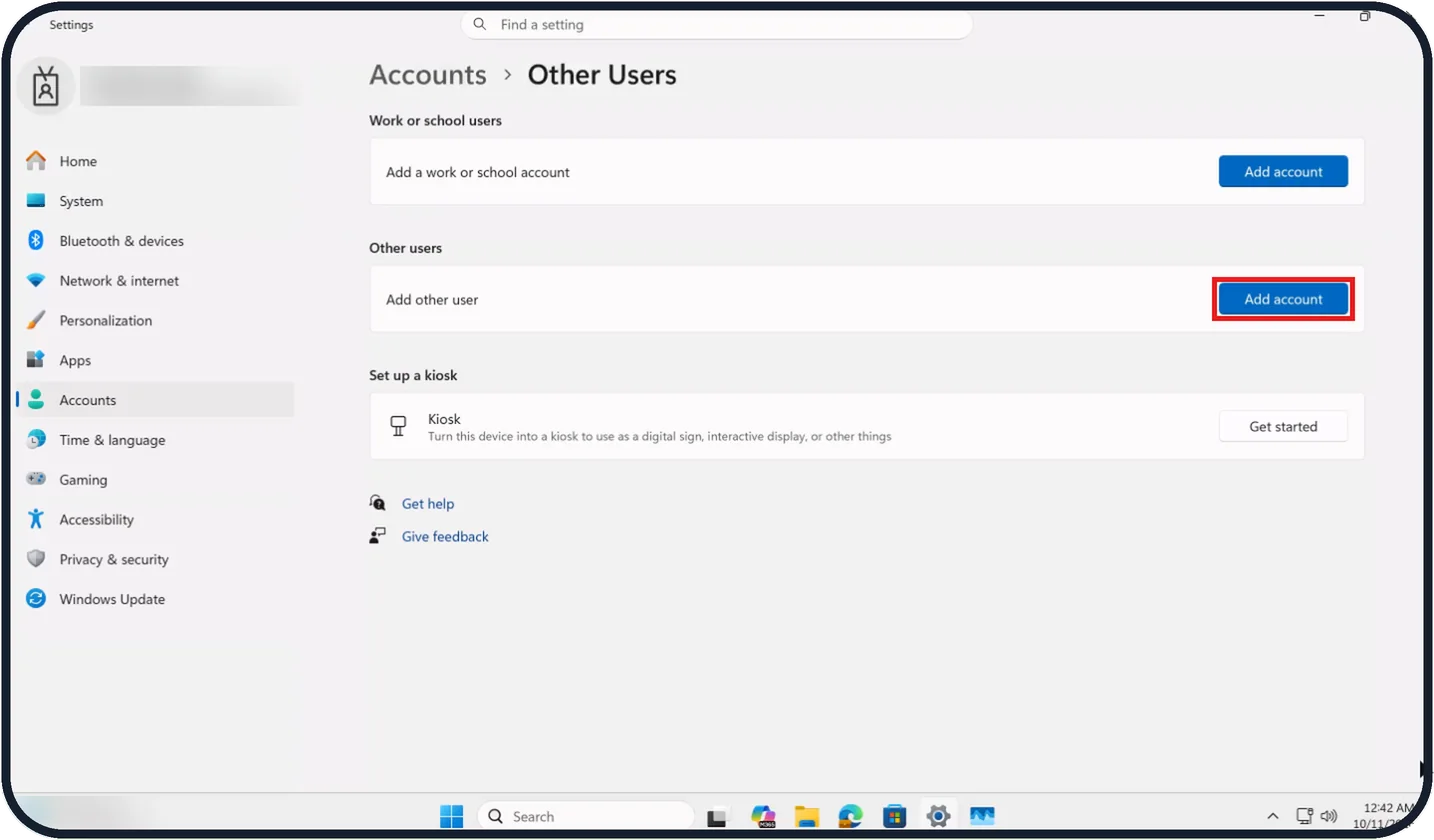
Tap the picture to see it full size Click Other Users, then Add account
Click Other Users. Under Other users, click Add account next to Add other user.
On our Cloud PC, which belongs to an organisation, the page also has Work or school users and Set up a kiosk sections; on a home PC the Work or school users section may not appear.
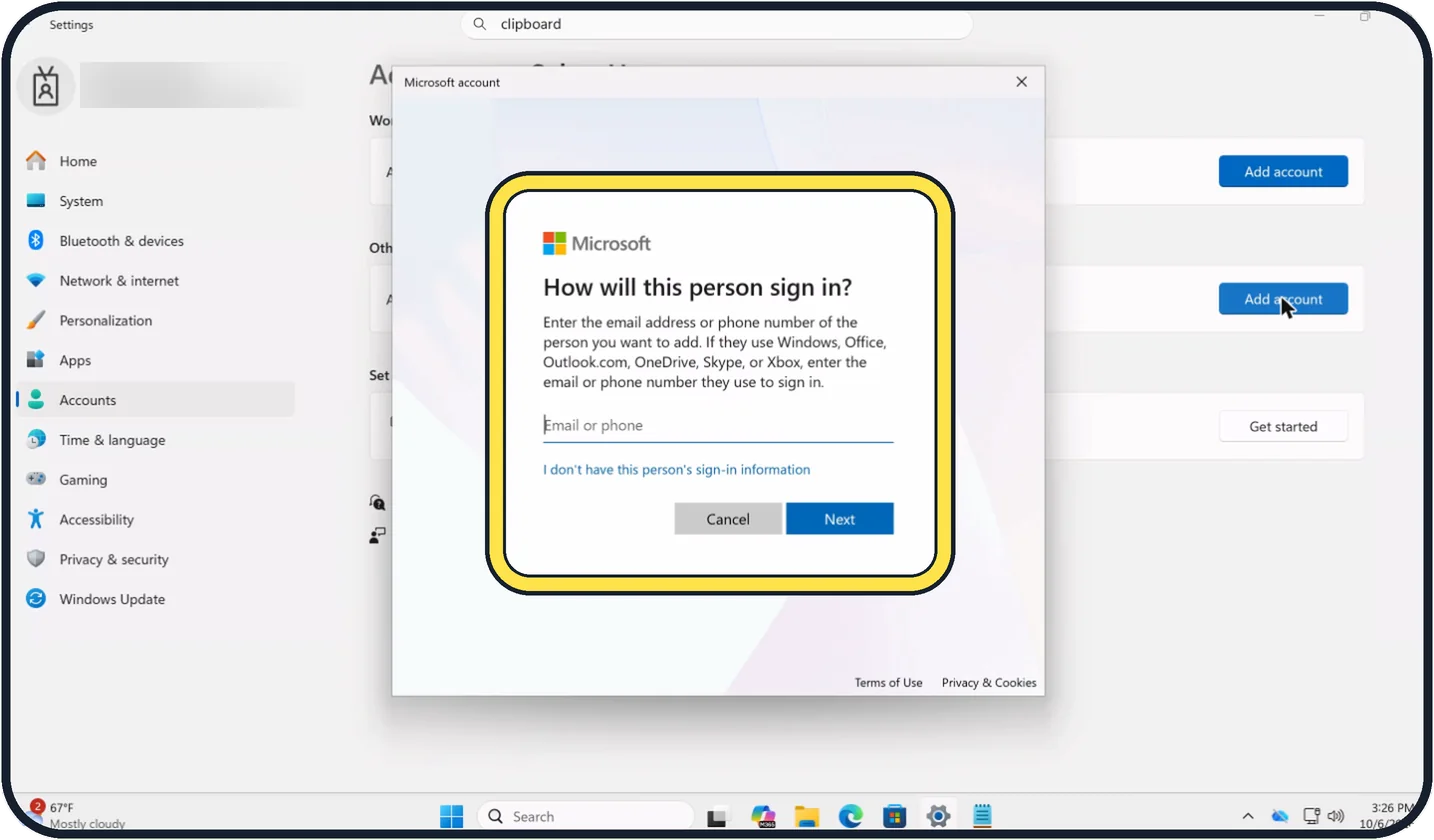
Zoomed in on the setting. Tap to see the whole screenTap the picture to see it full size With a Microsoft account
A window asks How will this person sign in? Type the email address or phone number of the person's Microsoft account in the Email or phone box and click Next.
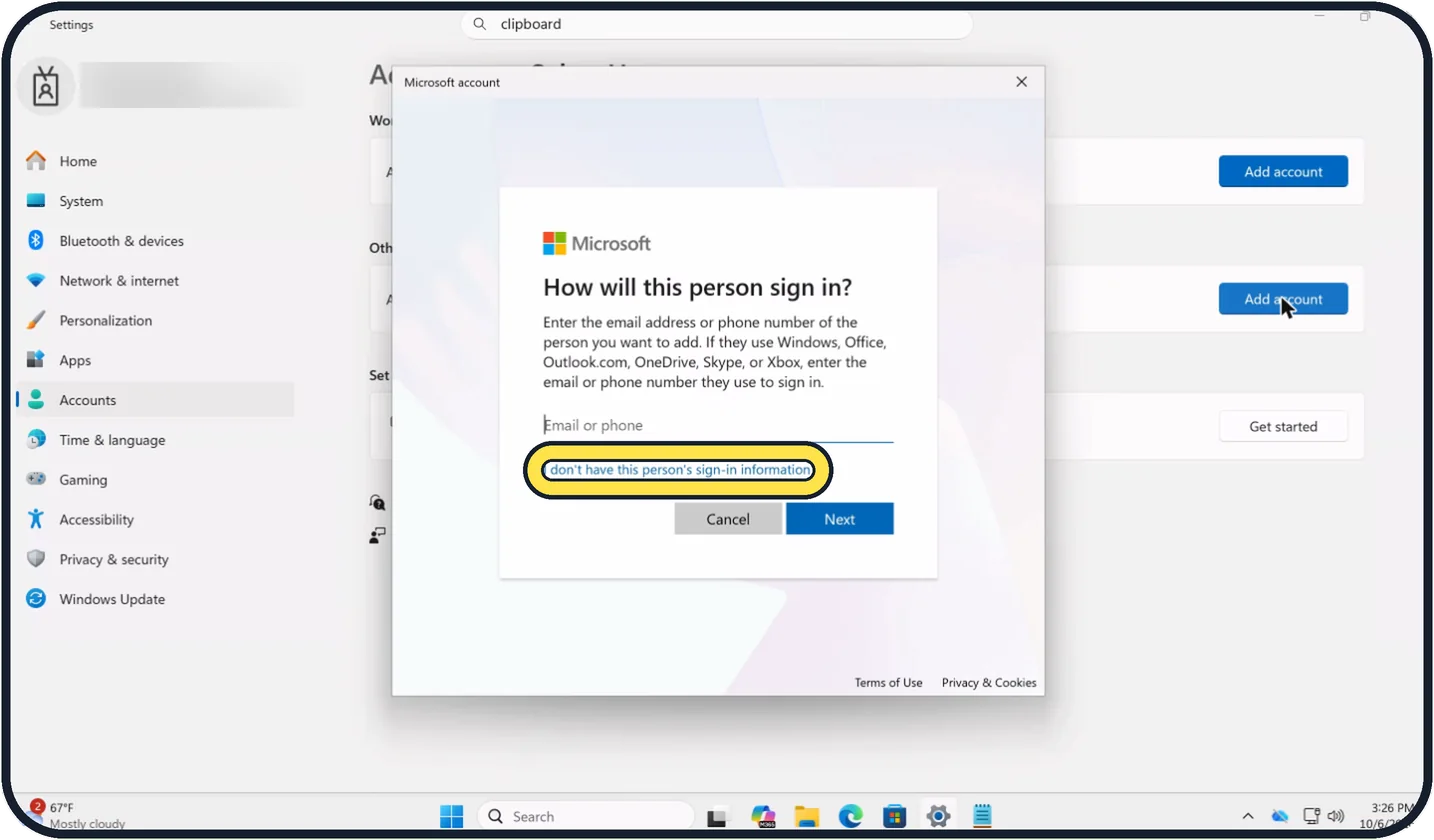
Zoomed in on the setting. Tap to see the whole screenTap the picture to see it full size Without a Microsoft account
Click I don't have this person's sign-in information below the Email or phone box.
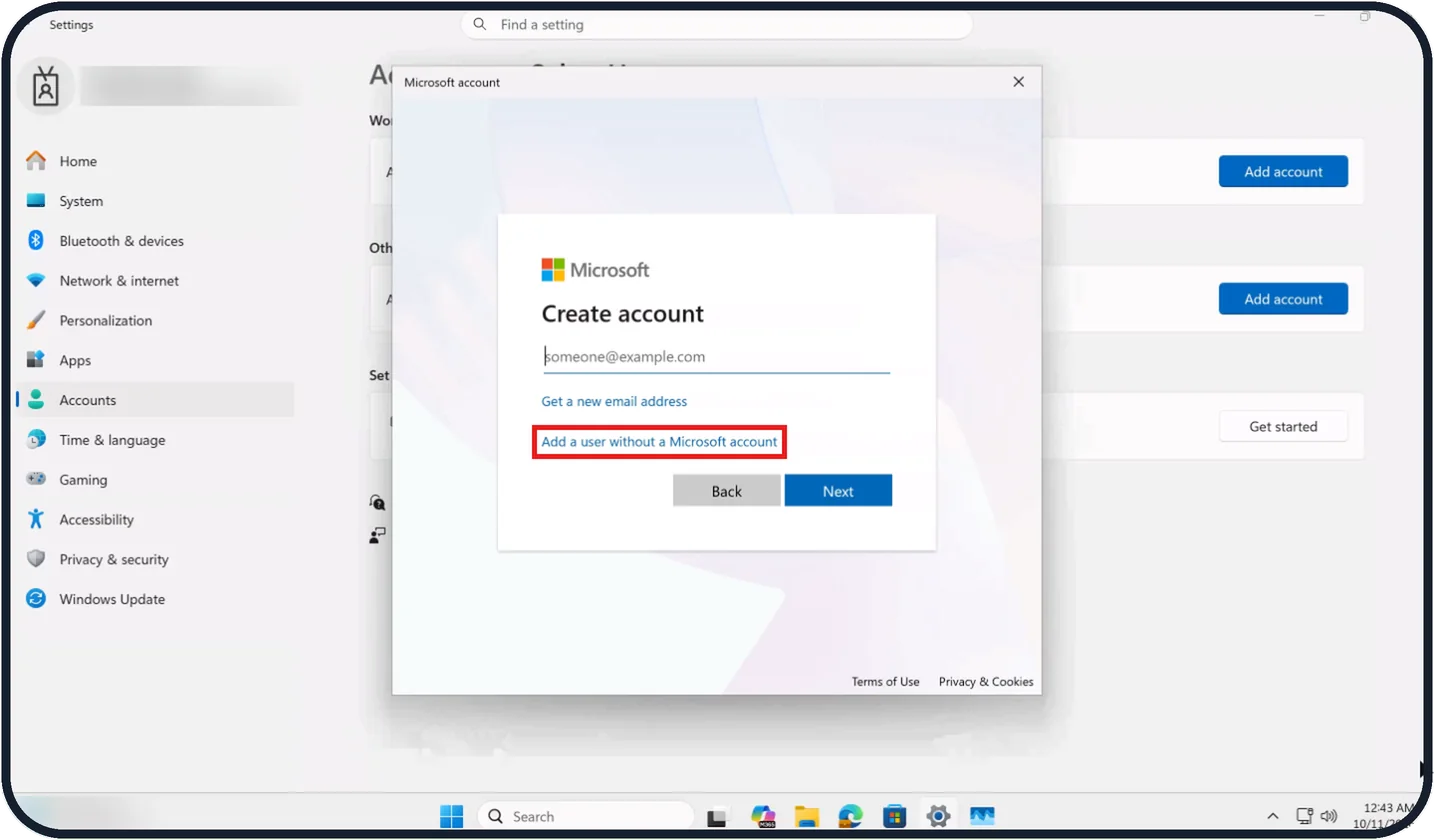
Tap the picture to see it full size Click Add a user without a Microsoft account
On the Create account page, click Add a user without a Microsoft account.
On our Cloud PC this page also offers Get a new email address, with Back and Next buttons below.
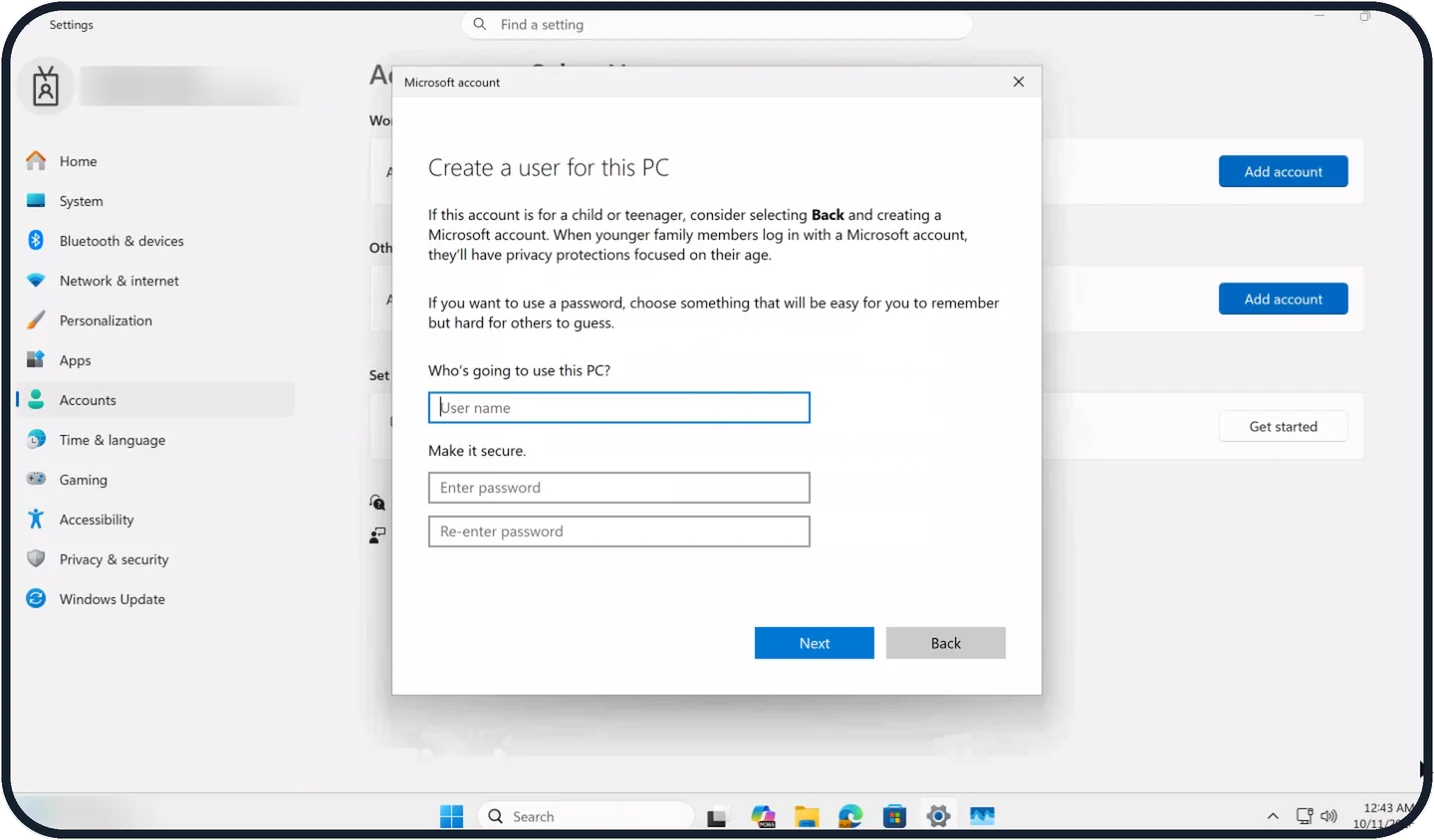
Tap the picture to see it full size Enter a user name and password
On the Create a user for this PC page, type a name in User name under Who's going to use this PC?
Under Make it secure., type the password in Enter password and again in Re-enter password, then click Next.
If you do not see this option
- Other Users is not in the list Make sure Accounts is selected in the sidebar. On our Cloud PC Other Users is the fourth entry, below Sign-in options.
- No Work or school users section That section appears on our Cloud PC because it belongs to an organisation. On a home PC you may see only Other users; use Add account next to Add other user.
- No Add a user without a Microsoft account link It is not on the first page. Click I don't have this person's sign-in information first; the link is on the Create account page, below Get a new email address.
If this does not work
- The window wants an email you do not have Click I don't have this person's sign-in information, then Add a user without a Microsoft account to create an account with just a user name and password. Source: Manage User Accounts in Windows
- You chose the wrong option Click Back on the Create account page or on the Create a user for this PC page to return to the previous page.
- The account is for a child or teenager The Create a user for this PC page suggests selecting Back and creating a Microsoft account instead, so younger family members get privacy protections focused on their age. Source: Manage User Accounts in Windows
About this guide
Each person who uses a PC should have their own account. Their files, browser and settings stay separate from yours, and a guest cannot change or delete your things.
The screenshots are our own, taken on Windows 11 Enterprise 25H2 running as a Microsoft Cloud PC, a Windows PC that runs in the cloud.
Good to know
For a child, use Accounts, Family instead. A family account lets you set screen time and content limits through Microsoft Family Safety.
To remove an account, open Settings, Accounts, Other Users, click the account and click Remove. This deletes that person's files on the PC, so copy anything important first.
Each account needs its own way to sign in. See how to change your PIN on Windows 11.
In short: Settings, Accounts, Other Users, Add account. For a local account: I don't have this person's sign-in information, Add a user without a Microsoft account, then enter a user name and password.
Links checked in October 2026. Menus and features can change after software updates. These steps match the version named at the top.
Did this guide work for you?
Sorry about that. What happened?