
howtosimply.com/guides/whats-new-in-ios-27-2-on-an-iphone-17e/ · Checked October 2026 · iPhone 17e · iOS 27.2
In this guide
- Check you have iOS 27.2
- Software Update shows iOS 27.2
- Before the update it read Download Only
- On iOS 27.0.1 the row was called Tracking
- On iOS 27.2 it is Data Linking Across Companies
- The old switch: Allow Apps to Request to Track
- The new switch has a longer name and note
- The Siri page: Siri off, no Siri AI row
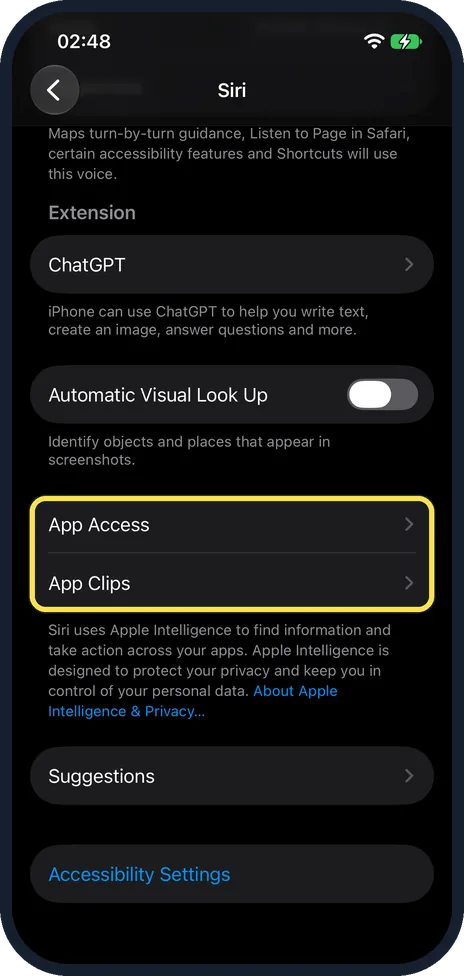
- On iOS 27.0.1: App Access and App Clips
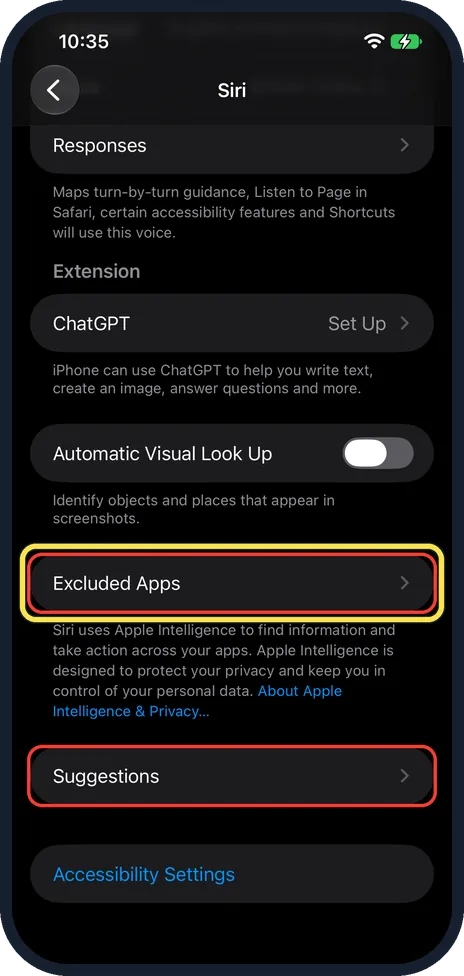
- On iOS 27.2: Excluded Apps in their place
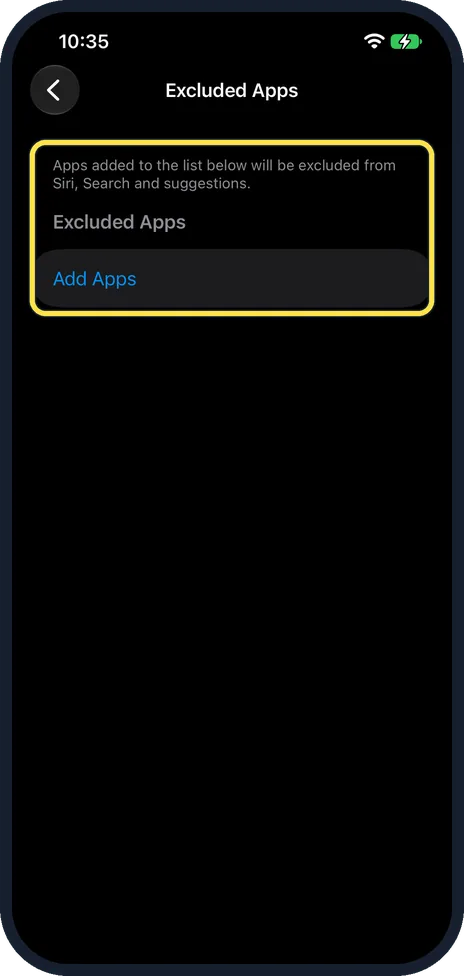
- Excluded Apps keeps apps away from Siri
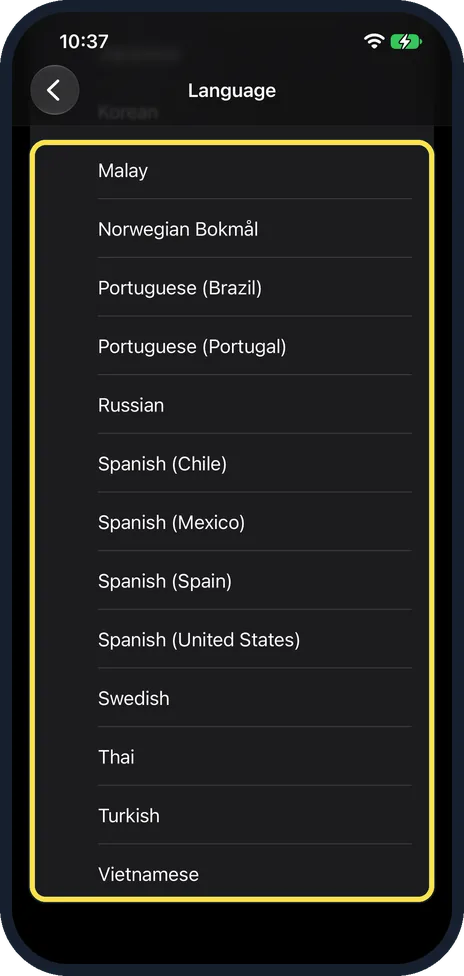
- Siri languages after the update
- Siri languages before: the same end of the list
- If you do not see this option
- If this does not work
- Good to know
- Sources
On our iPhone 17e, iOS 27.2 renamed Tracking to Data Linking Across Companies, renamed its switch, and put Excluded Apps on the Siri page where App Access and App Clips were. Automatic Updates read On after the update. The Siri language list did not change. Apple says Siri AI is not available on iPhone in the EU.
13 of 13 steps with real screenshots · 2 official sources below
- Device
- iPhone
- Shown on
- iOS 27.2 (iPhone 17e), iOS 27.0.1 (iPhone 17e)
- App
- Settings
- Path
- Settings › General › About › iOS Version
- Real screenshots
- 13 of 13 steps
- Checked
- October 2026
- Sources
- 2 official, linked below
Step by step
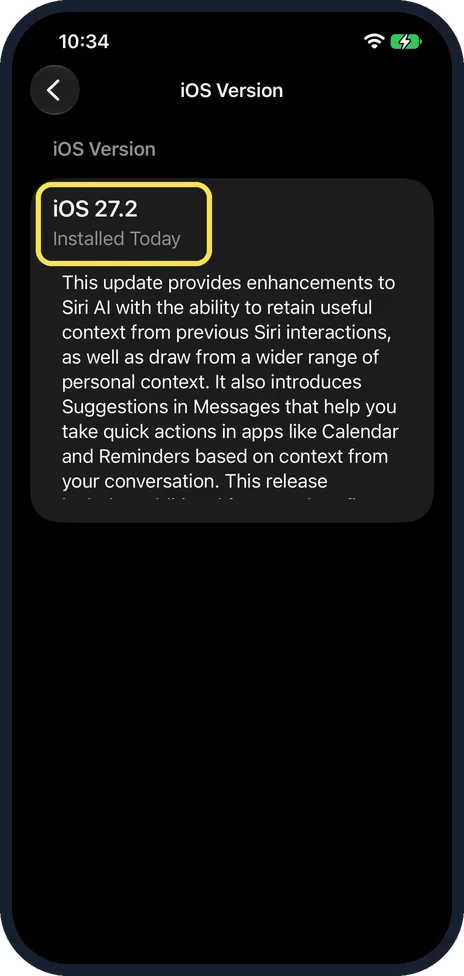
Check you have iOS 27.2
Open Settings, General, About and tap iOS Version. Ours says iOS 27.2, Installed Today, above Apple's notes for the update.
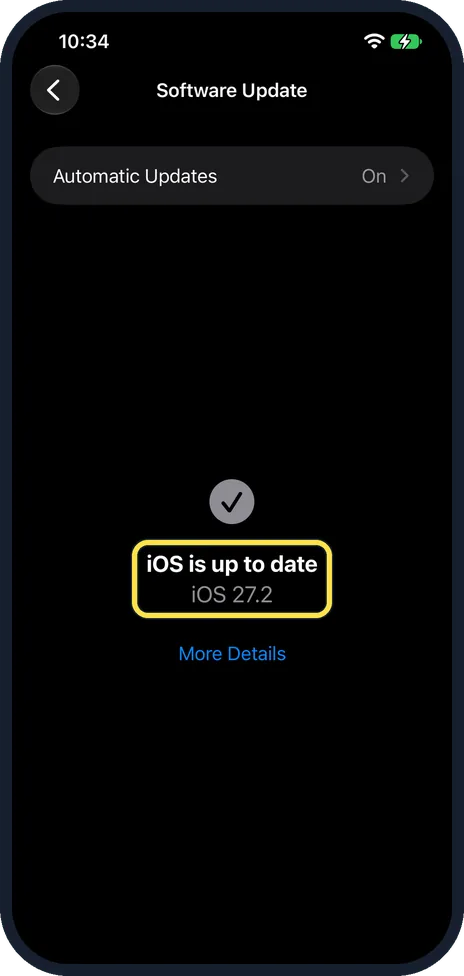
Software Update shows iOS 27.2
General, Software Update said iOS is up to date, iOS 27.2. Automatic Updates, at the top, read On.
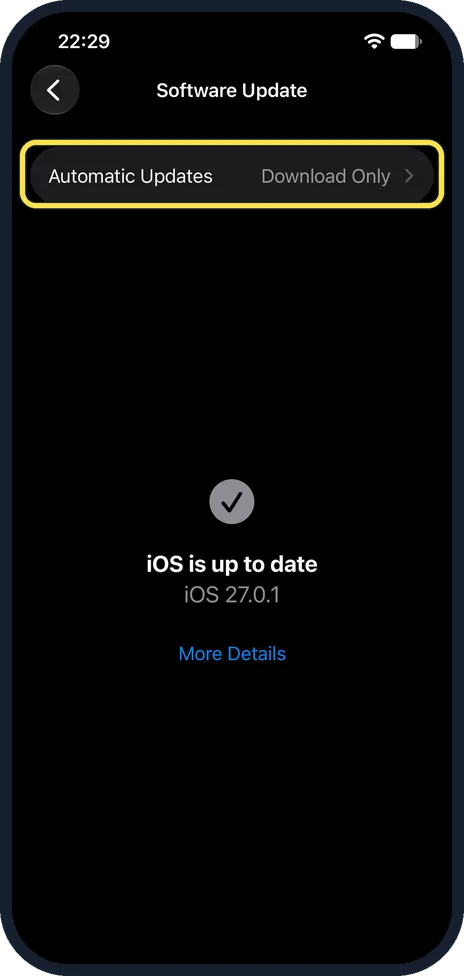
Before the update it read Download Only
On 23 October, on iOS 27.0.1, the same page said iOS is up to date, iOS 27.0.1, and Automatic Updates read Download Only. We did not change it in between, so check that row if you want to choose when updates install.
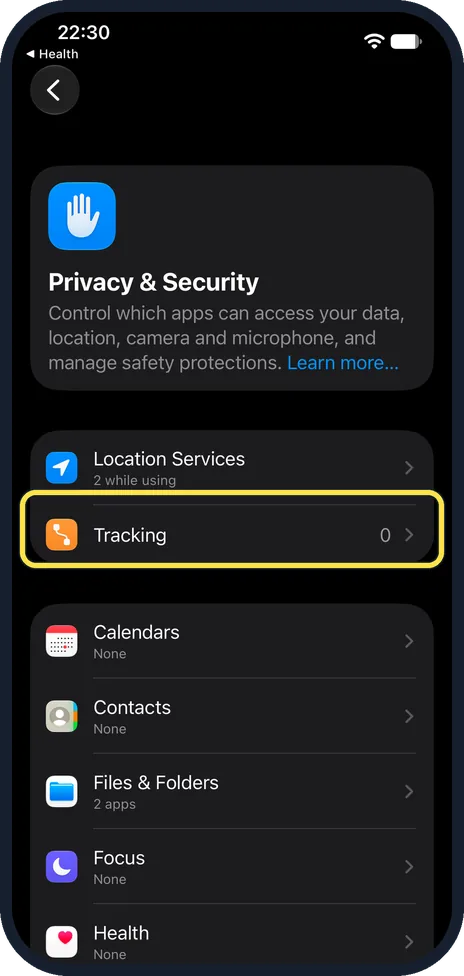
On iOS 27.0.1 the row was called Tracking
Settings, Privacy & Security: before the update, the second row, under Location Services, was Tracking, with an orange icon. Ours showed 0.
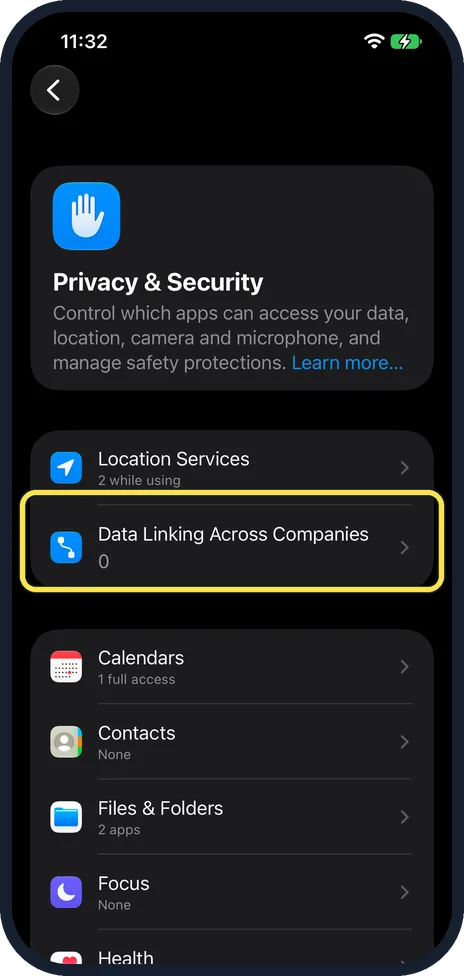
On iOS 27.2 it is Data Linking Across Companies
After the update the same row is Data Linking Across Companies, with a blue icon. It is still under Location Services, and ours still showed 0.
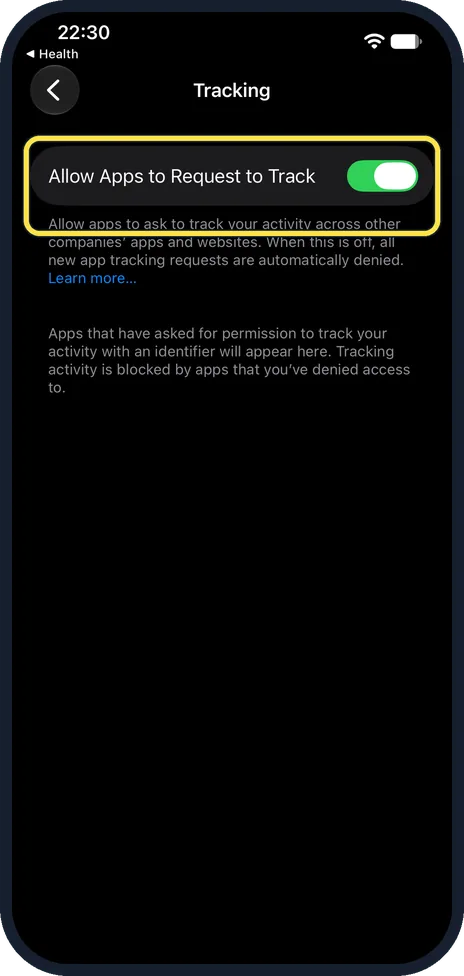
The old switch: Allow Apps to Request to Track
Inside, on iOS 27.0.1, the switch read Allow Apps to Request to Track. Its note said that when it is off, all new app tracking requests are automatically denied. Ours was on.
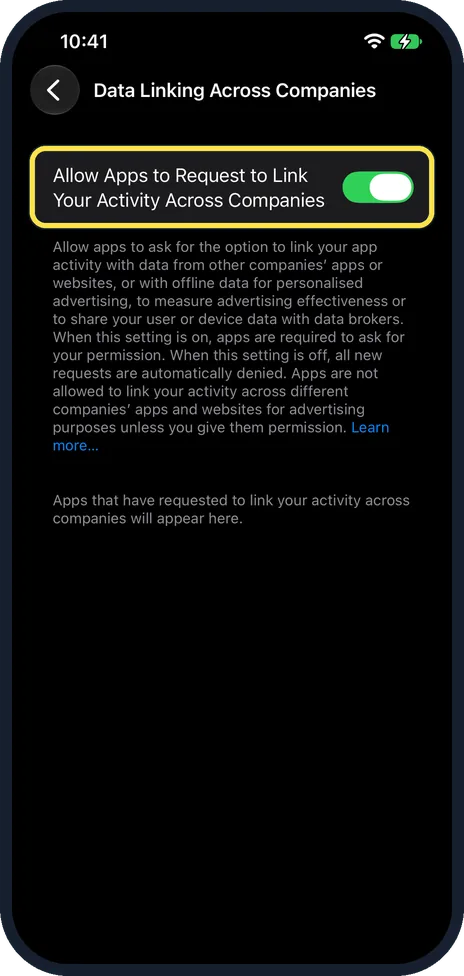
The new switch has a longer name and note
On iOS 27.2 the switch is Allow Apps to Request to Link Your Activity Across Companies. The note now names personalised advertising, measuring advertising effectiveness and sharing your user or device data with data brokers. Ours was still on. Steps: how to stop apps from tracking you on iPhone.
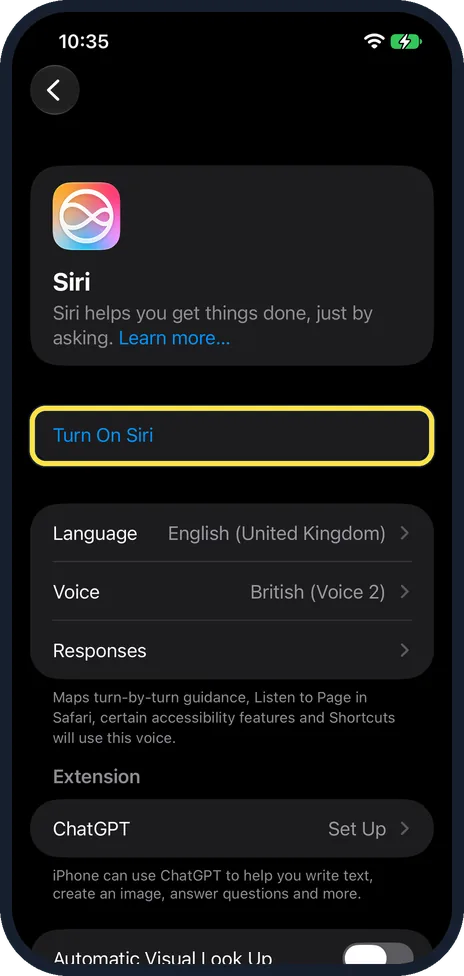
The Siri page: Siri off, no Siri AI row
Settings, Siri on ours starts with Turn On Siri, so Siri was off, and the language is English (United Kingdom). Neither this part of the page nor its end, in step 10, had a Try Siri AI (Beta) row.
On iOS 27.0.1: App Access and App Clips
Before the update, the end of our Siri page had App Access and App Clips, then Suggestions and Accessibility Settings.
On iOS 27.2: Excluded Apps in their place
After the update, App Access and App Clips are gone. Excluded Apps is there instead, above Suggestions, which was there before too. Apple's notes say Excluded Apps lets you choose which apps Siri, Search, and suggestions can access, all from one setting. The red boxes are from our capture.
Excluded Apps keeps apps away from Siri
The page says: Apps added to the list below will be excluded from Siri, Search and suggestions. Ours was empty, with Add Apps. Steps: how to stop Siri using an app on an iPhone.
Siri languages after the update
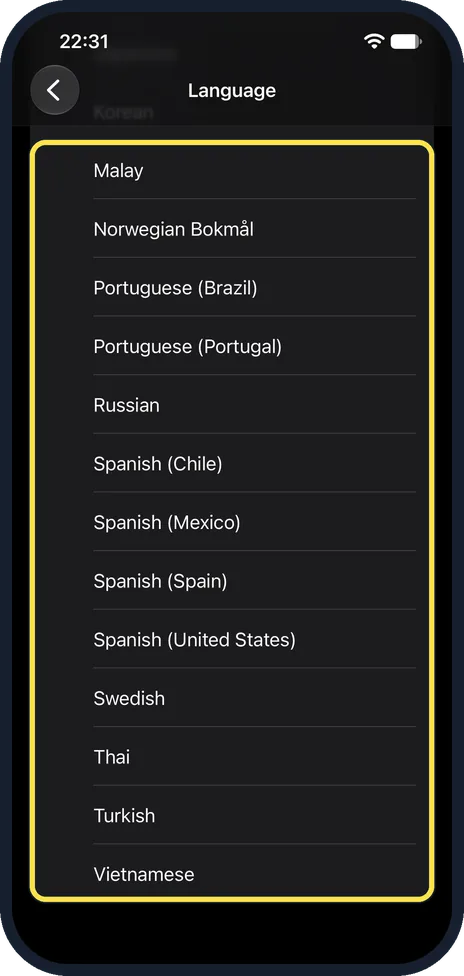
Siri, Language on iOS 27.2 ends with Spanish (Spain), Spanish (United States), Swedish, Thai, Turkish and Vietnamese.
Siri languages before: the same end of the list
On iOS 27.0.1, on 23 October, the list ended with the same entries, from Malay to Vietnamese. The five new languages in Apple's notes are for Siri AI, not this list.
If you do not see this option
- No Siri AI features or Try Siri AI (Beta) row? Apple says Siri AI is not available for iOS in the EU. Where it is offered, you go to Settings, Siri and tap Try Siri AI (Beta), turning Siri on first, and you join a waitlist. Your device language and Siri language must be the same supported language, currently English, and your Apple Account must be in an eligible region. Apple's iOS 27.2 notes add that some features may not be available in all regions or on all iPhone models. Siri was off on our iPhone 17e and its Siri page had no Try Siri AI (Beta) row, so we saw none of the Siri AI features in the notes. Sources: How to get Siri AI, About iOS 27 Updates
- No new Siri languages? Apple's notes say Siri AI now supports French, Japanese, Korean, Portuguese and Spanish, and that Siri AI is not available in the EU or mainland China. The Siri language list itself ended the same way before and after the update on ours. Source: About iOS 27 Updates
- No New Episodes or Continue Playing in Podcasts? Apple's notes say the Podcasts Home tab now has these two sections. We did not see them on our iPhone, so we cannot show them. Source: About iOS 27 Updates
If this does not work
- Still on iOS 27.0.1? On 23 October our Software Update page said iOS is up to date, iOS 27.0.1. Apple's About iOS 27 Updates page, with the iOS 27.2 notes, is dated 26 October 2026. Open General, Software Update again to get it. Source: About iOS 27 Updates
- Updates now install by themselves? On ours, Automatic Updates read Download Only on iOS 27.0.1 and On after the update to 27.2, without us changing it. Open General, Software Update, tap Automatic Updates and set it the way you want.
About this guide
We compared the same screens on our iPhone 17e before the update, on iOS 27.0.1 (19 and 23 October 2026), and after it, on iOS 27.2 on 27 October 2026. Each before screen is shown next to its after screen. Both sets are in Dark mode. Siri was off throughout.
EU limits: Apple says Siri AI is not available for iOS in the EU, and its iOS 27.2 notes say the new Siri AI features are not available in the EU or mainland China. We saw none of them on our iPhone.
Good to know
Apple's notes also list Suggestions in Messages, edits to Shared Albums in Photos, SynthID watermarking, a Friends tab update in Games, Simple Profiles in the Apple TV app and sign-language interpreters or live captioners in FaceTime calls. These need real chats, albums, games, a TV account or a call, so we did not check them.
To keep an app out of Siri, Search and suggestions, see how to stop Siri using an app on an iPhone.
To stop apps asking to link your activity, see how to stop apps from tracking you on iPhone.
On a Mac: what's new in macOS 27.2 on a MacBook Neo.
In short: iOS 27.2 on our 17e: Tracking is now Data Linking Across Companies; Excluded Apps replaces App Access and App Clips on the Siri page; Automatic Updates read On; Siri languages unchanged.
Links checked in October 2026. Menus and features can change after software updates. These steps match the version named at the top.
📷 See real photos from the iPhone 17e in our Camera Lab, next to 10 other phones.
Did this guide work for you?
Sorry about that. What happened?