ANDROID
OPPO not getting notifications? What to check (ColorOS 16)
Open Settings, Apps, App management, the app, and make sure Allow notifications is on. Then open its Battery usage and pick Allow background activity, as OPPO advises, and check that Do Not Disturb is off.

6 of 6 steps show a real screenshot from our Reno13 5G. Each step was checked against the maker's own instructions, linked at the end.
Steps
- 1
Open the app's App info
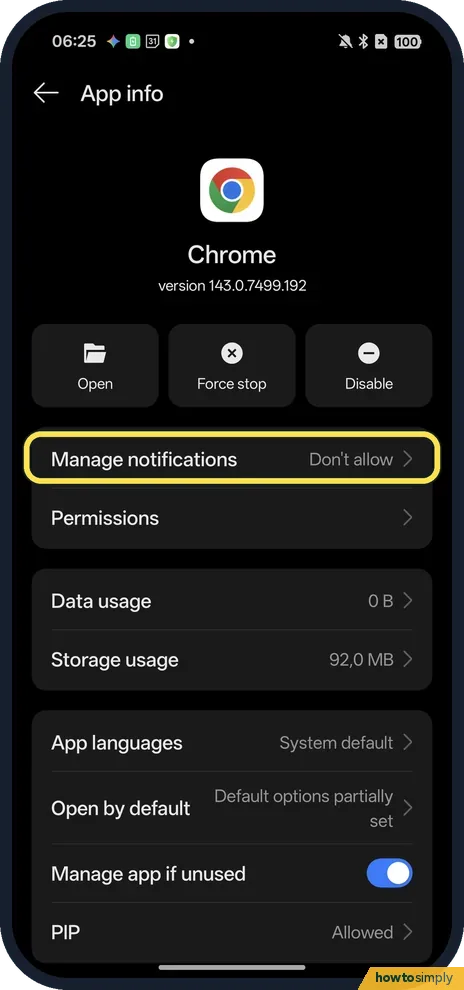
Open Settings, Apps, App management and tap the app. On ours, Chrome's Manage notifications said Don't allow. Tap Manage notifications.
- 2
Turn on Allow notifications
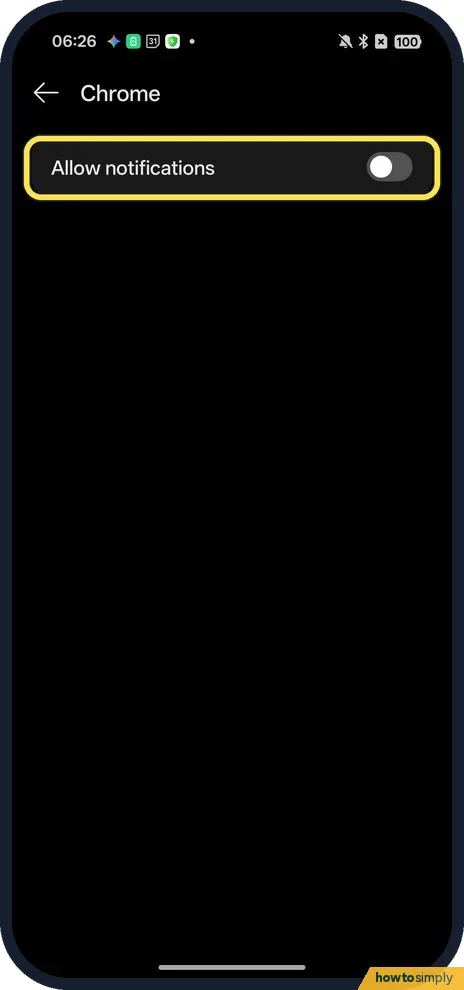
The page has one main switch, Allow notifications. It was off for Chrome on ours. Turn it on for the app you want to hear from.
- 3
Open the app's Battery usage
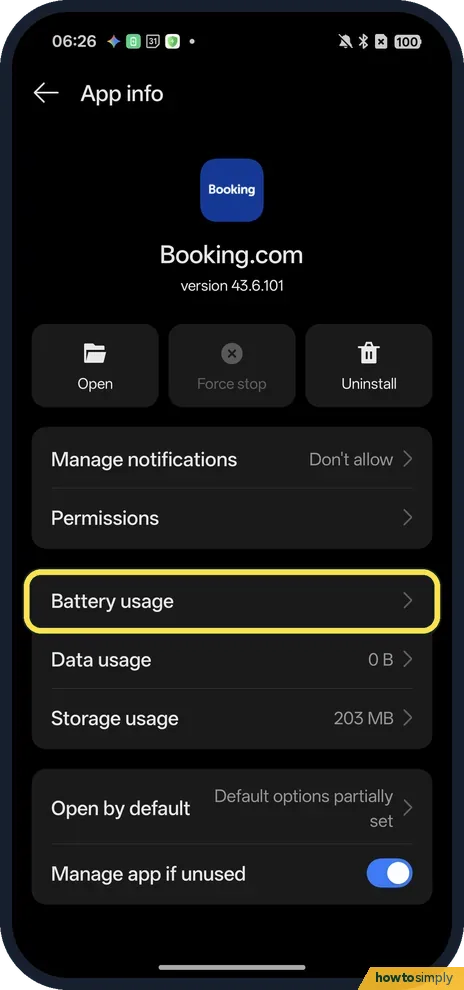
Go back to App info and tap Battery usage, below Permissions. Chrome has no Battery usage row on ours, so this is Booking.com's App info.
- 4
Choose Allow background activity
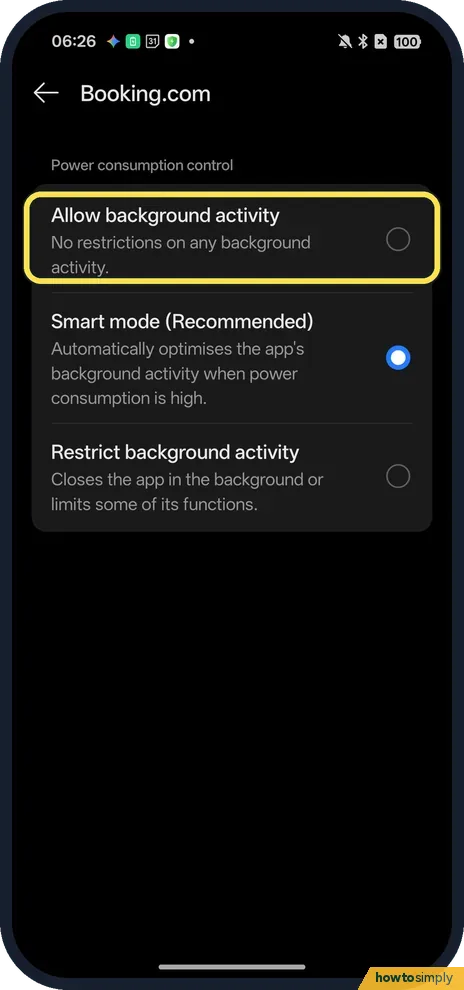
OPPO says to enable Allow background activity for an app whose notifications do not arrive, on ColorOS 12 and above. The other choices are Smart mode (Recommended), which ours was on, and Restrict background activity.
- 5
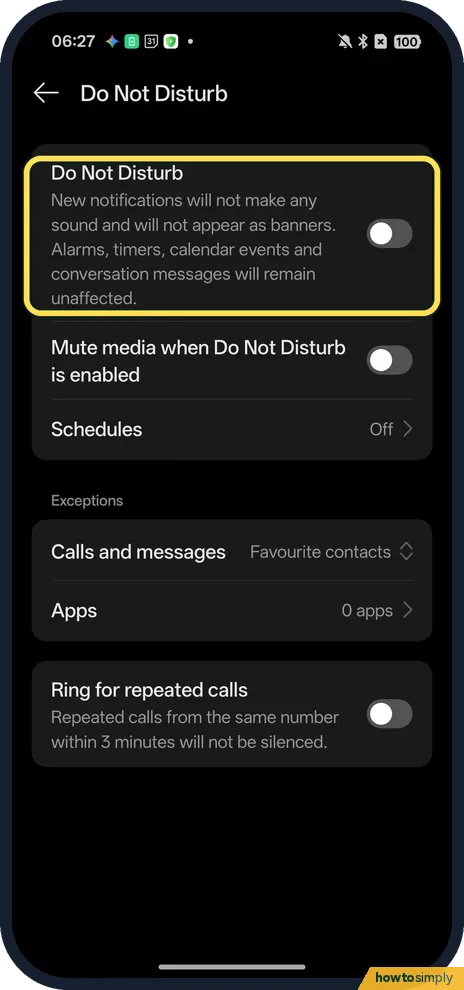
Check Do Not Disturb
Open the Do Not Disturb page in Settings (our Do Not Disturb guide shows the way). Ours was off. When it is on, the page says new notifications make no sound and do not appear as banners; Exceptions decide who still gets through.
- 6
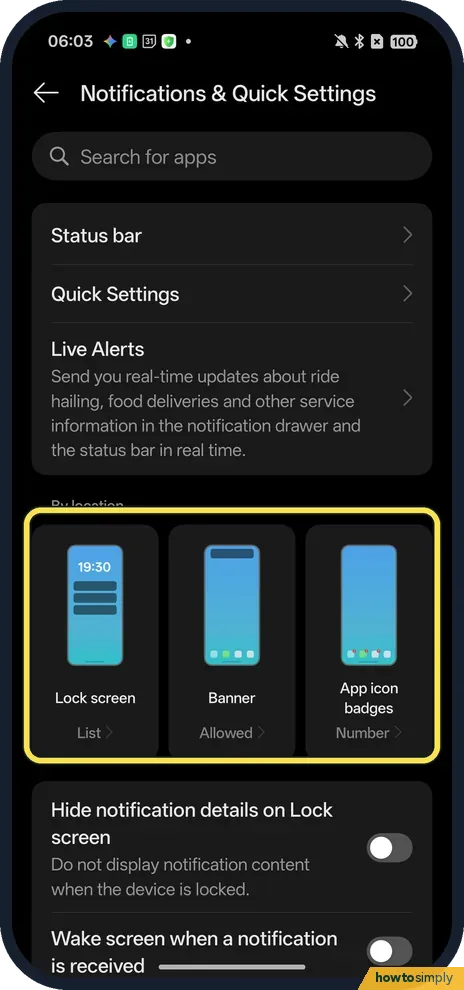
Check how notifications are shown
In Settings, Notifications & Quick Settings, ours showed Lock screen List, Banner Allowed and App icon badges Number. Further down, Wake screen when a notification is received was off.
If you do not see this option
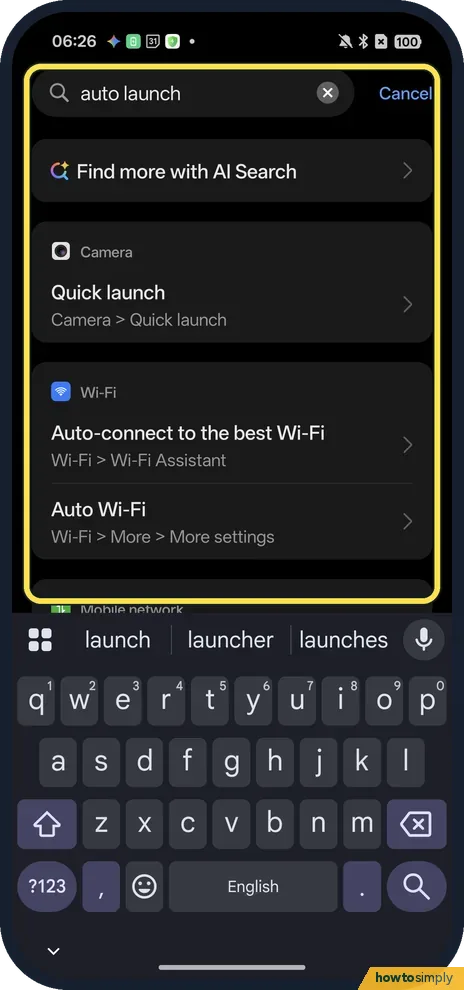
- No Auto-launch setting? OPPO's help mentions a Startup Manager on some phones. On ours a Settings search for auto launch found no such setting, only rows such as Camera Quick launch and Auto Wi-Fi. Source: What to Do if OPPO Phone is Not Receiving App Notifications
- No Battery usage row? Chrome, preinstalled on ours, had none on App info. Its notification switch is still the first thing to check.
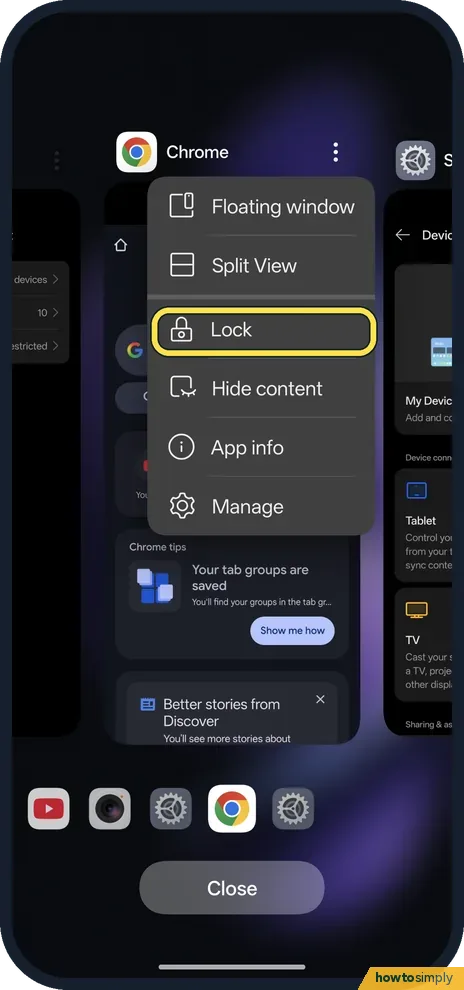
- App closes in the background? OPPO says to open recent apps, tap the three dots on the app's card and tap Lock, so it keeps running. Ours shows Lock in that menu. Source: What to Do if OPPO Phone is Not Receiving App Notifications
If this does not work
- Notifications arrive late at night? Sleep standby optimisation, in Battery, Power saving settings, was on on ours. The page says the device uses less power when you are asleep and that app notifications will be delayed. Turn it off if that matters to you.
- Still nothing from one app? OPPO lists more checks: Power saving mode and Airplane mode off, a working mobile or Wi-Fi connection, the latest version of the app from the Play Store, and the latest system update. See how to update an OPPO phone.
- Only calls from some people ring? Check Exceptions on the Do Not Disturb page. Ours allowed calls and messages from Favourite contacts and 0 apps.
Good to know
These settings are per app, so changing one app does not affect the others. Allow background activity lets that app keep running when you are not using it, which can use a little more battery; if battery life drops, see OPPO battery draining fast.
If you want fewer notifications rather than more, the same switch works the other way: turn off notifications for one app. For quiet hours that still let important calls through, set up Do Not Disturb with exceptions.
About this guide
- Device
- Android
- Shown on
- OPPO Reno13 5G (CPH2689, EEA), ColorOS 16.0.5, Android 16 (build CPH2689_16.0.5.1001(EX01))
- App
- Settings
- Path
- Settings › Apps › App management
- Real screenshots
- 6 of 6 steps
- Checked
- October 2026
- Sources
- 1 official, linked below
Sources
Links checked October 2026. Menus and features can change with updates.Spotted a mistake? Menus change with updates, and we want every step to match your screen. Email us about this page or use the contact form. We read every report, and fixes are listed on What changed.
Liked this guide?
Follow us for new guides and short how-to videos.
Did this guide work for you?
Sorry about that. What happened?