
macOS 27 compared with macOS 26: We rewrote this guide on macOS 27.0.1 (MacBook Neo): it now has 3 steps instead of 7. The macOS 26 page keeps the steps and screenshots as they were.
howtosimply.com/guides/mac-keeps-restarting-7-things-to-check/ · Checked October 2026 · MacBook Neo · macOS 27.0.1
In this guide
Install all macOS and app updates, then shut the Mac down and unplug every device except the display, keyboard and mouse. If the restarts stop, plug devices back in one at a time to find the one at fault. If they continue, start in safe mode.
3 of 3 steps with real screenshots · 2 official sources below
- Device
- Mac
- Shown on
- macOS 27.0.1 (MacBook Neo)
- App
- System Settings
- Real screenshots
- 3 of 3 steps
- Checked
- October 2026
- Sources
- 2 official, linked below
Step by step
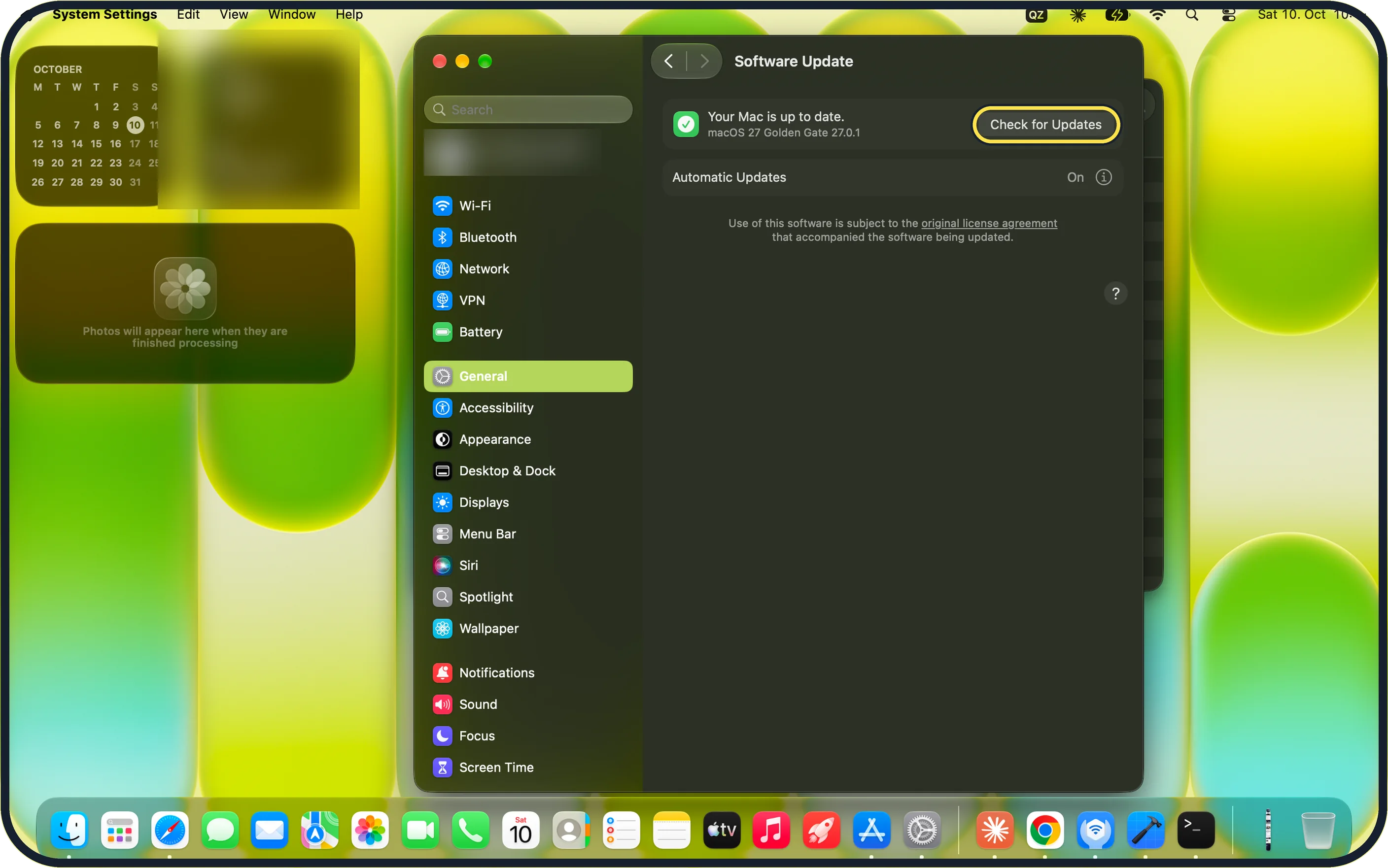
Zoomed in on the setting. Tap to see the whole screenTap the picture to see it full size Install all updates
Open System Settings, click General, then Software Update, click Check for Updates and install everything on offer. Apple's macOS 27 guide says the Apple menu shows the number of App Store updates next to App Store. In our step 2 picture, App Store shows no count. Our MacBook Neo reports Your Mac is up to date, macOS 27 Golden Gate 27.0.1.
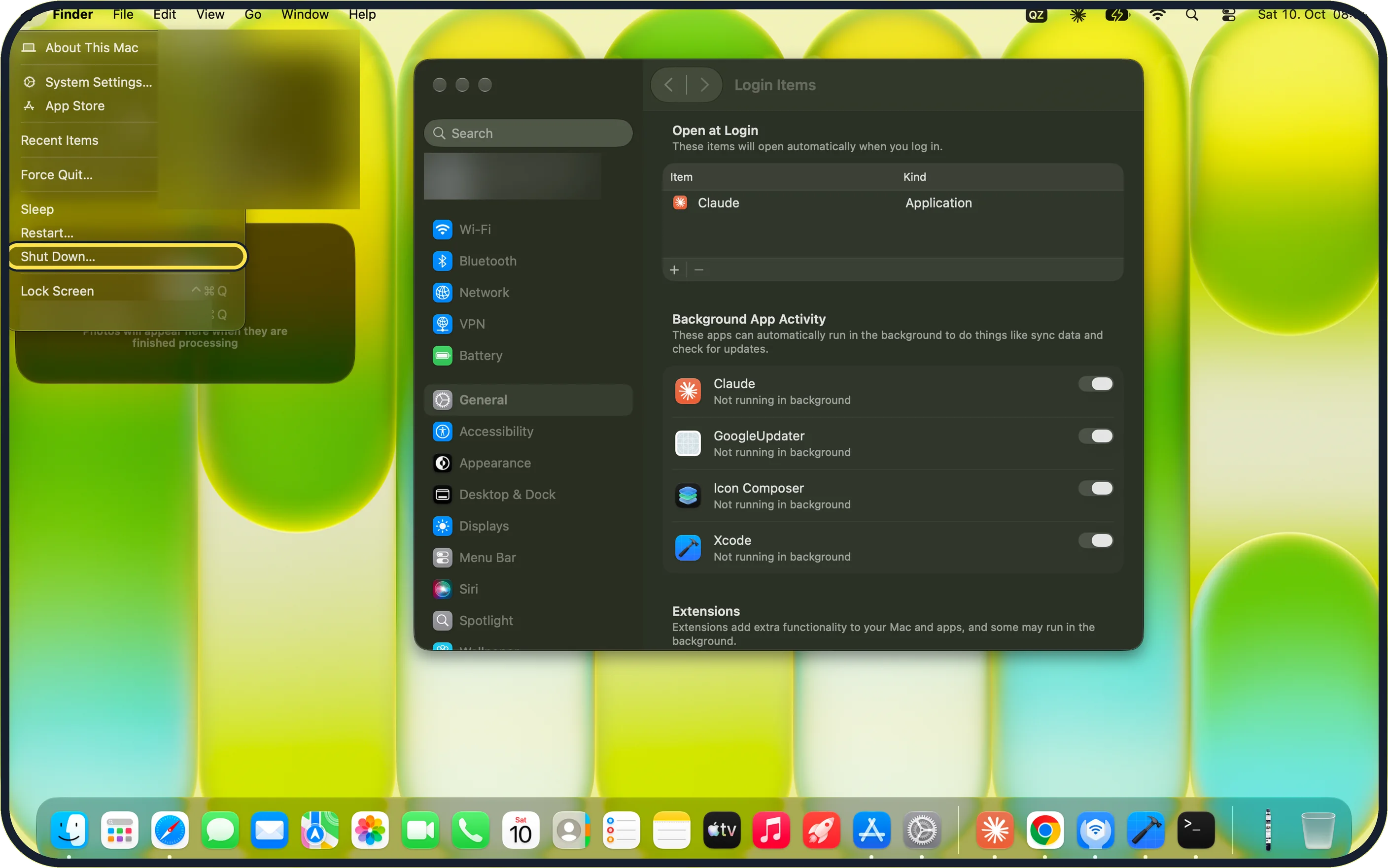
Zoomed in on the setting. Tap to see the whole screenTap the picture to see it full size Unplug everything
Choose Apple menu, Shut Down… and disconnect drives, printers, hubs and other devices. Start the Mac and use it the way you did when the restarts happened. If it stays stable, plug the devices back in one at a time to find the one at fault. On our MacBook Neo, Shut Down… is directly below Restart….
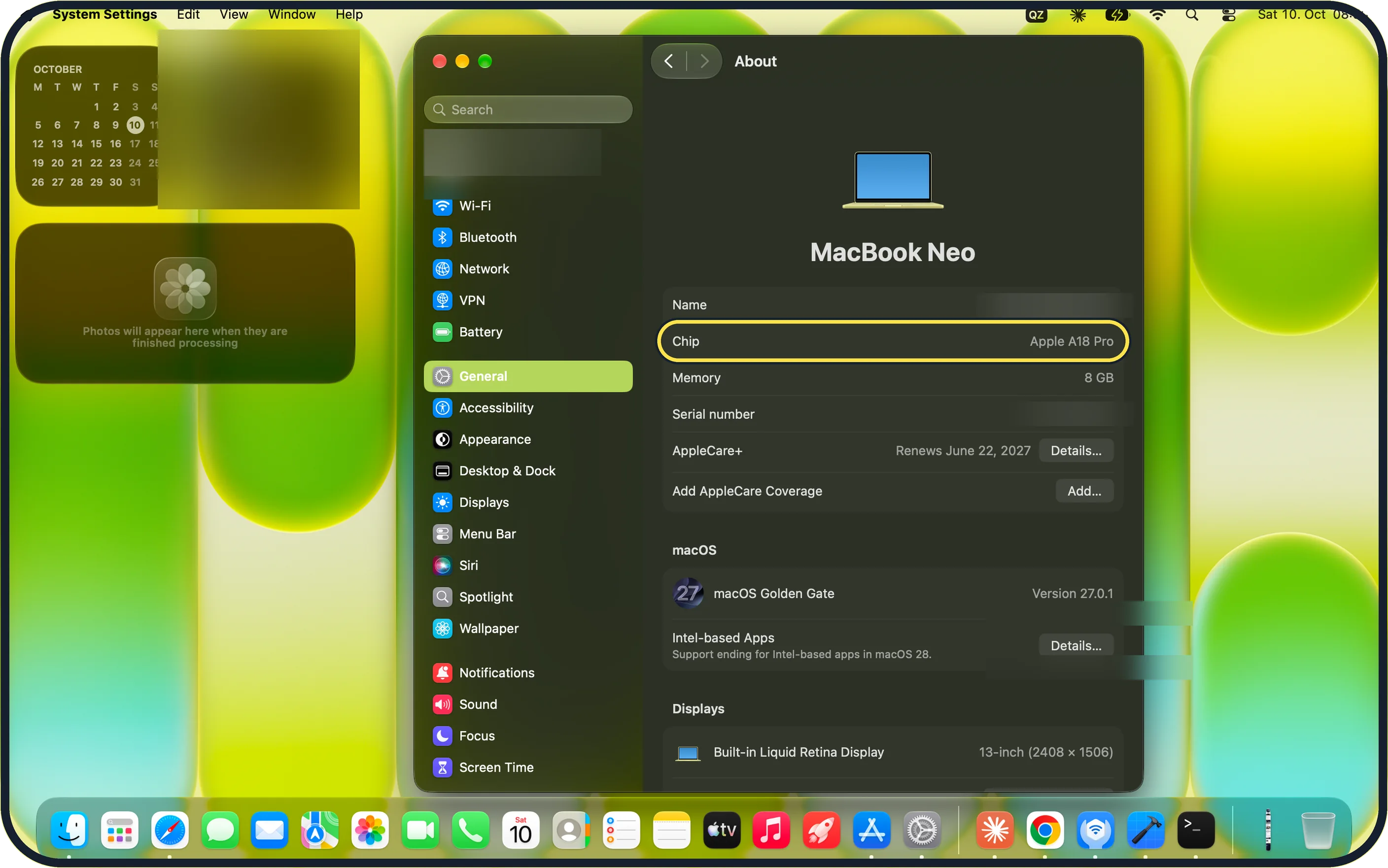
Zoomed in on the setting. Tap to see the whole screenTap the picture to see it full size Check the chip, then start in safe mode
Open System Settings, General, About. Apple's safe mode page: if About lists Chip, the Mac has Apple silicon. Then shut down, hold the power button until Loading startup options appears, select a volume, hold Shift and click Continue in Safe Mode. On our MacBook Neo, About lists Chip: Apple A18 Pro.
If you do not see this option
- No Chip line on the About page If About lists Processor with an Intel name, use Apple's steps for an Intel-based Mac: restart and hold Shift until the login window appears. Our MacBook Neo lists Chip: Apple A18 Pro. Source: Start up your Mac in safe mode
- The message names an app Move that app to the Trash and ask its maker for a newer version. Our MacBook Neo's About page also lists Intel-based Apps with the note Support ending for Intel-based apps in macOS 28.
If this does not work
- Restarts in safe mode too Run Apple Diagnostics with the devices unplugged: see how to run Apple Diagnostics on a Mac, and note any reference code for Apple Support. Our MacBook Neo has Apple silicon (Apple A18 Pro), so it uses the Apple silicon steps.
- Still restarting Reinstall macOS from macOS Recovery: Apple's macOS 27 guide says Recovery keeps your files and user settings. On our MacBook Neo, with Apple silicon, shut down and hold the power button until Options appears, then click Continue.
About this guide
After an unexpected restart, the Mac shows a message that it restarted because of a problem. A single restart is nothing to worry about. Repeated ones need the steps below.
Screenshots: MacBook Neo, macOS 27.0.1, dark mode.
Good to know
If nothing helps, Apple's last software step is to reinstall macOS from macOS Recovery. This keeps your files, but make a backup first: how to back up a Mac with Time Machine.
A Mac that switches off when it gets hot or when the battery is low is a different fault. See Mac fan loud all the time: 6 things to check.
In short: Update, remove the named app, unplug devices, test, reconnect one by one, safe mode, Apple Diagnostics.
- Apple Support: If your Mac restarted because of a problem
- Apple Support: Start up your Mac in safe mode
Links checked in October 2026. Menus and features can change after software updates. These steps match the version named at the top.
Did this guide work for you?
Sorry about that. What happened?