
What changed: new screenshots from our own iPhone 17e on iOS 27.0.1, dark mode, and the wording checked against those screens.
howtosimply.com/guides/iphone-alarm-not-going-off-8-things-to-check/ · Checked October 2026 · iPhone 17e (iOS 27.0.1) and iPhone 14 Pro (iOS 27.0.1)
In this guide
Open the Clock app and check the alarm is switched on, set for the right days and has a sound that is not None. Then raise the Ringtone slider under Settings, Sounds & Haptics (called Ringtone and Alerts on iOS 26 and earlier). Silent mode and Do Not Disturb do not mute alarms, but a volume of zero does.
7 of 8 steps with real screenshots · 1 official source below
- Device
- iPhone
- Shown on
- iOS 27.0.1 (iPhone 17e), iOS 27.0.1 (iPhone 14 Pro)
- App
- Clock
- Real screenshots
- 7 of 8 steps
- Checked
- October 2026
- Sources
- 1 official, linked below
Step by step
Check the alarm is on and set for today
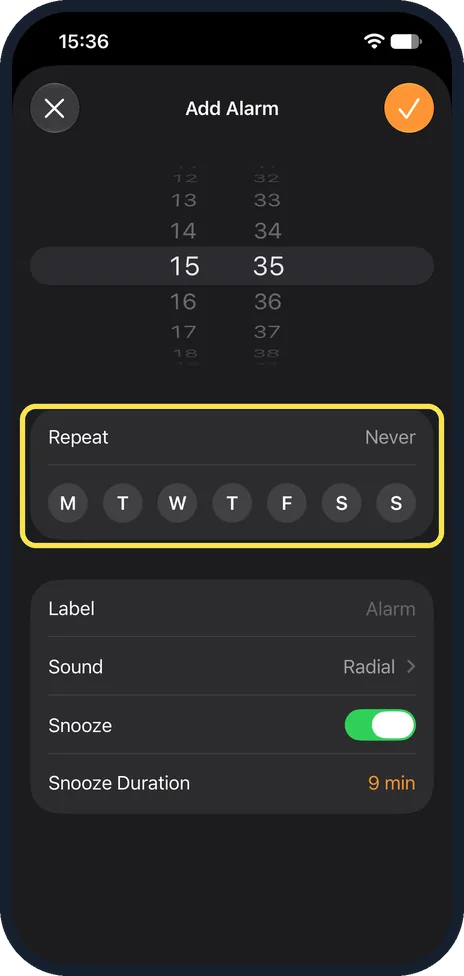
Open Clock, Alarms. The switch must be green. Tap the alarm and look at Repeat: an alarm set for weekdays stays silent at the weekend. On our iPhone 17e with iOS 27.0.1 the days are buttons, M T W T F S S, right under Repeat on the alarm page itself (shown here on Add Alarm, which has the same layout).
Check AM and PM
On a 12-hour clock, 7:00 PM instead of 7:00 AM is the classic mistake.
Check the alarm sound
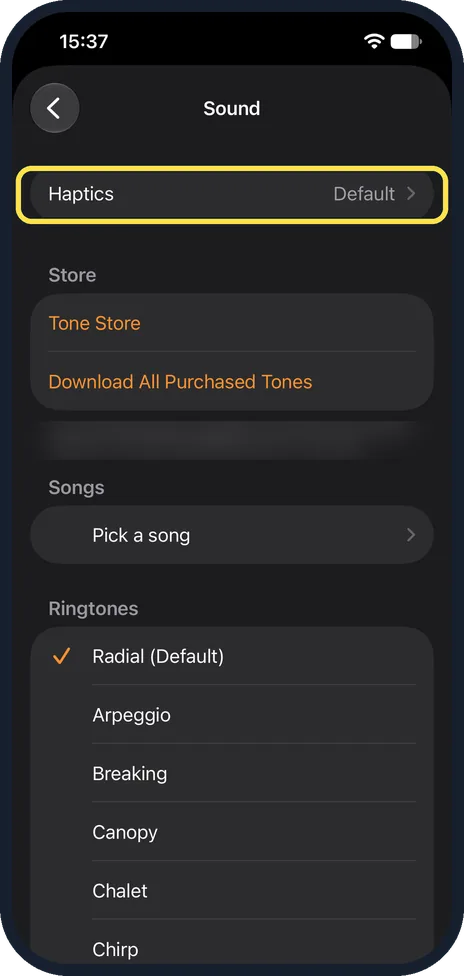
Tap the alarm, then Sound. If None is selected, the alarm only vibrates. Pick a ringtone. On our iPhone 17e, Haptics is the first row at the top and None is at the very bottom of the list.
Raise the alarm volume
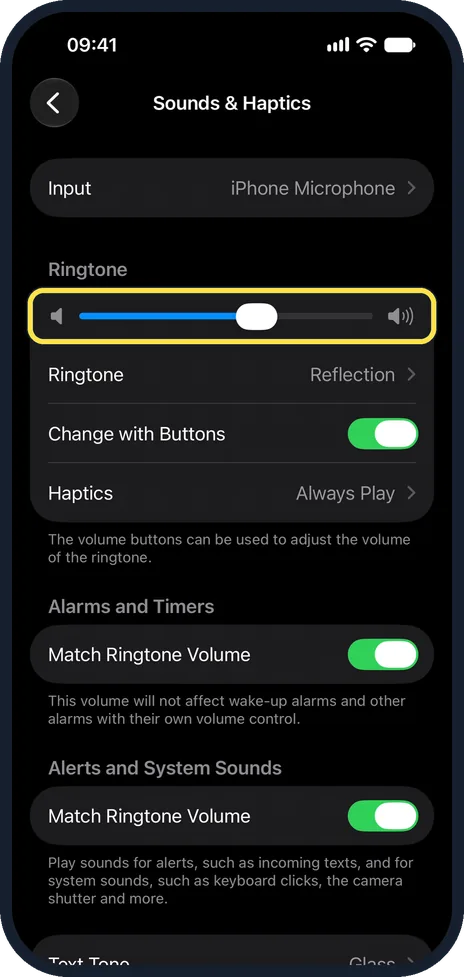
Open Settings, Sounds & Haptics and drag the Ringtone slider to the right. Clock alarms use this slider, not the media volume. Turn off Change with Buttons so you cannot lower it by accident. On iOS 27.0.1 the page also has an Alarms and Timers section with a Match Ringtone Volume switch. Its note says it does not affect wake-up alarms and other alarms that have their own volume control.
Turn off Attention Aware Features for a test
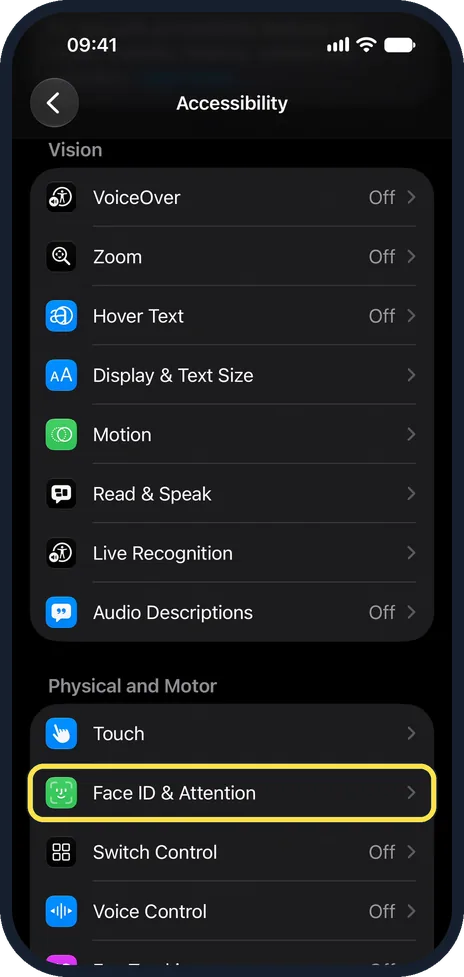
On Face ID iPhones, the alarm gets quieter when the phone sees you looking at it. If it seems too quiet, switch this off under Settings, Face ID & Passcode. It is also under Settings, Accessibility, Face ID & Attention.
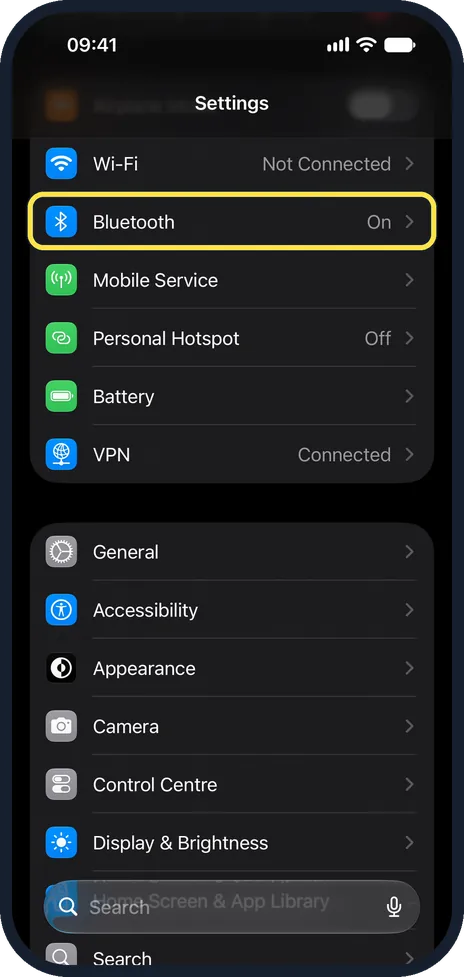
Disconnect headphones and speakers
Alarms play on the iPhone speaker, but a stuck Bluetooth connection can cause odd behaviour. Switch Bluetooth off overnight as a test.
Look at the Sleep schedule
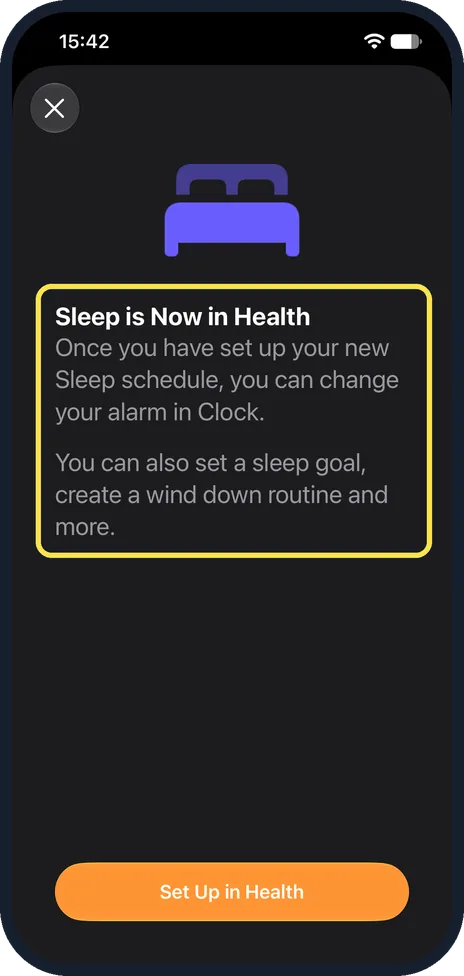
A wake-up alarm set in Health or under Clock, Alarms, Sleep has its own sound and volume. If you use a sleep schedule, check its alarm sound and volume there. On our iPhone 17e no schedule was set: Sleep | Wake Up showed No Alarm, and Set Up opened this note, Sleep is Now in Health, with a Set Up in Health button.
Restart and update
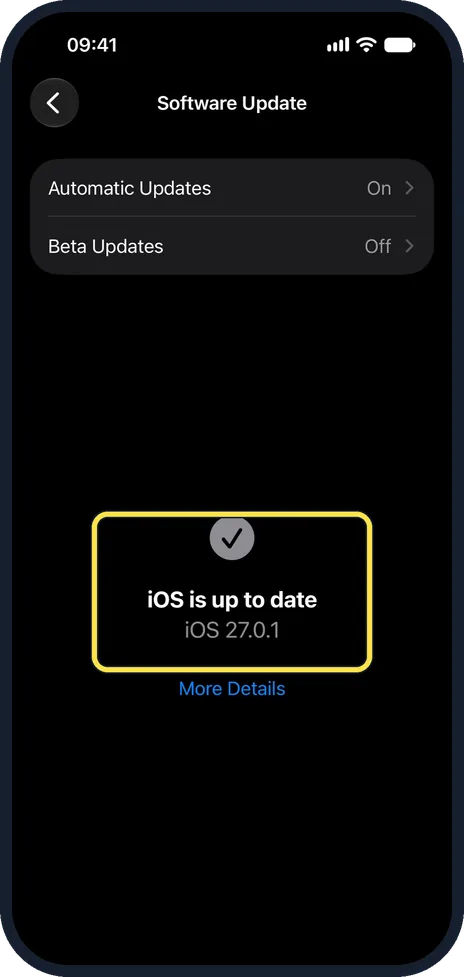
Restart the phone and install any iOS update. Delete the alarm and create a new one if it still fails.
What changed: new screenshots from our own iPhone 17e on iOS 27.0.1, dark mode, and the wording checked against those screens.
What we saw on our device
- Check the alarm is on and set for today: On our iPhone 17e with iOS 27.0.1 the days are buttons, M T W T F S S, right under Repeat on the alarm page itself (shown here on Add Alarm, which has the same layout).
- Check the alarm sound: On our iPhone 17e, Haptics is the first row at the top and None is at the very bottom of the list.
- Look at the Sleep schedule: On our iPhone 17e no schedule was set: Sleep | Wake Up showed No Alarm, and Set Up opened this note, Sleep is Now in Health, with a Set Up in Health button.
About this guide
Clock alarms on an iPhone are designed to sound even in Silent mode and during a Focus. When one fails, it is almost always the alarm volume, the chosen sound or the schedule.
The screenshots are our own, taken on an iPhone 14 Pro and an iPhone 17e, both running iOS 27.0.1 in dark mode. The 14 Pro pictures were recorded over USB in QuickTime.
Good to know
Do not rely on a third-party alarm app for something important. Other apps can be muted by Silent mode and Focus; the built-in Clock alarm is not.
The phone must be switched on for an alarm to sound. It does not turn itself on.
Test it: set an alarm two minutes ahead, lock the phone and wait.
In short: Alarm on, right days, a real sound, and the Ringtone volume up.
Links checked in October 2026. Menus and features can change after software updates. These steps match the version named at the top.
Did this guide work for you?
Sorry about that. What happened?