
macOS 27 compared with macOS 26: We rewrote steps 1, 2, 3, 4 and 5 to match the macOS 27 screens. The macOS 26 page keeps the steps and screenshots as they were.
howtosimply.com/guides/how-to-use-low-power-mode-on-a-mac/ · Checked October 2026 · MacBook Neo · macOS 27.0.1
In this guide
Open System Settings, click Battery and set the Low Power Mode menu to Always, Only on Battery or Only on Power Adapter, then confirm with your password or Touch ID. Apple says some Macs have an Energy Mode menu instead, where you choose Low Power.
3 of 5 steps with real screenshots · 1 official source below
- Device
- Mac
- Shown on
- macOS 27.0.1 (MacBook Neo)
- App
- System Settings
- Real screenshots
- 3 of 5 steps
- Checked
- October 2026
- Sources
- 1 official, linked below
Step by step
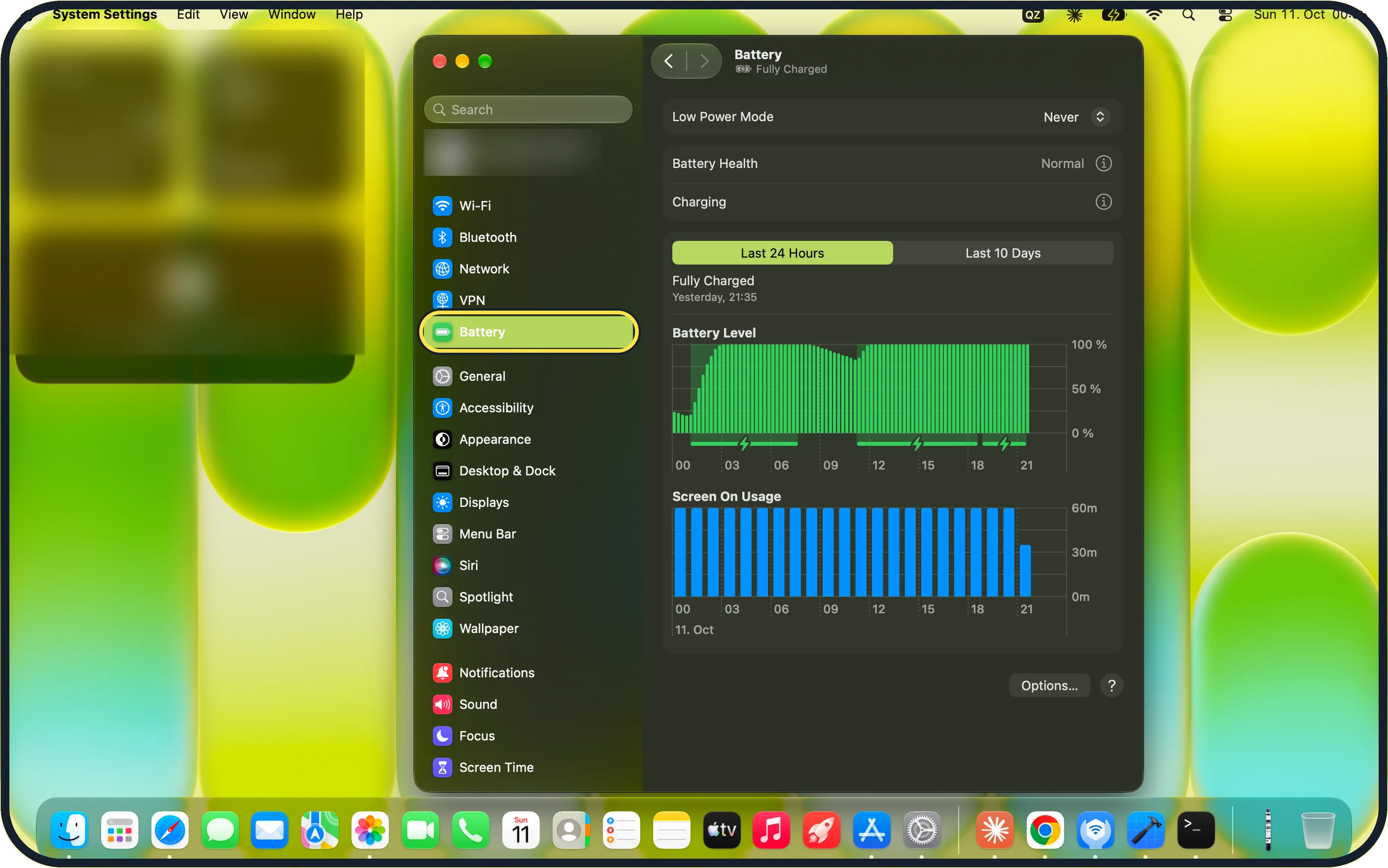
Zoomed in on the setting. Tap to see the whole screenTap the picture to see it full size Open System Settings and click Battery
Click the Apple menu, then System Settings, then Battery in the sidebar.
On our MacBook Neo the first row on the Battery page is Low Power Mode, set to Never, with Battery Health showing Normal below it.
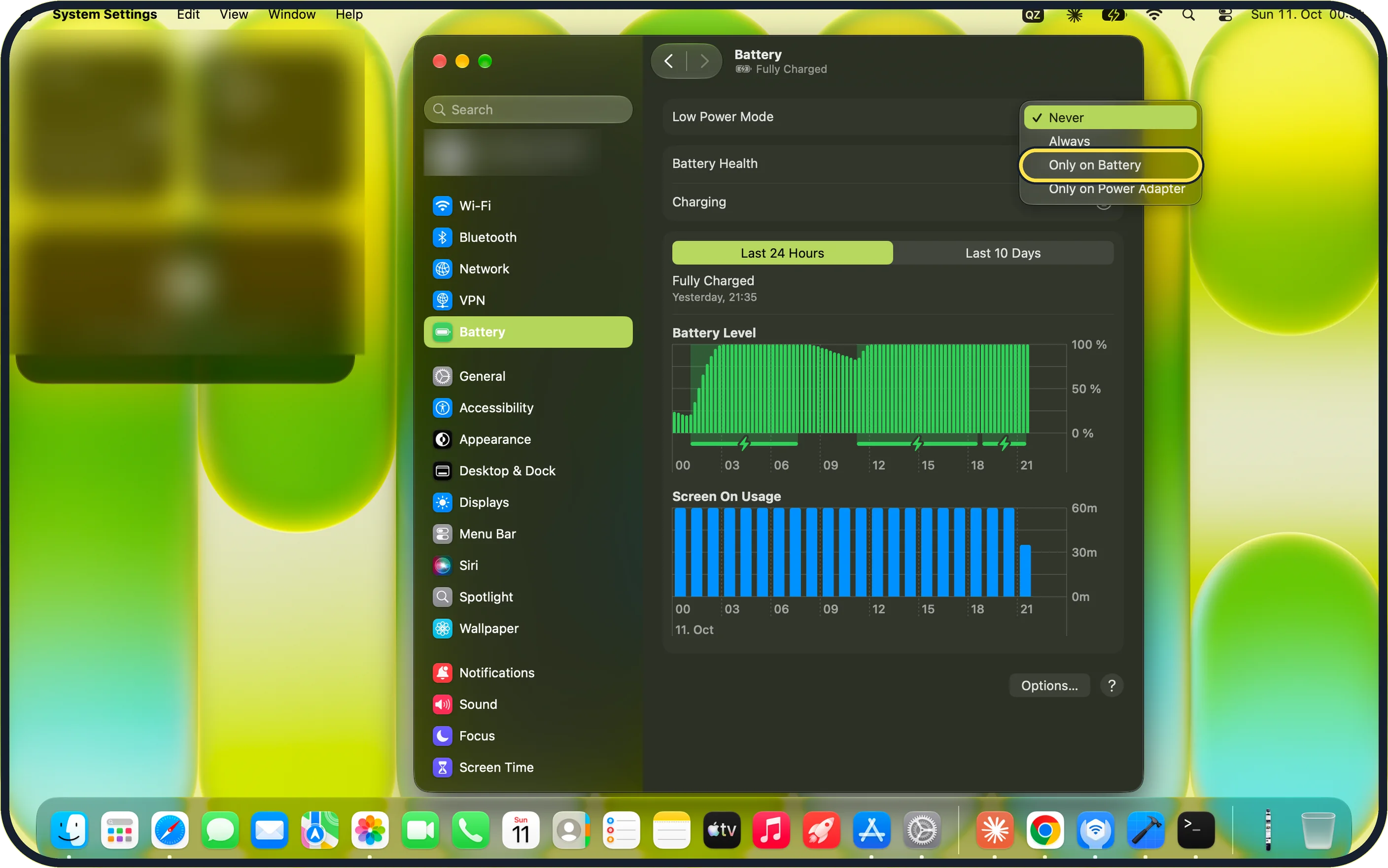
Zoomed in on the setting. Tap to see the whole screenTap the picture to see it full size Open the Low Power Mode menu and choose when it should be on
Click the menu next to Low Power Mode. On our MacBook Neo it lists Never, Always, Only on Battery and Only on Power Adapter.
Only on Battery turns it on only when the Mac runs on battery. Always keeps it on all the time.
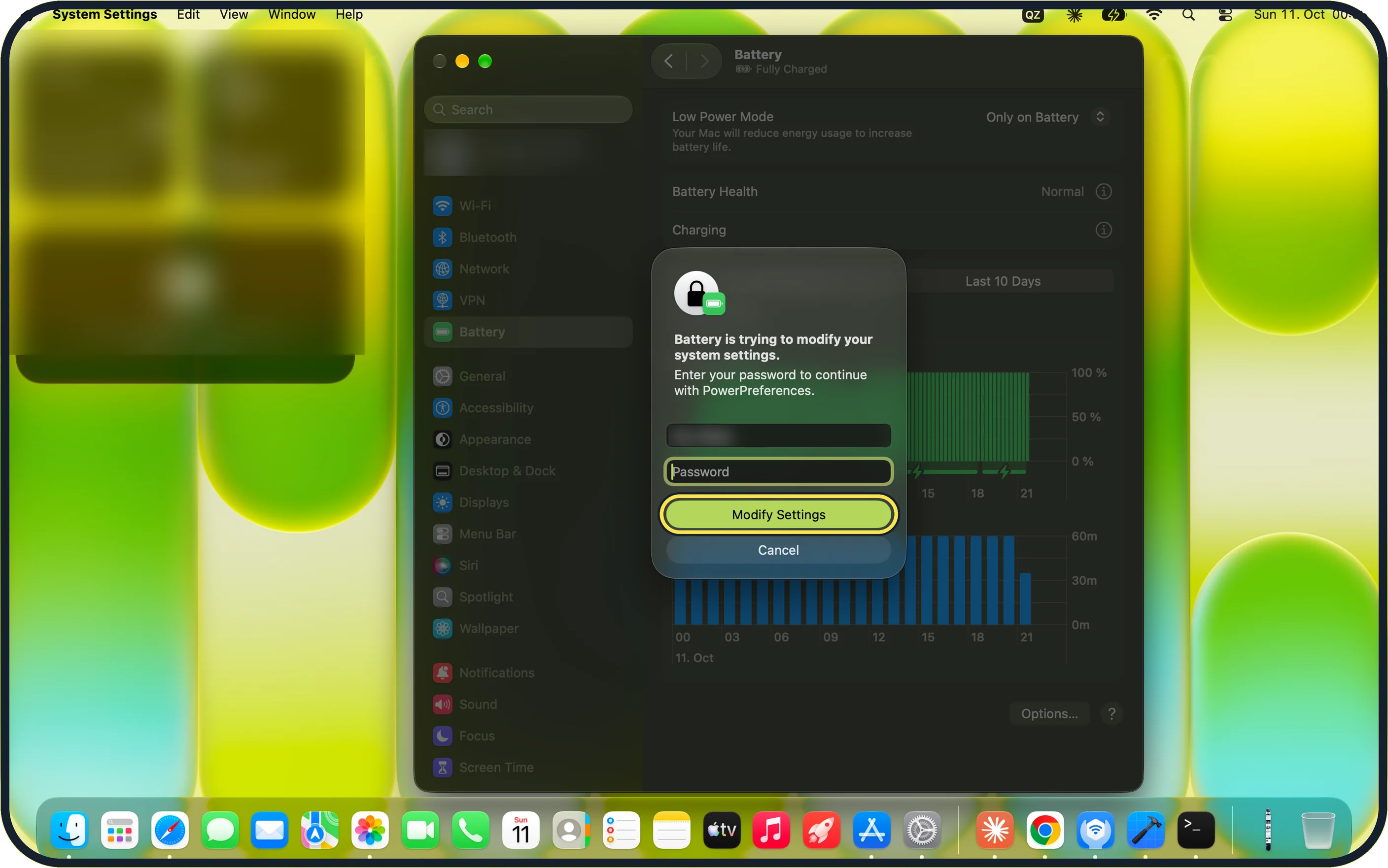
Zoomed in on the setting. Tap to see the whole screenTap the picture to see it full size Confirm with your password
macOS asks for your password or Touch ID. On our MacBook Neo the message reads "Battery is trying to modify your system settings."
Enter your password and click Modify Settings. Below the row, macOS shows "Your Mac will reduce energy usage to increase battery life."
Some Macs: use Energy Mode
Apple says some Macs have an Energy Mode menu on the Battery page instead, with one under On battery and another under On power adapter. Choose Low Power in the one you want.
Our MacBook Neo has no Energy Mode menu, only Low Power Mode.
Switch back
Open the Low Power Mode menu again and choose Never, then confirm with your password or Touch ID.
Apple says that on Macs with Energy Mode you set it back to Automatic, the normal setting.
If you do not see this option
- You see Energy Mode instead of Low Power Mode Apple says some Macs use an Energy Mode menu. Choose Low Power there. Source: About Power Modes on your Mac
- You do not see Energy Mode Not every Mac has it. On our MacBook Neo the Battery page only has Low Power Mode.
- There is no System Settings On macOS Monterey and earlier, use System Preferences, then Battery.
If this does not work
- The menu goes back to Never The change only sticks after you enter your password or use Touch ID and click Modify Settings. If you click Cancel, the change is not made.
- You are asked for a password This is normal. macOS shows "Battery is trying to modify your system settings." Enter the password of your Mac account.
- The Mac feels slow Apple says the mode can be set separately for battery and power adapter. Choose Only on Battery so it applies only on battery, or Never to turn it off. Source: About Power Modes on your Mac
About this guide
Low Power Mode makes the Mac use less energy, so a MacBook runs longer on one charge.
Screenshots: MacBook Neo, macOS 27.0.1, dark mode.
Good to know
To see which mode is active, click the battery icon in the menu bar.
From macOS Sequoia 15.1 the power mode can also be changed in Control Centre on Macs with the Energy Mode menu.
Some MacBook Pro, Mac mini and Mac Studio models with a Pro or Max chip also offer High Power. It lets the fans run faster for long, heavy jobs such as video export.
Apple lists the models that have each mode on its support page.
On macOS Monterey and earlier the setting is in System Preferences, Battery.
In short: System Settings > Battery > Low Power Mode > Only on Battery (or Always) > Modify Settings.
Links checked in October 2026. Menus and features can change after software updates. These steps match the version named at the top.
Did this guide work for you?
Sorry about that. What happened?