
What changed: every step re-shot on our own Galaxy S26 (Korean model SM-S942N) on One UI 9, dark mode, with the steps rewritten for the One UI 9 screens.
howtosimply.com/guides/how-to-put-apps-to-sleep-on-a-samsung-galaxy-phone/ · Checked October 2026 · SM-S942N, Korean model), One UI 9, Android 17 (build S942NKSS4BZIG · Samsung Galaxy S26
In this guide
Open Settings, Battery, Background usage limits. Leave Put unused apps to sleep on, then tap Deep sleeping apps, the + button, tick apps and tap Add. Apps that must always work, such as a messenger, go under Never auto sleeping apps.
7 of 7 steps with real screenshots · 1 official source below
- Device
- Android
- Shown on
- Samsung Galaxy S26 (SM-S942N, Korean model), One UI 9, Android 17 (build S942NKSS4BZIG)
- App
- Settings
- Path
- Settings › Battery
- Real screenshots
- 7 of 7 steps
- Checked
- October 2026
- Sources
- 1 official, linked below
Step by step
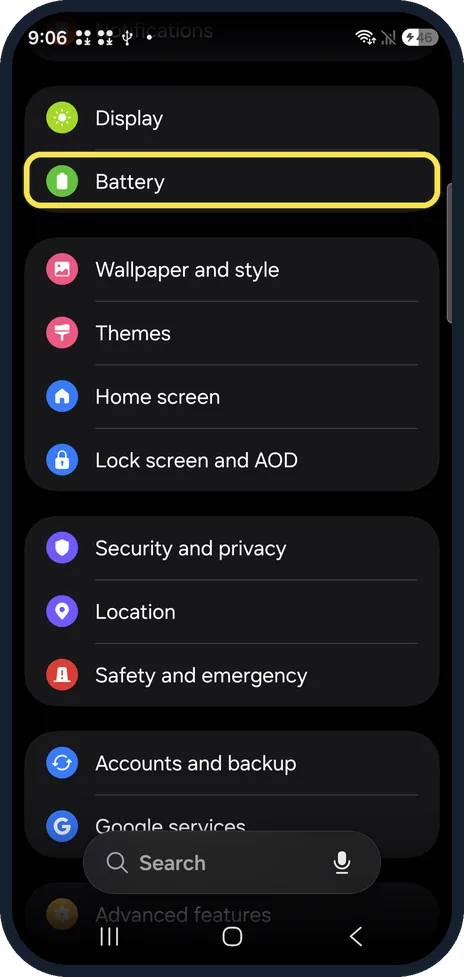
Open Battery
Open Settings and tap Battery.
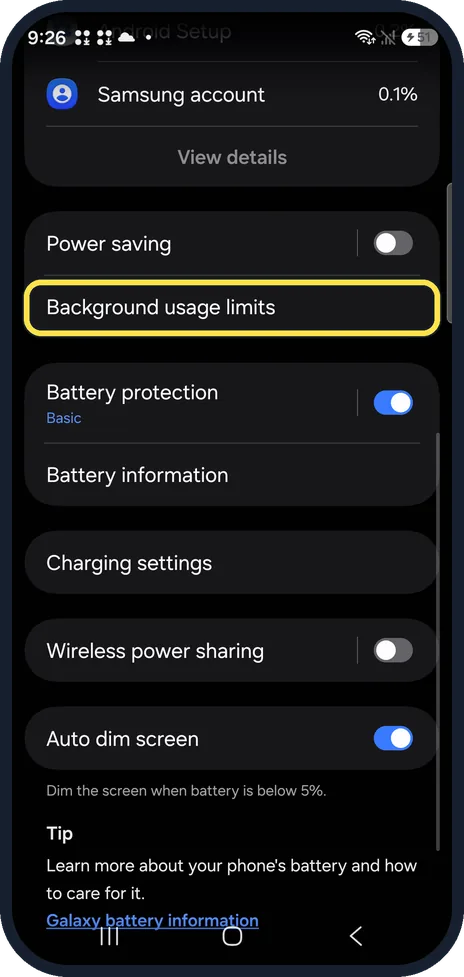
Tap Background usage limits
It is below Power saving on the Battery page.
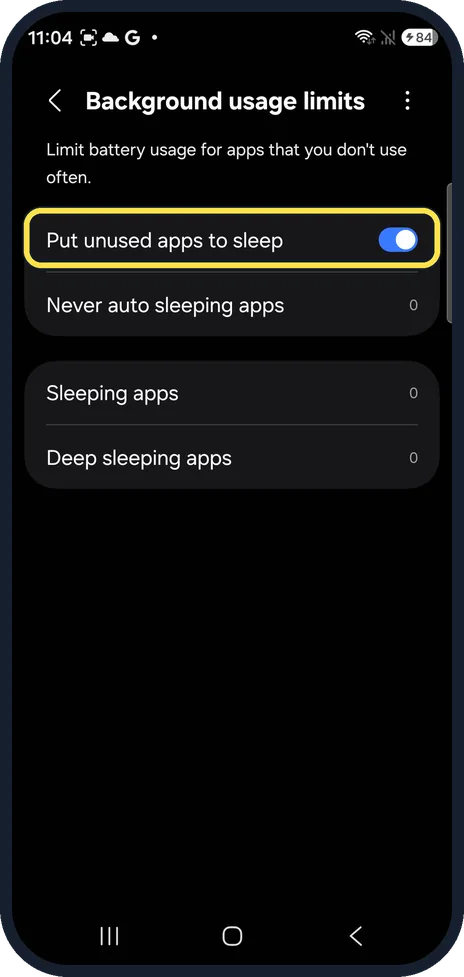
Leave Put unused apps to sleep on
With this switch on, apps you have not used for a while are put to sleep by themselves. It was on on ours.
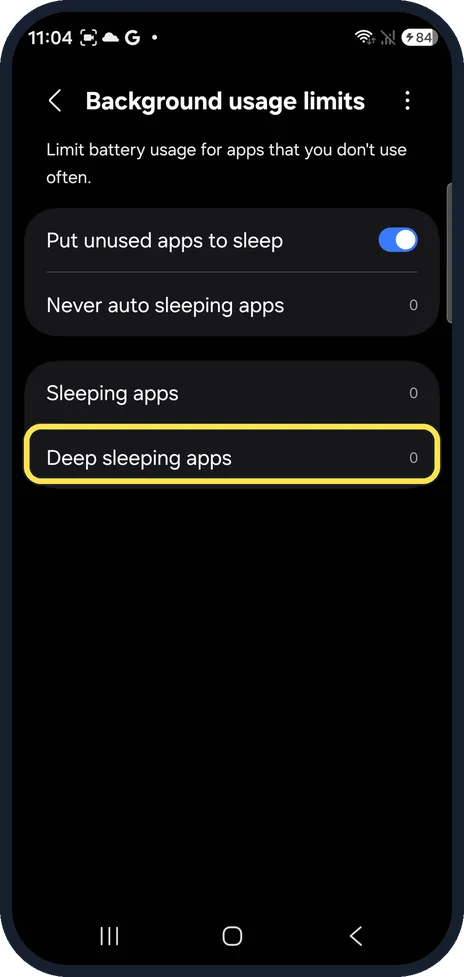
Open Deep sleeping apps
Deep sleeping apps stay inactive in the background until you open them. Sleeping apps is the milder list. Both showed 0 on ours.
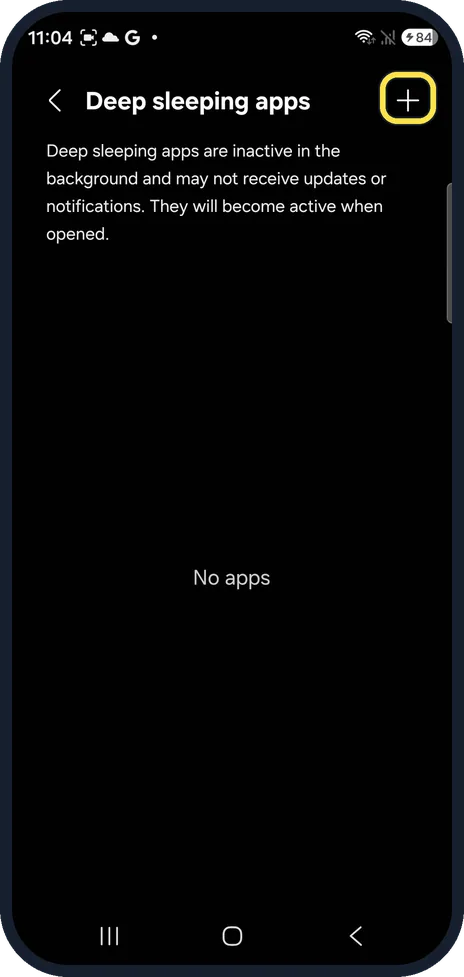
Tap +
The page says deep sleeping apps may not receive updates or notifications. Tap + at the top right to add apps. Ours said No apps.
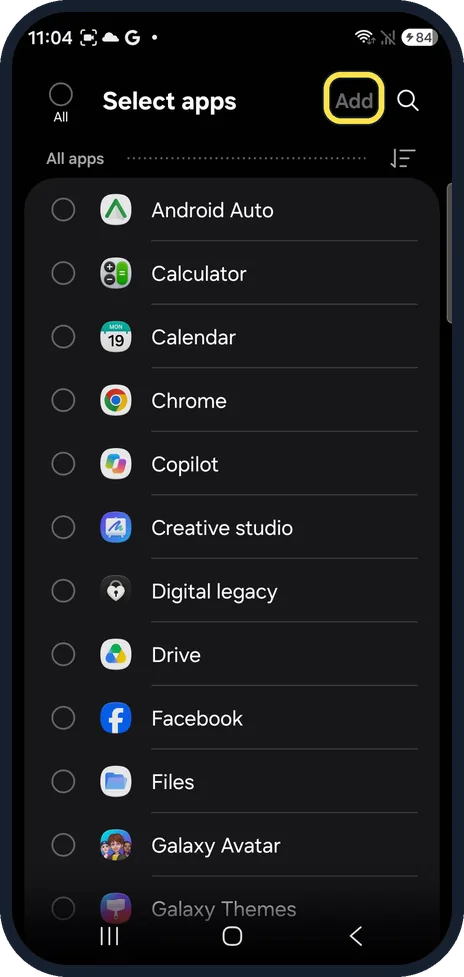
Tick apps and tap Add
Select apps lists all apps. Tick the ones to stop and tap Add at the top.
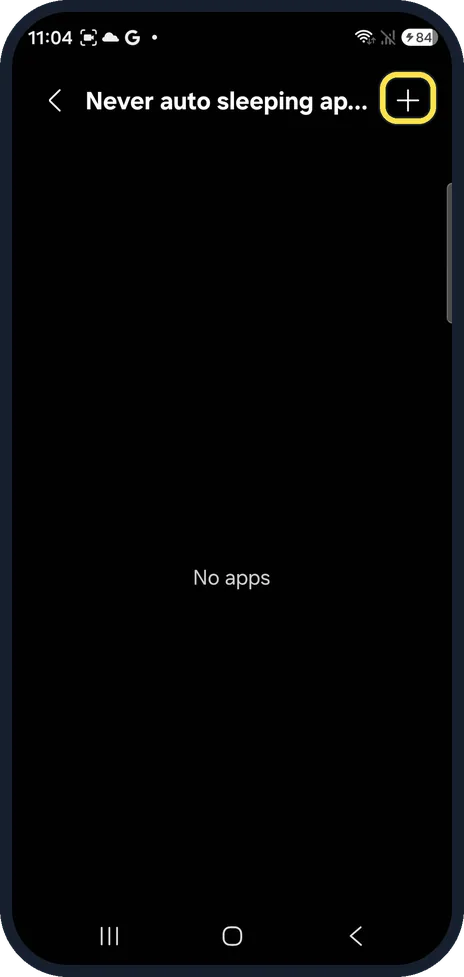
Protect the apps that must keep working
Back on Background usage limits, tap Never auto sleeping apps and + to add apps such as a messenger, your alarm or a fitness tracker. Ours had No apps.
What changed: every step re-shot on our own Galaxy S26 (Korean model SM-S942N) on One UI 9, dark mode, with the steps rewritten for the One UI 9 screens.
If you do not see this option
- Background usage limits is not on the Battery page On our S26 it is just below Power saving. Or tap Search in Settings and type Background usage limits.
- Your lists show 0 Ours showed 0 next to every list. Our Galaxy A57 had six apps added to Deep sleeping apps by the phone itself; on our S26 there were none yet.
If this does not work
- Notifications from an app stop arriving The Deep sleeping apps page says those apps may not receive updates or notifications. Remove the app from the list, or add it to Never auto sleeping apps. Source: Sleeping apps on your Galaxy device
- An app you put to sleep does not update The same note applies: deep sleeping apps may not receive updates. Open the app once, or take it off the list. Source: Sleeping apps on your Galaxy device
About this guide
Apps you rarely open can keep running in the background, using battery and data. One UI can freeze them until you open them again.
The screenshots are from our Samsung Galaxy S26, the Korean model SM-S942N, with One UI 9 and Android 17 (build S942NKSS4BZIG), in Dark mode. Menus can differ on models sold in other regions. We only looked at these pages and added no apps.
Good to know
Deep sleep does not uninstall anything or delete data. The page says the app becomes active when you open it.
More ways to save battery: Samsung Galaxy battery draining fast? 6 fixes.
In short: Settings, Battery, Background usage limits: Deep sleeping apps, +, Add. Never auto sleeping apps for apps that must work.
Links checked in October 2026. Menus and features can change after software updates. These steps match the version named at the top.
📷 See real photos from the Galaxy S26 in our Camera Lab, next to 10 other phones.
Did this guide work for you?
Sorry about that. What happened?