ANDROID
Nothing Phone (4a) Pro missing features: what ours doesn't have
Our Phone (4a) Pro had no Pocket mode, no Settings entry for the Essential Key, no Glyph Timer widget, no ringtone setting for withheld numbers, no hotspot data limit and no Emergency SOS countdown option. The nearest alternatives are listed with each one.

6 of 6 steps show a real screenshot from our Phone (4a) Pro. Each step was checked against the maker's own instructions, linked at the end.
Steps
- 1
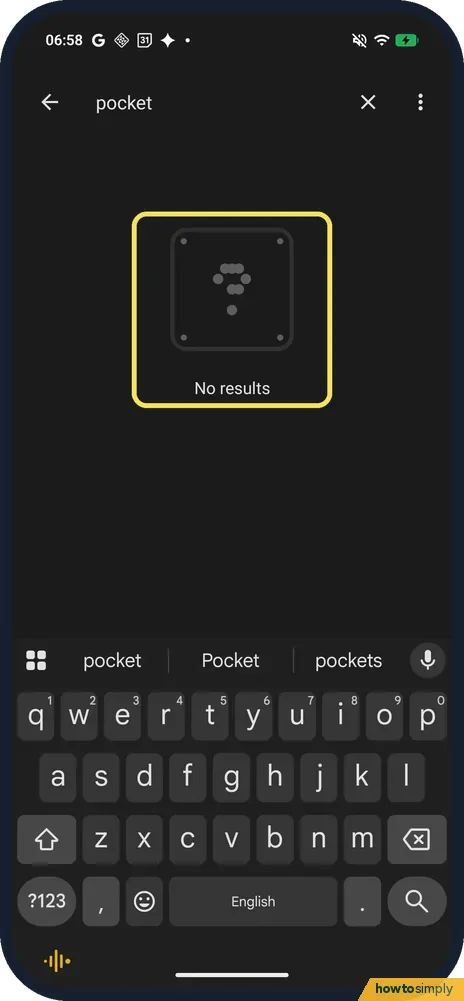
Search for Pocket mode: no results
Open Settings and tap Search settings. Both pocket and pocket mode gave No results on ours. The nearest feature is Mistouch prevention (see below).
- 2
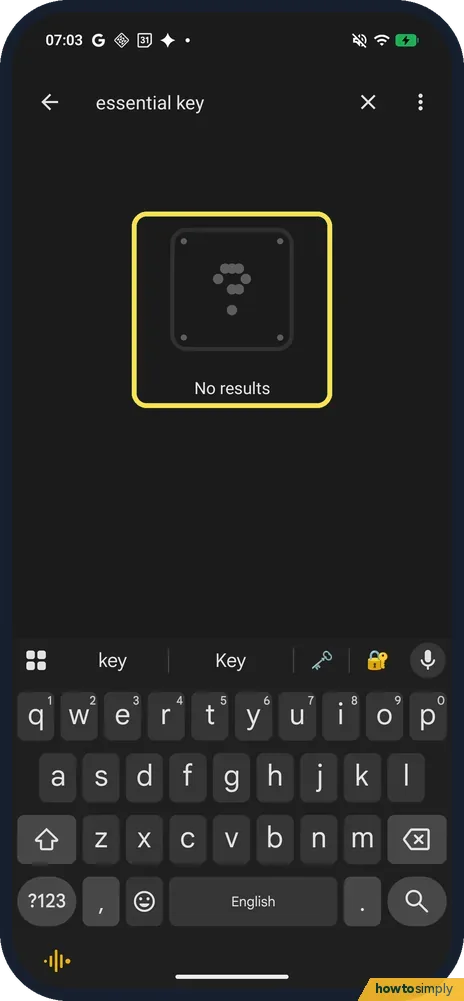
Search for Essential Key: no results
essential key gave No results, even though the (4a) Pro has the key. Nothing describes the key's actions itself: a short press takes a screenshot and a double press opens Essential Space.
- 3
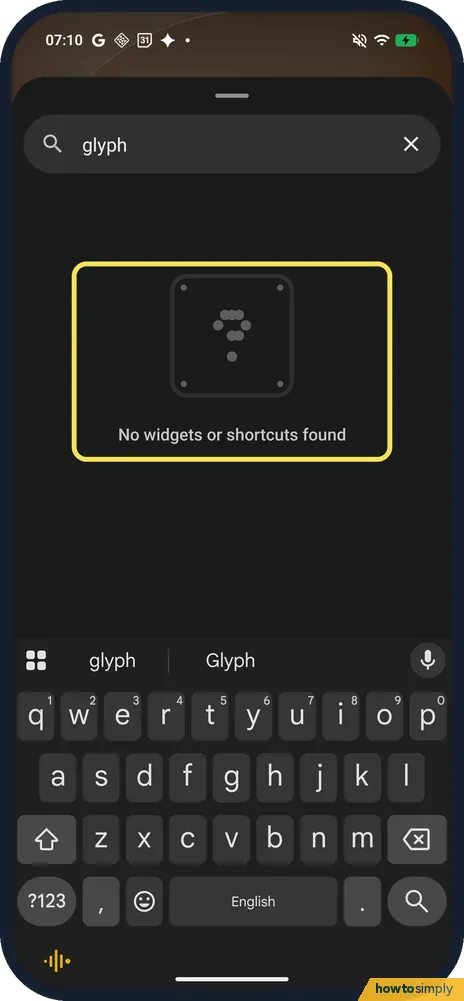
Search the widgets for Glyph Timer: none
Touch and hold the Home screen, tap Widgets and search. glyph and timer both gave No widgets or shortcuts found. Glyph Timer is a Quick Settings tile instead.
- 4
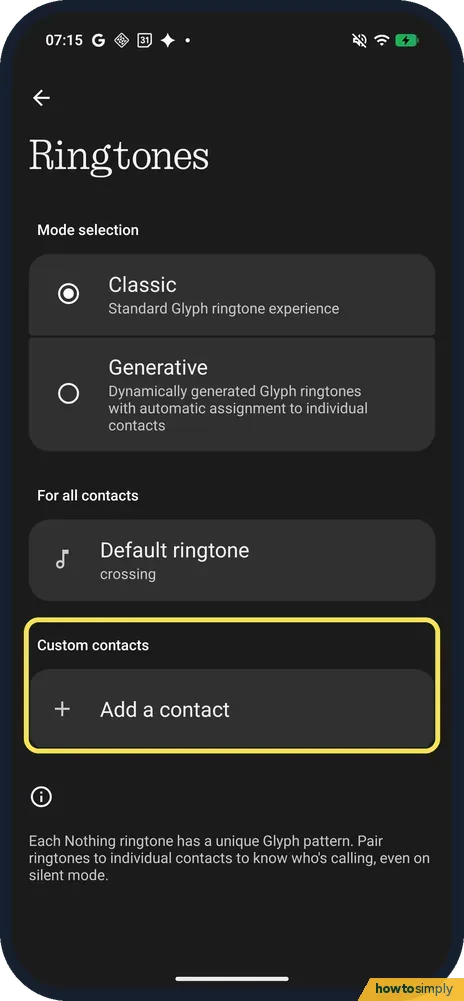
Ringtones: no setting for withheld numbers
Settings, Glyph Interface, Ringtones has Mode selection, Default ringtone for all contacts and Add a contact under Custom contacts. There is no separate choice for withheld numbers.
- 5
Wi-Fi hotspot: no data limit
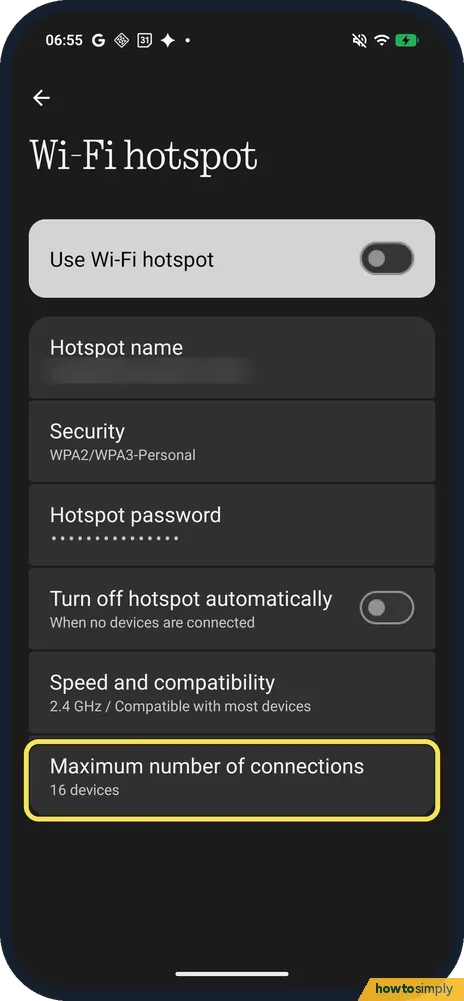
Settings, Network and internet, Hotspot and tethering, Wi-Fi hotspot lists Hotspot name, Security, Hotspot password, Turn off hotspot automatically, Speed and compatibility and Maximum number of connections. No data-limit row.
- 6
Emergency SOS: no countdown option
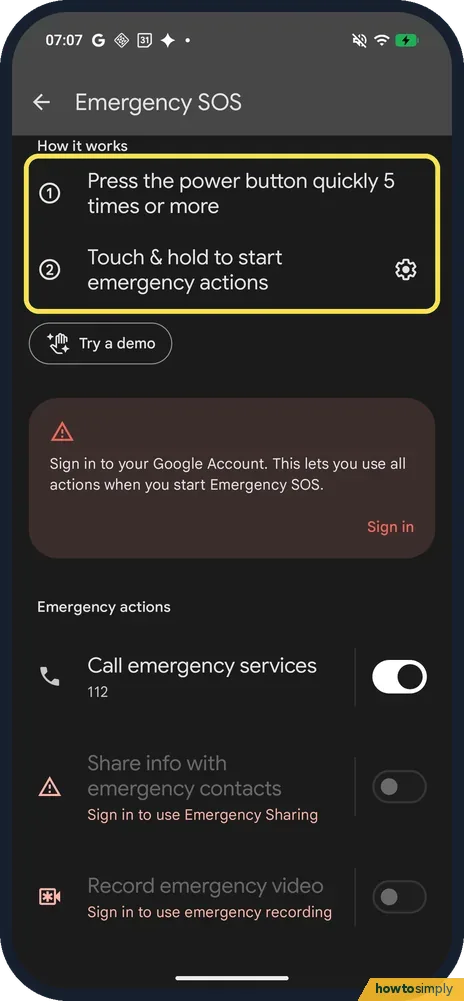
Settings, Safety and emergency, Emergency SOS says: Press the power button quickly 5 times or more, and Touch & hold to start emergency actions. We did not find a countdown option on the page.
If you do not see this option
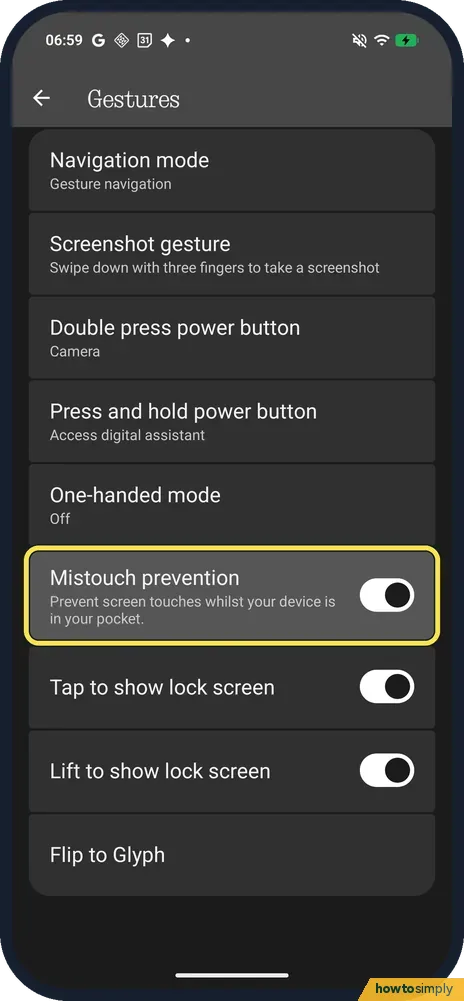
- Want what Pocket mode does? Mistouch prevention, in Settings, Special features, Gestures, says: Prevent screen touches whilst your device is in your pocket. It was on on ours.
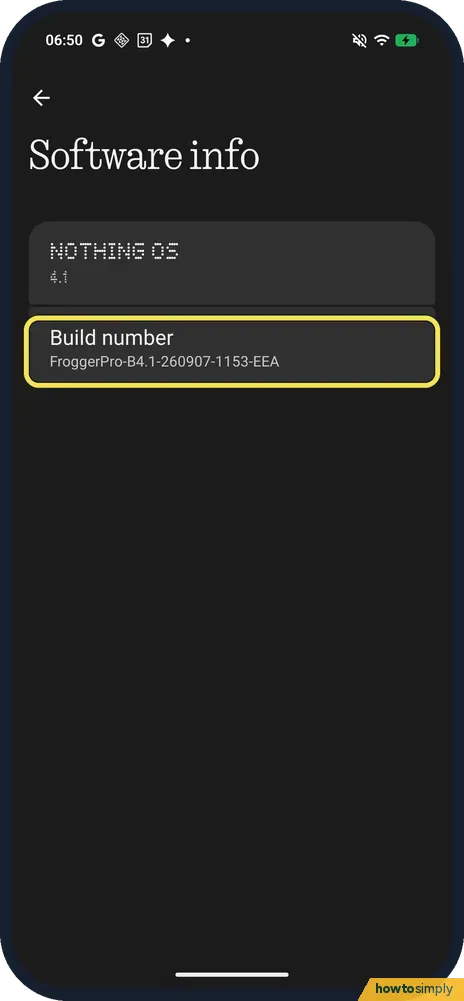
- Looking for the build number on About phone? It is not in the Device details list. Tap the NOTHING OS card at the top of About phone: Software info shows Build number, FroggerPro-B4.1-260907-1153-EEA on ours.
- Looking for the security patch on About phone? It is one tap down: under Device details, tap Android version. See check the security patch on a Nothing Phone.
If this does not work
- Read about a feature that is not here? Check the version first. Nothing says the Phone (4a) Pro uses Nothing OS 4.1 with Android 16; features from other models or later versions may not be on it yet. See find your Nothing OS version.
- Essential Space asks for a Nothing account? Nothing says you need to be logged in to your Nothing account to access full features of Essential Space. Ours opened without a sign-in prompt and showed an empty For you page.
Good to know
For the Essential Key itself, see does the Nothing Phone (4a) Pro have an Essential Key. For the Glyph Timer tile, see use the Glyph Timer.
For the hotspot settings that are there, see turn on the hotspot on a Nothing Phone; for Emergency SOS and the power button, change what the power button does.
Pocket mode on other phones stops the screen reacting in a pocket or bag. On ours, see turn pocket mode on or off on a Nothing Phone for Mistouch prevention.
About this guide
- Device
- Android
- Shown on
- Nothing Phone (4a) Pro (A069P, EEA), Nothing OS 4.1, Android 16 (build FroggerPro-B4.1-260907-1153-EEA)
- App
- Settings
- Real screenshots
- 6 of 6 steps
- Checked
- October 2026
- Sources
- 5 official, linked below
Sources
Links checked October 2026. Menus and features can change with updates.Spotted a mistake? Menus change with updates, and we want every step to match your screen. Email us about this page or use the contact form. We read every report, and fixes are listed on What changed.
Liked this guide?
Follow us for new guides and short how-to videos.
Did this guide work for you?
Sorry about that. What happened?