
howtosimply.com/guides/how-to-turn-pocket-mode-on-or-off-on-a-nothing-phone/ · Checked October 2026 · 4a) Pro (A069P, EEA), Nothing OS 4.1, Android 16 (build FroggerPro-B4.1-260424-1447-EEA · Nothing Phone
In this guide
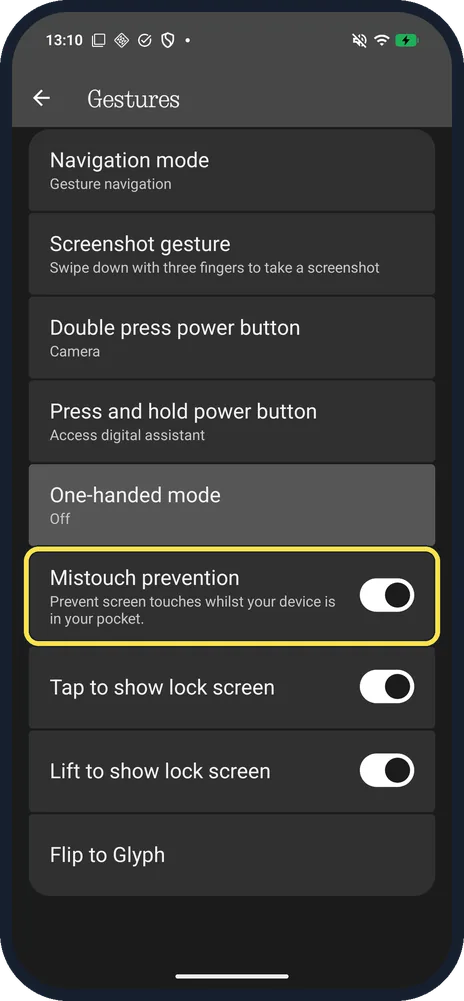
Nothing OS 4.1 has no setting called Pocket mode. The nearest is Mistouch prevention: open Settings, Special features, Gestures and use its switch. It prevents screen touches whilst the phone is in your pocket.
3 of 3 steps with real screenshots · 1 official source below
- Device
- Android
- Shown on
- Nothing Phone (4a) Pro (A069P, EEA), Nothing OS 4.1, Android 16 (build FroggerPro-B4.1-260424-1447-EEA), Nothing Phone (4a) Pro (A069P, EEA), Nothing OS 4.1, Android 16 (build FroggerPro-B4.1-260907-1153-EEA)
- App
- Settings
- Path
- Settings › Special features › Gestures › Mistouch prevention
- Real screenshots
- 3 of 3 steps
- Checked
- October 2026
- Sources
- 1 official, linked below
Step by step
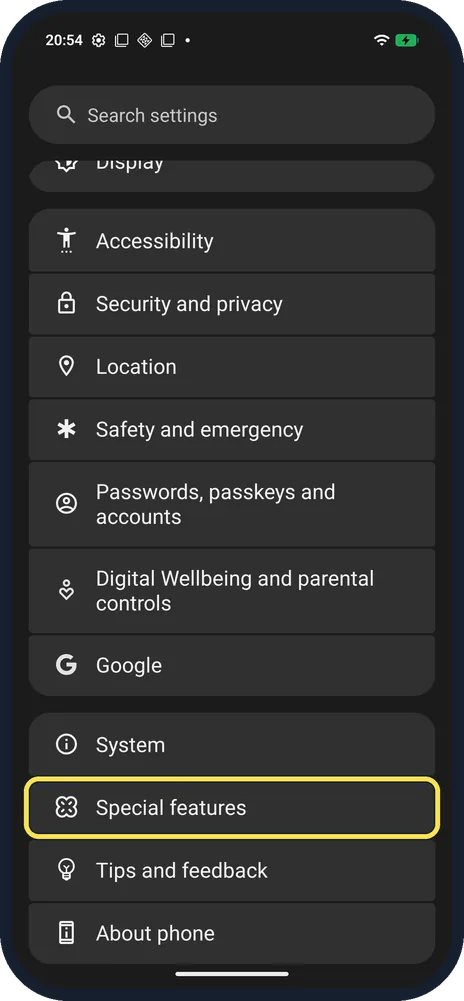
Open Special features
Open Settings and scroll down. Special features is below System.
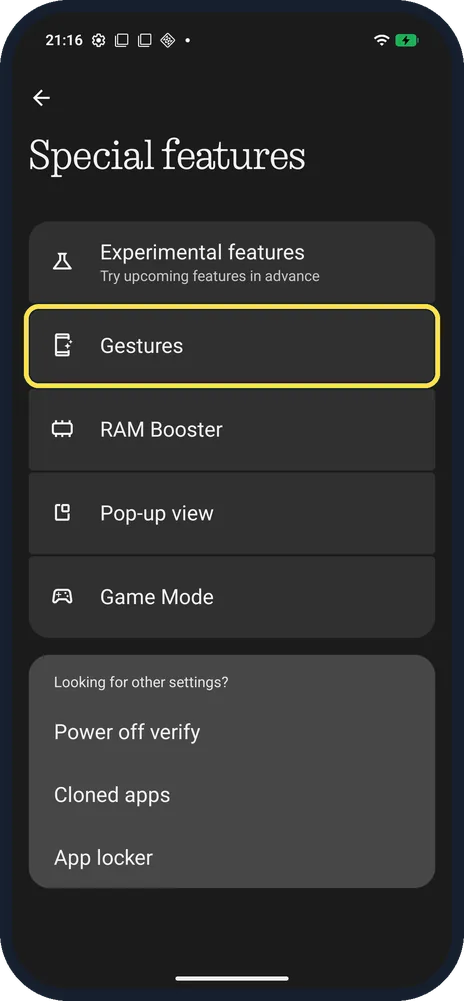
Tap Gestures
It is second, below Experimental features.
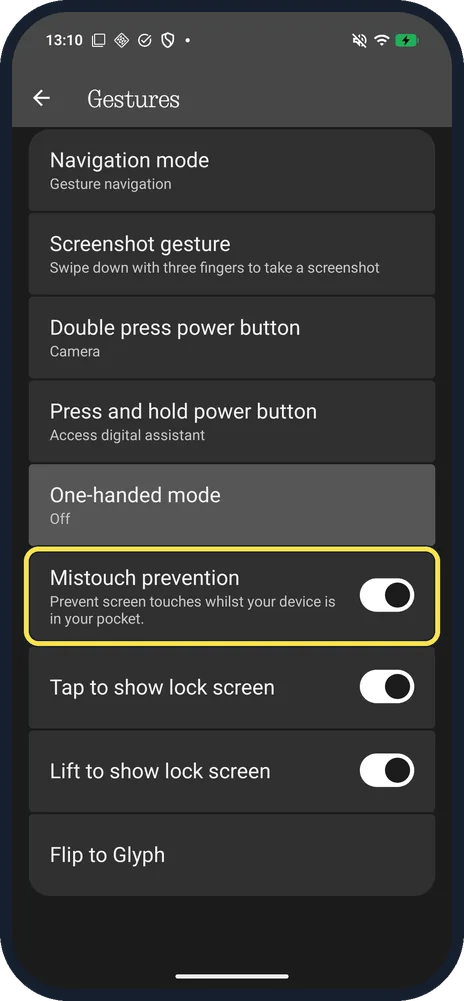
Turn Mistouch prevention on or off
Mistouch prevention: Prevent screen touches whilst your device is in your pocket. Tap the switch. Ours was on.
If you do not see this option
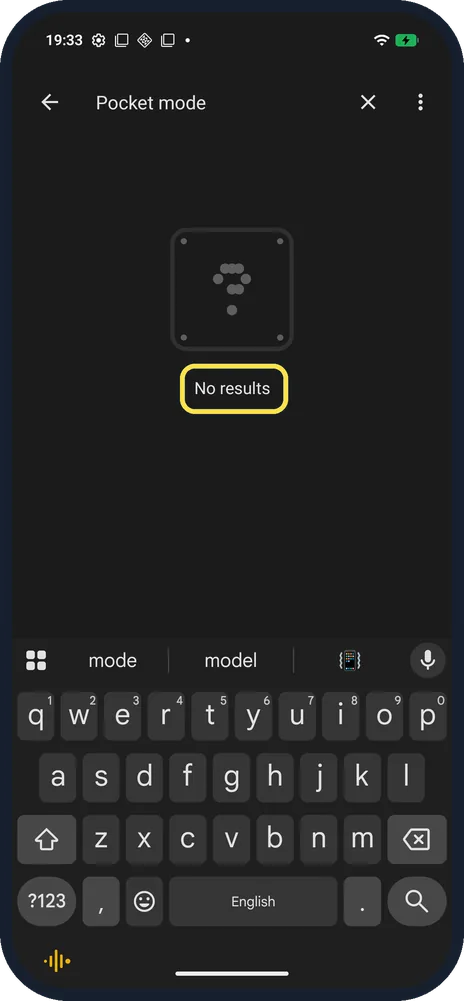
- Searched for Pocket mode? Settings search said No results on ours. Use Mistouch prevention in Gestures instead.
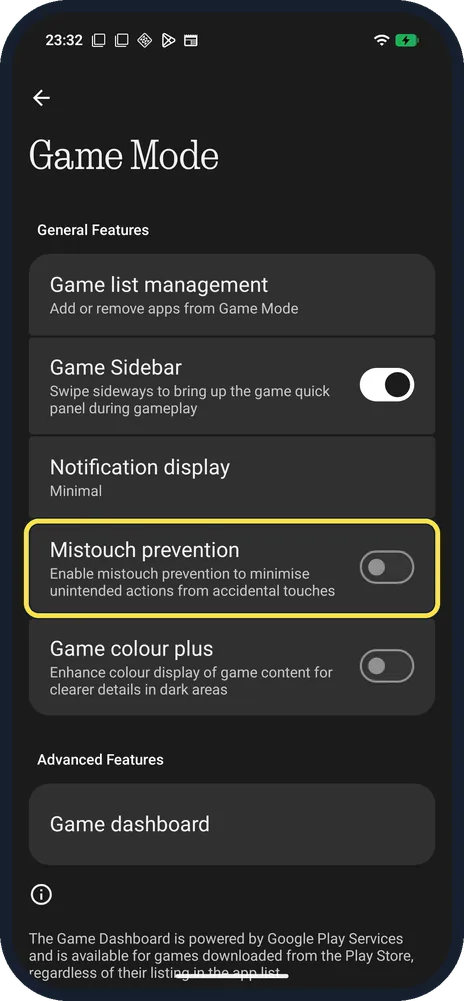
- Mistouch prevention in Game Mode? Game Mode has its own Mistouch prevention, for games only: Enable mistouch prevention to minimise unintended actions from accidental touches. Ours was off. Nothing says Game Mode is under Settings, Special features, Game Mode. Source: How do I enable Game Mode on the Phone?
If this does not work
- Screen ignores your touches? Turn Mistouch prevention off in step 3 and try again.
- Taps ignored in a game? Check Mistouch prevention in Game Mode as well. Nothing says Game Mode can prevent accidental touches while gaming. Source: How do I enable Game Mode on the Phone?
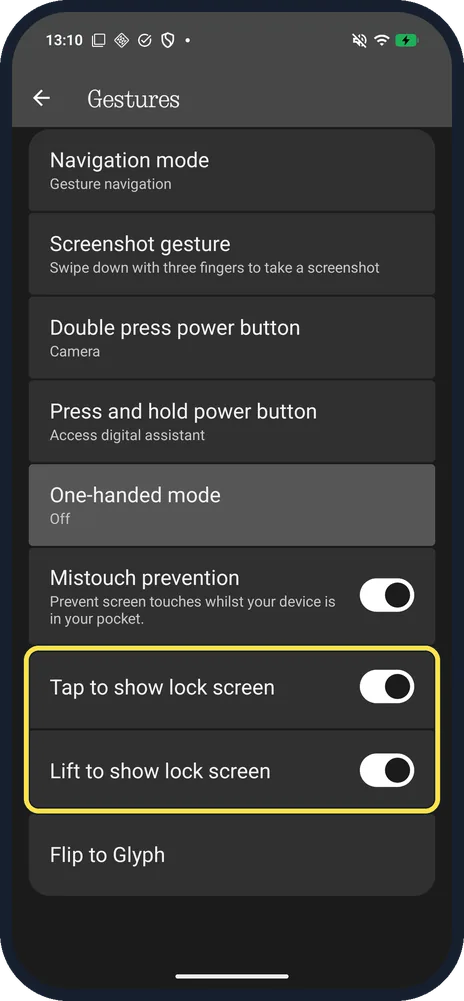
- Screen lights up in your pocket? Tap to show lock screen and Lift to show lock screen are just below Mistouch prevention; both were on on ours. Turn them off if you do not want the screen to wake.
About this guide
A Settings search for Pocket mode found No results on our Phone (4a) Pro. Mistouch prevention, in the Gestures list, does the same job.
The screenshots are from our Nothing Phone (4a) Pro, the European model A069P, with Nothing OS 4.1 and Android 16 (build FroggerPro-B4.1-260907-1153-EEA), in Dark mode, taken on 27 October 2026. Steps 1 and 2 were taken earlier, on 21 October 2026 with build FroggerPro-B4.1-260424-1447-EEA. Mistouch prevention was on, and we left it on.
Good to know
For the rest of the Gestures list, see change navigation mode on a Nothing Phone.
For game settings, see use Game Mode on a Nothing Phone.
In short: Settings, Special features, Gestures, Mistouch prevention.
Links checked in October 2026. Menus and features can change after software updates. These steps match the version named at the top.
📷 See real photos from the Nothing Phone (4a) Pro in our Camera Lab, next to 10 other phones.
Did this guide work for you?
Sorry about that. What happened?