
howtosimply.com/guides/how-to-turn-on-call-waiting-and-call-forwarding-on-a-samsung-galaxy/ · Checked October 2026 · Samsung Galaxy A57 5G (SM-A576B), One UI 8.5, Android 16
In this guide
Open the Phone app, tap the three dots, Settings, Supplementary services. Turn on Call waiting to hear a second call during a call. Tap Call forwarding to send calls to another number always, when busy, when unanswered or when unreachable.
4 of 4 steps with real screenshots · 3 official sources below
- Device
- Android
- Shown on
- Samsung Galaxy A57 5G (SM-A576B), One UI 8.5, Android 16
- App
- Settings
- Real screenshots
- 4 of 4 steps
- What we did
- Observed: looked at each screen, changed nothing
- Our phone
- Shown on Galaxy A57, One UI 8.5
- Checked
- October 2026
- Sources
- 3 official, linked below
Step by step
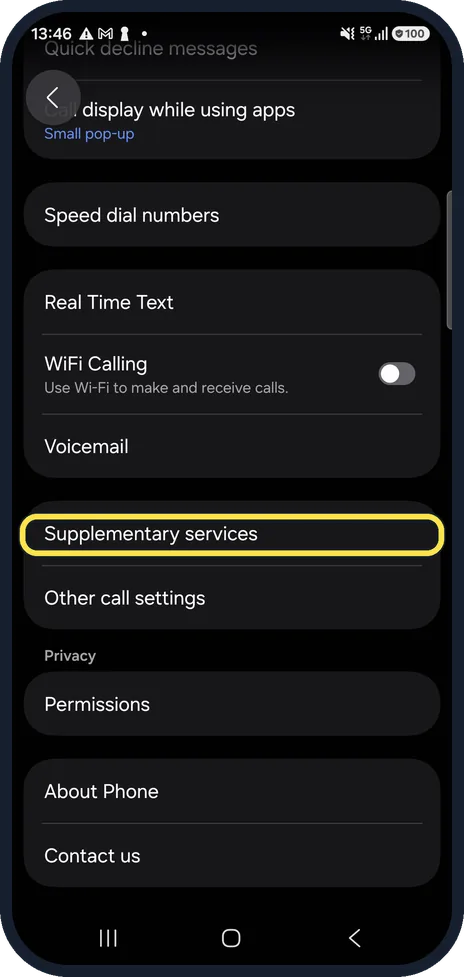
Open Supplementary services
In the Phone app, tap the three dots at the top right, Settings and Supplementary services.
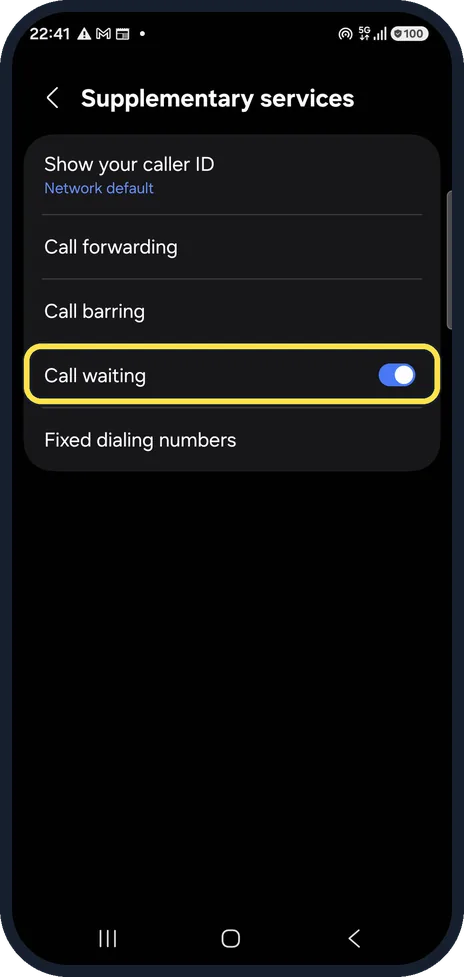
Turn on Call waiting
Call waiting is on on ours. With it on, you hear a beep when someone else calls while you are on the phone.
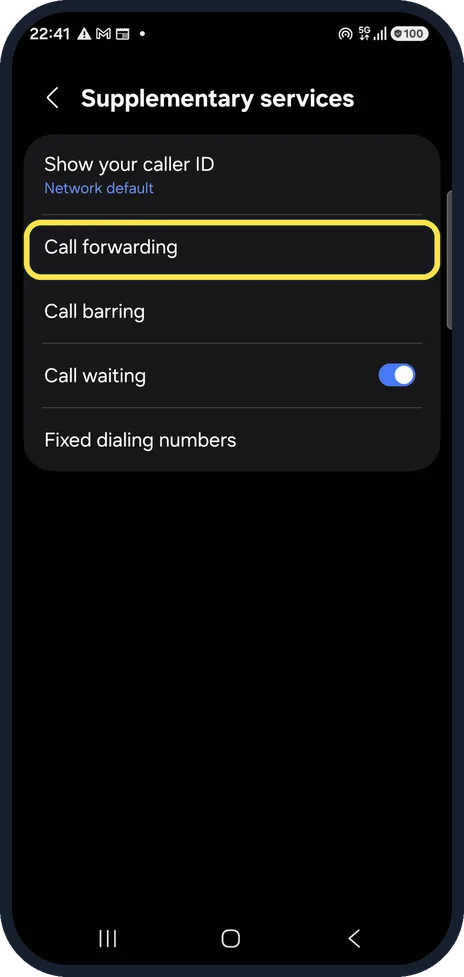
Open Call forwarding
Tap Call forwarding.
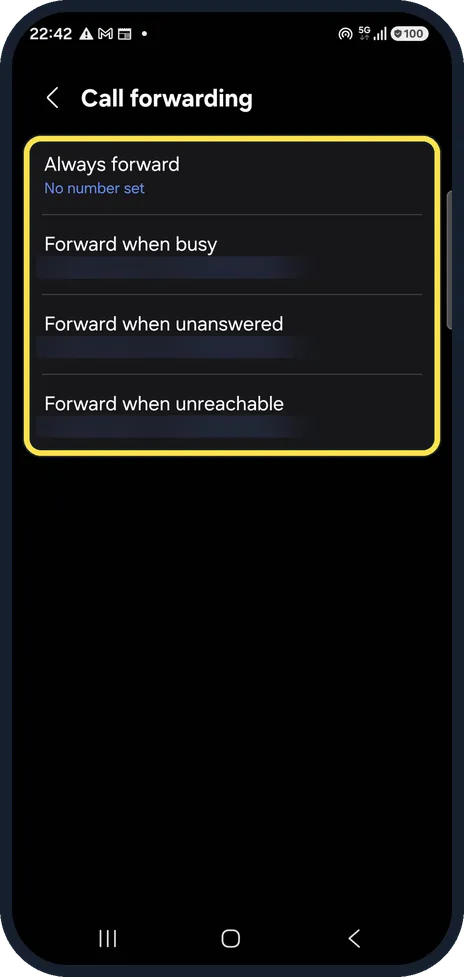
Choose when to forward
Always forward, Forward when busy, Forward when unanswered and Forward when unreachable can each have a number. Our carrier pre-sets the last three to its mailbox; we blurred the number and changed nothing. Tap one, enter the number and tap Turn on.
If you do not see this option
- There is no Supplementary services Samsung's Latin American guide calls the same menu Complementary services, in the same place under the Phone app's Settings. Source: How to enable or disable the call forwarding feature in your Samsung Galaxy smartphone
About this guide
Both are services of your mobile carrier, so the options and any costs depend on your plan.
Good to know
If calls go straight to voicemail, a forwarding rule is often the reason: why calls go straight to voicemail.
Forwarded calls can cost extra, especially abroad; check with your carrier.
In short: Phone, three dots, Settings, Supplementary services: Call waiting on; Call forwarding, choose when and enter the number.
- Samsung Latin: How to enable or disable the call forwarding feature in your Samsung Galaxy smartphone
- Samsung US: Calling features on your Galaxy phone
- Samsung Latin: How to enable or disable the call waiting feature in your Samsung smartphone
Links checked in October 2026. Menus and features can change after software updates. These steps match the version named at the top.
📷 See real photos from the Galaxy A57 in our Camera Lab, next to 10 other phones.
Did this guide work for you?
Sorry about that. What happened?