
howtosimply.com/guides/why-calls-go-straight-to-voicemail-on-a-samsung-galaxy/ · Checked October 2026 · Samsung Galaxy A57 5G (SM-A576B), One UI 8.5, Android 16
In this guide
Usually Do not disturb, a blocked number, call forwarding or no signal. Check Settings, Notifications, Do not disturb, the Phone app's Block numbers list, and Phone, Settings, Supplementary services, Call forwarding.
6 of 7 steps with real screenshots · 2 official sources below
- Device
- Android
- Shown on
- Samsung Galaxy A57 5G (SM-A576B), One UI 8.5, Android 16
- App
- Settings
- Real screenshots
- 6 of 7 steps
- What we did
- Observed: looked at each screen, changed nothing
- Our phone
- Shown on Galaxy A57, One UI 8.5
- Checked
- October 2026
- Sources
- 2 official, linked below
Step by step
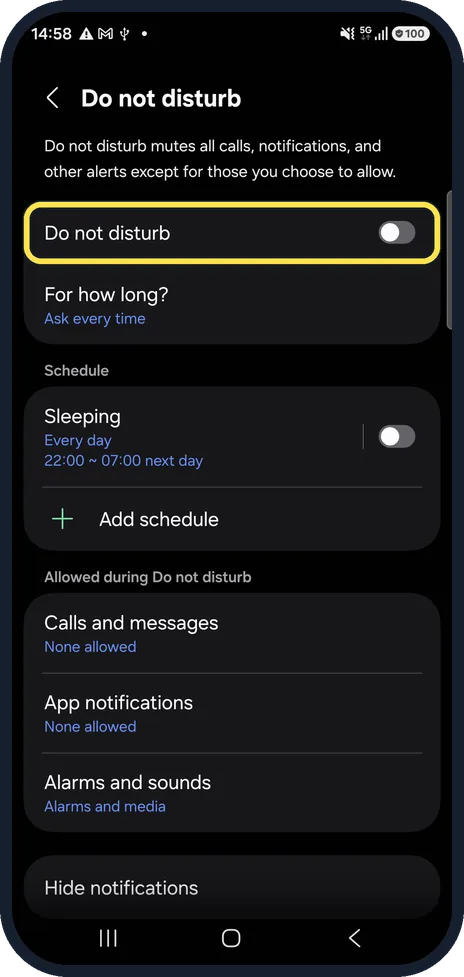
Check Do not disturb
Settings, Notifications, Do not disturb. With it on, calls from people not on the allowed list are silenced and can go to voicemail.
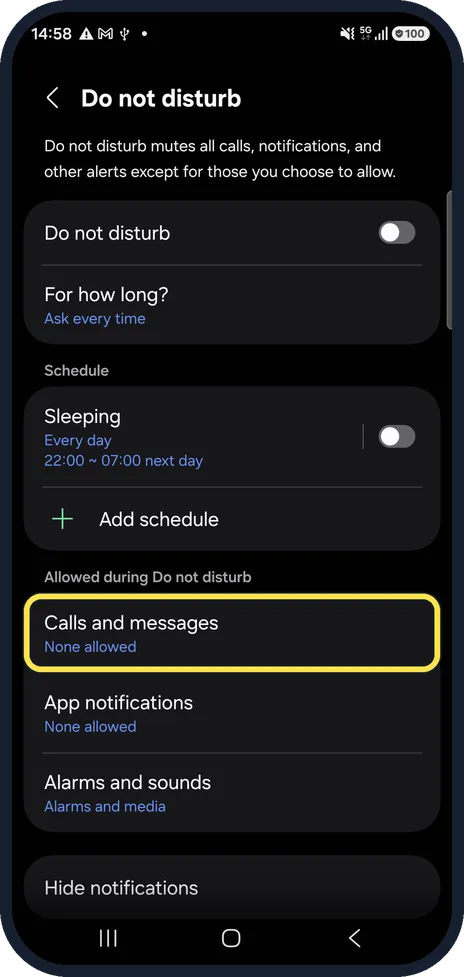
Allow the callers you need
Calls and messages decides who gets through. Ours said None allowed.
Check the blocked numbers
In the Phone app, tap the three dots, Settings, Block numbers. A blocked caller goes straight to voicemail or hears nothing. Steps: how to block numbers and spam calls on a Samsung Galaxy.
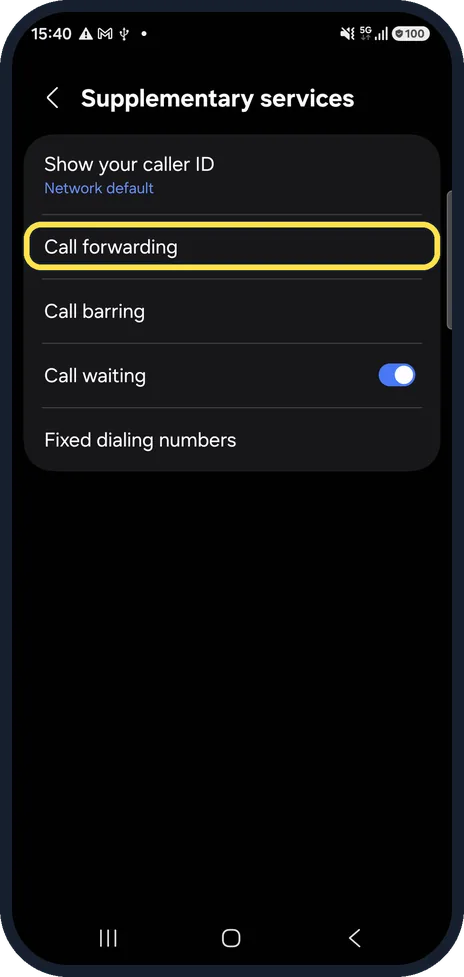
Check call forwarding
Phone app, three dots, Settings, Supplementary services, Call forwarding. Always forward, or forwarding when unanswered after a very short delay, sends calls to voicemail.
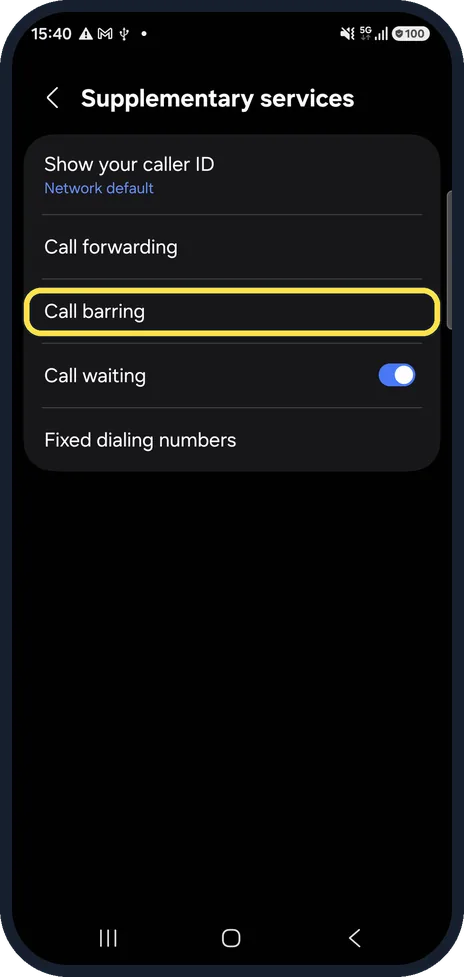
Check Call barring
Barring incoming calls stops them before they ring. It sits just below Call forwarding.
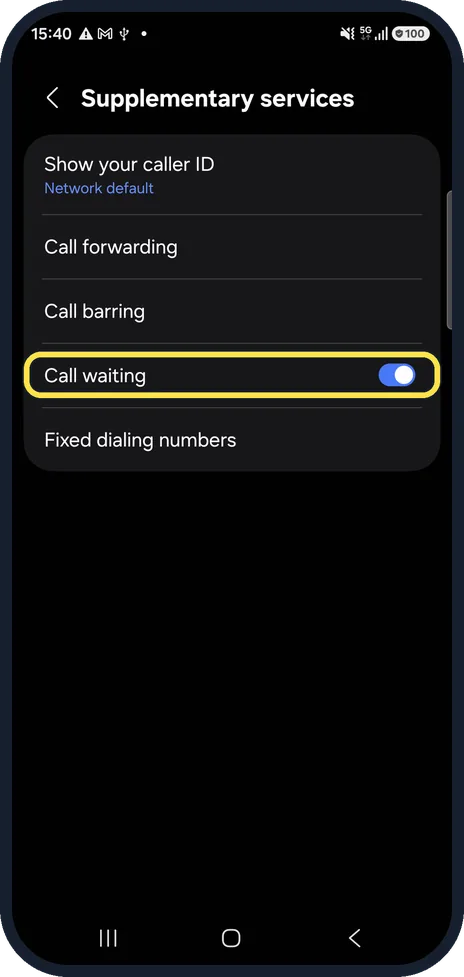
Check Call waiting
With Call waiting off, a second caller goes to voicemail while you are on a call. It was on on our phone.
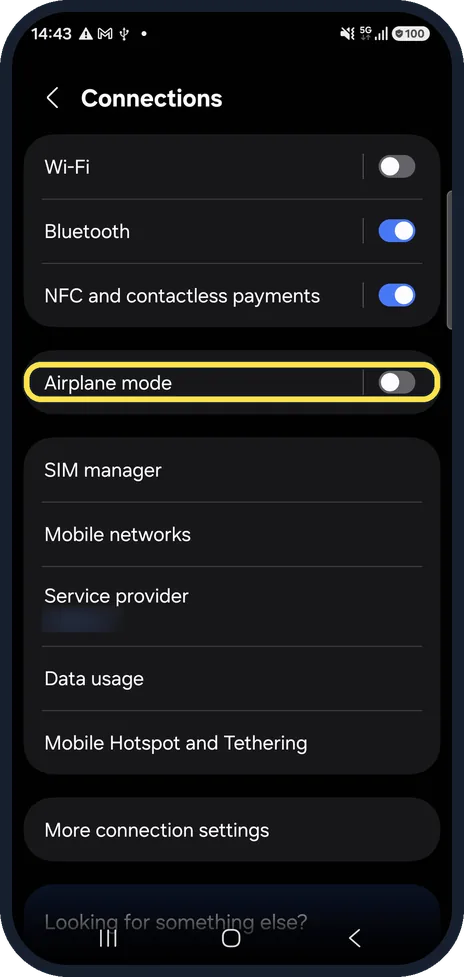
Check Airplane mode and the signal
Settings, Connections, Airplane mode must be off. With no signal at all, the network sends every call to voicemail.
If you do not see this option
- Supplementary services is missing or empty Forwarding and barring are stored by your carrier, so the rows can be missing or named differently on some networks. Samsung says to verify with the carrier that your account is in good standing and service is active. Source: Galaxy phone is unable to make or receive calls
- You recently changed carrier Samsung says that if you kept the same phone, the new carrier may need to set the phone up for its service. If you hear a recorded message when you call, note what it says and contact the carrier. Source: Galaxy phone is unable to make or receive calls
If this does not work
- Nothing above helped Samsung suggests resetting the mobile network settings: Settings, General management, Reset, Reset mobile network settings. Source: Galaxy phone is unable to make or receive calls
- It started after you installed an app Samsung says some downloaded apps can affect network connectivity. Restart in Safe mode, which turns downloaded apps off; if calls come through there, uninstall the newest apps. Source: Galaxy phone is unable to make or receive calls
- The SIM may be the problem Samsung says to check the SIM is correctly installed and not damaged, and to try it in another phone on the same network if you can. The carrier can test or replace it. Source: Galaxy phone is unable to make or receive calls
About this guide
If callers reach your voicemail without the phone ringing even once, the phone is either refusing the call or never receiving it. These settings cover both.
Good to know
Forwarding and barring are stored by your carrier, so the options can differ by network. Your carrier can also check them for you.
If the phone gets calls but stays silent: Samsung Galaxy not ringing? 7 things to check.
In short: Do not disturb, blocked numbers, call forwarding, call barring, call waiting, Airplane mode and signal.
- Samsung US: Galaxy phone is unable to make or receive calls
- Samsung AU: How do I enable Forward Calling on my Samsung Phone?
Links checked in October 2026. Menus and features can change after software updates. These steps match the version named at the top.
📷 See real photos from the Galaxy A57 in our Camera Lab, next to 10 other phones.
Did this guide work for you?
Sorry about that. What happened?