
howtosimply.com/guides/quick-share-not-working-on-a-samsung-galaxy-6-fixes/ · Checked October 2026 · Samsung Galaxy A57 5G (One UI 8.5, Android 16) and Samsung Galaxy A57 (One UI 9, Android 17 (build A576BXXU6BZIE))
In this guide
Turn on Bluetooth and Wi-Fi on both phones, then open Settings, Connected devices, Quick Share and set Who can share with you to Your devices, Contacts or Everyone. Stop any hotspot, Wi-Fi Direct or Smart View session, and sign in to your Samsung account to share with other Galaxy devices.
6 of 6 steps with real screenshots · 1 official source below
- Device
- Android
- Shown on
- Samsung Galaxy A57 5G (SM-A576B), One UI 8.5, Android 16, Samsung Galaxy A57 (SM-A576B), One UI 9, Android 17 (build A576BXXU6BZIE)
- App
- Settings
- Real screenshots
- 6 of 6 steps
- What we did
- Observed: looked at each screen, changed nothing
- Our phone
- Shown on Galaxy A57, One UI 8.5
- Checked
- October 2026
- Sources
- 1 official, linked below
Step by step
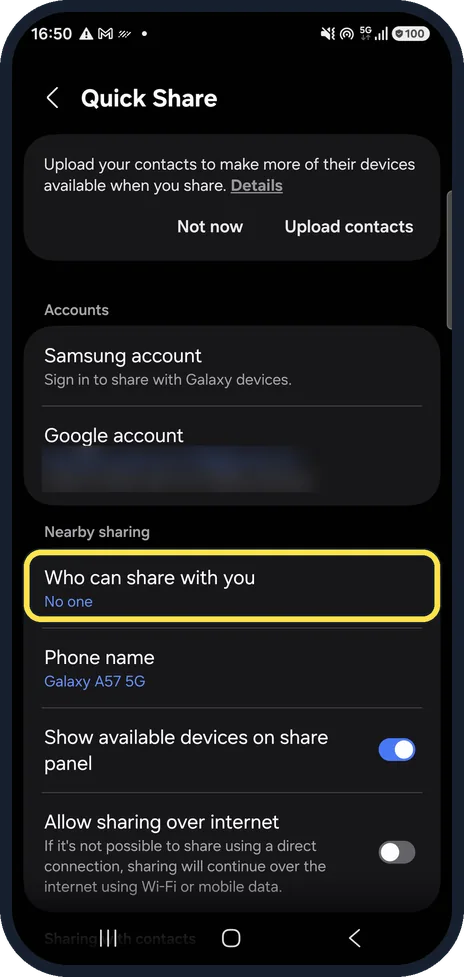
Let others share with you
Settings, Connected devices, Quick Share. Who can share with you was set to No one on our phone, so nobody could send to it.
Watch these steps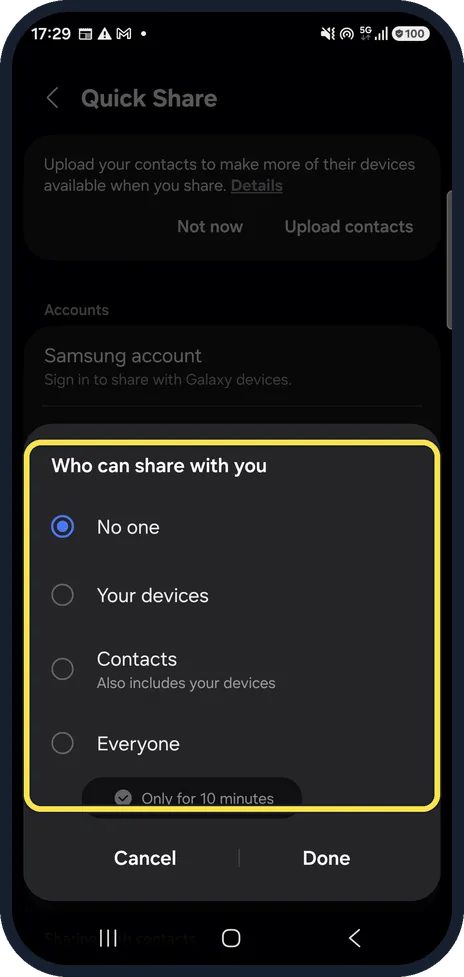
Pick who can share
Your devices, Contacts (which includes your devices) or Everyone. Everyone switches back after 10 minutes.
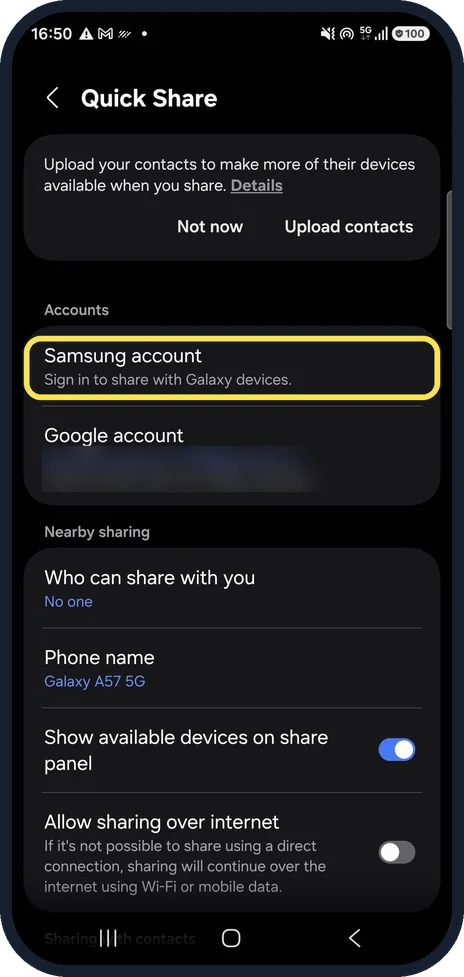
Sign in to your Samsung account
To share with other Galaxy devices, Quick Share needs your Samsung account. Ours asked us to sign in.
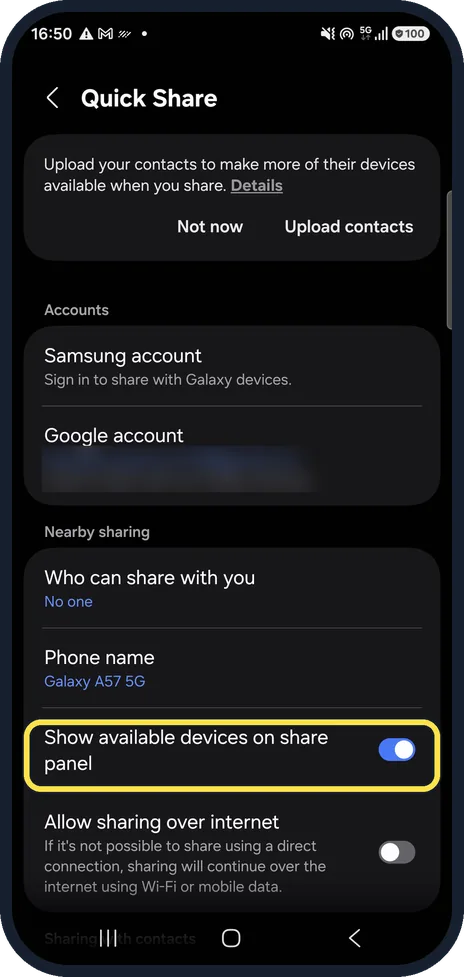
Show devices on the share panel
Show available devices on share panel lists nearby phones when you tap Share. It was on on ours.
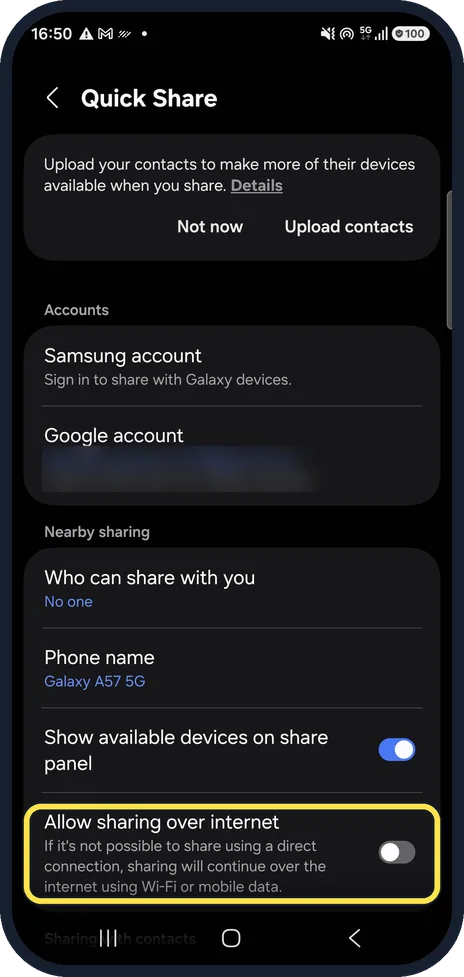
Allow sharing over the internet
If a direct connection is not possible, this lets sharing continue over Wi-Fi or mobile data. It was off on ours.
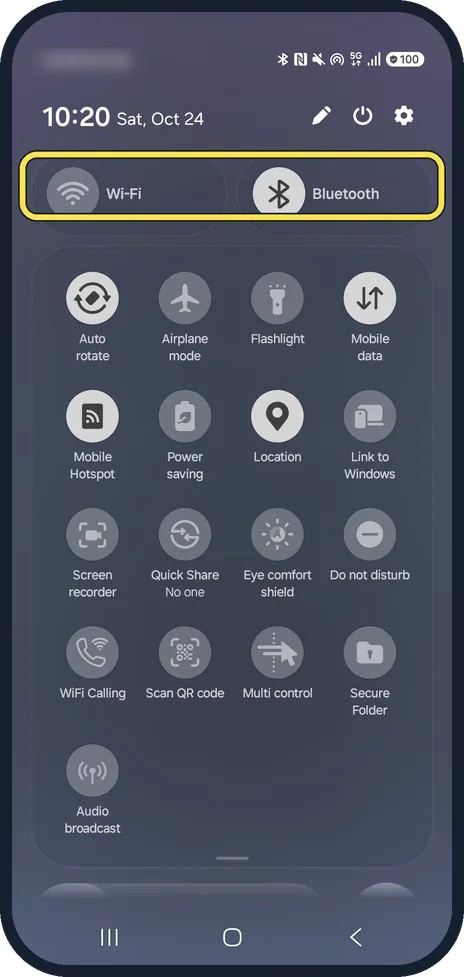
Bluetooth and Wi-Fi on, hotspot off
Samsung says Bluetooth and Wi-Fi must be on, and Quick Share cannot be used while a hotspot, Wi-Fi Direct or Smart View is in use.
Our quick panel shows the case where it cannot work: Wi-Fi off and Mobile Hotspot on.
Watch these steps
If you do not see this option
- There is no Quick Share button Samsung says sharing features vary by device, carrier and software version. Check for a software update under Settings, Software update. Source: Send and receive files with Quick Share on your Galaxy phone
- You want to send to an iPhone Samsung says Settings, Connected devices, Quick Share has a Share with Apple devices option on phones that support it. Source: Send and receive files with Quick Share on your Galaxy phone
If this does not work
- The other phone never shows up Samsung says to make sure Quick Share is turned on on both phones, and to check for software updates if the phone does not search for the other device. Source: Send and receive files with Quick Share on your Galaxy phone
- You are sharing a video to a TV Samsung says Quick Share does not send videos to TVs or SmartThings devices. Use Smart View for a TV. Source: Send and receive files with Quick Share on your Galaxy phone
About this guide
Quick Share fails most often because the receiving phone is set to No one, Bluetooth or Wi-Fi is off, or a hotspot is running.
Step 6 is from the same phone after its One UI 9 update (Android 17).
Good to know
Hotspot on and need it? Samsung Galaxy hotspot not working? 6 fixes.
Bluetooth trouble too? Samsung Galaxy Bluetooth not connecting? 6 fixes.
In short: Who can share with you not No one, Samsung account signed in, Bluetooth and Wi-Fi on, no hotspot running.
Links checked in October 2026. Menus and features can change after software updates. These steps match the version named at the top.
📷 See real photos from the Galaxy A57 in our Camera Lab, next to 10 other phones.
Did this guide work for you?
Sorry about that. What happened?