
What changed: new screenshots from our own iPhone 17e on iOS 27.0.1, dark mode, and the wording checked against those screens.
howtosimply.com/guides/how-to-change-where-safari-saves-downloads-on-an-iphone/ · Checked October 2026 · iPhone 17e · iOS 27.0.1
In this guide
Open Settings, tap Apps, then Safari, then Downloads, and choose On My iPhone, iCloud Drive or Other. On My iPhone keeps downloaded files in the Downloads folder on the phone. iCloud Drive makes them available on your other Apple devices as well.
4 of 5 steps with real screenshots · 1 official source below
- Device
- iPhone
- Shown on
- iOS 27.0.1 (iPhone 17e)
- App
- Settings
- Path
- Settings › Apps › Safari › Downloads
- Real screenshots
- 4 of 5 steps
- Checked
- October 2026
- Sources
- 1 official, linked below
Step by step
Open Settings and tap Apps
Apps is near the bottom of the main Settings list. On iOS 17 and earlier, Safari is in the main list itself.
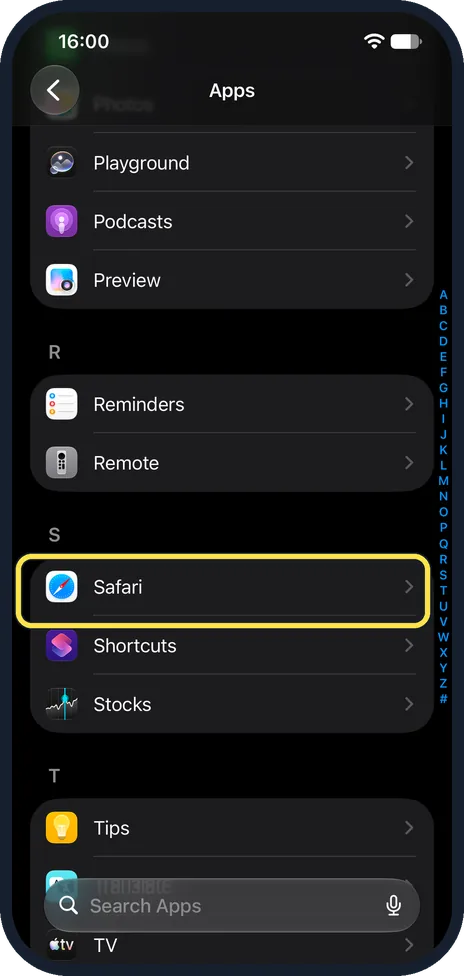
Tap Safari
The apps are in alphabetical order, so Safari is under S.
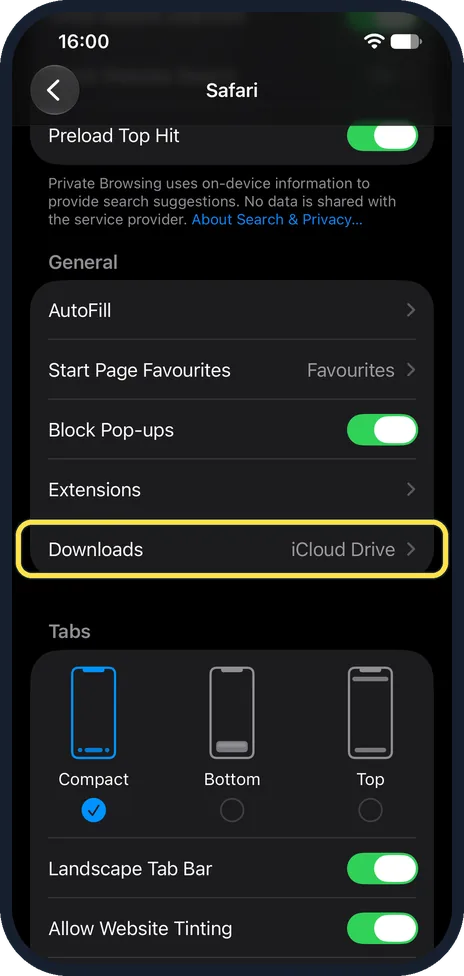
Scroll to General and tap Downloads
It is the last row of the General group and shows the current place at the right. Ours said iCloud Drive.
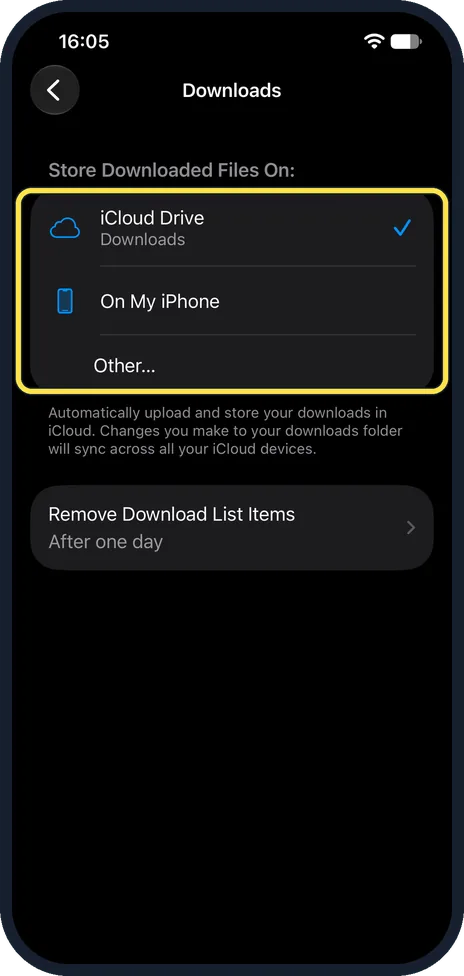
Choose where downloads are stored
iCloud Drive (ticked on ours) uploads and stores your downloads in iCloud, and the note under it says changes sync across your iCloud devices. On My iPhone saves them to the Downloads folder on this iPhone only. Other lets you pick a different location.
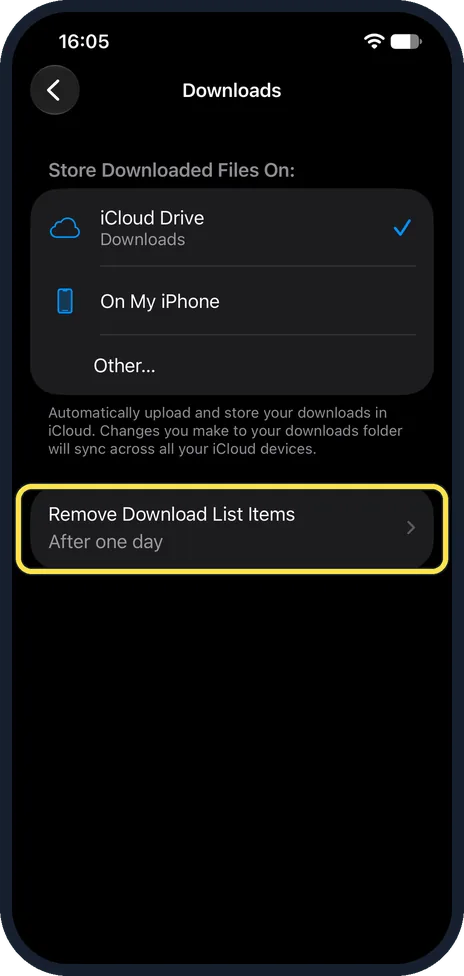
Decide when the download list is cleared
Remove Download List Items is set to After one day at first. Tap it to change that.
What changed: new screenshots from our own iPhone 17e on iOS 27.0.1, dark mode, and the wording checked against those screens.
About this guide
A file you download in Safari goes to a Downloads folder. Which one is your choice: a folder on the iPhone itself, the Downloads folder in iCloud Drive, or any other location.
The screenshots are our own, taken on an iPhone 17e running iOS 27.0.1, in dark mode.
Good to know
Other is for a location that is not a Downloads folder, in Apple's words.
In short: Settings, Apps, Safari, Downloads, choose the place.
Links checked in October 2026. Menus and features can change after software updates. These steps match the version named at the top.
Did this guide work for you?
Sorry about that. What happened?