
What changed: the screenshots are now our own iPhone 17e on iOS 27.0.1, dark mode, and the wording is checked against those screens.
howtosimply.com/guides/how-to-move-the-safari-address-bar-on-an-iphone/ · Checked October 2026 · iPhone 17e · iOS 27.0.1
In this guide
Open Settings, tap Apps, then Safari, and scroll to Tabs. Choose Compact, Bottom or Top. Top puts the address bar at the top of the screen, as in older versions. Bottom and Compact keep it at the bottom, within reach of your thumb.
5 of 5 steps with real screenshots · 1 official source below
- Device
- iPhone
- Shown on
- iOS 27.0.1 (iPhone 17e)
- App
- Settings
- Path
- Settings › Apps › Safari › Tabs: Compact › Bottom or Top
- Real screenshots
- 5 of 5 steps
- What we did
- Performed: we made the change on our device and show the result
- Checked
- October 2026
- Sources
- 1 official, linked below
Step by step
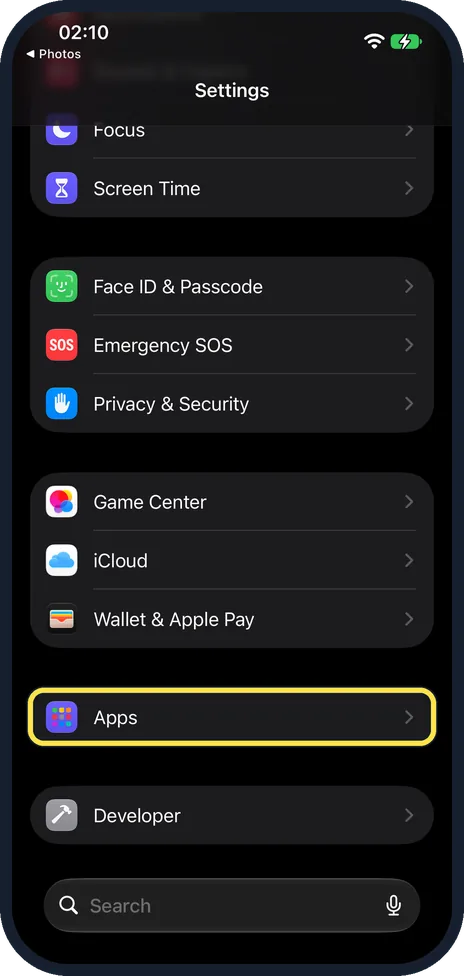
Open Settings and tap Apps
Apps is near the bottom of the main Settings list.
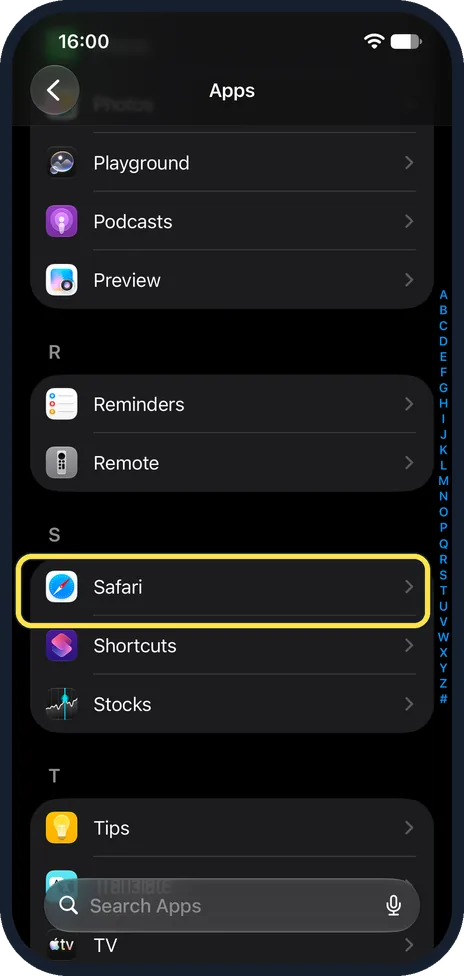
Tap Safari
The apps are in alphabetical order, so Safari is under S.
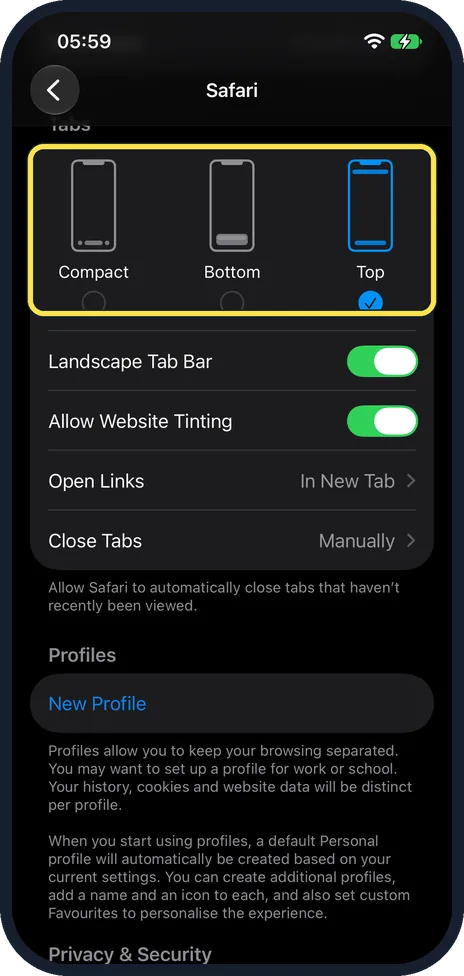
Scroll to Tabs and choose a layout
Three small phone pictures show where the bar goes: Compact, Bottom and Top. Tap one. The tick shows the active layout. Ours was on Compact; the picture shows ours after we tapped Top.
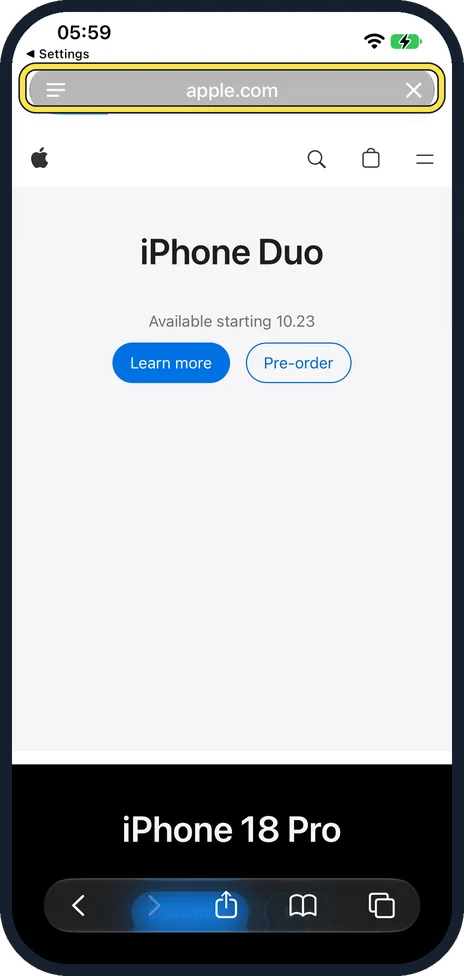
Open Safari to see the change
With Top, the address bar sits at the top of the screen, above the page. Ours showed apple.com there.
Decide how links open and when tabs close
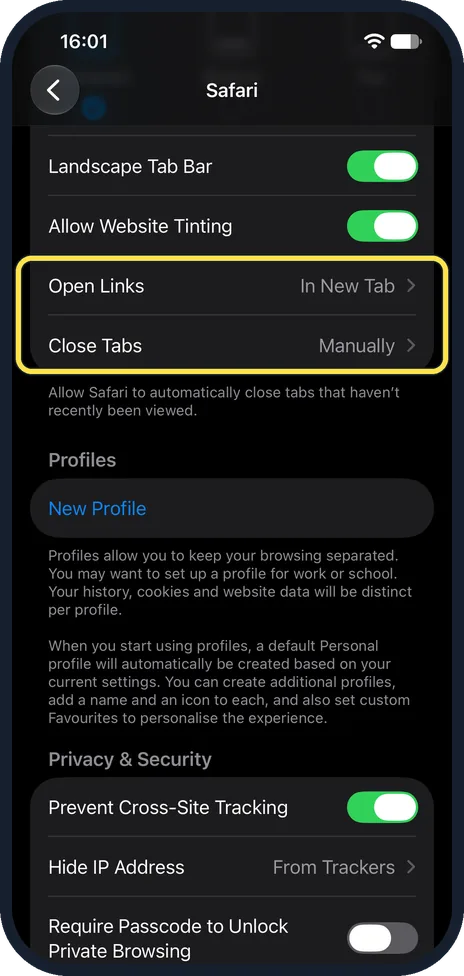
In the same group, Open Links chooses between a new tab and the background. Close Tabs is set to Manually at first, as on ours; Safari can also close tabs that you have not viewed recently by itself.
What changed: the screenshots are now our own iPhone 17e on iOS 27.0.1, dark mode, and the wording is checked against those screens.
If you do not see this option
- Your iPhone runs iOS 18 or earlier. There the choice is between Tab Bar and Single Tab, in the same Tabs group. Source: Change the layout in Safari on iPhone (iOS 18)
- Your iPhone runs iOS 17 or earlier. Safari is in the main Settings list itself, not under Apps.
If this does not work
- The tabs look different when the iPhone is sideways. Landscape Tab Bar, on on ours, shows your open tabs as a row when you hold the iPhone sideways.
- The bar changes colour. Allow Website Tinting, on on ours, lets the bar take on the colour of the website you are viewing.
About this guide
On iOS 26 and later Safari can show a compact bar at the bottom of the screen; on our iPhone 17e with iOS 27.0.1, Compact was ticked. If you prefer the address bar where it used to be, or want a full bar at the bottom, the choice is in Settings. It only changes where the bar sits. Your tabs and bookmarks stay as they are.
The screenshots are our own, taken on an iPhone 17e running iOS 27.0.1, in dark mode.
Good to know
Open Links, in the same group, decides where new tabs open: how to open Safari links in the background on an iPhone.
In short: Settings, Apps, Safari, Tabs: Compact, Bottom or Top.
Links checked in October 2026. Menus and features can change after software updates. These steps match the version named at the top.
Did this guide work for you?
Sorry about that. What happened?