
howtosimply.com/guides/how-to-turn-on-night-shift-on-a-mac/ · Checked October 2026 · MacBook Pro · macOS Tahoe 26
In this guide
Open System Settings, click Displays, then Night Shift. Set Schedule to Sunset to Sunrise, or choose your own times, and move the slider to make the screen warmer.
2 of 4 steps with real screenshots · 1 official source below
- Device
- Mac
- Shown on
- macOS Tahoe 26 (MacBook Pro)
- App
- System Settings
- Path
- System Settings › Displays › Night Shift
- Real screenshots
- 2 of 4 steps
- Checked
- October 2026
- Sources
- 1 official, linked below
Step by step
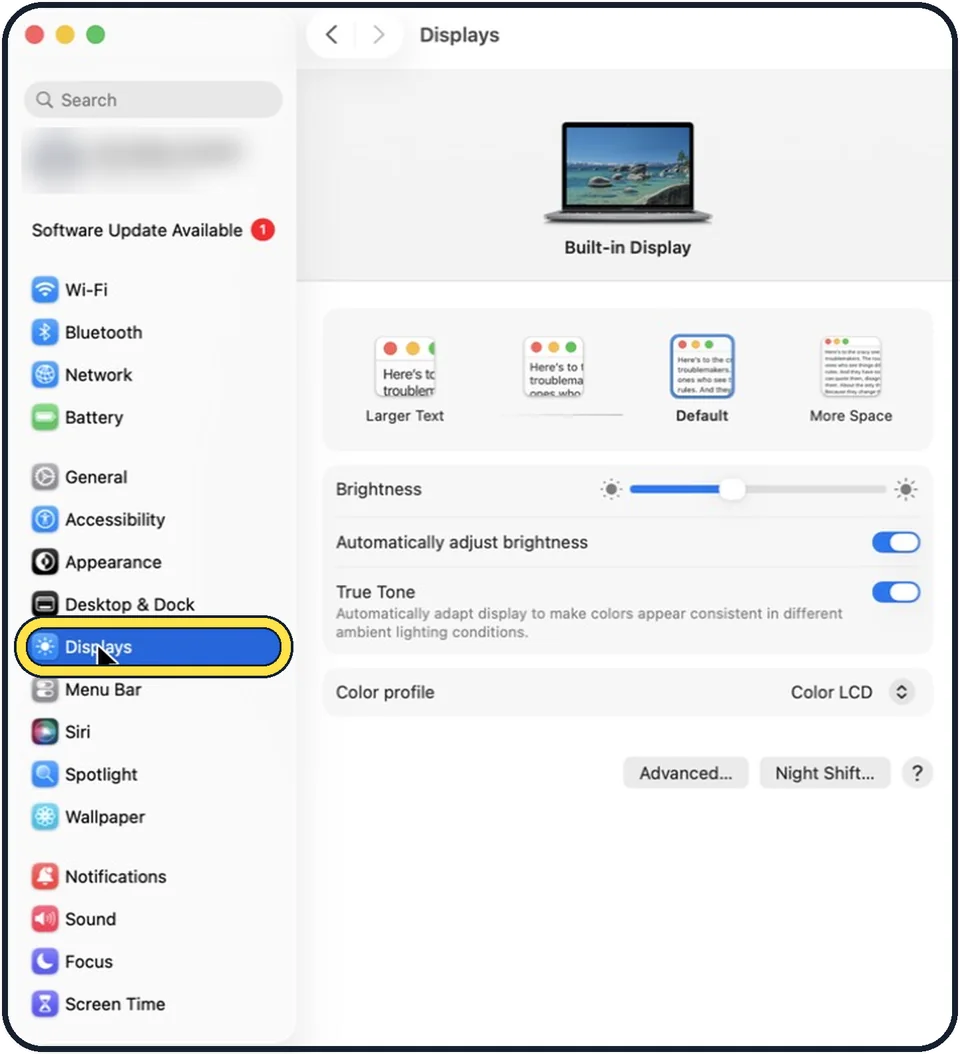
Zoomed in on the setting. Tap to see the whole screenTap the picture to see it full size Open System Settings and click Displays
Click the Apple menu in the top left corner and choose System Settings. Displays is in the list on the left.
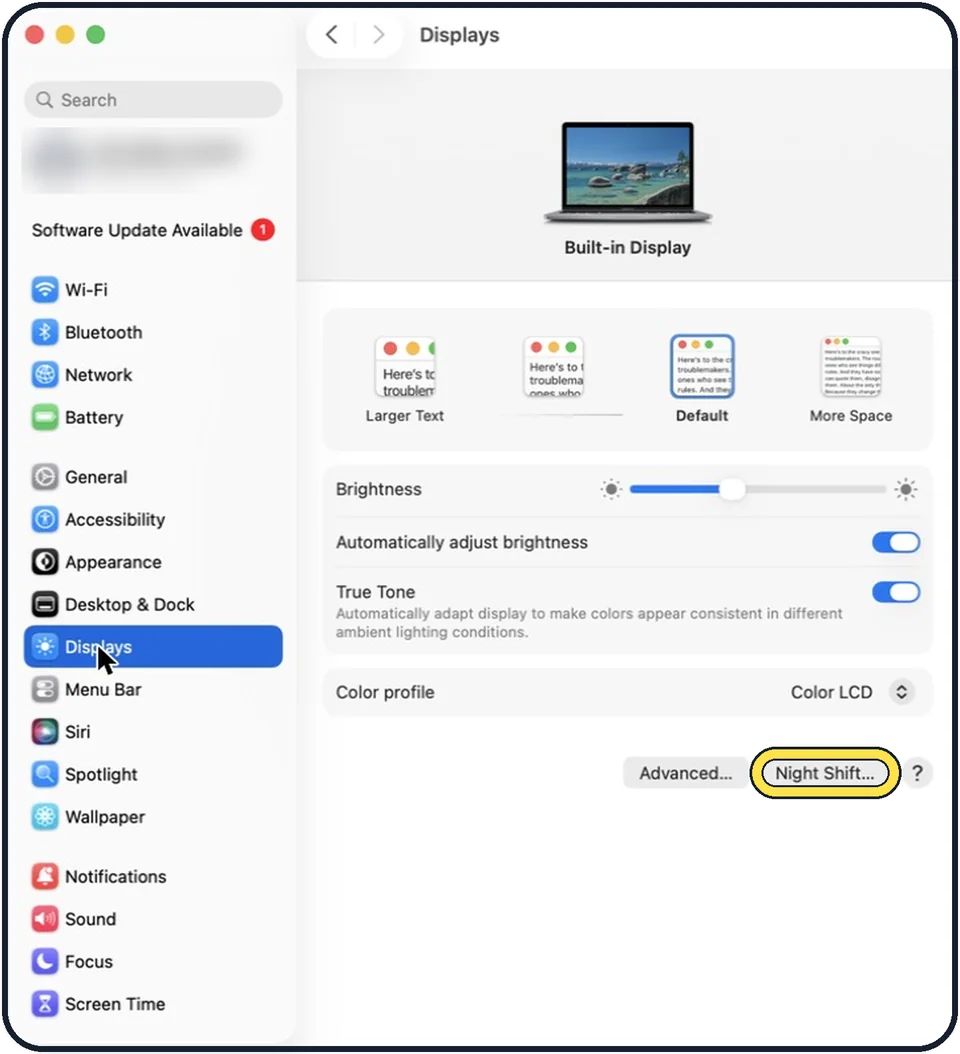
Zoomed in on the setting. Tap to see the whole screenTap the picture to see it full size Click Night Shift
The button is at the bottom of the Displays page.
Choose a schedule
Open the Schedule menu and pick Sunset to Sunrise, which uses your location, or Custom to set your own times.
Set the colour temperature
Drag the slider towards More Warm for a stronger effect, then click Done.
About this guide
Night Shift makes the screen warmer and less blue in the evening, which many people find more comfortable in a dark room.
Good to know
To switch it on for one evening only, use Turn on until tomorrow.
You can also reach Night Shift from Control Centre in the menu bar: click Display.
Turn Night Shift off when you edit photos or video, because it changes how colours look.
Dark Mode is the other half of an easier evening screen: How to turn on Dark Mode on a Mac.
Text hard to read at night? How to increase contrast and reduce transparency on a Mac.
In short: System Settings, Displays, Night Shift, choose a schedule.
Links checked in October 2026. Menus and features can change after software updates. These steps match the version named at the top.
Did this guide work for you?
Sorry about that. What happened?