
howtosimply.com/guides/how-to-update-a-nothing-phone/ · Checked October 2026 · 4a) Pro (A069P, EEA), Nothing OS 4.1, Android 16 (build FroggerPro-B4.1-260424-1447-EEA · Nothing Phone
In this guide
Open Settings, System, System updates. If it says System update available, read What's New and download it on Wi-Fi. Ours offered a 643 MB update with the September 2026 security patch.
4 of 4 steps with real screenshots · 3 official sources below
- Device
- Android
- Shown on
- Nothing Phone (4a) Pro (A069P, EEA), Nothing OS 4.1, Android 16 (build FroggerPro-B4.1-260424-1447-EEA)
- App
- Settings
- Path
- Settings › System › System updates
- Real screenshots
- 4 of 4 steps
- Checked
- October 2026
- Sources
- 3 official, linked below
Step by step
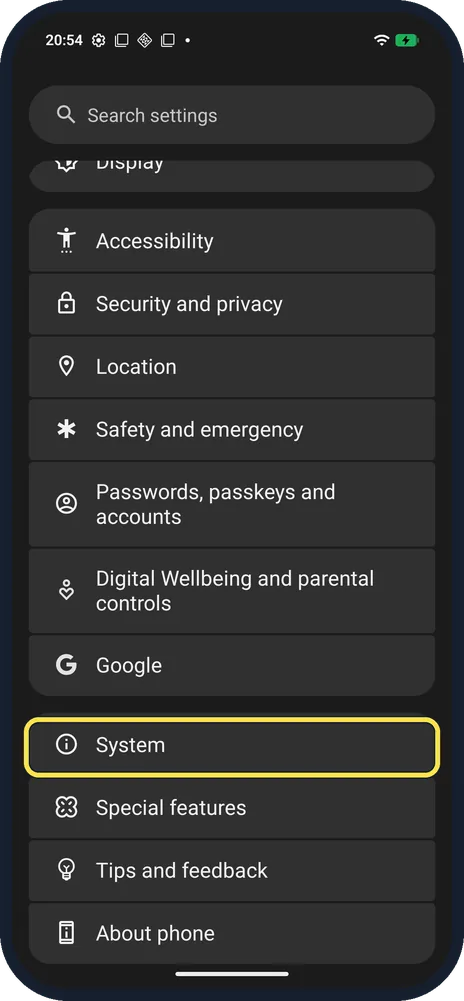
Open System
Open Settings and tap System.
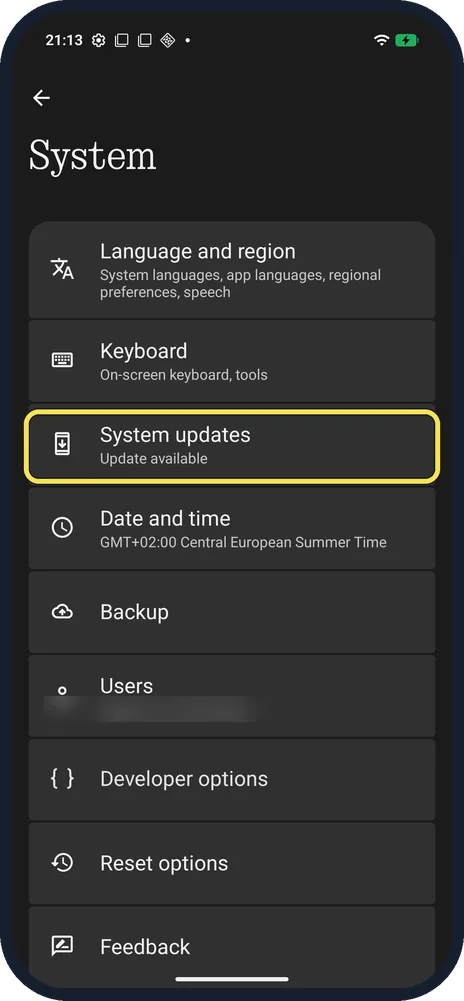
Tap System updates
Ours said Update available.
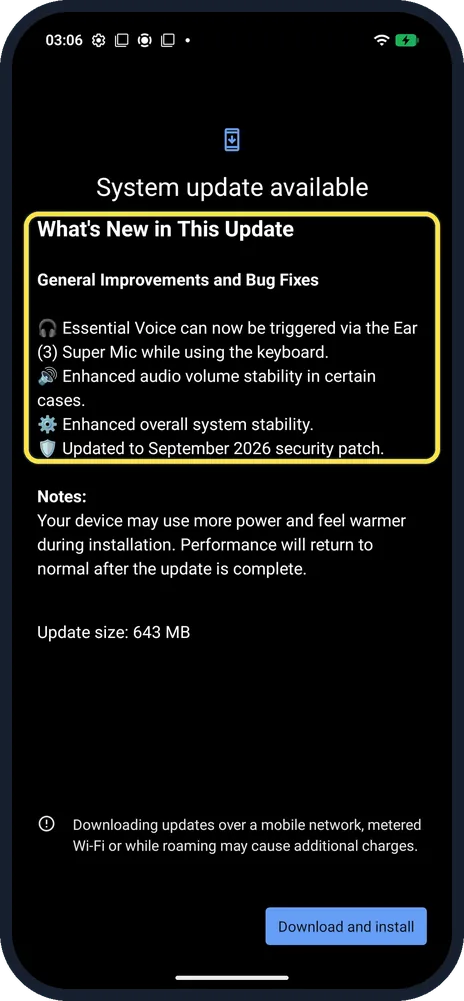
Read What's New
Ours: Essential Voice via the Ear (3) Super Mic, audio stability, system stability, September 2026 security patch. Update size: 643 MB.
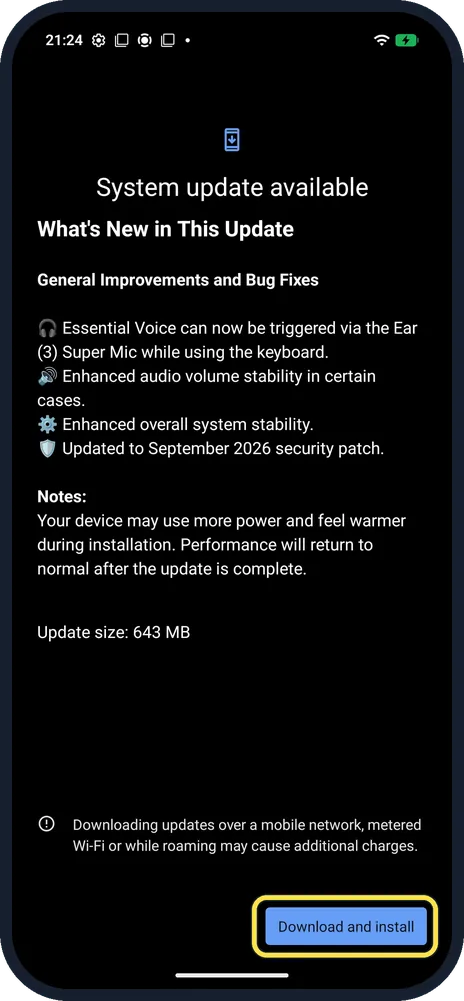
Tap Download and install
Bottom right. Connect to Wi-Fi first. We did not tap it.
If you do not see this option
- Can't find System updates? Nothing also gives About phone, Software info: a red icon next to the Nothing OS label means an update is waiting. Source: How do I know when a new software update is available?
- How do you hear about updates? Nothing says you get a notification when a new update is available, and you can check by hand at any time. Source: How do I know when a new software update is available?
- Automatic download setting? Ours had no menu or settings button on the update page, only the notes and Download and install.
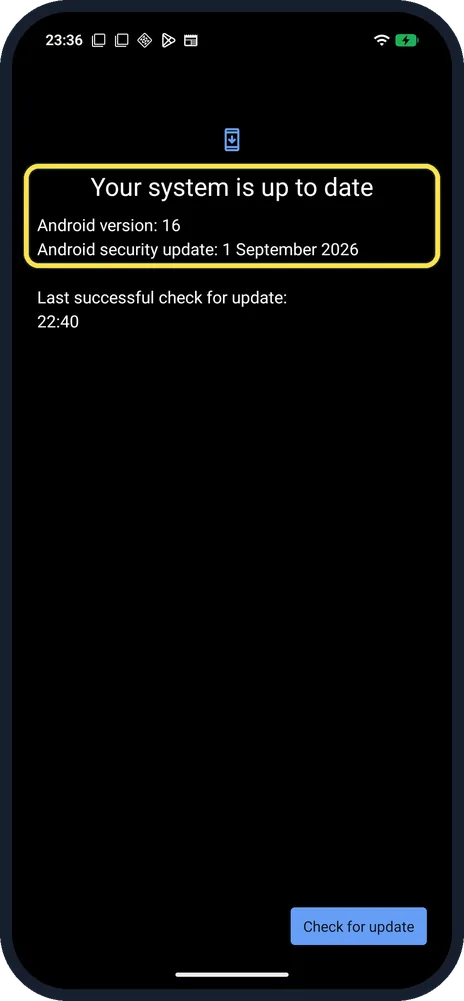
- How do you know it worked? This screenshot was taken later, after the update had installed: System updates on ours said Your system is up to date, with Android security update 1 September 2026.
If this does not work
- On mobile data? The page warns that mobile data, metered Wi-Fi or roaming may cost extra. Nothing recommends Wi-Fi and says not to press the power button during the update. Source: How do I upgrade the software system online?
- Phone warm during the update? The page notes the device may use more power and feel warmer during installation, then return to normal.
- Not enough space? Nothing says Settings, Storage, Free up space, Clean removes temporary files, cookies and cache. Source: How do I clean up storage space?
- No update shown? Nothing says no new version means the phone already has the latest software. Source: How do I upgrade the software system online?
About this guide
The screenshots are from our Nothing Phone (4a) Pro, the European model A069P, with Nothing OS 4.1 and Android 16 (build FroggerPro-B4.1-260424-1447-EEA), in Dark theme. These screens are from before the update. The update was later installed on our phone, and the page then said Your system is up to date.
Good to know
To clear space first, see clear app cache.
For adb and USB debugging, see Developer options.
In short: Settings, System, System updates.
- Nothing Support: How do I upgrade the software system online?
- Nothing Support: How do I know when a new software update is available?
- Nothing Support: How do I clean up storage space?
Links checked in October 2026. Menus and features can change after software updates. These steps match the version named at the top.
Did this guide work for you?
Sorry about that. What happened?