
You are viewing the macOS 26 version of this guide, recorded on macOS Tahoe 26 (MacBook Pro) on 4 October 2026. It is kept as it was and not updated. See the macOS 27 version.
howtosimply.com/guides/how-to-turn-on-tap-to-click-on-a-mac/ · Checked 4 October 2026 · MacBook Pro · macOS Tahoe 26
In this guide
Open System Settings, click Trackpad, and switch on Tap to click under Point & Click. A light tap on the trackpad with one finger then counts as a click, and you no longer have to press the trackpad down.
3 of 3 steps with real screenshots · 1 official source below
- Device
- Mac
- Shown on
- macOS Tahoe 26 (MacBook Pro)
- App
- System Settings
- Real screenshots
- 3 of 3 steps
- Checked
- 4 October 2026
- Sources
- 1 official, linked below
Step by step
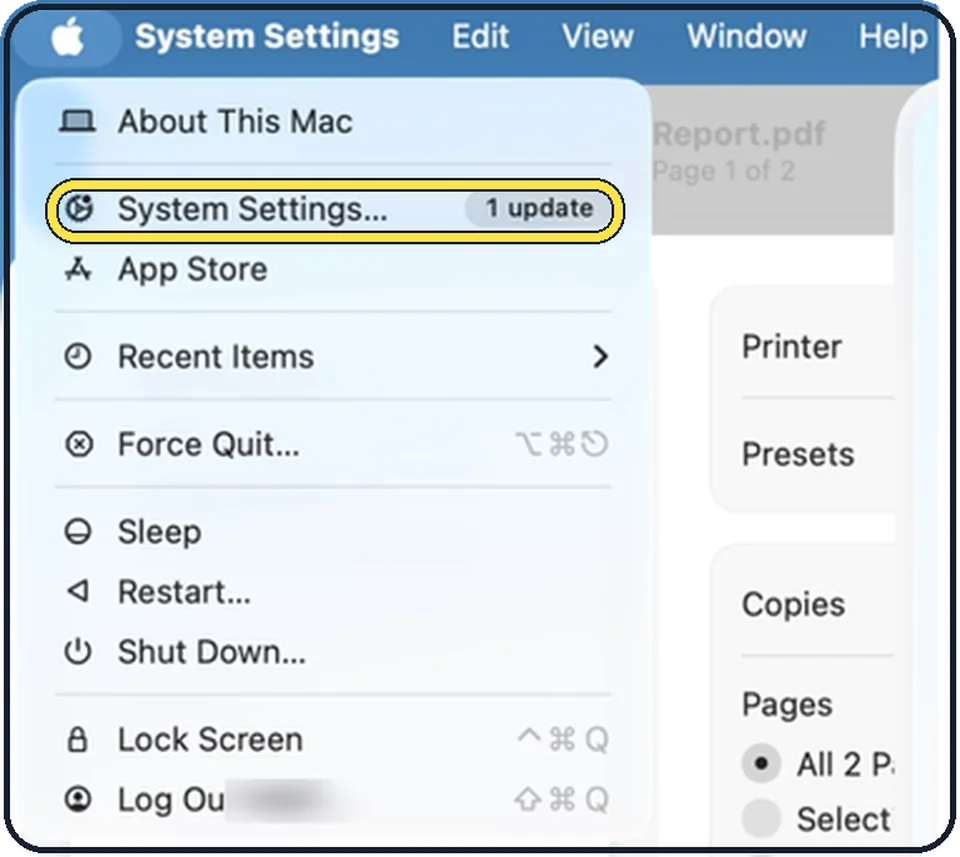
Tap the picture to see it full size Open System Settings
Click the Apple menu in the top left corner of the screen and choose System Settings.
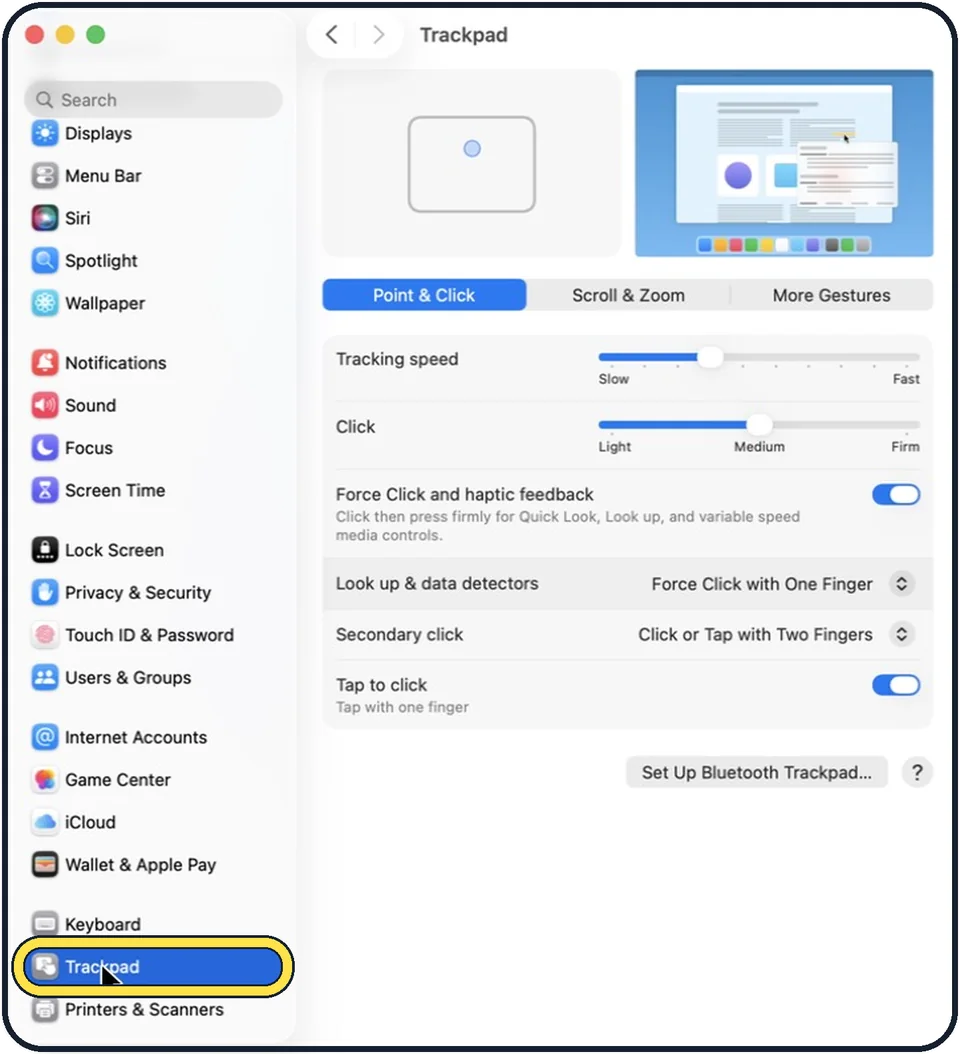
Tap the picture to see it full size Click Trackpad in the sidebar
Trackpad is near the bottom of the sidebar, below Keyboard. Scroll down to find it.
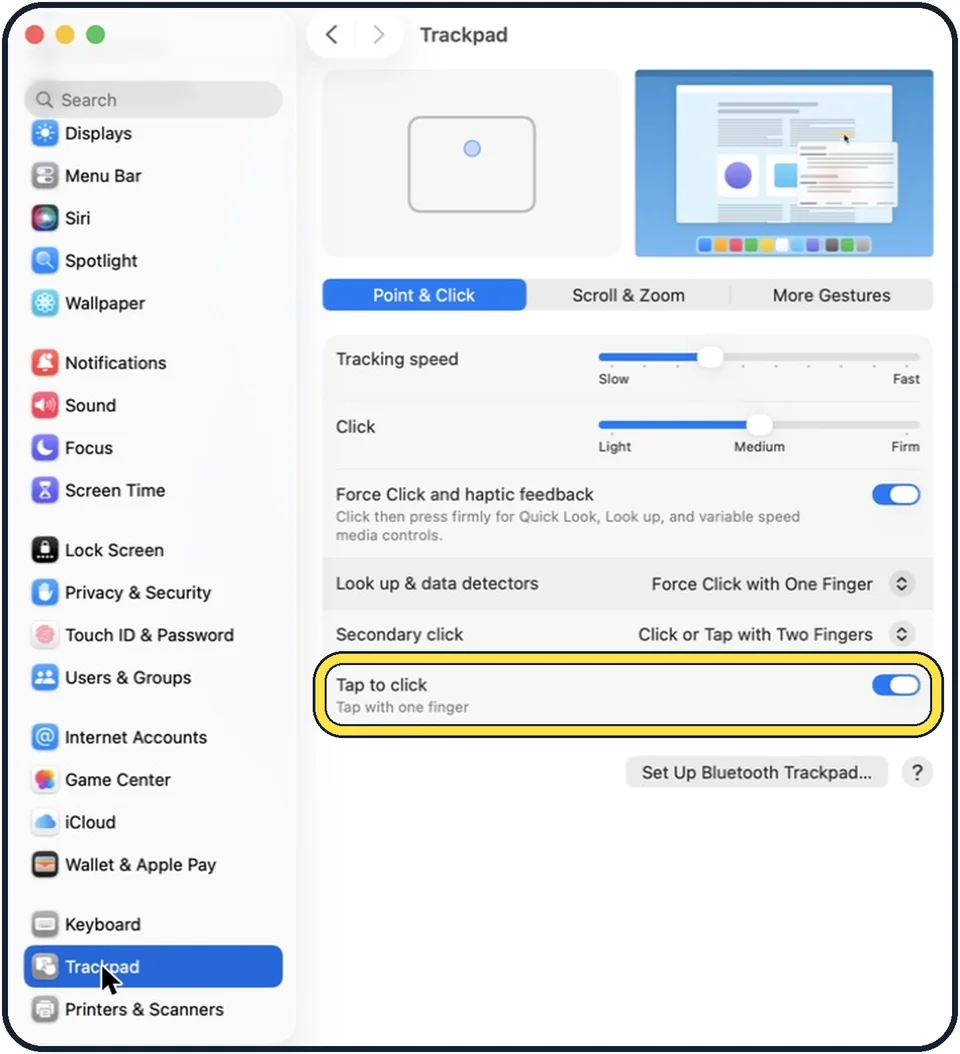
Tap the picture to see it full size Switch on Tap to click
It is the last row of the Point & Click tab. The line under it says: tap with one finger. In the picture it is on.
What we saw on our device
- Click Trackpad in the sidebar: On our MacBook Neo it sits between Keyboard and Printers & Scanners.
- Switch on Tap to click: On our MacBook Neo it was off.
About this guide
A Mac trackpad expects a press for a click. Many people prefer a light tap, as on most Windows laptops. It is one switch.
The screenshots show System Settings on macOS Tahoe 26.
Good to know
A tap with two fingers can be the right-click: how to right-click on a Mac.
Apple notes that, depending on the Mac or trackpad, you see only some of the options.
In short: System Settings > Trackpad > Point & Click > Tap to click on.
Links checked in October 2026. Menus and features can change after software updates. These steps match the version named at the top.
Did this guide work for you?
Sorry about that. What happened?