
howtosimply.com/guides/how-to-translate-a-web-page-in-chrome-on-a-samsung-galaxy/ · Checked October 2026 · Samsung Galaxy A57 5G (One UI 8.5, Android 16) and Samsung Galaxy A57 (One UI 9, Android 17 (build A576BXXU6BZIE))
In this guide
Open the page in Chrome, tap the three dots at the top right and choose Translate… Chrome translates the page into your phone's language. Tap the translate bar at the bottom to switch back or pick another language.
4 of 4 steps with real screenshots · 1 official source below
- Device
- Android
- Shown on
- Samsung Galaxy A57 5G (SM-A576B), One UI 8.5, Android 16, Samsung Galaxy A57 (SM-A576B), One UI 9, Android 17 (build A576BXXU6BZIE)
- App
- Chrome
- Real screenshots
- 4 of 4 steps
- What we did
- Observed: looked at each screen, changed nothing
- Our phone
- Shown on Galaxy A57, One UI 8.5
- Checked
- October 2026
- Sources
- 1 official, linked below
Step by step
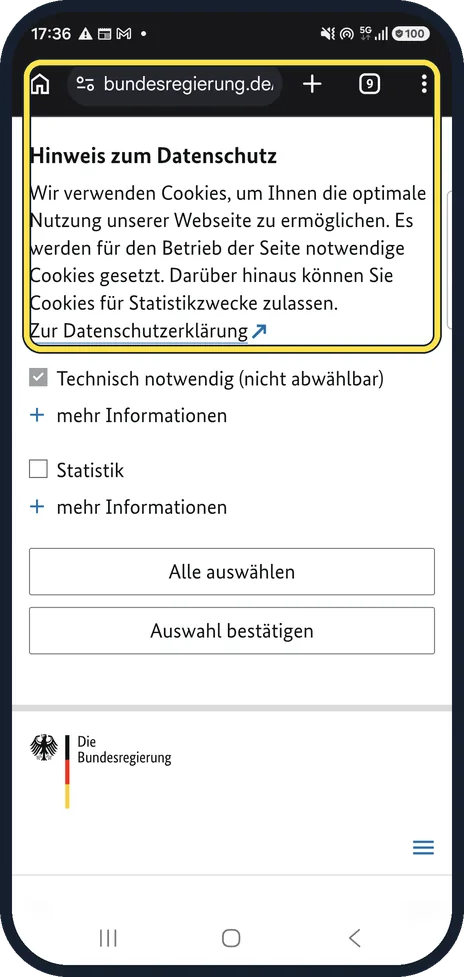
Open the page in Chrome
Here the German government site shows its cookie notice in German.
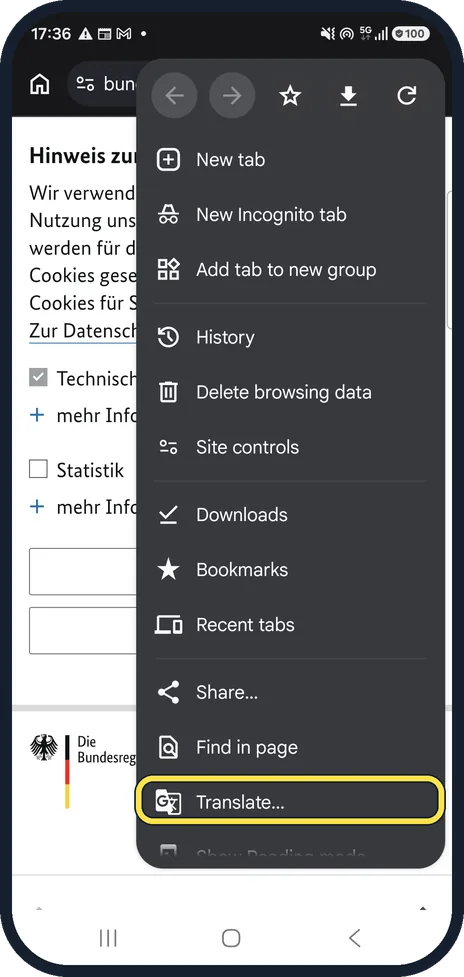
Tap Translate…
Tap the three dots at the top right and scroll the menu to Translate…
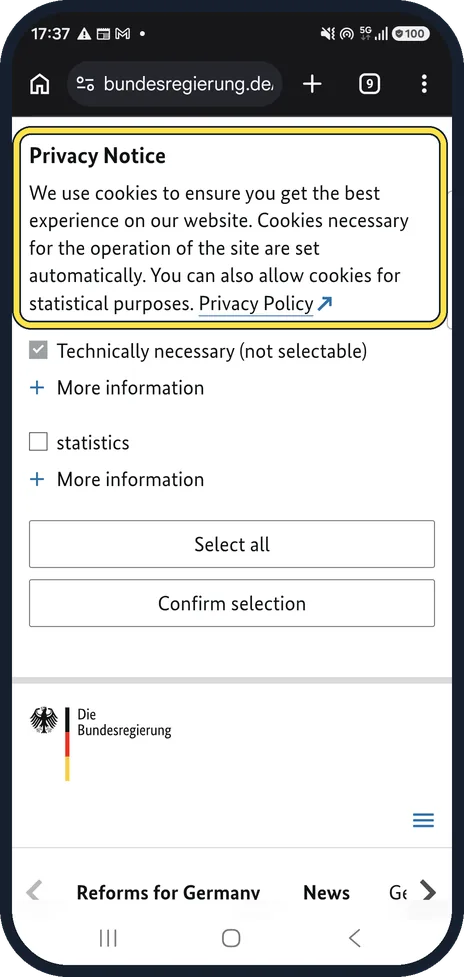
Read the translation
Chrome replaces the text in place. The same notice now reads Privacy Notice, We use cookies to ensure you get the best experience on our website.
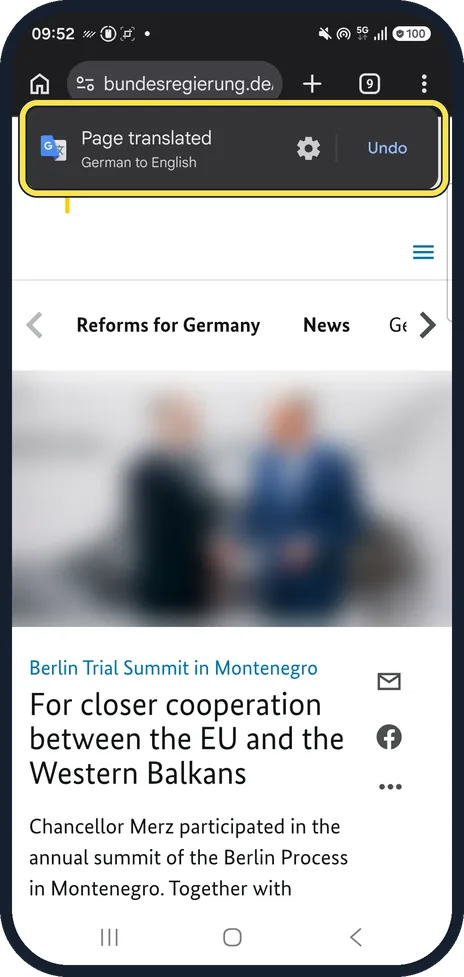
Switch back or change language
A bar appears at the top. Ours read Page translated, German to English, with a gear and Undo. Undo switches back; the gear chooses another target language or always translates that language.
If you do not see this option
- Chrome never offers to translate Google says to check Chrome, More, Settings, Languages: under Translation settings, Offer to send pages in other languages to Google Translate must be on. Source: Translate pages and change Chrome languages (Android)
- One language is never translated Google says Chrome skips languages on its Don't offer to translate these languages list, under Settings, Languages, Advanced. Remove the language there, or use More, Translate on the page. Source: Translate pages and change Chrome languages (Android)
If this does not work
- Translate does nothing Google says to refresh the page. If you still cannot tap Translate, the language may not be available for translation. Source: Translate pages and change Chrome languages (Android)
- It translates into the wrong language Google says to choose the target under Chrome, More, Settings, Languages, Advanced, Translate into this language. Source: Translate pages and change Chrome languages (Android)
About this guide
Chrome can translate whole web pages, which helps with official German sites and foreign shops. We tried it on bundesregierung.de, the German government's website.
Step 4 is from the same phone after its One UI 9 update (Android 17).
Good to know
Translations are automatic and can be wrong, especially for legal or official wording. Check important details with the original.
In short: Chrome, three dots, Translate…; tap the translate bar to undo or change language.
Links checked in October 2026. Menus and features can change after software updates. These steps match the version named at the top.
📷 See real photos from the Galaxy A57 in our Camera Lab, next to 10 other phones.
Did this guide work for you?
Sorry about that. What happened?