
howtosimply.com/guides/how-to-clear-cookies-for-one-website-in-chrome-on-android/ · Checked October 2026 · Samsung Galaxy A57 5G (SM-A576B), One UI 8.5, Android 16
In this guide
In Chrome, tap the three dots, Settings, Site settings, All sites. Find the website and tap the bin next to it, then Delete & reset. Only that site's cookies and data go; you stay signed in everywhere else.
4 of 4 steps with real screenshots · 2 official sources below
- Device
- Android
- Shown on
- Samsung Galaxy A57 5G (SM-A576B), One UI 8.5, Android 16
- App
- Chrome
- Real screenshots
- 4 of 4 steps
- Checked
- October 2026
- Sources
- 2 official, linked below
Step by step
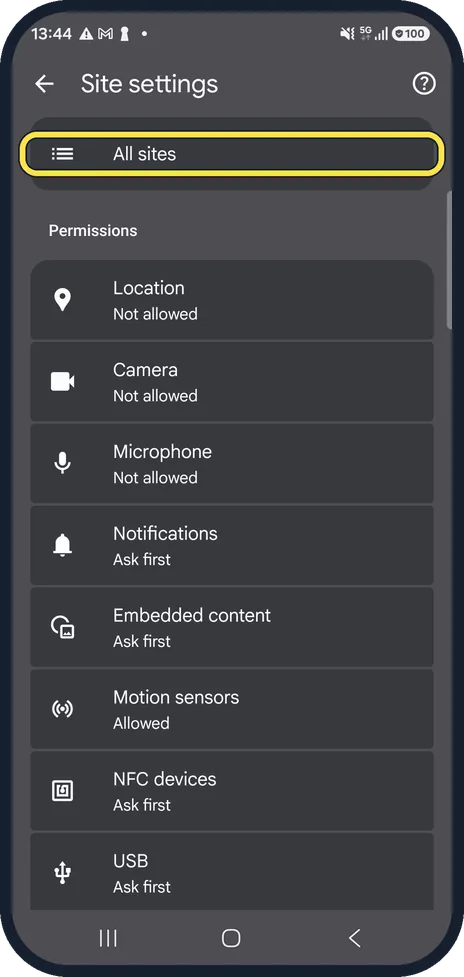
Open All sites
Tap the three dots at the top right, Settings, then Site settings, and tap All sites at the top.
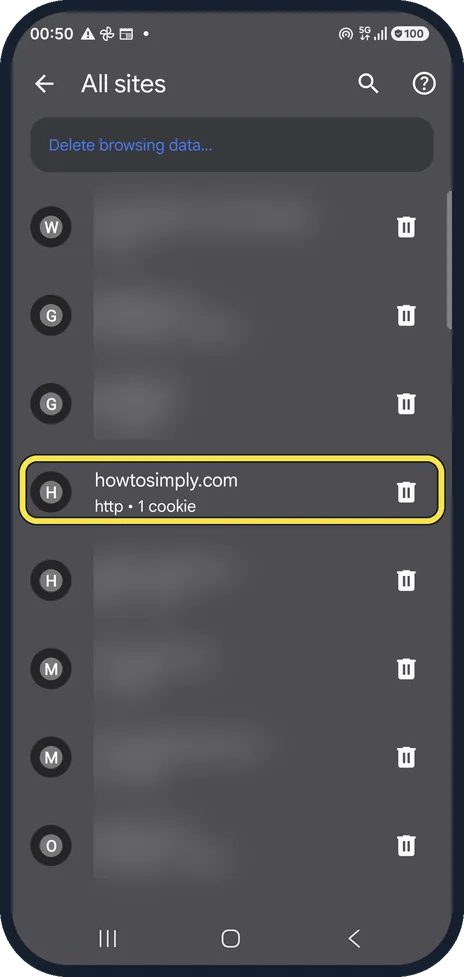
Find the website
Every site that stored data is listed with its cookies and size. We blurred our other sites; howtosimply.com shows http and 1 cookie. Use the search icon if the list is long.
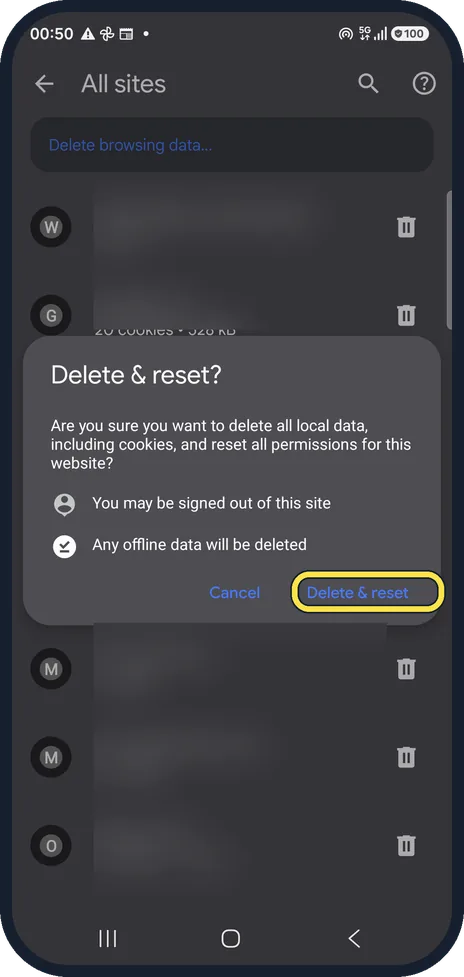
Tap the bin, then Delete & reset
Chrome warns that you may be signed out of this site and that offline data will be deleted. Site permissions, such as notifications or location, are reset too.
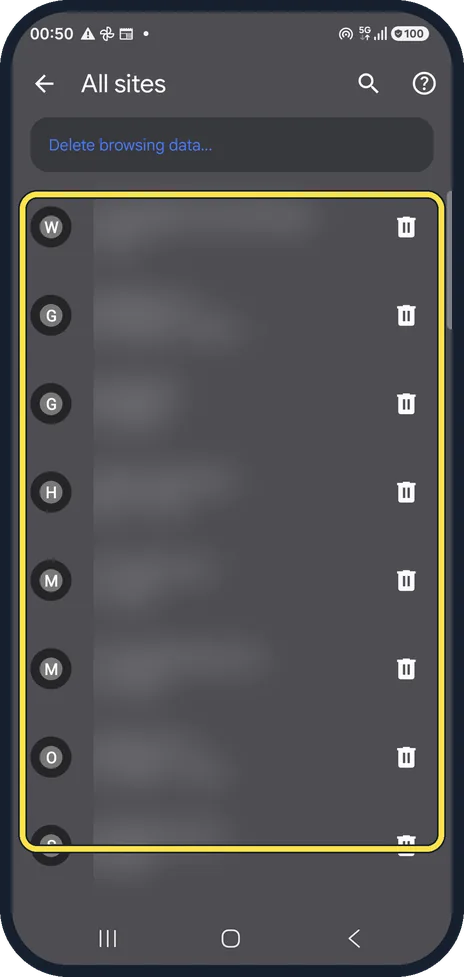
Check the list
The site disappears from the list. Open it again: it loads fresh, and you sign in again if it asks.
If you do not see this option
- The site is not in All sites All sites lists only sites that stored data. Google also gives a route from the site itself: tap Page info to the left of the address, Cookies and site data, then Delete. Source: Delete, allow and manage cookies in Chrome (Android)
If this does not work
- One site works but others break Google says that if you block third-party cookies, some sites may not work as expected. Check Site settings, Third-party cookies, and add an exception for the site. Source: Delete, allow and manage cookies in Chrome (Android)
- You want to clear every site Google says to use Privacy and security, Delete browsing data, tick Cookies and site data and choose a time range such as All time. You may be signed out of sites. Source: Delete, allow and manage cookies in Chrome (Android)
About this guide
When one site misbehaves (a login loop, an old page, a broken basket), clearing its cookies often fixes it without signing you out of every other site.
The screenshots are from Chrome on a Samsung Galaxy A57 5G with Android 16 and One UI 8.5, in dark mode. The app looks the same on other Android phones; only the phone's own settings screens differ by brand.
Good to know
Shortcut from the site itself: tap the icon to the left of the address, then Cookies and site data, and delete them there. Google's help page describes this route.
To clear every site at once, use Delete browsing data at the top of the same All sites page.
On a computer? Chrome on Windows or Mac uses a different route. Google's help gives: More (three dots), Settings, Privacy and security, Third-party cookies, See all site data and permissions. Search for the site at the top right, select Delete next to it, then Delete again to confirm.
In short: Chrome, three dots, Settings, Site settings, All sites: bin next to the site, Delete & reset.
- Google Chrome Help: Delete, allow and manage cookies in Chrome (Android)
- Google Chrome Help: Delete, allow and manage cookies in Chrome (computer)
Links checked in October 2026. Menus and features can change after software updates. These steps match the version named at the top.
📷 See real photos from the Galaxy A57 in our Camera Lab, next to 10 other phones.
Did this guide work for you?
Sorry about that. What happened?