
howtosimply.com/guides/how-to-see-screen-time-and-set-app-timers-on-a-nothing-phone/ · Checked October 2026 · 4a) Pro (A069P, EEA), Nothing OS 4.1, Android 16 (build FroggerPro-B4.1-260907-1153-EEA · Nothing Phone
In this guide
Open Settings, Digital Wellbeing and parental controls, then App timers. Tap the hourglass next to an app, pick hours and minutes and tap OK. The timer resets at midnight; Delete timer in the same box removes it.
7 of 7 steps with real screenshots · 1 official source below
- Device
- Android
- Shown on
- Nothing Phone (4a) Pro (A069P, EEA), Nothing OS 4.1, Android 16 (build FroggerPro-B4.1-260907-1153-EEA)
- App
- Settings
- Path
- Settings › Digital Wellbeing and parental controls › App timers
- Real screenshots
- 7 of 7 steps
- Checked
- October 2026
- Sources
- 1 official, linked below
Step by step
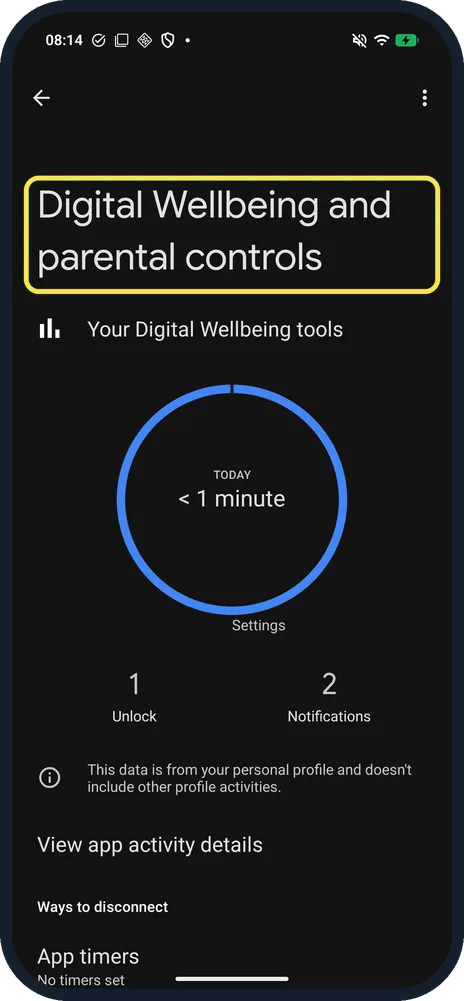
Open Digital Wellbeing and parental controls
Open Settings and tap Digital Wellbeing and parental controls. The circle shows today's screen time, split by app.
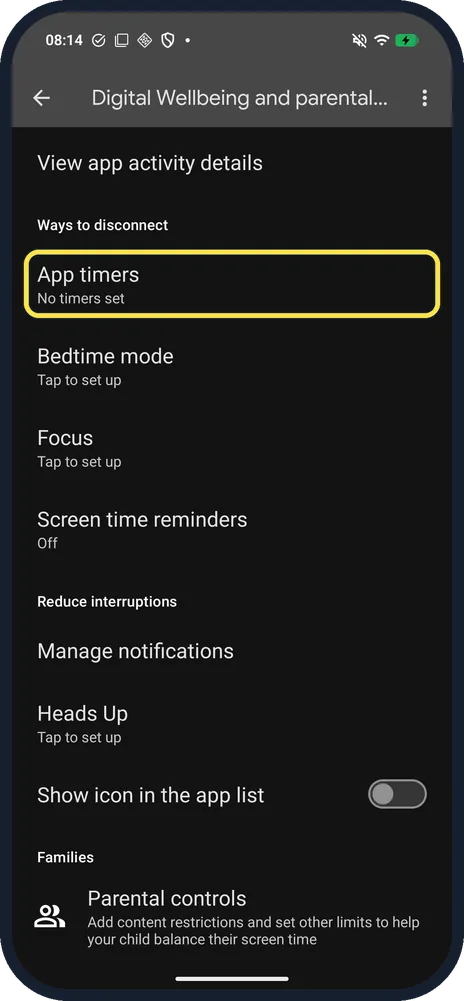
Tap App timers
Scroll down to Ways to disconnect. App timers is the first row; ours said No timers set.
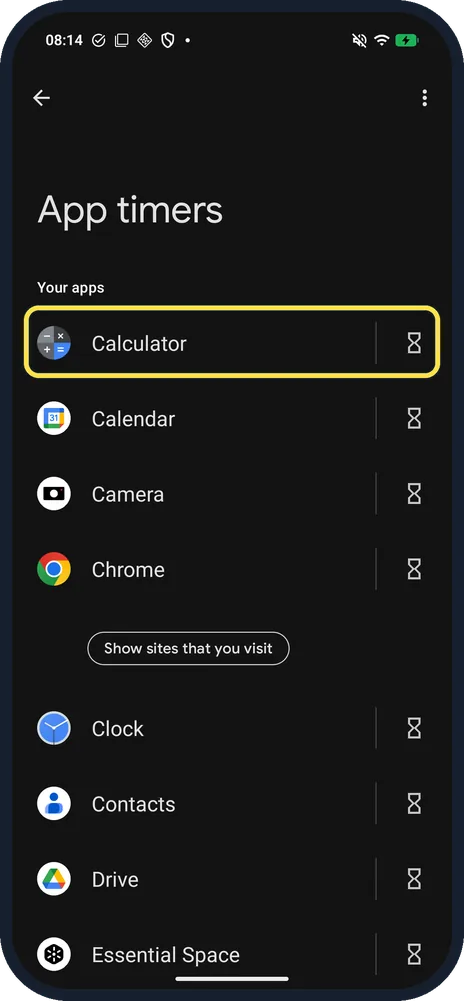
Tap the hourglass next to the app
Apps are listed A to Z. Tap the hourglass on the right of the app; we used Calculator.
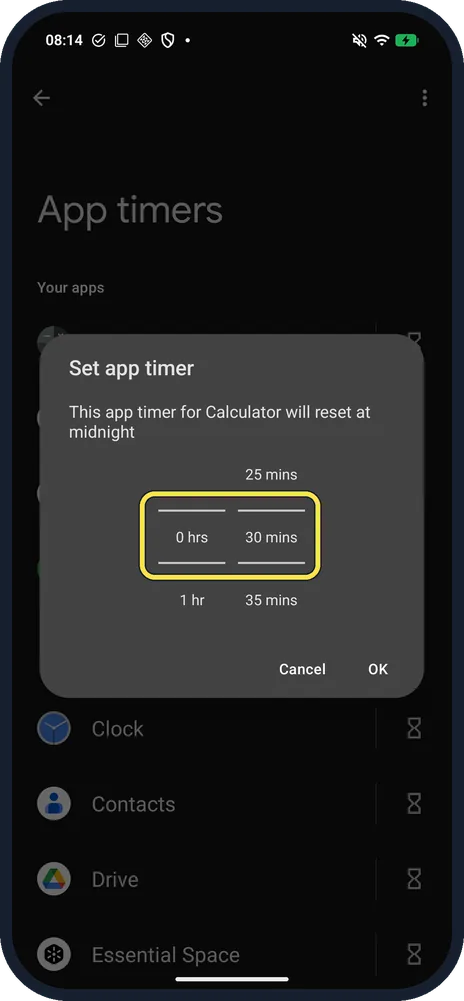
Pick a time and tap OK
Set app timer says the timer will reset at midnight. Turn the hours and minutes wheels, then tap OK.
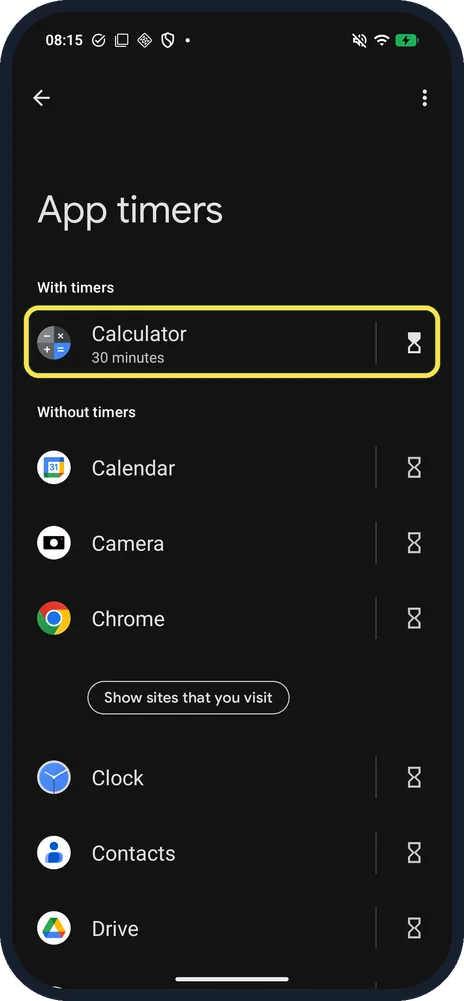
Check the timer
The app moves up under With timers, with its time below the name: 30 minutes on ours.
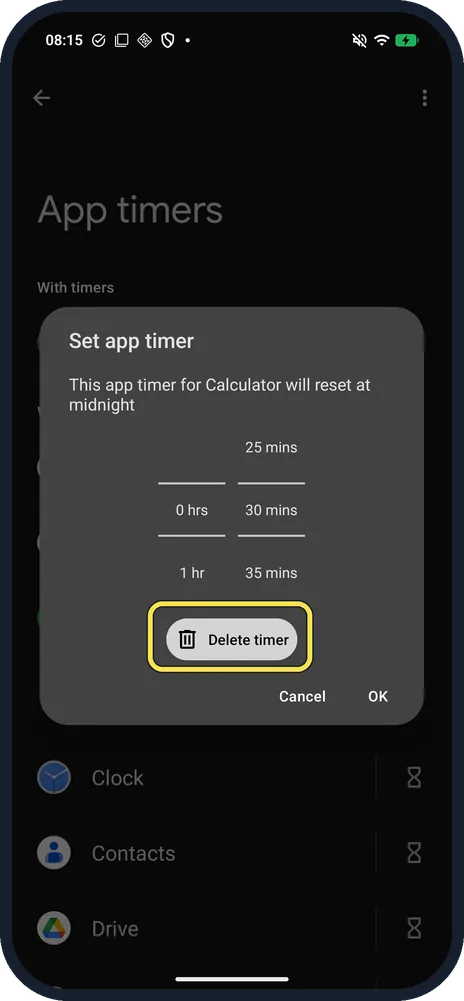
To remove it, tap Delete timer
Tap the hourglass again. The same box now has a Delete timer button.
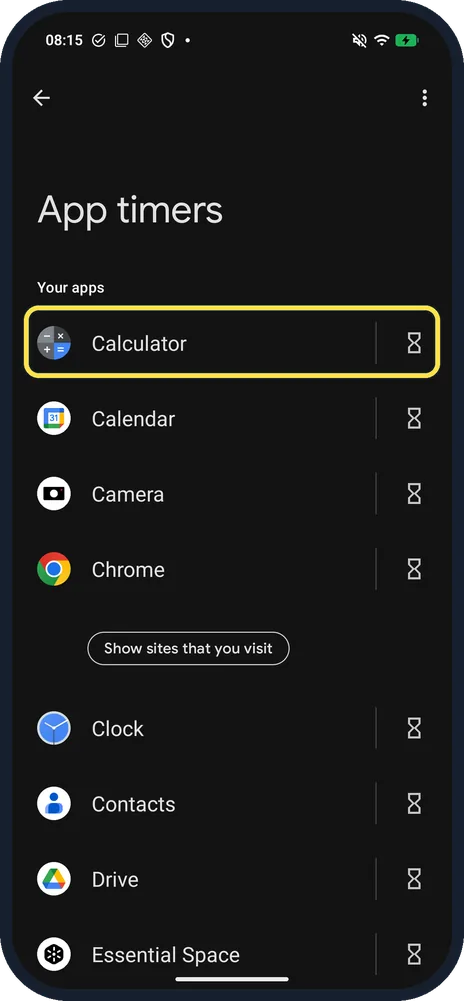
Check it is gone
Calculator goes back under Your apps, with no time below its name.
If you do not see this option
- Want the screen time by app? Tap View app activity details on the dashboard. It shows a chart for the day and lists every app; ours said Show all 31 apps.
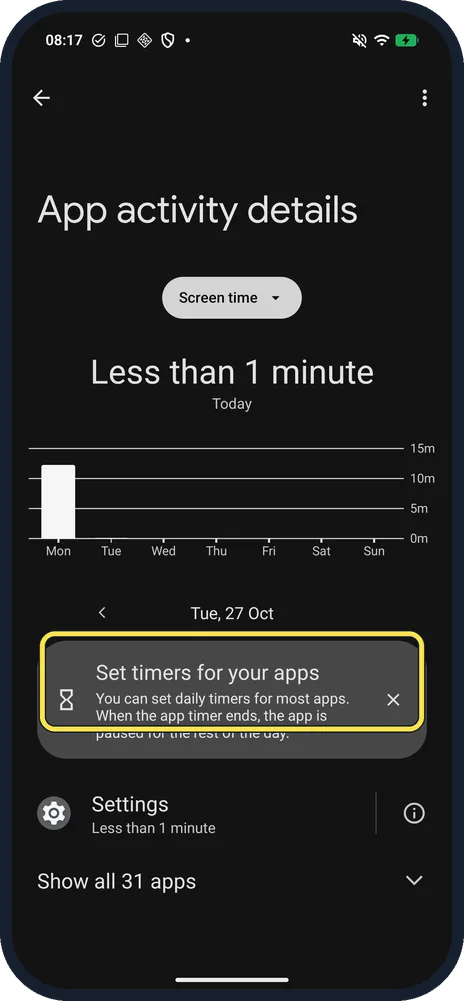
- Searched Display for screen time? Settings, Display, Screen timeout is a different setting: how long the screen stays on. Screen time lives in Digital Wellbeing. Source: Manage how you spend time on your Android phone with Digital Wellbeing
If this does not work
- Timer ran out but you need the app? The app is paused for the rest of the day, as the App activity card says. Tap its hourglass in App timers and change or delete the timer. Source: Manage how you spend time on your Android phone with Digital Wellbeing
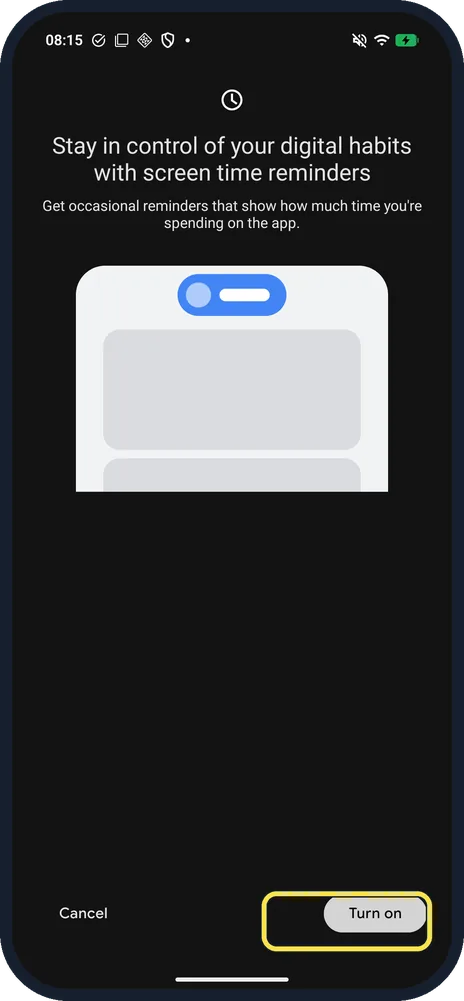
- Want a nudge, not a block? Screen time reminders, under Ways to disconnect, shows an occasional reminder of your time in an app. Ours was Off; the prompt has Cancel and Turn on. Source: Manage how you spend time on your Android phone with Digital Wellbeing
About this guide
Nothing OS uses Google's Digital Wellbeing for screen time. Searching Settings for "screen time" finds it too. On our Phone (4a) Pro the dashboard showed under a minute, 1 unlock and 2 notifications.
The screenshots are from our Nothing Phone (4a) Pro, the European model A069P, with Nothing OS 4.1 and Android 16 (build FroggerPro-B4.1-260907-1153-EEA), in Dark mode, taken on 27 October 2026. We set a 30-minute timer on Calculator for the pictures, then deleted it.
Good to know
Bedtime mode, also under Ways to disconnect, offered 23:00 to 07:00 with Use a schedule or Turn on while charging. We tapped Not now.
To silence the phone instead, see turn on Do Not Disturb on a Nothing Phone.
In short: Settings, Digital Wellbeing and parental controls, App timers, hourglass, pick a time, OK.
Links checked in October 2026. Menus and features can change after software updates. These steps match the version named at the top.
📷 See real photos from the Nothing Phone (4a) Pro in our Camera Lab, next to 10 other phones.
Did this guide work for you?
Sorry about that. What happened?