
howtosimply.com/guides/how-to-restore-deleted-contacts-on-a-samsung-galaxy/ · Checked October 2026 · SM-A576B), One UI 9.0, Android 17 (build CP2A.260605.016.A576BXXU6BZIE · Samsung Galaxy A57
In this guide
Open Contacts, tap the menu and then Trash. Tap the contact and tap Restore at the bottom. Deleted contacts stay in the Trash for 30 days; after that they are deleted for good.
4 of 4 steps with real screenshots · 1 official source below
- Device
- Android
- Shown on
- Samsung Galaxy A57 (SM-A576B), One UI 9.0, Android 17 (build CP2A.260605.016.A576BXXU6BZIE)
- App
- Contacts
- Path
- Contacts › Three dots › Trash › The contact › Restore
- Real screenshots
- 4 of 4 steps
- Checked
- October 2026
- Sources
- 1 official, linked below
Step by step
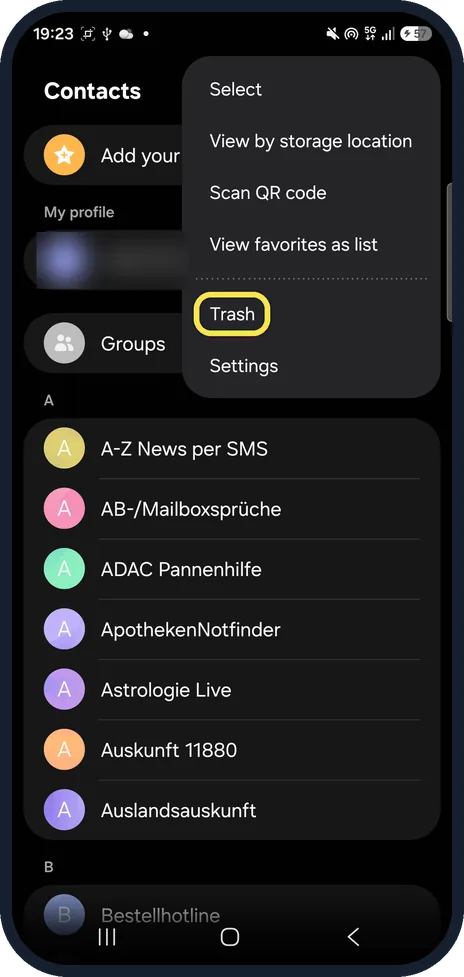
Open Contacts and tap Trash
In Contacts, tap the three dots at the top right. Trash is above Settings.
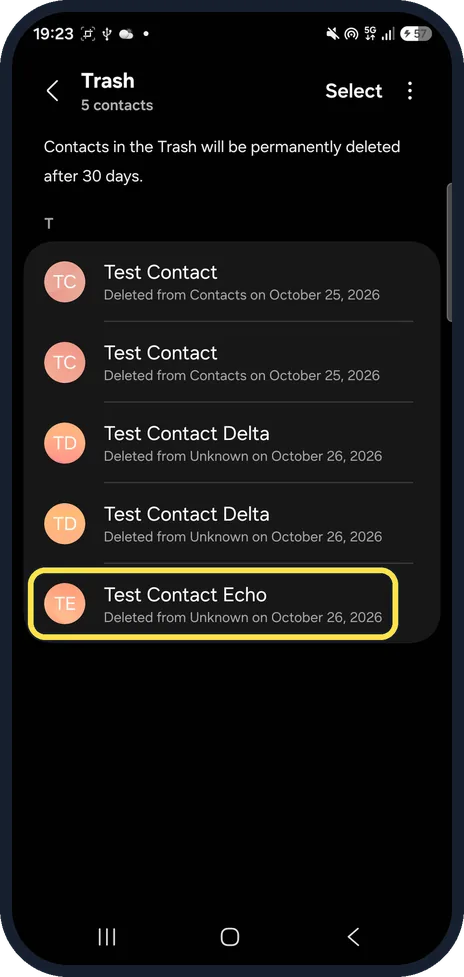
Tap the contact
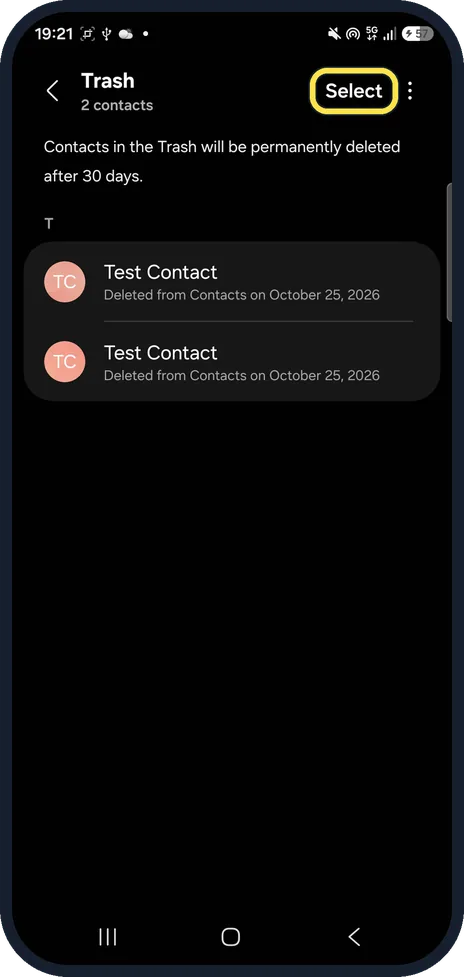
The Trash says contacts in the Trash will be permanently deleted after 30 days. Each one shows when it was deleted.
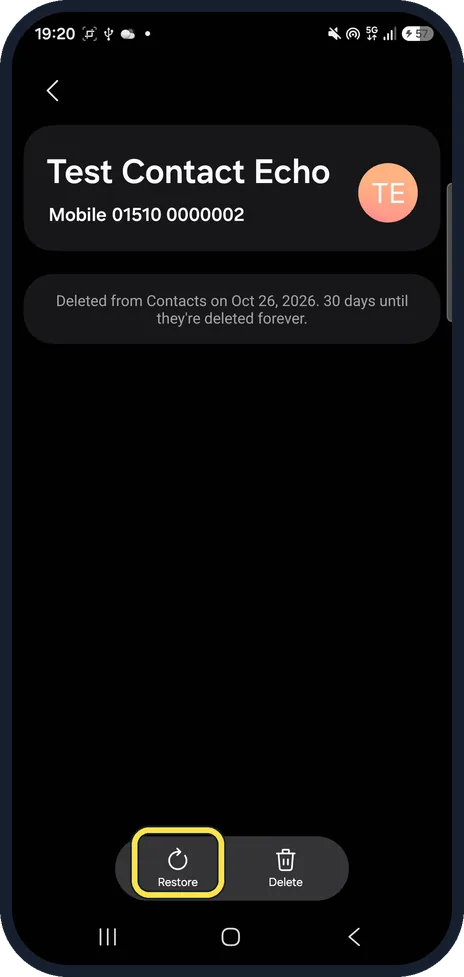
Tap Restore
The contact's page says how many days are left. Restore is at the bottom left, next to Delete.
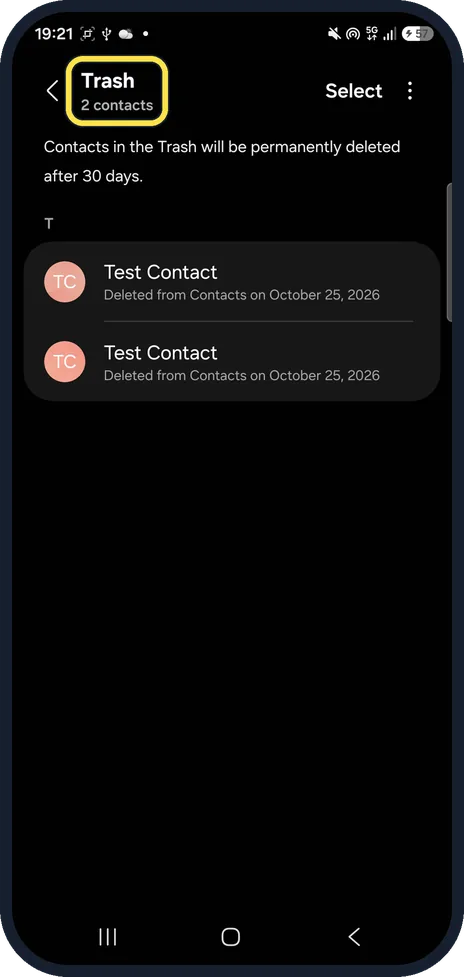
Check it left the Trash
The restored contact leaves the Trash and goes back to your contacts list. Our Trash read 2 contacts after we had restored our test contacts.
If you do not see this option
- No Trash in the menu? It is in the three dots menu on the main Contacts screen, between View favorites as list and Settings. Tap the three dots on the Contacts list itself, not inside a contact.
- Restore several at once? Tap Select at the top of the Trash, tick the contacts and restore them together.
- Contact was in your Google account? Samsung points to Google Contacts on a computer: open Trash and click Recover. Settings, Undo changes can go back to a point within the last 30 days. Source: Why are my contacts disappearing on a Galaxy phone?
If this does not work
- Contact is not in the Trash? Over 30 days old, or deleted on another device that syncs the same Google account. Samsung suggests Google Contacts' Trash or Undo changes for synced contacts. Source: Why are my contacts disappearing on a Galaxy phone?
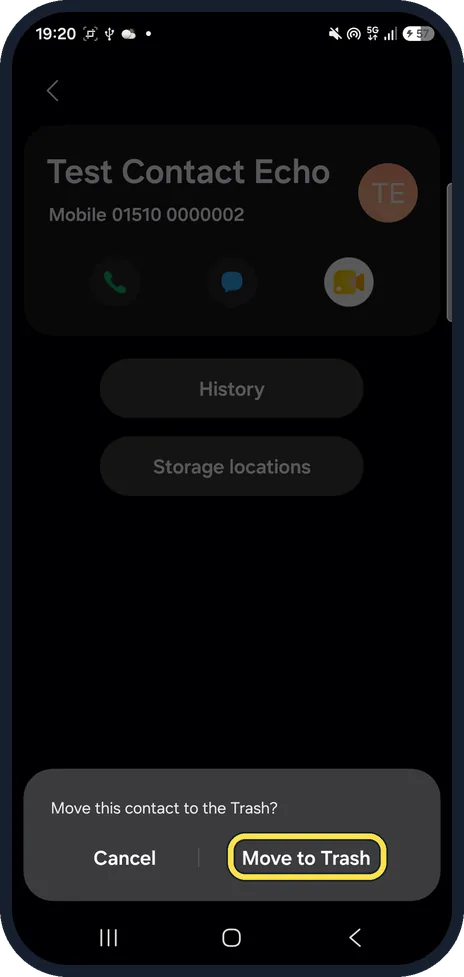
- Deleted a contact by mistake? Deleting from a contact's More menu asks Move this contact to the Trash? first, so it can come back from there.
- Contacts keep disappearing? Samsung says this often happens when the same Google account is used on several devices. Source: Why are my contacts disappearing on a Galaxy phone?
About this guide
On a Galaxy, deleting a contact moves it to the Contacts Trash first. We deleted and restored a test contact.
The screenshots are from our Samsung Galaxy A57, model SM-A576B, with One UI 9.0 and Android 17 (build CP2A.260605.016.A576BXXU6BZIE), in Dark mode, taken on 26 October 2026.
Good to know
To keep a copy of your contacts, see export contacts on a Galaxy or move phone contacts to your Google account.
To tidy up doubles, see merge duplicate contacts on a Galaxy.
In short: Contacts, three dots, Trash, contact, Restore.
Links checked in October 2026. Back up anything you want to keep before you reset or delete. Menus can change after software updates.
📷 See real photos from the Galaxy A57 in our Camera Lab, next to 10 other phones.
Did this guide work for you?
Sorry about that. What happened?