
howtosimply.com/guides/how-to-merge-duplicate-contacts-on-a-samsung-galaxy/ · Checked October 2026 · SM-A576B), One UI 9.0, Android 17 (build CP2A.260605.016.A576BXXU6BZIE · Samsung Galaxy A57
In this guide
Open Contacts, tap the three dots, then Settings and Merge duplicate contacts. Pick Number, Email or Name, tick the duplicates and tap Merge. Check the preview and tap Merge again.
5 of 5 steps with real screenshots · 1 official source below
- Device
- Android
- Shown on
- Samsung Galaxy A57 (SM-A576B), One UI 9.0, Android 17 (build CP2A.260605.016.A576BXXU6BZIE)
- App
- Preview
- Real screenshots
- 5 of 5 steps
- Checked
- October 2026
- Sources
- 1 official, linked below
Step by step
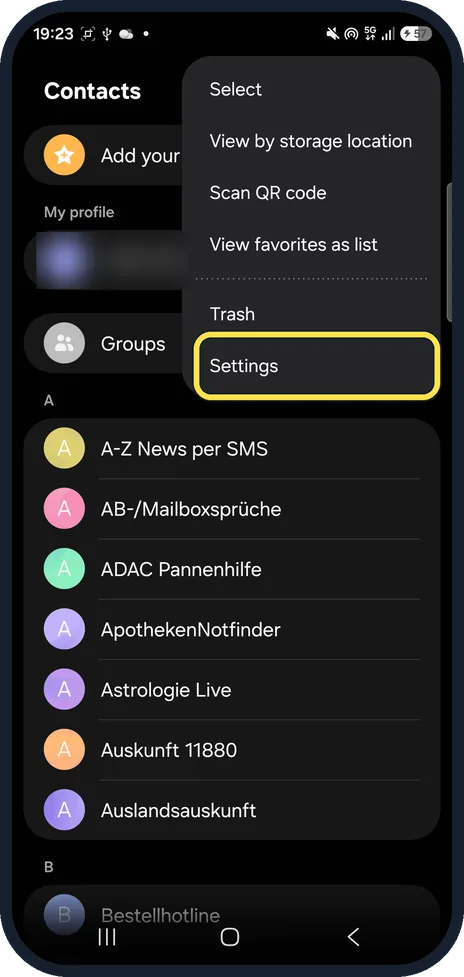
Open Contacts settings
In Contacts, tap the three dots at the top right, then Settings.
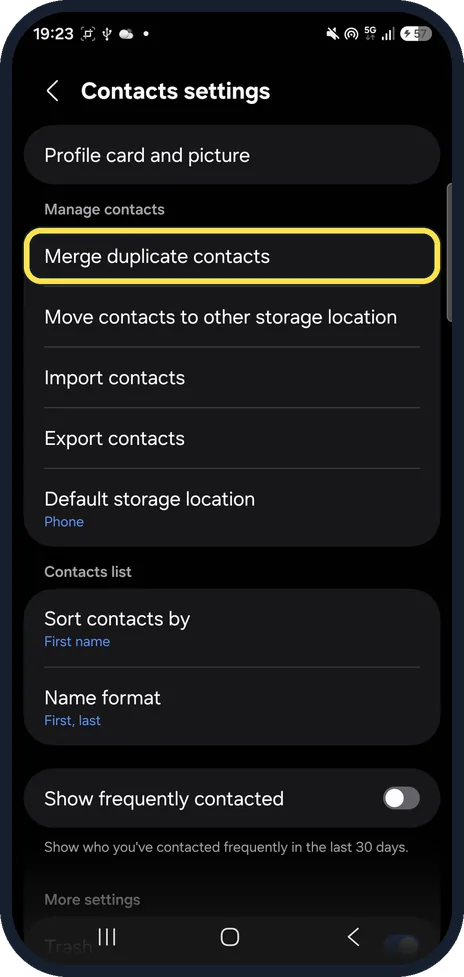
Tap Merge duplicate contacts
It is the first row under Manage contacts.
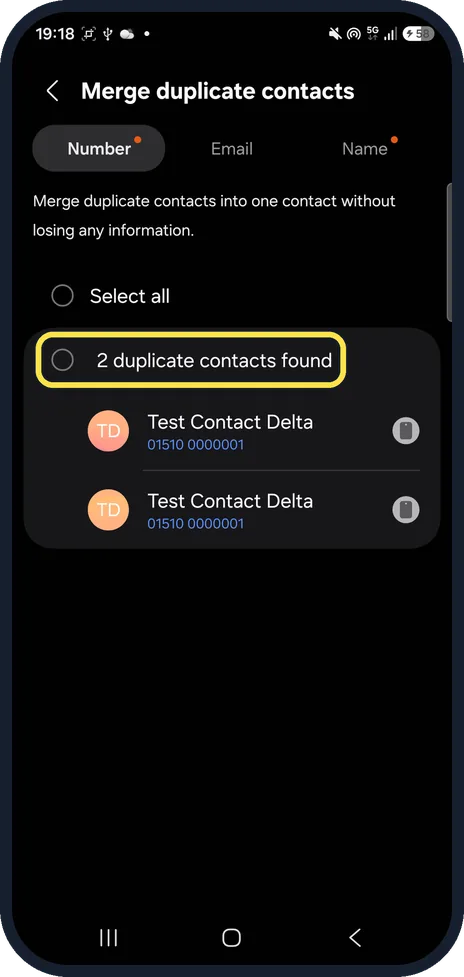
Tick the duplicates
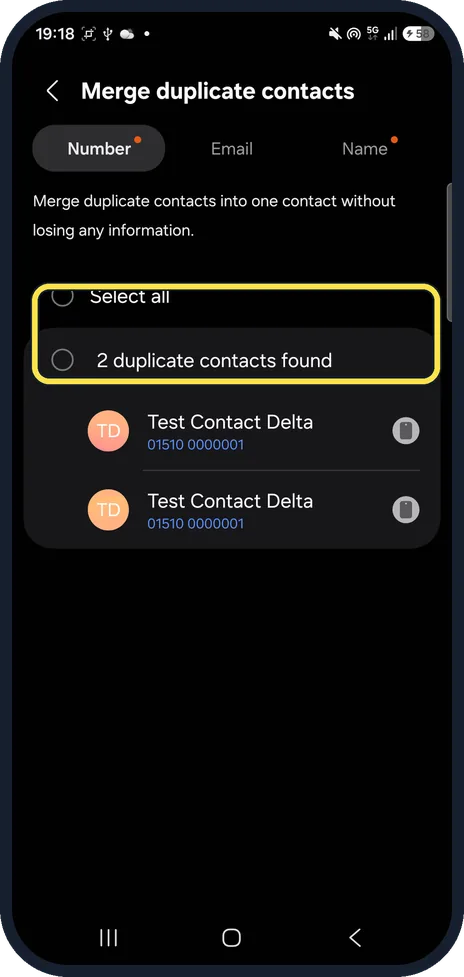
Number, Email and Name are tabs; a dot marks the ones with matches. Ours said 2 duplicate contacts found. Tick the group, or Select all.
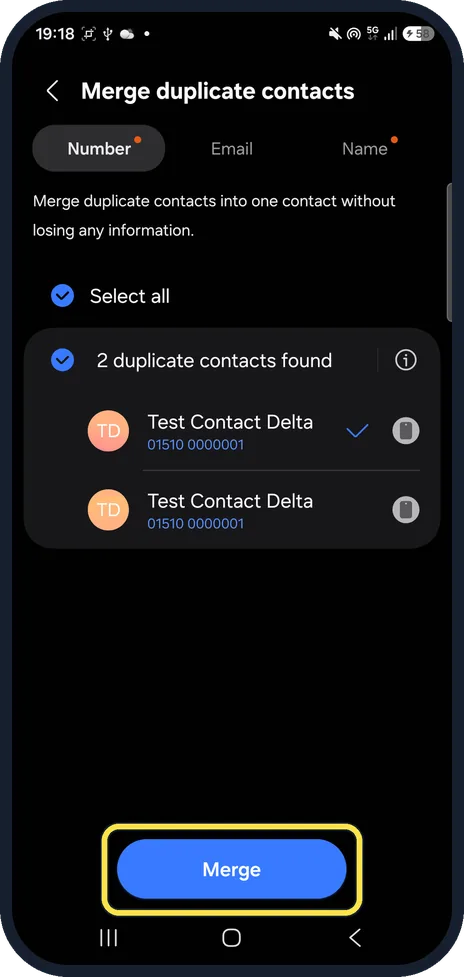
Tap Merge
The Merge button appears at the bottom once a group is ticked.
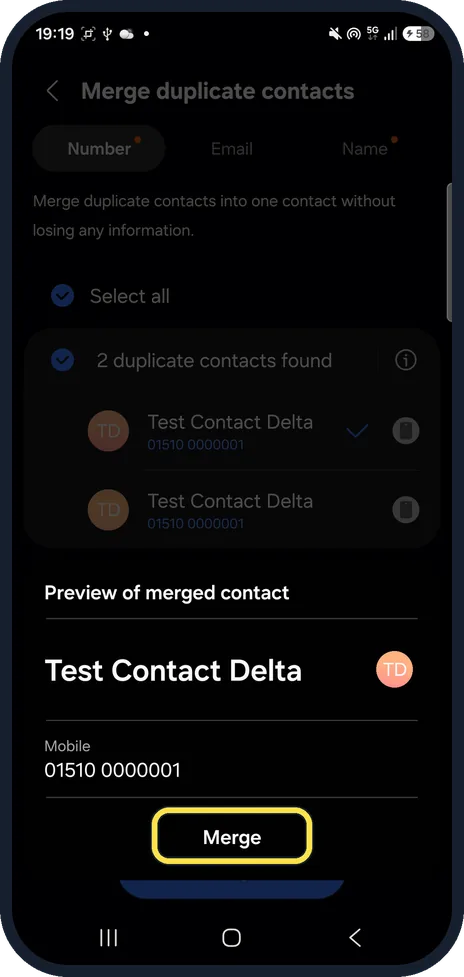
Check the preview and tap Merge
Preview of merged contact shows the name and numbers it will keep. Ours: Test Contact Delta with one mobile number.
If you do not see this option
- No Manage contacts in the menu? Samsung's steps go Contacts, menu, Manage contacts. On One UI 9 Manage contacts is a section inside Contacts settings. Source: Manage your contacts with ease on your Galaxy phone and tablet
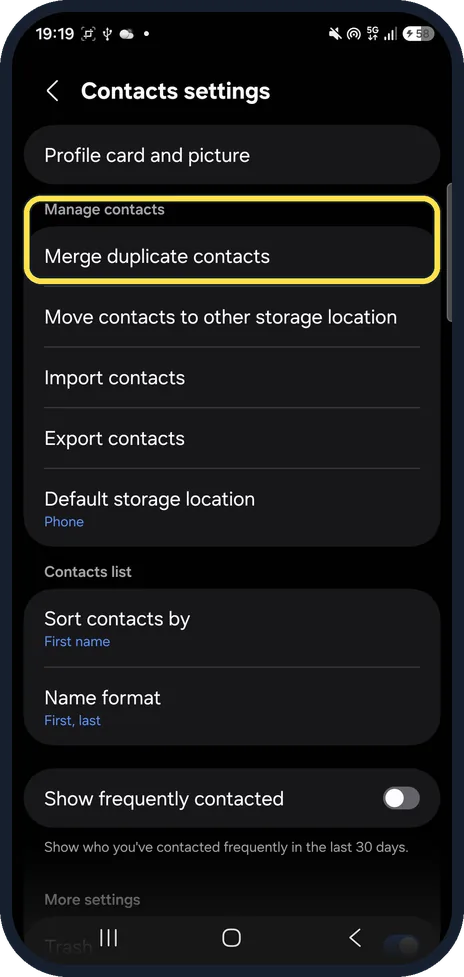
- Duplicates by email or name? Samsung says you can merge duplicate numbers, emails or names. Switch tabs at the top of Merge duplicate contacts. Source: Manage your contacts with ease on your Galaxy phone and tablet
If this does not work
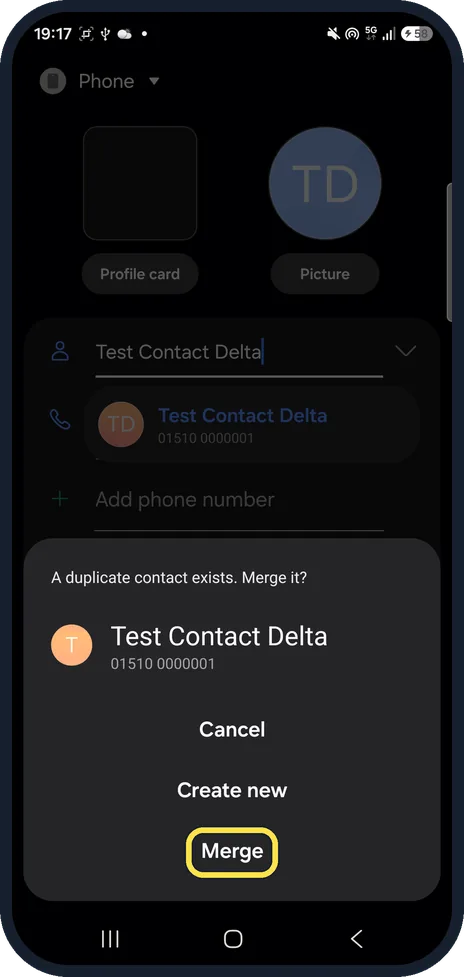
- Saving a contact says a duplicate exists? When we saved a second contact with the same number, the phone asked A duplicate contact exists. Merge it? Tap Merge, or Create new to keep both.
- No Merge button? It only appears once a group or Select all is ticked. Tick the circle next to the duplicates found line first.
About this guide
Merging joins two entries for the same person into one. We merged two test contacts with the same name and number.
The screenshots are from our Samsung Galaxy A57, model SM-A576B, with One UI 9.0 and Android 17 (build CP2A.260605.016.A576BXXU6BZIE), in Dark mode, taken on 26 October 2026.
Good to know
To get back a deleted contact, see restore deleted contacts on a Galaxy.
In short: Contacts, three dots, Settings, Merge duplicate contacts, tick, Merge, Merge.
Links checked in October 2026. Menus and features can change after software updates. These steps match the version named at the top.
📷 See real photos from the Galaxy A57 in our Camera Lab, next to 10 other phones.
Did this guide work for you?
Sorry about that. What happened?